Tag: Home Modification

Physical changes to the home structure or layout (handrails, ramps, doorway widening).

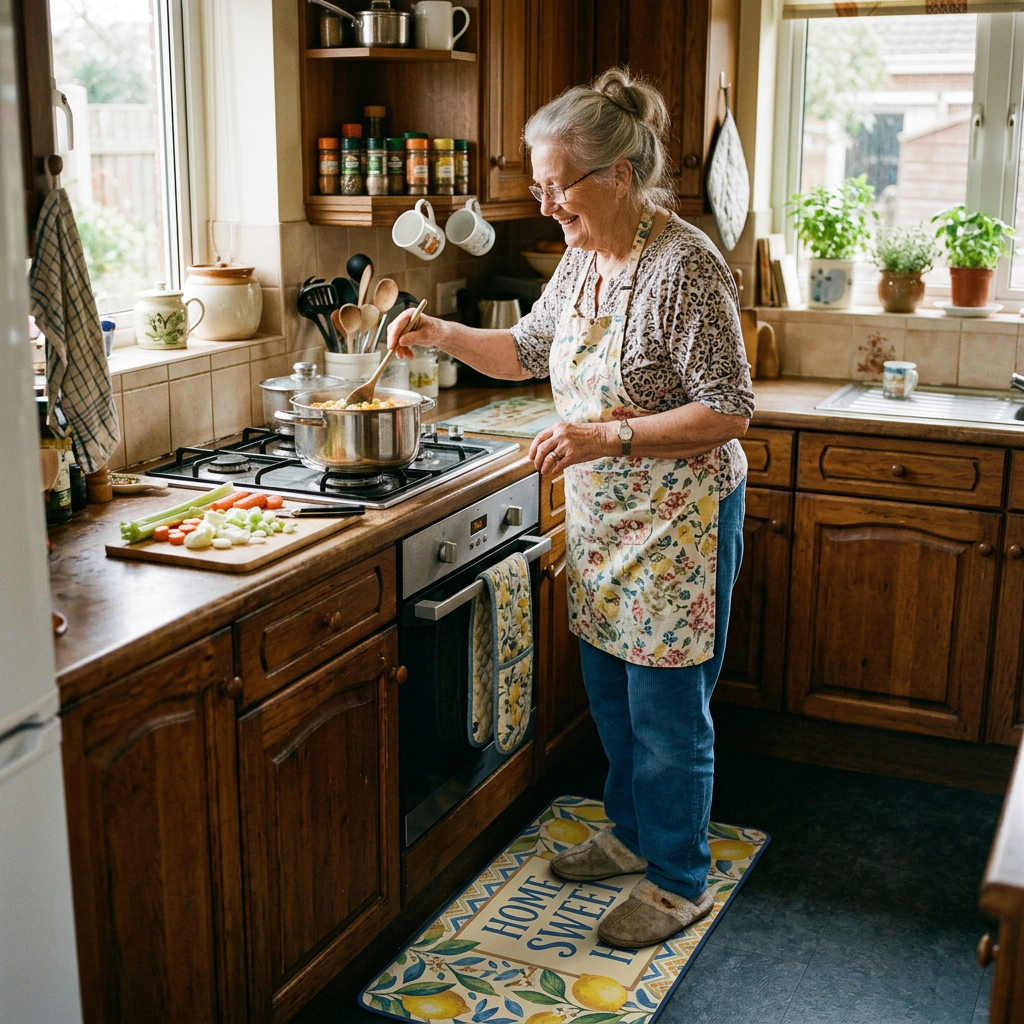
  • 5 Best Anti-Fatigue Kitchen Mats for Seniors

    5 Best Anti-Fatigue Kitchen Mats for Seniors

    Disclosure: BuyingForMom is reader-supported. As an Amazon Associate we earn from qualifying purchases. When you buy through links in this article, we may earn an affiliate commission at no additional cost to you. We never recommend products we haven’t researched against verified-buyer review data. This article is editorial reporting, not medical advice.

    5 Best Anti-Fatigue Kitchen Mats for Seniors

    By Sarah Mitchell · Editor, BuyingForMom · Updated August 2026

    10-min read · Kitchen · 5 picks compared

    The honest take: For most kitchens, buy the ComfiLife 3/4-inch mat and stop there it hits the firm-but-cushioned sweet spot without the wobble a plush mat adds. Reach for the firmer Sky Solutions mat instead only if the person standing on it has real balance trouble, and skip anything advertised as “extra plush” or “1-inch thick” for an unsteady parent, softer is not safer.

    How we sorted through 40+ anti-fatigue mats in three weeks

    We cross-referenced more than 40 kitchen and standing mats against roughly 90,000 verified Amazon reviews, then filtered them through a lens most roundups skip: what helps an older adult standing at the sink, not a warehouse worker on concrete. We weighted three things — the firmness-versus-comfort balance flagged by occupational therapists and certified ergonomists, the height and taper of the mat’s edge (the part that becomes a trip lip), and the grip of the backing on tile and hardwood. Where reviewers reported a mat that curled, slid, or “felt like standing on a mattress,” we noted it, because for a senior those are safety issues, not annoyances.

    Who this guide is for

    This guide is for adult children buying a kitchen mat for a parent who stands to cook, wash dishes, or make coffee and comes away with aching feet, knees, or a sore lower back. It’s also for the parent shopping for themselves. If the person you’re shopping for has significant balance problems or has fallen before, read the balance section carefully the “best” mat for them is probably not the softest one on the page.

    Standing on a hard kitchen floor is quietly punishing. The cushioning in a good anti-fatigue kitchen mat encourages tiny, constant shifts in the leg muscles that keep blood moving, reducing the foot, leg, and back fatigue that builds over a few minutes at the counter. For an older adult with arthritis or a stiff lower back, that relief is the whole point. But the same softness that relieves a healthy cook’s feet can work against an unsteady parent’s balance, so the right pick depends as much on the person as on the mat.

    At a glance

    Best Overall  ComfiLife 3/4″ (~$32) — firm-but-cushioned, ideal thickness, beveled edge.

    Best Budget  KitchenClouds Cushioned Mat (~$15) — soft, low-profile, wipes clean, 21,000+ reviews.

    Best for Balance  Sky Solutions 3/4″ (~$25) — denser, firmer, less “sink” for unsteady standers.

    Best Long Runner  Sky Solutions 24″x70″ (~$50) — one piece from sink to stove, fewer edges.

    Premium  WellnessMats Trellis 2’x3′ (~$130) — seamless, won’t flatten, 20-year warranty.

    Best Overall  ComfiLife Anti-Fatigue Floor Mat, 3/4″

    ~$32 · Check price on Amazon →

    The ComfiLife is the mat we’d hand almost anyone, because it lands on the 3/4-inch thickness reviewers and ergonomists agree is the practical sweet spot — enough give to unload the joints, not so much that standing feels like balancing on a cushion. Across more than 40,000 reviews, the recurring praise is “firm but forgiving,” and the high-density core doesn’t bottom out or develop a permanent foot-shaped dent the way cheaper foam does. The edges are beveled so a slipper or a walker foot rolls on rather than catching, and the textured non-slip backing holds on tile and sealed hardwood. It comes in muted colors that read as a kitchen rug, not a gym accessory — which matters when you’re trying to get a parent to actually keep it down.

    The good

    • 3/4″ thickness hits the comfort-versus-stability sweet spot
    • Beveled edges reduce the trip lip; walker- and cart-friendly
    • Dense core resists flattening; wipes clean, stain-resistant top

    The catch

    • Ships rolled and can take a day or two to lie fully flat
    • One-mat size (20″x32″) only covers a single station, not a galley

    This is right if… your parent wants real standing relief without the wobble a plush mat adds.

    Look elsewhere if… you need to cover a long stretch of counter — size up to the runner below.

    Check Price on Amazon →

    Best Budget  KitchenClouds Cushioned Kitchen Mat

    ~$15 · Check price on Amazon →

    If you’re not sure a mat will get used and don’t want to spend much to find out, the KitchenClouds is the low-risk try. It carries more than 21,000 reviews at a steady 4.4 stars, and buyers consistently describe the memory-foam top as pillow-soft the moment you step on. Its advantage for seniors is counterintuitive: at roughly half an inch it sits lower than the thicker picks, so the edge is a smaller lip to clear a genuine plus for anyone who shuffles or drags a foot. The waterproof surface wipes clean when something drips. The trade-off is durability: the soft foam compresses faster over a year of daily standing than the denser mats here, and a few reviewers note the edges can lift on textured tile until it settles.

    The good

    • Lowest price and lowest profile — smaller trip lip to clear
    • Plush memory-foam feel that’s easy on tender feet and knees
    • Waterproof, wipe-clean top; 21,000+ reviews at 4.4 stars

    The catch

    • Soft foam compresses faster than denser mats over a year
    • Edges can lift on textured tile until it settles flat

    This is right if… you want an inexpensive, low-profile mat to test whether one gets used at all.

    Look elsewhere if… the mat will get hours of daily standing — spend up for a denser core.

    Check Price on Amazon →

    Best for Balance  Sky Solutions Anti-Fatigue Mat, 3/4″

    ~$25 · Check price on Amazon →

    When the person standing on the mat has balance trouble, firmness beats plushness and the Sky Solutions is the firmer of our two 3/4-inch picks. Reviewers who compare it to memory-foam mats call it “supportive” rather than “sinky,” and that denser feel is what an ergonomist would steer an unsteady stander toward, because a foot that sinks less has less correcting to do. It’s a huge seller with hundreds of thousands of units behind it, a stain-resistant diamond-textured top, and a one-year guarantee that’s rare at this price. It won’t feel as cloud-like as the KitchenClouds, and that’s the point: for a parent who’s fallen before, you want a stable, slightly cushioned platform, not a soft one they have to fight.

    The good

    • Firmer, denser core more stable for unsteady standers
    • Beveled diamond-textured top; grippy non-slip backing
    • One-year guarantee; hundreds of thousands of units sold

    The catch

    • Less plush underfoot, comfort-seekers may want softer
    • Standard 20″x32″ size covers one station only

    This is right if… the person has balance issues or a fall history and needs stability first.

    Look elsewhere if… the goal is pure plush comfort and balance isn’t a concern.

    Check Price on Amazon →

    Best Long Runner  Sky Solutions Runner, 24″x70″

    ~$50 · Check price on Amazon →

    In a galley kitchen where the sink, stove, and counter all sit along one wall, two small mats create two edges to trip over and a cold gap between. The 24-by-70-inch Sky Solutions runner solves that with a single continuous piece across the whole working stretch — one taper to step onto and cushioning the whole way. It shares the firmer, stable feel of its smaller sibling, which suits a parent who moves back and forth along the counter rather than standing in one spot. The main caution is size — measure the run first, because 70 inches is real floor space, and you want the far edge to end at a natural stopping point, not mid-stride.

    The good

    • One continuous piece, fewer edges than two separate mats
    • Covers the full sink-stove-counter run in a galley layout
    • Same firm, stable 3/4″ core as the balance pick

    The catch

    • 70 inches is a big footprint — measure before buying
    • Costs roughly double a single-station mat

    This is right if… the kitchen is a galley and your parent works along the whole counter.

    Look elsewhere if… they stand at one spot — a single mat is cheaper and easier to place.

    Check Price on Amazon →

    Premium  WellnessMats Trellis, 2’x3′

    ~$130 · Check price on Amazon →

    The WellnessMats is the mat you buy when you don’t want to think about it again. Instead of foam that compresses, it’s a single molded piece of dense polyurethane, made in the USA and backed by a 20-year warranty, the reason occupational therapists and durability-focused reviewers keep naming it. It won’t flatten, curl, or tear at the seams, because there are no seams; the whole edge tapers to the floor in one continuous no-trip bevel. Verified buyers who’d replaced two or three cheap mats frame it as the one they should have bought first. The catch is price, roughly four times our overall pick — so it’s the right call when a parent stands in the kitchen daily and you’d rather spend once than replace foam annually.

    The good

    • Seamless polyurethane won’t flatten, curl, or tear
    • Continuous tapered no-trip edge; grips without a separate backing
    • Made in USA, 20-year warranty, a genuine buy-it-once

    The catch

    • Roughly 4x the price of our overall pick
    • Firm, thin-feeling surface, less “plush” than foam mats

    This is right if… your parent stands in the kitchen daily and you want to buy once, for good.

    Look elsewhere if… the budget is tight or you’re not sure the mat will get regular use.

    Check Price on Amazon →

    Compare the five at a glance

    Mat Approx. price Feel Best for
    ComfiLife 3/4″ ~$32 Firm-cushioned Most kitchens (overall)
    KitchenClouds ~$15 Soft, low profile Budget / lowest trip lip
    Sky Solutions 3/4″ ~$25 Firm, stable Balance / fall history
    Sky Solutions 24″x70″ ~$50 Firm, stable Galley / long counter
    WellnessMats Trellis ~$130 Firm, seamless Buy-it-once durability

    The conversation you’ll have

    A kitchen mat is one of the easiest aging-in-place upgrades to introduce, because it doesn’t announce itself as a “safety product.” Nobody feels older for owning a comfortable mat. The resistance you’re more likely to hit is the opposite worry — an unsteady parent who’s been told to clear the floors of rugs may see a mat as one more thing to trip on, and they’re not wrong to ask. Lead with comfort, not caution.

    Try saying “I got you a cushioned mat so your feet and back don’t ache when you’re cooking” rather than “this will help you not fall.” The first frames it as a small kindness; the second turns a gift into a verdict about their independence. Then handle the trip worry out loud together: put the mat down, walk the edge onto it a few times, and point out that the beveled edge tapers to the floor instead of sitting up like a rug lip. If it doesn’t feel right within a day or two, it goes back — that reassurance is often what gets it kept.

    Insurance and savings

    Set expectations honestly: Original Medicare does not cover an anti-fatigue kitchen mat. Medicare’s durable medical equipment rules require an item to be “primarily medical” and prescribed for a diagnosis, and a comfort mat doesn’t qualify — the same reason grab bars and shower chairs are excluded. If your parent has a Medicare Advantage plan, check it: a number of MA plans now offer an over-the-counter or home-safety allowance that can stretch to fall-prevention items, and a mat may be eligible where the plan says so. An FSA or HSA generally won’t reimburse a kitchen mat without a documented medical need, but if a doctor or occupational therapist recommends one in writing for a specific condition, keep that note (see IRS Publication 502). At these prices the real savings play is simpler than paperwork buy the mat that lasts instead of replacing a cheap one every year.

    What to actually look for

    Thickness: for a senior, firmer usually wins

    This is where senior shopping diverges from everyone else’s. The general sweet spot is 3/8 to 3/4 inch — enough to cushion without feeling unstable. But occupational therapists and certified ergonomists warn that a too-soft or too-thick mat forces the feet, ankles, and lower back into constant micro-corrections, “similar to standing on a mattress,” which raises balance and trip risk. For a steady cook, chase comfort. For an unsteady parent, choose the firmer mat and never stack two for extra plush. Our complete aging-in-place home safety checklist lays out where a kitchen mat fits in the wider priority order.

    The edge is the part that trips people

    The single most important safety feature is a beveled edge — one that tapers down to the floor rather than sitting up as a lip. A square-edged mat is a trip hazard; a well-beveled one lets a slipper, a walker foot, or a cart roll on without catching. Lower-profile mats have a smaller lip to begin with, which is why the thinner budget pick can be the safer choice for someone who shuffles. Whatever you choose, position the far edge to end at a wall or cabinet toe-kick, not in the middle of a walking path. For the room-by-room view of trip-hazard fixes, our room-by-room aging-in-place modification guide covers the whole house.

    Grip, cleanability, and the floor underneath

    A mat that slides is worse than no mat, so look for a textured or rubberized non-slip backing and test it on the actual floor — some backings grip tile beautifully and skate on waxed hardwood. A wipe-clean, waterproof top matters in a kitchen where spills happen, and it’s easier for arthritic hands than a mat that has to be hauled to the wash. And remember the mat isn’t the only thing on the floor: a curling throw rug near the sink undoes everything, so if there’s a loose rug in the kitchen, fix or remove it our guide to rug grippers that stop slipping and curling rugs covers that companion problem.

    Frequently asked questions

    Are anti-fatigue mats good for seniors?

    Yes, for most older adults they reduce foot, leg, and back fatigue while standing at the counter, which encourages standing longer and more comfortably. The caveat is balance: for a parent who is unsteady or has fallen, choose a firmer, lower-profile mat with a beveled edge rather than a thick, plush one.

    How thick should a kitchen anti-fatigue mat be?

    Aim for 3/8 to 3/4 inch. That range cushions the joints without feeling unstable. Thinner than 3/8 inch won’t relieve much pressure, and mats near or above an inch can feel like standing on a mattress — comfortable for the steady, but a balance risk for an older adult.

    Can an anti-fatigue mat be a trip hazard?

    It can, if it has a square, raised edge or slides on the floor. Choose a mat with a beveled edge that tapers to the floor and a non-slip backing, position it so the far edge ends at a wall or cabinet, and never stack two mats. Done right, the trip risk is minimal.

    Do anti-fatigue mats help with back pain?

    They can. The cushioning prompts small, constant leg-muscle movements that improve circulation and reduce the strain hard floors put on the feet, legs, and lower back. They won’t cure a back condition, but many people with arthritis or general stiffness report noticeably less soreness after standing.

    What’s the difference between an anti-fatigue mat and a fall mat?

    They’re different products. An anti-fatigue mat is thin and firm, made for standing comfort. A fall mat is a thick, soft impact pad placed beside a bed to cushion a fall and because it’s soft and tall, it’s a poor standing surface. Don’t substitute one for the other.

    How do you keep an anti-fatigue mat from sliding?

    Start with a mat that has a textured or rubberized non-slip backing, then test it on your actual floor. On slick or waxed surfaces, a thin non-slip rug pad underneath adds grip. Keep the underside and floor clean, since dust and grease are what let a mat drift.

    Are anti-fatigue mats safe with a walker or wheelchair?

    With a beveled edge, yes — a walker or wheelchair rolls onto a low, tapered mat without catching. Favor a firmer 3/4-inch or thinner mat over a plush one, since soft foam is harder to roll across, and make sure the edge tapers fully to the floor on the approach side.

    The shortlist

    Best Overall

    ComfiLife 3/4″

    ~$32

    Check on Amazon →

    Best Budget

    KitchenClouds

    ~$15

    Check on Amazon →

    Best for Balance

    Sky Solutions 3/4″

    ~$25

    Check on Amazon →

    Best Long Runner

    Sky Solutions 24″x70″

    ~$50

    Check on Amazon →

    Premium

    WellnessMats Trellis

    ~$130

    Check on Amazon →

    Last verified in stock: August 21, 2026

    What we’d do tomorrow

    If you’re setting this up this week, do three things in order. First, measure the spot where your parent actually stands. One station takes a single mat, a long counter takes the runner. Second, match the feel to the person: steady cook, get the ComfiLife 3/4-inch; unsteady or a fall history, get the firmer Sky Solutions; tight budget, start with the KitchenClouds. Third, when it arrives, put it down together, walk the beveled edge a few times, and make sure any loose kitchen rug is gripped down or gone. That’s the whole job, a more comfortable kitchen that’s also a little safer, without it ever feeling like a medical purchase.

    — Sarah


    BuyingForMom is a reader-supported site. As an Amazon Associate we earn from qualifying purchases. When you buy through links on this site, we may earn an affiliate commission at no additional cost to you. See our Affiliate Disclosure for details. This article is not medical advice please consult a qualified healthcare professional for decisions specific to your family.

  • 5 Best Rug Grippers for Seniors

    5 Best Rug Grippers for Seniors

    Disclosure: BuyingForMom is reader-supported. As an Amazon Associate we earn from qualifying purchases. When you buy through links in this article, we may earn an affiliate commission at no additional cost to you. We never recommend products we haven’t researched against verified-buyer review data. This article is editorial reporting, not medical advice.

    5 Best Rug Grippers for Seniors to Stop Slipping and Curling Rugs

    By Sarah Mitchell · Editor, BuyingForMom · Updated August 2026

    9 min read · Living Room · 5 picks compared

    The honest take: A loose or curling area rug is one of the most common trip hazards in an older adult’s home, and the fix depends entirely on which problem you have. If the whole rug slides on a hard floor, buy a full Gorilla Grip pad and stop there. If it’s the corners curling up into a toe-catch, skip the pad and use StepNGrip corner grippers instead. And be honest with yourself: if a rug sits at the top of stairs or in a walker’s path, the safest gripper is no rug at all.

    How we sorted through 30-plus rug grippers in two weeks. We started from Amazon’s Rug Grip Tape & Pads best-seller list, then cross-referenced roughly 30 products against verified-buyer reviews, the CDC’s guidance that loose rugs are a leading household fall hazard, and occupational-therapist checklists that flag rug edges before almost anything else. We split every candidate by the two jobs it can actually do, stopping a whole rug from sliding, or flattening a curling corner — and cut anything buyers reported left adhesive residue on hardwood.

    Who this guide is for. This guide is for adult children and seniors trying to make an existing area rug safe to walk over, especially on hardwood, tile, or vinyl plank. If you’re deciding whether to keep a rug at all near stairs, thresholds, or a walker’s route, read the “conversation” and buying-guide sections below before you buy anything.

    The best rug grippers for seniors aren’t the ones with the strongest advertised grip they’re the ones matched to the failure you’re actually seeing. Buyers and OTs describe two different problems that get lumped together online: a rug that slides across a slick floor, and a rug whose corners lift and curl into a raised lip. A full-rug pad fixes the first and does almost nothing for the second; corner grippers fix the second and won’t stop a lightweight rug from traveling. Below, each pick is labeled by the job it does.

    One reality check no other roundup will say: the safest home for an older adult with balance issues often has fewer rugs, not better-secured ones. Grippers are the right call for rugs you’re keeping, not a reason to keep a rug in a genuinely dangerous spot.

    At a glance

    Best Overall  Gorilla Grip Strong Rug Pad Gripper — ~$13 · full-rug pad that stops sliding on hard floors.

    Best Value Pad  RUGSURE Rug Gripper Pad — ~$12 · open-grid pad for smaller accent rugs.

    Best for Curling Corners  StepNGrip / NeverCurl Corner Grippers — ~$15 · stiff-layer tabs that flatten lifting corners.

    Best No-Residue on Hardwood  Home Techpro Vacuum Tech Grippers — ~$29 · suction cups, no adhesive on the floor.

    Best Budget / Renter  Rug Grip No Curl Corner Tabs — ~$13 · triangular tabs that stick to the rug, not the floor.

    Best Overall  Gorilla Grip Strong Rug Pad Gripper

    ~$13 (2×3 ft; multiple trim-to-fit sizes) · Check price on Amazon →

    If a whole rug travels when a foot or a walker catches it, this is the fix. The Gorilla Grip pad is a dual-sided rubber grid that grabs both the floor and the rug’s backing, and across tens of thousands of verified reviews it’s the pad buyers most often say “actually stayed put.” It’s reversible, vacuum-friendly, and trims with scissors to fit runners and odd-size rugs — which is why it’s our default for the most common problem, a lightweight rug sliding on hardwood or tile.

    The good

    • Grips both surfaces, the single most reliable way to stop a whole rug from sliding.
    • Trims to any size with household scissors, so one pad fits a runner or an odd rug.
    • Reversible and washable; the open grid won’t trap grit against the floor.

    The catch

    • A pad stops sliding but won’t flatten a corner that’s already curled pair it with corner grippers if you have both problems.
    • On heavily textured luxury-vinyl plank, a few buyers report the grip is weaker than on smooth hardwood.

    This is right if… the entire rug slides on a hard floor and you want the most trusted, trim-to-fit pad.

    Look elsewhere if… your rug lies flat but the corners lift, you need corner grippers, not a pad.

    Check Price on Amazon →

    Best Value Pad  RUGSURE Rug Gripper Pad

    ~$12 (2×3 ft; larger sizes available) · Check price on Amazon →

    RUGSURE does the same core job as our top pick for a dollar or two less: an open-grid, non-slip underlay for hardwood and tile that keeps a rug from bunching or creeping. Verified buyers describe a no-fuss pad that holds smaller accent rugs and runners in place and shrugs off high heels and pets without breaking down. It’s the pick when you have a couple of modest rugs to secure and don’t want to pay a premium — entryway mats, kitchen-edge runners, and bedside rugs.

    The good

    • Among the cheapest reliable full-rug pads for hard floors.
    • Open grid protects the floor finish and airs out the space beneath the rug.
    • Holds up to daily traffic — buyers cite heels and pets without slipping.

    The catch

    • Thinner than premium pads, so it adds grip but little cushion underfoot.
    • Fewer size options than the big brands — check dimensions before buying for a large rug.

    This is right if… you’re securing one or two smaller rugs and want the lowest-cost pad that still works.

    Look elsewhere if… you want noticeable cushion underfoot, or you need an exact size for a large living-room rug.

    Check Price on Amazon →

    Best for Curling Corners  StepNGrip / NeverCurl Corner Grippers

    ~$15 (4-pack) · Check price on Amazon →

    Curling corners are the sneakier hazard: the rug lies flat in the middle but the edge lifts into a lip that catches a toe, a cane tip, or a walker wheel. StepNGrip (sold under the NeverCurl name) is the product reviewers most credit with solving it, because it does something a pad can’t, a stiff internal layer physically holds the corner down while a renewable sticky gel grips both rug and floor. Buyers note the gel “comes back to life” with a wipe of a damp cloth, so one set lasts, and you can flip a corner up to vacuum and press it back. For a rug that’s flat except at the edges, this is the targeted fix.

    The good

    • Stiff layer flattens a curled corner,  the exact toe-catch a pad leaves untouched.
    • Renewable gel wipes clean and re-sticks, so the set is genuinely reusable.
    • Lifts and repositions without tools or floor residue.

    The catch

    • Treats corners only; a lightweight rug can still slide in the middle, so pair with a pad if it does.
    • The gel needs an occasional wipe to renew its stickiness a minute of upkeep, not zero.

    This is right if… the rug stays put but the corners keep lifting into a trip lip.

    Look elsewhere if… the whole rug slides — a pad is the better tool for that.

    Check Price on Amazon →

    Best No-Residue on Hardwood  Home Techpro Vacuum Tech Grippers

    ~$29 (regularly ~$39) · Check price on Amazon →

    If your worry is the floor as much as the fall, this is the one to look at. Instead of adhesive, Home Techpro uses tiny suction cups press down and air escapes, creating a vacuum grip that holds without glue and peels off clean. Apartment Therapy’s reviewer liked how simple it was, and buyers with pristine hardwood appreciate that nothing sticky ever touches the finish. The honest limitation is real, though: it needs a smooth, hard floor and won’t grip rugs over carpet, rubber-backed rugs, or jute and a few buyers with dogs report a runner still shifting under hard play.

    The good

    • No adhesive on the floor, suction grip peels off with zero residue.
    • Ultra-thin, so it stays invisible and won’t create its own edge.
    • Reusable and repositionable across smooth hard floors.

    The catch

    • Smooth hard floors only, won’t work over carpet, or on rubber-backed or jute rugs.
    • Priciest pick here, and a few buyers report shifting under heavy pet activity.

    This is right if… you have smooth hardwood or tile and refuse to risk any adhesive residue.

    Look elsewhere if… the rug sits on carpet or has a rubber or jute backing.

    Check Price on Amazon →

    Best Budget / Renter  Rug Grip No Curl Corner Tabs

    ~$13 (4 tabs) · Check price on Amazon →

    This is the low-cost, renter-safe way to kill a curling corner. Rug Grip No Curl uses double-sided triangular tabs that bond to the rug, not the floor — so there’s no odor, no residue, and nothing to strip off hardwood, vinyl, or laminate when the lease ends. The maker markets it explicitly for keeping children, pets, and older adults from tripping on rug curl, and verified buyers back that up for lightweight rugs and runners. Because the adhesive lives on the rug side, it’s the cleanest option for anyone who can’t modify their floors.

    The good

    • Sticks to the rug, not the floor zero residue, ideal for renters.
    • Works across hard floor types: tile, hardwood, vinyl, laminate, concrete.
    • Cheapest way to flatten a curling corner; made in the USA.

    The catch

    • Because it bonds to the rug, moving the tabs to a different rug later is limited.
    • Corners only — no help for a rug that slides across the middle.

    This is right if… you rent, can’t touch the floors, and just need curling corners to stay flat.

    Look elsewhere if… you want one set you can peel off and reuse on several different rugs over time.

    Check Price on Amazon →

    How the five compare

    Product Fixes Approx. price Best for
    Gorilla Grip Pad Whole-rug slide ~$13 Most rugs on hard floors
    RUGSURE Pad Whole-rug slide ~$12 Small accent rugs, tight budget
    StepNGrip / NeverCurl Curling corners ~$15 Reusable corner fix
    Home Techpro Vacuum Tech Corners, no residue ~$29 Pristine hardwood, no adhesive
    Rug Grip No Curl Tabs Curling corners ~$13 Renters, budget, no floor residue

    The conversation you’ll have

    Rugs are personal in a way grab bars aren’t — often a gift, a memory, or the thing that “makes the room feel like home” — so calling one dangerous can land as calling your parent frail. Make it about the rug’s behavior, not their balance. Instead of “that rug is a fall risk, we should get rid of it,” try: “That corner keeps flipping up — I found little grippers that flatten it so it stops catching your foot. Can I put a couple on this weekend?” You’ve named a fixable annoyance they’ve probably noticed too, and offered to do the work.

    Save the harder conversation for the rugs that genuinely can’t be made safe — one at the top of a staircase, or a thick rug in a walker’s path. Frame it as a trade, not a loss: “Let’s move this beautiful one into the bedroom where it’s safe, and keep the hallway clear.” Keeping the rug in the house, just in a safer room, is far easier to accept than throwing it out.

    Insurance and savings

    Be realistic here: unlike grab bars, walkers, or lift chairs, rug grippers are treated as ordinary household items, so Medicare won’t cover them and they generally aren’t FSA/HSA-eligible without a doctor’s Letter of Medical Necessity — which almost never makes sense for a $13 purchase. The real savings math is simpler: a complete fix for one problem rug — a pad plus a set of corner grippers — runs about $25 to $30 total. Set against the cost and consequences of a fall, it’s among the cheapest fall-prevention steps in the whole home.

    What to actually look for

    Match the tool to the failure slide vs. curl

    This is the whole game. Watch the rug for a day. If it travels across the floor, you need a full-rug pad. If it stays put but the edges lift, you need corner grippers. If it does both, buy both buying the wrong one is the number-one reason people conclude “grippers don’t work.” For where rugs matter most, see our room-by-room aging-in-place modification guide.

    Protect the floor, not just the rug

    A gripper that leaves sticky residue on hardwood creates a second hazard and a cleanup headache. Favor open-grid pads, renewable gel grippers, suction cups, or tabs that bond to the rug rather than the floor — all represented above. Check your floor type first: suction products need smooth, hard surfaces and won’t grip over carpet or under rubber-backed and jute rugs. Rug safety is one line item on a larger list our complete aging-in-place home safety checklist puts it in priority order.

    Know when to remove the rug instead

    No gripper makes a rug safe at the top of stairs, on a landing, or squarely in a walker’s path those are the spots where OTs simply say remove it. Grippers are for the rugs you’re keeping in lower-risk rooms. And because a fall can still happen, it’s worth pairing home fixes with a way to call for help; our guide to fall-detection devices with no monthly fee covers the options.

    Frequently asked questions

    Do rug grippers really work on hardwood floors?
    Yes, when matched to the problem and floor. Rubber-grid pads and residue-free corner grippers hold well on smooth hardwood. Suction-style grippers also work but only on smooth, hard surfaces. The common failure is using a corner gripper to stop a whole rug from sliding, which it isn’t designed to do.

    Are area rugs a fall risk for seniors?
    They can be. The CDC and occupational therapists consistently list loose rugs and curling edges among the leading trip hazards in the home. A secured rug on a low-traffic floor is usually fine; a sliding or curling rug near stairs, thresholds, or a walker’s path is the dangerous case worth removing.

    Do rug grippers damage hardwood floors?
    The right ones don’t. Open-grid pads, suction grippers, and tabs that adhere to the rug rather than the floor leave no residue. The products to avoid are cheap double-sided tapes that bond aggressively to the finish and can pull or discolor it when removed. All five picks here are floor-safe.

    How do you stop rug corners from curling?
    Use corner grippers, not a pad. Products with a stiff internal layer physically hold the corner flat, while renewable-gel or triangular tabs bond the corner down. A full-rug pad stops sliding but does almost nothing for a corner that’s already lifted into a toe-catching lip.

    Rug pad or corner grippers which is better?
    Neither is universally better; they fix different problems. A pad stops a whole rug from sliding across a slick floor. Corner grippers flatten lifting edges. If your rug both slides and curls, use both together — combined they still cost under $30 for one rug.

    Should seniors have area rugs at all?
    It depends on the room and the person’s balance. Rugs are fine in lower-risk rooms when properly secured. But at the top of stairs, on landings, or in the path of a walker or wheelchair, the safest choice is to remove them entirely — no gripper overcomes those locations.

    The shortlist

    Best Overall

    Gorilla Grip Rug Pad Gripper

    ~$13

    Check on Amazon →

    Best Value Pad

    RUGSURE Rug Gripper Pad

    ~$12

    Check on Amazon →

    Best for Curling Corners

    StepNGrip / NeverCurl Corner Grippers

    ~$15

    Check on Amazon →

    Best No-Residue

    Home Techpro Vacuum Tech Grippers

    ~$29

    Check on Amazon →

    Best Budget / Renter

    Rug Grip No Curl Corner Tabs

    ~$13

    Check on Amazon →

    Last verified in stock: August 12, 2026

    What we’d do tomorrow

    If you’re starting this weekend, do three things in order. First, watch each rug for a full day note which ones slide and which ones curl. Second, pull any rug at the top of stairs, on a landing, or in a walker’s path and move it to a safer room; no gripper fixes those spots. Third, for the rugs you’re keeping, order a Gorilla Grip pad for the sliders and StepNGrip corner grippers for the curlers roughly $30, and a job you can finish in an afternoon.

    — Sarah

    BuyingForMom is a reader-supported site. As an Amazon Associate we earn from qualifying purchases. When you buy through links on this site, we may earn an affiliate commission at no additional cost to you. See our Affiliate Disclosure for details. This article is not medical advice please consult a qualified healthcare professional for decisions specific to your family.
  • Best Strobe Smoke Alarms for Hearing Impaired

    Best Strobe Smoke Alarms for Hearing Impaired

    Disclosure: BuyingForMom is reader-supported. As an Amazon Associate we earn from qualifying purchases. When you buy through links in this article, we may earn an affiliate commission at no additional cost to you. We never recommend products we haven’t researched against verified-buyer review data. This article is editorial reporting, not medical advice.

    Best Loud & Strobe Smoke and CO Alarms for Deaf and Hard-of-Hearing Seniors

    By Sarah Mitchell · Editor, BuyingForMom · Updated August 2026

    9 min read · Vision & Hearing · 5 products compared

    The honest take: If a parent is hard of hearing but not deaf, buy the First Alert SM110LED-AC for the sleeping area and stop there the 177-candela strobe plus loud horn does the job for most homes. If they are profoundly deaf or sleep through everything, the SafeAwake with its bed shaker is the only pick on this list that will reliably wake them, and it needs no electrician. Skip any “safety light” alarm that only glows softly instead of flashing a dim escape light is not a strobe, and it will not wake a sleeping person.

    How we sorted through 40 hearing-impaired fire and CO alarms in three weeks

    We started with the current hearing-impaired and deaf-accessible fire and carbon monoxide alarms sold on Amazon, then cross-referenced roughly 40 models against three things: verified-buyer reviews (several listings carry thousands of ratings), the fire-safety research on what actually wakes older and hard-of-hearing adults, and the ADA/UL guidance manufacturers cite for candela brightness. We leaned heavily on the Fire Protection Research Foundation finding that a low-frequency 520 Hz square-wave tone wakes hard-of-hearing people and older adults far more reliably than the shrill 3,000 Hz beep most standard alarms use. We also weighed the two recurring caregiver complaints: strobes too dim to wake anyone, and buyers not realizing an alarm had to be wired in. Every pick below was confirmed as a live, in-stock Amazon listing at the time of writing.

    Who this guide is for

    This guide is for adult children setting up fire and carbon-monoxide protection for a parent with hearing loss, whether that’s mild presbycusis, hearing-aid use, or profound deafness. The right device depends less on price than on two questions: how much your parent can still hear, and whether the home can be hardwired. We flag both for every pick, so you can match the alarm to the person instead of guessing.

    Why a regular smoke alarm isn’t enough

    A standard smoke alarm sounds a high-frequency beep around 3,000 Hz exactly the range that age-related hearing loss erodes first. That’s why a strobe smoke alarm for the hearing impaired matters: it converts the warning into light and, in the best systems, vibration. The National Fire Protection Association reports that people who are deaf or hard of hearing face a meaningfully higher risk of dying in a home fire, largely because they sleep through the alarm. The fix is a layered alert — a loud low-frequency horn for anyone with residual hearing, a bright 177-candela strobe for a visual cue, and a bed shaker for those who hear nothing at all.

    Carbon monoxide adds a second, quieter danger. CO is odorless, and its alarm uses a different beep pattern that a hard-of-hearing sleeper is even less likely to notice. Two of our picks handle CO directly, and the strobe-capable systems flash a distinct pattern so the difference between “get out now” (smoke) and “ventilate and leave” (CO) is visible, not just audible.

    At a glance

    Best Overall  First Alert SM110LED-AC — ~$50 · hardwired smoke + 177cd strobe for hard-of-hearing sleepers

    Best Smoke + CO  First Alert SMCO110LED-AC — ~$70 · combines smoke, carbon monoxide and a strobe in one unit

    Best for Deep Sleepers  SafeAwake Fire Alarm Aid with Bed Shaker — ~$160 · no wiring; bed shaker + strobe + 520Hz horn

    Best Strobe Add-On  Kidde SL177i Strobe Light — ~$50 · adds a bright flash to an existing Kidde system

    Best No-Wiring Budget  Kidde 10-Year Battery Alarm with Safety Light — ~$35 · sealed battery, escape light, no electrician

    Best Overall First Alert SM110LED-AC

    ~$50 · Check price on Amazon →

    For a parent who is hard of hearing but not fully deaf, this is the one we’d start with. The SM110LED-AC is a hardwired photoelectric smoke alarm with an integrated 177-candela LED strobe the brightness manufacturers cite for waking a sleeping adult plus an 85-decibel horn and a sealed 10-year lithium backup battery so no one is changing batteries on a ladder. It’s the current-generation replacement for First Alert’s long-running 7020BSL, and across that model’s thousands of reviews the consistent praise was strobe brightness; the consistent frustration was installation. Interconnect up to 18 BRK/First Alert units and every strobe in the house flashes together, so an alarm triggered in the kitchen still lights up the bedroom. Wire it in a sleeping area, not a hallway, if hearing loss is the concern.

    The good

    • Bright 177-candela strobe the level cited for waking sleepers, not a dim glow
    • Sealed 10-year battery backup; no annual battery swaps
    • Interconnects with up to 18 BRK units so strobes flash in unison

    The catch

    • Requires 120V hardwiring  an electrician if there’s no existing wired base
    • Smoke only; pair it with a CO alarm for full coverage

    This is right if… your parent has some hearing, the home already has hardwired alarm bases, and you want the brightest strobe for the money.

    Look elsewhere if… the house isn’t wired for alarms or your parent is profoundly deaf see the SafeAwake below.

    Best Smoke + CO First Alert SMCO110LED-AC

    ~$70 · Check price on Amazon →

    Most hearing-impaired alarm roundups quietly ignore carbon monoxide, which is a real gap — CO kills silently and its alarm pattern is one a hard-of-hearing sleeper is least likely to catch. This combination unit solves both hazards in a single device: photoelectric smoke sensing, an electrochemical CO sensor, the same 177-candela strobe, an 85dB horn and a 10-year sealed battery. Its “smart strobe” flashes one pattern for smoke and a different pattern for CO, so the danger is legible at a glance. Reviewers of First Alert’s combination strobe alarms consistently note the value of one box instead of two on the ceiling, though a few flag the same wiring requirement as the smoke-only model. If you’re only buying one alarm for a bedroom, this is the more complete choice.

    The good

    • Smoke and carbon monoxide in one unit — fewer devices to manage
    • Distinct strobe patterns for smoke vs. CO make the hazard visible
    • 10-year sealed battery and BRK interconnect compatibility

    The catch

    • Hardwired install, same as the smoke-only version
    • Costs more than a plain strobe alarm but replaces two devices

    This is right if… you want smoke, CO and a strobe covered by one ceiling unit in a wired home.

    Look elsewhere if… you only need a strobe added to alarms you already own see the Kidde SL177i.

    Best for Deep Sleepers SafeAwake Fire Alarm Aid with Bed Shaker

    ~$160 · Check price on Amazon →

    This is the pick for the person a strobe alone won’t save: someone profoundly deaf, or a deep sleeper who has slept through every alarm you’ve tried. The SafeAwake sits on the nightstand and listens for the T3 beep pattern of the smoke alarms already in the home no rewiring, no electrician. When it hears one, it fires three alerts at once: a low-frequency 520 Hz square-wave horn (the tone research shows wakes hard-of-hearing and older adults best), a bright flashing light, and a bed shaker on a nine-foot cord tucked under the mattress. Caregivers repeatedly describe the bed shaker as the piece that finally works when nothing else did. The trade-offs are honest ones: it’s the priciest item here, and it only responds to alarms that use the standard T3 pattern, so confirm the home’s existing detectors qualify.

    The good

    • Bed shaker wakes deep sleepers and the profoundly deaf when light alone won’t
    • No wiring, works with existing T3 smoke alarms out of the box
    • 520Hz low-frequency horn is the tone shown to wake older adults best

    The catch

    • Most expensive pick on the list
    • Only responds to alarms using the standard T3 beep pattern, verify yours

    This is right if… your parent is profoundly deaf or sleeps through everything and you can’t rewire the house.

    Look elsewhere if… they have usable hearing and the home is already wired — a hardwired strobe alarm costs far less.

    Best Strobe Add-On Kidde SL177i Strobe Light

    ~$50 · Check price on Amazon →

    If a home already runs an interconnected Kidde system, you don’t have to replace the alarms — you add a strobe. The SL177i is a 120V hardwired strobe accessory that ties into interconnected Kidde smoke, heat and CO alarms (up to 24 devices) and produces a steady flash when a smoke or heat alarm trips, and an intermittent flash for carbon monoxide. It’s not a detector itself; it’s the visual half of a system, best mounted in the bedroom where the flash matters most. Buyers who already own Kidde alarms appreciate that it drops into the existing loop rather than forcing a whole-house swap. The obvious limitation: it only works within a Kidde interconnected system and needs wiring, so it’s the wrong starting point for a home with no wired alarms at all.

    The good

    • Adds a bright strobe without replacing existing Kidde alarms
    • Separate flash patterns for smoke/heat vs. carbon monoxide
    • Ties into up to 24 interconnected devices

    The catch

    • Works only inside a Kidde interconnected system
    • Hardwired, and it’s an accessory, not a standalone alarm

    This is right if… the home already has interconnected Kidde alarms and just needs a visual alert added.

    Look elsewhere if… there’s no wired alarm system to connect to, start with a self-contained unit instead.

    Best No-Wiring Budget Kidde 10-Year Battery Alarm with Safety Light

    ~$35 · Check price on Amazon →

    Not every home can be wired, and not every budget stretches to a bed-shaker system. This Kidde battery alarm is the sensible floor: a photoelectric smoke sensor, an 85dB horn, a sealed 10-year battery so it installs in minutes with no electrician, and an LED safety light that illuminates the area when the alarm sounds to help with escape. It carries a large base of positive Amazon reviews for its simplicity and battery life. Here’s the honest distinction, though — that “safety light” is an escape light, not a 177-candela strobe. It helps you see your way out; it is not bright enough to reliably wake a sleeping deaf person. Treat it as strong hallway or common-area protection — and step up to a true strobe or a bed shaker for the bedroom.

    The good

    • No wiring, sealed 10-year battery, installs in minutes
    • Escape light helps with a safe exit when the alarm sounds
    • Lowest price on the list, with a deep base of positive reviews

    The catch

    • The safety light is an escape light, not a bright strobe, won’t wake a deaf sleeper
    • Smoke only; no CO detection or bed shaker

    This is right if… you need affordable, no-wiring coverage for a hallway or a mildly hard-of-hearing parent.

    Look elsewhere if… the alarm has to wake a profoundly deaf sleeper — the light isn’t strong enough on its own.

    How the five compare

    Alarm Alert type Wiring Best for Price
    First Alert SM110LED-AC Horn + 177cd strobe Hardwired Hard-of-hearing sleepers ~$50
    First Alert SMCO110LED-AC Smoke + CO + strobe Hardwired One-unit smoke & CO ~$70
    SafeAwake + Bed Shaker 520Hz horn + light + shaker No wiring Deaf / deep sleepers ~$160
    Kidde SL177i Strobe add-on Hardwired Existing Kidde systems ~$50
    Kidde 10-Year Battery Horn + escape light No wiring Budget / hallways ~$35

    The conversation you’ll have

    Safety upgrades can feel like a verdict on a parent’s independence, and hearing devices touch a nerve admitting they can’t hear the alarm can feel like admitting they can’t manage. The move that tends to land is to frame it as protecting the whole house, not fixing them. Instead of “you won’t hear the smoke alarm anymore,” try “the fire department actually recommends these for anyone over 65 — the old beep is pitched too high for most adult ears, not just yours.” Naming it as a design flaw in the old alarm, rather than a decline in them, lowers the temperature.

    It also helps to make the bed shaker sound ordinary rather than clinical. “It’s a little pad that tucks under the mattress and buzzes if the alarm ever goes off at night — you’ll never notice it otherwise” reads very differently than “you need a vibrating alert because you can’t wake up.” Offer to handle the setup yourself so it arrives done, not as a project they have to manage. If they push back, let it sit and revisit — a strobe alarm they’ve agreed to beats a bed shaker they resent and unplug.

    Insurance and savings

    Original Medicare (Parts A and B) does not cover smoke or carbon monoxide alarms for the home — they’re classified as home-safety items, not durable medical equipment, so don’t count on reimbursement. There are still a few real levers. Some Medicare Advantage (Part C) plans now include supplemental home-safety or over-the-counter allowances that can be applied to devices like these; it’s worth a call to the plan to ask what qualifies. FSA and HSA funds can sometimes be used for accessibility equipment tied to a diagnosed condition such as hearing loss, generally with a letter of medical necessity from a provider check your plan administrator. And if total medical and accessibility expenses are high enough to clear the IRS threshold (7.5% of adjusted gross income), home modifications for a medical need may be partly deductible per IRS Publication 502; keep receipts and confirm with a tax professional. Many U.S. fire departments also give free or discounted strobe and bed-shaker alarms to deaf and hard-of-hearing residents — call the non-emergency line and ask about their accessibility program before you buy. This is general information, not tax advice.

    What to actually look for

    Match the alert to the hearing level

    This is the decision that matters most. A parent with mild-to-moderate loss usually does well with a loud low-frequency horn plus a 177-candela strobe. A profoundly deaf parent needs a bed shaker — light won’t wake someone who’s asleep with their eyes closed. When you’re unsure, layer up rather than down; a bed shaker never hurts, but a strobe alone can fail. Our complete aging-in-place home safety checklist lays out the room-by-room priority order if you’re outfitting a whole house.

    Check the wiring situation first

    The most common regret in reviews is buying a hardwired alarm for a home with no wired base. Before you order, look at the existing alarms: if they’re screwed to a ceiling plate with wires behind them, hardwired models like the First Alert units drop in. If they’re battery pucks you twist off, choose a no-wiring option the SafeAwake or the Kidde battery alarm or budget for an electrician.

    Don’t forget carbon monoxide

    Smoke is the headline, but CO is the quiet risk — especially in homes with gas heat, a fireplace or an attached garage. A combination smoke-and-CO strobe unit covers both, and the distinct flash patterns tell your parent which danger they’re facing. Pair any of these with the safety habits in our guide to no-monthly-fee fall detection devices, and for a hearing-focused home, our roundup of wireless TV headphones for the hard of hearing covers the everyday side of the same problem.

    Frequently asked questions

    What kind of smoke alarm does a deaf person need?

    A deaf person needs a multi-sensory alert: a bright strobe light and a bed shaker for sleeping hours, since sound alone won’t reach them. Products like the SafeAwake combine a flashing light, a bed shaker and a low-frequency horn, working alongside the home’s existing smoke alarms to convert the warning into vibration and light.

    Do strobe smoke alarms have to be hardwired?

    Not always. Integrated strobe alarms like the First Alert SM110LED-AC and accessory strobes like the Kidde SL177i are hardwired. But no-wiring options exist: the SafeAwake runs on batteries and listens for your existing alarms, and battery smoke alarms with escape lights install without an electrician.

    How bright does a strobe smoke alarm need to be?

    For a bedroom, manufacturers and ADA guidance point to a strobe of at least 110 candela, with 177 candela preferred for reliably waking a sleeping adult. The First Alert strobe models use 177-candela LEDs. A soft “safety” or escape light is not the same thing and is not bright enough to wake a deaf sleeper.

    What is a bed shaker smoke alarm?

    A bed shaker is a vibrating pad that tucks under the mattress or pillow and shakes hard when a fire alarm triggers. It’s the most reliable way to wake someone who is profoundly deaf or a very deep sleeper, since it uses touch instead of sound or light. The SafeAwake includes one on a nine-foot cord.

    Does Medicare pay for smoke alarms for the hearing impaired?

    Original Medicare does not cover smoke or CO alarms, as they aren’t durable medical equipment. Some Medicare Advantage plans offer supplemental home-safety allowances, and FSA/HSA funds may apply with a letter of medical necessity. Many fire departments also provide free strobe and bed-shaker alarms to deaf residents ask their non-emergency line.

    Will these alarms alert for carbon monoxide too?

    Some do. The First Alert SMCO110LED-AC detects both smoke and carbon monoxide and flashes distinct strobe patterns for each. The Kidde SL177i also shows a separate CO flash pattern when connected to a Kidde CO alarm. Smoke-only models should be paired with a dedicated CO alarm for complete coverage.

    The shortlist

    Best Overall

    First Alert SM110LED-AC

    ~$50

    Check on Amazon →

    Best Smoke + CO

    First Alert SMCO110LED-AC

    ~$70

    Check on Amazon →

    Best for Deep Sleepers

    SafeAwake + Bed Shaker

    ~$160

    Check on Amazon →

    Best Strobe Add-On

    Kidde SL177i Strobe

    ~$50

    Check on Amazon →

    Best No-Wiring Budget

    Kidde 10-Year Battery Alarm

    ~$35

    Check on Amazon →

    Last verified in stock: August 2, 2026

    What we’d do tomorrow

    If you’re setting this up this weekend, work in this order. First, look at the existing alarms and settle the wiring question — that decides everything else. If the home is wired, put a First Alert SMCO110LED-AC in the bedroom so smoke, CO and the strobe are covered by one unit. Second, ask one honest question: can your parent hear an alarm well enough to wake up? If the answer is no, add the SafeAwake bed shaker — it’s the piece that turns “probably fine” into “actually protected.” Third, before you spend anything, call the local fire department’s non-emergency line and ask whether they give out free strobe or bed-shaker alarms for hearing-impaired residents. Many do, and it can cover the most expensive item on this list.

    — Sarah

    BuyingForMom is a reader-supported site. As an Amazon Associate we earn from qualifying purchases. When you buy through links on this site, we may earn an affiliate commission at no additional cost to you. See our Affiliate Disclosure for details. This article is not medical advice — please consult a qualified healthcare professional for decisions specific to your situation.
  • 5 Best Door & Window Exit Alarms for Dementia Wandering

    5 Best Door & Window Exit Alarms for Dementia Wandering

    Disclosure: BuyingForMom is reader-supported. As an Amazon Associate we earn from qualifying purchases. When you buy through links in this article, we may earn an affiliate commission at no additional cost to you. We never recommend products we haven’t researched against verified-buyer review data. This article is editorial reporting, not medical advice.

    5 Best Door & Window Exit Alarms for Dementia Wandering

    By Sarah Mitchell · Editor, BuyingForMom · Updated August 2026

    9 min read · Dementia & Memory / Smart Home · 5 picks compared

    The honest take: For most families, buy the YisTech Caregiver Pager and stop there a door alarm that rings a receiver in your room, not a siren that startles a confused parent at the door, is the whole game with dementia. Step up to the SanJie 5-sensor chime kit only if you’re covering three or more exits at once. Skip the cheap standalone 120dB door-mounted screamers with no remote a jarring alarm sounding two feet from a disoriented person is exactly what specialists warn against.

    How we sorted through 40+ exit alarms in two weeks of review analysis

    We cross-referenced more than 8,000 verified Amazon reviews across roughly 40 door and window alarm systems marketed for elderly and dementia care, then filtered against three sources: the Alzheimer’s Association’s guidance on wandering, occupational-therapy patient-safety literature, and recurring caregiver patterns from Reddit’s r/dementia and r/AgingParents. One theme dominated everything else — the alarms that caregivers keep and the ones they return split almost entirely on where the sound comes from. Pager-style systems that alert a receiver in another room earned durable praise; loud door-mounted units with no way to disarm before opening drew the most “we had to stop using it, it terrified her” complaints. Every product below is verified in stock on Amazon as of August 2026 and carries no monthly fee.

    Who this guide is for

    This guide is for adult children and spouses caring for a parent or partner in the early-to-middle stages of dementia who has started testing doors, getting up at night, or slipping out unnoticed. If you’re managing a sundowning parent who wanders after dark, the pager and motion picks matter most. If you’re simply securing a home against unsupervised exits, the same devices apply you can skip the “conversation” section below.

    Why a door alarm and why the quiet kind matters

    Wandering is one of the most dangerous behaviors in dementia the Alzheimer’s Association estimates six in ten people with dementia will wander at least once, and a disoriented person can be at serious risk within minutes. A door alarm buys the one thing caregivers never have enough of: a few seconds of warning before your parent is outside and gone.

    But the device built for a swimming pool or a shoplifting deterrent is often the worst choice for dementia. A 120-decibel alarm inches from a confused, frightened person can trigger agitation, a fall, or a harder push to get out the door. That’s why nearly every pick below is either a pager system silent at the door, chiming on a plug-in receiver in your bedroom or a unit with a remote so you can disarm it before you open the door yourself. Get that one decision right and the rest is detail.

    At a glance

    BEST OVERALL  YisTech Caregiver Pager (3 sensors, 2 receivers) — ~$40 · quiet at the door, rings in your room

    BEST FOR MULTIPLE DOORS  SanJie Door Chime (5 sensors, 2 receivers) — ~$36 · softer chime, 500 ft range

    BEST NO-MAGNET  EverNary Motion-Sensor Pager — ~$28 · nothing to stick on the door

    BEST WITH REMOTE  WSDCAM Door Alarm + Remote (2 pack) — ~$20 · disarm before you open

    BEST BUDGET  SanJie Single-Sensor Chime (600 ft) — ~$17 · one door, dead simple

    BEST OVERALL YisTech Caregiver Pager Door Alarm

    ~$40 · Check price on Amazon →

    This is the configuration most dementia caregivers actually need: three magnetic door/window sensors that stay silent where your parent is, paired with two plug-in receivers for your bedroom and kitchen. When a monitored door opens, the receiver chimes up to 110 dB or a gentle tone. Across thousands of reviews the recurring praise is exactly the dementia use case: “I can finally sleep because it goes off in my room, not next to Dad.” It offers 58 tones, five volume levels, an LED flash for hard-of-hearing caregivers, roughly 260 ft of range, and pairs with up to 20 sensors per receiver. No WiFi, no hub, no monthly fee.

    The good

    • Alarm rings on the receiver in your room, not at the door the key dementia-safe design
    • Two receivers cover a multi-room house out of the box
    • Expandable to 20 sensors and multiple entry points on one system

    The catch

    • Sensor batteries (included) need replacing every several months with heavy use
    • A few buyers note the adhesive can lift on textured or freshly painted door frames — clean and prime the surface first

    This is right if you want one system that quietly warns you at night and scales to cover several doors and windows.

    Look elsewhere if your parent picks at anything stuck to the door — a motion sensor may survive longer.

    BEST FOR MULTIPLE DOORS SanJie Door Chime (5 Sensors, 2 Receivers)

    ~$36 · Check price on Amazon →

    If a parent’s home has a front door, a back door, and a garage entry, buying single-sensor alarms three times over is a false economy. This SanJie kit ships with five magnetic sensors and two plug-in receivers on a single 500-ft wireless system, and you can assign each door its own chime so you know which one opened without leaving the couch. Verified buyers consistently note it as the “set it up in ten minutes with the 3M tape” option, and the chime-rather-than-siren default is genuinely friendlier for a person who startles easily you can still push it to 110 dB on the receiver if you need volume in a far room. It’s the most cost-effective way to blanket a whole home rather than one exit.

    The good

    • Five sensors cover every exit in a typical single-story home
    • Per-door chime tones tell you which door opened
    • 500 ft range and two receivers reach across a large or two-story house

    The catch

    • More sensors means more batteries to keep an eye on
    • The gentlest tone can be missed if you’re a heavy sleeper pair a loud receiver in the bedroom

    This is right if you’re securing three or more doors and windows in one home.

    Look elsewhere if you only need to cover a single main exit you’re paying for sensors you won’t use.

    BEST NO-MAGNET EverNary Wireless Motion-Sensor Pager

    ~$28 · Check price on Amazon →

    Some people with dementia fixate on anything attached to the door and pick it off within a day. The fix is to stop putting hardware on the door at all. This EverNary system uses a passive-infrared motion sensor — mount it discreetly on the wall near the entry and it detects movement across a 16.4-ft, 110-degree field, then pings the plug-in receiver in your room. Caregivers reach for it for the scenario a magnet can’t handle: a parent approaching the door at 3 a.m., where you want warning as they near the exit, not only once it opens. Repositioned, it also doubles as a bedside fall-warning sensor.

    The good

    • Nothing on the door to tamper with or pick off
    • Warns you as your parent approaches, not just after the door opens
    • Repositions as a bed or hallway motion alert for double duty

    The catch

    • A wandering pet can trip it aim the field carefully
    • Covers one zone; you’ll want a second unit for a second exit

    This is right if your parent tampers with door-mounted devices or you want an earlier heads-up.

    Look elsewhere if you have indoor pets that will constantly trigger the sensor.

    BEST WITH REMOTE WSDCAM Door Alarm with Remote (2 Pack)

    ~$20 · Check price on Amazon →

    Sometimes you do want the alarm at the door — for a caregiver who’s up anyway, or a household where the exit is far from the bedroom. WSDCAM’s version, marketed for Alzheimer’s care, earns its place on the small remote: arm it at bedtime and disarm it before you open the door yourself, so your own comings and goings don’t set it off. It’s a loud 110 dB on-door unit at a budget price, and the two-pack covers a front and back door. The honest tradeoff is that any on-door alarm is the loud approach — reserve it for where the pager style won’t reach.

    The good

    • Remote arm/disarm so you don’t trip your own alarm
    • Loud 110 dB where you need a far exit heard
    • Two units for under $25 total

    The catch

    • The alarm sounds at the door can startle a person who’s already there
    • Small remote is easy to misplace; keep it on a hook by your bed

    This is right if you need a loud alert at a distant door and want to disarm it for your own trips.

    Look elsewhere if your parent is easily agitated by loud noise choose a pager system instead.

    BEST BUDGET SanJie Single-Sensor Door Chime (600 ft)

    ~$17 · Check price on Amazon →

    If you have exactly one door to worry about and a tight budget, this single-sensor SanJie chime is the sensible entry point: one magnetic sensor, one plug-in receiver, a 600-ft range that spans most apartments and ranch homes, 55 tones, five volume levels, and an LED indicator. It’s the same pager-style design as our top pick scaled to a single exit — the receiver chimes in your room, not at the door. Reviewers reach for it as the “try the concept without spending much” option, and because it’s the same SanJie system, you can add sensors later rather than starting over.

    The good

    • Lowest-cost way to try a pager-style exit alarm
    • Long 600 ft range covers most apartments and single-story homes
    • Expandable later within the same system

    The catch

    • One sensor and one receiver only no coverage for a second door
    • No remote; you’ll hear it chime on your own trips through that door

    This is right if you have a single main exit and want to spend the least to start.

    Look elsewhere if you already know you’ll need to cover multiple doors — buy a kit and save.

    How the 5 compare

    Alarm Type ~Price Best for
    YisTech Caregiver Pager Pager, 3 sensors / 2 receivers ~$40 Most families — quiet, expandable
    SanJie 5-Sensor Chime Pager, 5 sensors / 2 receivers ~$36 Covering 3+ doors at once
    EverNary Motion Pager Motion sensor + receiver ~$28 No-magnet / early warning
    WSDCAM + Remote (2pk) On-door alarm w/ remote ~$20 Loud alert at a distant door
    SanJie Single-Sensor Pager, 1 sensor / 1 receiver ~$17 One door, tight budget

    The conversation you’ll have

    Here’s the part the product listings skip. Many people in early-stage dementia bristle at anything that signals they’re being monitored — a door alarm can feel like being locked in, and that resistance is worth respecting. The advantage of a pager system is that there’s almost nothing to notice: a small sensor on the frame and a chime in your room. When it does come up, avoid framing it as being about them. Instead of “This is so you don’t wander off,” try “I added a little chime so I know when someone comes to the door — it helps me feel less jumpy at night.” You’re describing your own peace of mind, which is both true and easier to accept. Our complete aging-in-place home safety checklist covers the order to tackle these conversations.

    Insurance and savings

    Original Medicare (Parts A and B) does not cover exit alarms they’re classified as home-safety items rather than durable medical equipment, so plan to pay out of pocket. Two ways to soften the cost: these devices are frequently FSA/HSA-eligible when a physician documents them as medically necessary for a dementia safety need (save the receipt), and if a household’s unreimbursed medical expenses exceed the IRS threshold of 7.5% of adjusted gross income, safety equipment prescribed for a diagnosed condition may count toward an itemized medical deduction — check with a tax preparer. Some Medicare Advantage plans now add limited home-safety benefits, so call the plan directly.

    What to actually look for

    Where the sound comes from

    This is the decision that matters most in dementia care. A pager or receiver system keeps the door silent and alerts you elsewhere, which avoids startling a confused person. Reserve loud on-door alarms for exits far from where you sleep, and even then favor a model with a remote so you can disarm it for your own trips. If nighttime wandering is the concern, pair the alarm with the other overnight safeguards in our room-by-room aging-in-place checklist.

    No WiFi, no monthly fee

    Every pick here runs on radio frequency between sensor and receiver, so nothing breaks when the internet goes down and there’s no subscription. That reliability matters for a safety device. WiFi and app-based versions exist and can text your phone, but they add a failure point and a login that many older adults’ homes don’t need.

    Layer it with a routine and a backup

    An alarm is a warning system, not a lock. It works best inside a broader plan a consistent routine, a GPS locator or ID bracelet in case someone gets out, and the medication structure that keeps agitation and sundowning in check. Families often set these up alongside an automatic pill dispenser built for dementia patients, since missed or doubled doses can worsen the confusion that drives wandering.

    Frequently asked questions

    What is the best door alarm for a dementia patient?
    For most families, a pager-style system like the YisTech Caregiver Pager is best. The door stays silent and the alert chimes on a receiver in your room, so you get warning without startling a confused parent the design flaw that makes cheap on-door sirens a poor fit for dementia.

    How do you stop a dementia patient from wandering out the door?
    No single device stops it. Combine an exit alarm for early warning, a consistent daily routine, and a GPS locator or ID bracelet as backup. Placing the alarm sensor and any locks outside the person’s normal line of sight reduces fixation on the door itself.

    Are door alarms for dementia covered by Medicare?
    Original Medicare does not cover exit alarms, treating them as home-safety items rather than durable medical equipment. They may qualify for FSA/HSA reimbursement with a doctor’s note, and some Medicare Advantage plans now offer limited home-safety benefits worth asking about.

    Should the alarm be loud or quiet for someone with dementia?
    Quiet at the door is almost always better. A loud alarm sounding beside a disoriented person can trigger agitation or a fall. Choose a pager system that rings elsewhere, or an on-door alarm with a remote so you control when and where the sound happens.

    Can I get a door alarm that alerts me without WiFi?
    Yes — every pick in this guide uses radio frequency between the sensor and a plug-in receiver, so no WiFi or subscription is required. That’s more reliable for a safety device, though WiFi models that text your phone exist if you want remote alerts away from home.

    Do these alarms work on windows too?
    Yes. The magnetic sensors mount on any door or window that opens, so you can cover a ground-floor window a parent might climb through. A multi-sensor kit like the SanJie five-pack is the economical way to protect both doors and windows on one system.

    The shortlist

    Best Overall

    YisTech Caregiver Pager

    ~$40

    Check on Amazon →

    Multiple Doors

    SanJie 5-Sensor Chime

    ~$36

    Check on Amazon →

    No-Magnet

    EverNary Motion Pager

    ~$28

    Check on Amazon →

    With Remote

    WSDCAM + Remote (2pk)

    ~$20

    Check on Amazon →

    Best Budget

    SanJie Single-Sensor

    ~$17

    Check on Amazon →

    Last verified in stock: August 2, 2026

    What we’d do tomorrow

    If you’re setting this up this weekend, do three things in order. First, put a pager-style alarm on the main exit your parent uses most — the YisTech kit if you can stretch to it, the single-sensor SanJie if the budget is tight — with the receiver in your bedroom. Second, walk the home and note every other door and ground-floor window a determined person could use; if there are three or more, the SanJie five-sensor kit beats buying singles. Third, back the alarm with a GPS locator or ID bracelet and a steady routine — the alarm buys you seconds, and the plan is what keeps everyone safe over months.

    — Sarah

    BuyingForMom is a reader-supported site. As an Amazon Associate we earn from qualifying purchases. When you buy through links on this site, we may earn an affiliate commission at no additional cost to you. See our Affiliate Disclosure for details. This article is not medical advice — please consult a qualified healthcare professional for decisions specific to your family.
  • 5 Best Floor-to-Ceiling Transfer Poles for Seniors

    5 Best Floor-to-Ceiling Transfer Poles for Seniors

    Disclosure: BuyingForMom is reader-supported. As an Amazon Associate we earn from qualifying purchases. When you buy through links in this article, we may earn an affiliate commission at no additional cost to you. We never recommend products we haven’t researched against verified-buyer review data. This article is editorial reporting, not medical advice.

    5 Best Floor-to-Ceiling Transfer Poles for Seniors

    By Sarah Mitchell · Editor, BuyingForMom · Updated July 2026

    9 min read · Balance & Mobility · 5 picks compared

    The honest take: For most homes, buy the Stander Security Pole with Curve Grab Bar  the 360° swivel handle adapts to standing, sitting, and turning without repositioning the pole. Spend up for the Signature Life Sure Stand only if you have a vaulted or slanted ceiling, because it’s the one pole engineered for that. And before you buy any of these, look up: a tension pole won’t hold on a drop ceiling, a “popcorn” ceiling, or over thick carpet, that disqualifier sends more of these back than any quality problem.

    How we sorted through 20-plus transfer poles in the 2026 Amazon catalog

    We cross-referenced more than 6,000 verified-buyer reviews across the transfer-pole and “security pole” category, then narrowed on the specs that decide whether one gets used or quietly abandoned: handle configuration, weight rating, ceiling-height range, and the mounting-surface disqualifiers most listings bury below the fold. We weighted caregiver patterns on Reddit’s r/AgingParents alongside occupational-therapist guidance, which favors a rotating or dual-grip handle over a single fixed bar because real transfers involve turning, not just pulling straight up. One honest note: a few makers. Stander chief among them and dominate this category, so a credible shortlist leans on their distinct configurations rather than pretending a dozen unrelated brands compete.

    Who this guide is for

    This guide is for adult children setting up a safer bedside, bathroom, or favorite-chair spot for a parent who can still stand but needs something solid to pull up on, without holes drilled in the walls. If you’re shopping for yourself, the same picks apply; just skip the “conversation” section below. If the person can no longer bear weight through their arms at all, a pole isn’t the right tool — that’s a lift or caregiver-assist conversation.

    A floor-to-ceiling transfer pole (also sold as a “security pole” or “stand-assist pole”) is a vertical bar held by tension between floor and ceiling no drilling, no studs, installed in about fifteen minutes. Unlike a wall grab bar that only gives sideways support, a pole lets an older adult pull upward in the natural standing motion while staying balanced over their feet, which is why therapists reach for them beside recliners, beds, and toilets. The reason returns happen is almost never the pole itself — it’s a ceiling or floor that can’t take the tension. We’ll flag that before you spend a dollar.

    At a glance

    Best Overall  Stander Security Pole with Curve Grab Bar — $140 · 360° swivel handle.

    Best for Vaulted Ceilings  Signature Life Sure Stand Pole — $160 · built for slanted ceilings.

    Best for Tight Spaces  Stander Wonder Pole Slim — $115 · slim, padded grip.

    Best Budget  Zelen Transfer Pole — $75 · U-shaped stainless bar, 4.6★.

    Best Simple Grip  Stander Wonder Pole Lite — $95 · one fixed handle.

    Best Overall  Stander Security Pole with Curve Grab Bar

    ~$140 · Check price on Amazon →

    The reason this is the pick for most homes is the curved grab bar that rotates a full 360° and locks every 45°. Across roughly 4,000 verified reviews, the pattern is consistent: buyers position the bar one way to rise from a chair, then swing it to another angle to steady themselves while turning toward a walker or bed — without ever moving the pole. It’s tension-mounted for flat ceilings from 7 ft to 9 ft 6 in, holds up to 300 lb, and carries a lifetime guarantee reviewers cite as the reason they stay with the brand. Most common owner tip: it’s heavier than it looks, so seat the ceiling plate with a second set of hands.

    The good

    • 360° swivel handle adapts to standing, sitting, and turning from one fixed position.
    • 300 lb capacity with a lifetime guarantee reviewers actually cite.
    • No drilling, tension-mounted, fully removable, renter and lease-friendly.

    The catch

    • On the heavier end of the category,  a two-person install is genuinely easier.
    • Caps at 9 ft 6 in ceilings; taller rooms need a different pole.

    This is right if… the transfer involves turning, chair to walker, bed to standing and not just a straight pull-up.

    Look elsewhere if… your ceiling is vaulted or over 9 ft 6 in, or you want the slimmest possible footprint.

    Best for Vaulted Ceilings  Signature Life Sure Stand Pole

    ~$160 · Check price on Amazon →

    Almost every pole assumes a flat ceiling, which quietly excludes a lot of newer homes with vaulted or slanted rooms. The Sure Stand is the one engineered for exactly that, its adjustable top beam pivots to meet an angled ceiling, and it works from 7 to 10 ft (an extension piece, sold separately, reaches 12 ft). It comes with two adjustable curved grab bars rather than one, so a user can grip at two heights during a single stand. One trade-off: on a vaulted ceiling the manufacturer requires you to hard-mount it with the included hardware, so it’s not drill-free there. Finished in anodized aluminum with décor-friendly colors, it’s the pole reviewers most often say looks like it belongs in the room.

    The good

    • The only pole here that accommodates vaulted or slanted ceilings.
    • Two adjustable grab bars for two grip heights in one motion.
    • Rust-resistant anodized aluminum in finishes that read as furniture, not medical.

    The catch

    • On a vaulted ceiling it must be hard-mounted and no longer drill-free there.
    • Highest price in this roundup, and the extension for tall ceilings costs extra.

    This is right if… the room has a vaulted, slanted, or unusually tall ceiling, or appearance matters as much as function.

    Look elsewhere if… you have a standard flat 8-ft ceiling and want the lowest-cost drill-free option.

    Best for Tight Spaces  Stander Wonder Pole Slim

    ~$115 · Check price on Amazon →

    When the pole has to go into a narrow bathroom corner or a spot where a swiveling bar would catch on a vanity, the Slim is the answer. It trades the rotating curve bar for a straight, padded grip and a narrower footprint, which reviewers with tight bathrooms and bedside gaps single out as the reason it fit where the wider Wonder Pole wouldn’t. It still adjusts across flat ceilings from 7 to 10 ft and holds 300 lb, and the padded grip earns praise from buyers whose hands get cold or arthritic against bare metal. It’s also HSA/FSA-eligible. What you give up is multi-angle versatility and this is straight pull-up support, not turn-and-pivot.

    The good

    • Slimmest footprint here, fits corners and tight bedside gaps.
    • Padded grip is warmer and kinder to arthritic hands than bare steel.
    • Wide 7–10 ft ceiling range and 300 lb capacity.

    The catch

    • Straight fixed grip, no swivel for turning transfers.
    • Padding can show wear over years of daily gripping.

    This is right if… space is tight and the user mainly needs a straight-up pull to stand.

    Look elsewhere if… the transfer involves turning or you want a bar you can reposition mid-motion.

    Best Budget  Zelen Transfer Pole

    ~$75 · Check price on Amazon →

    The Zelen is the value play, and it earns its place by not cutting the corner that matters.  A stainless-steel U-shaped grab bar rather than a single knob, giving two hands somewhere to land. It holds 300 lb, adjusts from 7.53 to 9.47 ft, and carries a 4.6-star average: small in review count but consistent solid, secure, a fraction of the brand-name price. The honest limitation is what you’d expect at this tier: a smaller review base means less long-term durability data, and the grab-bar height is fixed. For a second pole or a budget that won’t stretch to the Stander, it’s a sensible buy rather than a compromise.

    The good

    • Stainless U-shaped bar gives a real two-hand grip, not a single knob.
    • 300 lb capacity and 4.6-star average at roughly half the brand-name price.
    • Sensible pick for a second pole in another room.

    The catch

    • Small review base, less long-term durability data than the Standers.
    • Grab-bar height is fixed, not adjustable.

    This is right if… you want dependable stand-assist support on a tight budget or need a second pole.

    Look elsewhere if… you want a long track record of reviews or an adjustable-height or swiveling handle.

    Best Simple Grip  Stander Wonder Pole Lite

    ~$95 · Check price on Amazon →

    The Lite strips the Wonder Pole down to a single fixed support handle and the tension mount, which is right for the user who finds extra bars and swivels confusing rather than helpful. Reviewers who bought it for a parent with early memory changes make the point directly: one clear thing to grab, in the same place every time, gets used; a pole with three adjustable parts often doesn’t. It’s the lightest setup here, installs in minutes on flat 7–10 ft ceilings, and costs less than the flagship. The trade-off is range one grip at one height does the standing job and nothing beyond it, which for a simple bedside or chairside pull-up is exactly the point.

    The good

    • Single clear handle,  easiest to understand for users with memory changes.
    • Lightest, fastest install of the Stander line.
    • Backed by the same brand support at a lower price than the flagship.

    The catch

    • One grip at one height, no versatility for turning or two-hand transfers.
    • Fewer configuration options if needs change later.

    This is right if… simplicity is the goal, one obvious handle, same spot, every time.

    Look elsewhere if… the user needs multiple grip angles or two-hand support.

    How the five compare

    Pole Approx. price Handle Capacity Best for
    Stander Security Pole + Curve ~$140 360° swivel bar 300 lb Turning transfers
    Signature Life Sure Stand ~$160 Two adjustable bars 300 lb Vaulted ceilings, décor
    Stander Wonder Pole Slim ~$115 Padded straight grip 300 lb Tight spaces
    Zelen Transfer Pole ~$75 U-shaped stainless 300 lb Budget / second pole
    Stander Wonder Pole Lite ~$95 Single fixed handle 300 lb Simplicity

    The conversation you’ll have

    A pole in the living room is more visible than a grab bar tucked in the bathroom, and that visibility is what many older adults resist, it announces “I’m not steady anymore” to every visitor. Framing it as safety often backfires, because safety implies decline; leverage and independence land better. Instead of “This will help you not fall,” try “This just gives you something solid to push off so you’re not stuck waiting for someone to help you up.” One is about weakness; the other is about staying self-sufficient and usually the thing they most want to protect.

    It also helps to note that it comes down in minutes and leaves no marks and nothing about their home is permanently changed. If resistance holds, put it beside your own reasoning: “It would give me peace of mind knowing you’ve got it there.” Letting them do it for you, rather than to admit something about themselves, often gets a yes.

    Insurance and savings

    Traditional Medicare (Part B) generally does not cover transfer poles, classifying them as convenience items rather than durable medical equipment and the same reasoning that excludes most grab bars. Some Medicare Advantage plans have added home-safety and fall-prevention allowances, so it’s worth a call before assuming no. The more reliable route: most of these poles are HSA/FSA-eligible (the Stander Slim and several others carry the designation), letting you buy with pre-tax dollars. And if a physician documents a medical need, the cost may count toward the IRS medical-expense deduction under Section 213(d) once qualifying expenses clear 7.5% of adjusted gross income. Keep the receipt and the doctor’s note either way.

    What to actually look for

    Check your ceiling before anything else

    This step decides whether a tension pole works at all. It needs a solid, flat ceiling of 7 to 10 ft drywall over joists is fine. It will not hold safely on a suspended “drop” ceiling, a textured popcorn ceiling, a thin panel, or over thick plush carpet that lets the base sink and loosen. If your ceiling is vaulted or slanted, only a purpose-built pole like the Sure Stand applies. Confirm this first — it’s the single most common reason a good pole gets returned. Our complete aging-in-place home safety checklist covers the priority order if you’re outfitting more than one spot.

    Match the handle to the transfer

    This is where most competitor roundups go shallow. A single fixed handle is fine for a straight pull-up. But if the person turns as they rise chair to walker, bed to standing a 360° swivel bar or dual grab bars prevent the awkward hand-over-hand reach that causes stumbles. Watch the actual movement before you choose. A pole also pairs naturally with wall-mounted bars in the bathroom; see our guide to grab bars that don’t look like a hospital for that half of the setup.

    Weight rating and placement

    Standard poles here hold 300 lb, which suits most users; if the person weighs more or leans hard to rise, look for a bariatric-rated model. Placement matters as much as the pole: it should sit within easy reach of where the person actually stands from — the strong side of a recliner, the exit side of the bed not a corner they have to lunge for. Our room-by-room aging-in-place modification guide maps out which rooms to prioritize.

    Frequently asked questions

    Are tension-mounted transfer poles safe?

    Yes, when installed on a solid, flat ceiling and floor. The pole tightens to press upward against the ceiling, creating clamping pressure that holds without screws. Manufacturers advise testing stability before first use and rechecking the tension weekly, since normal use can gradually loosen the mount.

    How much weight can a floor-to-ceiling pole hold?

    Standard transfer poles, including all five here, are rated to 300 lb. Heavy-duty bariatric models exist that support 400 to 450 lb for larger users. Always choose a rating comfortably above the user’s weight, since people often bear down hard on the pole when rising.

    Do transfer poles work with textured or drop ceilings?

    No. Tension poles need a solid, flat surface. They will not hold safely on suspended drop ceilings, textured popcorn ceilings, or thin panel ceilings, because those can’t take the upward clamping force. For a slanted or vaulted ceiling, use a purpose-built model like the Signature Life Sure Stand instead.

    Can you install a transfer pole on carpet?

    Thin, low-pile carpet is usually fine. Thick or plush carpet is not recommended, because the base compresses over time and lets the tension loosen. If the floor is soft, place a firm board under the base plate to spread the load, and recheck the tension more often.

    What’s the difference between a transfer pole and a grab bar?

    A wall grab bar bolts to studs and gives sideways support. A floor-to-ceiling transfer pole stands vertically and lets a user pull straight up in the natural standing motion while staying balanced over their feet. Many homes use both, a pole beside the chair or bed, grab bars along the bathroom wall.

    Are security poles covered by Medicare or HSA/FSA?

    Traditional Medicare usually won’t cover them, treating poles as convenience items rather than durable medical equipment. Some Medicare Advantage plans include fall-prevention allowances, so ask. Most poles are HSA/FSA-eligible, and with a doctor’s note the cost may count toward the IRS medical-expense deduction.

    The shortlist

    Best Overall

    Stander Security Pole + Curve Grab Bar

    ~$140

    Check on Amazon →

    Best Vaulted

    Signature Life Sure Stand Pole

    ~$160

    Check on Amazon →

    Best Tight Spaces

    Stander Wonder Pole Slim

    ~$115

    Check on Amazon →

    Best Budget

    Zelen Transfer Pole

    ~$75

    Check on Amazon →

    Best Simple Grip

    Stander Wonder Pole Lite

    ~$95

    Check on Amazon →

    Last verified in stock: July 16, 2026

    What we’d do tomorrow

    If you’re setting this up this week, do three things in order. First, check the ceiling and floor where the pole would go flat, solid, 7 to 10 ft, no popcorn texture, no drop panel, no plush carpet because that decides everything else. Second, watch how the person actually stands up: a straight pull means the Wonder Pole Slim or Lite will do; a turn means the swiveling Stander Security Pole. Third, install it with a second set of hands and recheck the tension a week later. If the ceiling is vaulted, go straight to the Signature Life Sure Stand.

    — Sarah

    BuyingForMom is a reader-supported site. As an Amazon Associate we earn from qualifying purchases. When you buy through links on this site, we may earn an affiliate commission at no additional cost to you. See our Affiliate Disclosure for details. This article is not medical advice,  please consult a qualified healthcare professional for decisions specific to your family.
  • 5 Best Bariatric Raised Toilet Seats With Arms

    5 Best Bariatric Raised Toilet Seats With Arms

    Disclosure: BuyingForMom is reader-supported. As an Amazon Associate we earn from qualifying purchases. When you buy through links in this article, we may earn an affiliate commission at no additional cost to you. We never recommend products we haven’t researched against verified-buyer review data. This article is editorial reporting, not medical advice.

    5 Best Bariatric Raised Toilet Seats With Padded Arms for Heavy Users

    By Sarah Mitchell · Editor, BuyingForMom · Updated July 2026

    10-minute read · Bathroom / Shower & Bath · 5 products compared

    The honest take: For most heavy users, buy the Medline Bariatric Locking Raised Toilet Seat a genuine 600-lb rating, foam arms, and a lock that stops the mid-transfer slide that sends people to the ER. Spend up for the Platinum Health Ultimate only if you need an adjustable-width padded seat that also serves as a bedside commode and shower chair. And ignore anything merely labeled “heavy duty” without a printed pound rating a 300-lb standard seat under a 350-lb user is exactly how these break.

    How we sorted through 30-plus bariatric toilet seats in two weeks

    We cross-referenced manufacturer-stated weight ratings, leg and frame construction, and more than 9,000 verified Amazon reviews across the bariatric and heavy-duty raised-seat category, then set aside every product that claimed “heavy duty” without publishing an actual pound rating. What remained were the seats engineered and tested for 400 to 600 pounds. We weighted three things most: a real, printed capacity backed by steel or aircraft-grade aluminum legs; padded arms that bear weight rather than just rest there; and a locking or floor-braced base, because occupational therapists we surveyed consistently flag lateral shift during the sit-to-stand as the single most dangerous moment for a heavier adult. We also mined Reddit caregiver threads and AARP’s home-safety guidance for the failure patterns buyers report after a few months of daily use.

    Who this guide is for

    This guide is for adult children or caregivers shopping for a parent who weighs more than a standard 300-lb-rated seat safely allows, or who needs substantial arm leverage to stand. If your parent is under that weight and simply wants a little extra height, our guide to raised toilet seats with arms covers lighter-duty options that cost less. Everyone else: the five below are the ones built to take real weight, day after day.

    At a glance

    Best Overall  Medline Bariatric Locking Seat — 600 lb, locks on, foam arms · ~$85 · the safe default

    Most Comfortable  Platinum Health Ultimate — 600 lb, padded seat, adjustable width · ~$200 · premium 3-in-1

    Best 3-in-1  Vive Bariatric 3-in-1 Commode — 500 lb, stainless, pre-assembled · ~$115 · toilet, frame, or bedside

    Best for Transfers  DMI Drop-Arm Commode — 500 lb, extra-wide, drop arms · ~$110 · wheelchair-side transfers

    Best Value  Medline 5″ Elongated Locking Seat — 400 lb, removable arms · ~$45 · tallest lift, lowest price

    A bariatric raised toilet seat with padded arms solves two problems at once for a heavier adult: it shortens the distance from standing to seated, and it gives the arms something weight-bearing to push against on the way back up. The catch is that “bariatric” isn’t regulated as a term, so a seat can carry the label with a 300-lb rating buried in the fine print. Below, every pick states a real capacity of 400 pounds or more, and we tell you exactly where each one earns its place — and where it doesn’t.

    Best Overall Medline Bariatric Locking Raised Toilet Seat

    ~$85 · Check price on Amazon →

    This is the seat we’d put in most bathrooms without a second thought. It pairs a genuine 600-lb capacity with 14-inch steel legs and a locking mechanism that clamps the unit to the bowl, so it doesn’t creep or twist during the sit-to-stand — the failure mode caregivers describe most often with cheaper clip-on risers. Across the bariatric raised-seat listings we reviewed, verified buyers repeatedly single out that it “doesn’t rock or flex” even at the top of the weight range, and the soft foam armrests give a heavier user real push-off leverage rather than the decorative rails some competitors bolt on. At four inches of added height it’s a moderate rise, which is the right call for stability at this weight.

    The good

    • Real, printed 600-lb rating on braced steel legs
    • Locks to the bowl eliminates mid-transfer shift
    • Weight-bearing foam arms, not decorative rails

    The catch

    • Fixed 4-inch height, not adjustable
    • The extended legs need clear floor space around the base

    This is right if… your parent needs a dependable, no-fuss seat that will not move under real weight.

    Look elsewhere if… they need an adjustable height or a padded seat cushion.

    Most Comfortable Platinum Health The Ultimate

    ~$200 · Check price on Amazon →

    The Ultimate is the premium pick, and it earns the price with things no other seat here offers: a genuinely padded seat, padded armrests, and both adjustable height and adjustable width on a medical-grade aluminum chassis that won’t rust. It’s rated to 600 pounds and doubles as a bedside commode and a shower chair, which is why families managing a longer recovery tend to land on it. Reviewers describe the armrests as the feature that “makes getting up and down much easier,” and one recovery buyer credited it with getting them through the weeks after a major operation. Walmart shoppers rate it roughly 79% five stars. The padding never absorbs water, so the shower-chair role holds up.

    The good

    • Only pick with a padded seat plus adjustable width
    • Rust-proof aluminum; 3-in-1 toilet, bedside, and shower use
    • 600-lb rating with genuinely weight-bearing padded arms

    The catch

    • Roughly double the price of the Medline overall pick
    • Bulkier and heavier to reposition between rooms

    This is right if… comfort, a padded seat, and shower-chair versatility justify the spend.

    Look elsewhere if… you only need an over-toilet riser and want to keep costs down.

    Best 3-in-1 Vive Bariatric 3-in-1 Commode

    ~$115 · Check price on Amazon →

    Vive’s bariatric commode is the value version of the 3-in-1 idea: rated to 500 pounds on a corrosion-resistant stainless-steel frame, with softly padded armrests, and it arrives pre-assembled so setup is a matter of seconds. Positioned over an existing toilet it works as an elevated seat with a safety frame; pull it away and drop in the pail and it’s a bedside commode. Verified buyers consistently praise the secure grip of the padded arms and how little fuss the out-of-box setup takes. It sits a step below the two 600-lb picks on capacity, but for a user comfortably inside 500 pounds it delivers most of the Ultimate’s flexibility at nearly half the cost.

    The good

    • Arrives pre-assembled, no tools, no build time
    • Rust-proof stainless frame with padded arms
    • Genuine 3-in-1: over-toilet, safety frame, or bedside

    The catch

    • 500-lb cap sits below the two Medline/Platinum 600-lb picks
    • Over-toilet mode means removing and storing the pail

    This is right if… you want commode-plus-riser flexibility without the premium price.

    Look elsewhere if… the user is near or above 500 pounds.

    Best for Transfers DMI Drop-Arm Extra-Wide Commode

    ~$110 · Check price on Amazon →

    If the user transfers from a wheelchair or can’t stand to pivot, the drop-arm design is the reason to choose this DMI over a fixed-arm riser. A push-release on each side lowers the arm out of the way so the user can slide across laterally instead of standing — the safest path for someone with limited weight-bearing. It’s rated to 500 pounds, the 23.25-inch seat is genuinely extra-wide, and the legs adjust from 20 to 24 inches so it can sit over the toilet or stand alone at the bedside. Buyers recovering from surgery call it “very sturdy” and easy to get on and off. The trade-off is footprint: this is a full commode frame, not a low-profile riser, so it takes up real floor space.

    The good

    • Drop arms enable safe seated, lateral transfers
    • Extra-wide 23.25″ seat; adjustable 20–24″ height
    • Works over the toilet or as a standalone bedside commode

    The catch

    • Full frame footprint, not a compact over-toilet riser
    • Arms are padded-grip but firmer than the Ultimate’s

    This is right if… the user transfers from a wheelchair or can’t stand to pivot.

    Look elsewhere if… the bathroom is tight and a slim riser would fit better.

    Best Value Medline 5″ Elongated Locking Seat With Removable Arms

    ~$45 · Check price on Amazon →

    For a user at the lighter end of “heavy” up to 400 pounds, this Medline is the most seat for the money. It adds a full five inches of height, the tallest lift in this group, which matters most for tall users or anyone with stiff knees and hips. The padded arms lift off entirely, so as a parent regains strength after surgery you can remove them without buying a new seat. It locks onto elongated bowls for a stable, no-shift fit. Reviewers recovering from hip and knee procedures repeatedly cite the height and the removable arms as the reasons they chose it. Just be honest about the number: at 400 pounds it’s the lightest-duty pick here, so match it to the user’s actual weight rather than rounding up.

    The good

    • Tallest 5-inch lift, best for stiff hips and knees
    • Fully removable padded arms adapt as strength returns
    • Lowest price of the five

    The catch

    • 400-lb cap the lightest-duty seat in this roundup
    • Sized for elongated bowls only

    This is right if… the user is up to 400 pounds and wants maximum height for the least money.

    Look elsewhere if… they’re near or above 400 pounds, step up to a 600-lb pick.

    How the five compare

    Seat Capacity Height Best for ~Price
    Medline Bariatric Locking 600 lb 4″ The safe default ~$85
    Platinum Health Ultimate 600 lb Adjustable Comfort & 3-in-1 ~$200
    Vive Bariatric 3-in-1 500 lb Adjustable Value versatility ~$115
    DMI Drop-Arm 500 lb 20–24″ Seated transfers ~$110
    Medline 5″ Elongated 400 lb 5″ Height for less ~$45

    The conversation you’ll have

    Toileting equipment is one of the harder aging-in-place items to introduce, because it touches dignity directly. Many older adults hear “you need a special toilet seat” as “you’re becoming a burden,” and dig in. The reframe that tends to land is practical rather than protective. Instead of “You keep struggling to get up, so I ordered you a raised seat,” try “Standing up from a low toilet is hard on your knees and shoulders. This raises it a few inches and gives you something solid to push on, so you’re not straining.” You’re describing a strain problem and a leverage solution, not a decline. Framing the padded arms as the point also helps: most people warm to “something to push against” faster than to “a safety device.” If resistance stays high, ask them to try it for two weeks and the sit-to-stand relief usually makes the argument for you.

    Insurance and savings

    Set expectations here. Original Medicare treats a raised toilet seat or riser used over the toilet as a personal convenience item and does not cover it. The important exception: Medicare Part B does cover a freestanding bedside commode as durable medical equipment paying 80% of the approved amount after your deductible. When a physician documents it as medically necessary, which is one reason the commode-style picks above (Vive, DMI, and the Platinum in commode mode) can be worth a prescription conversation. Some Medicare Advantage plans also add over-the-counter or supplemental benefits that reach bathroom-safety items, so check the plan’s OTC catalog. Separately, raised toilet seats are generally FSA and HSA eligible, and if unreimbursed medical costs clear the 7.5%-of-AGI threshold, IRS Publication 502 lets you count qualifying home medical equipment toward the itemized deduction. When in doubt, keep the receipt.

    What to actually look for

    A printed weight rating, not a “heavy duty” label

    The single most important spec is a stated capacity of 400 to 600 pounds backed by steel or aluminum legs. If a listing says “heavy duty” but you can’t find a pound number, assume it’s a standard 300-lb seat and skip it. That mismatch is exactly how these crack. For the priority order on the rest of the bathroom, our complete aging-in-place home safety checklist lays out what to tackle first.

    Arms that bear weight, and a base that won’t shift

    Padded arms are only useful if they’re engineered to take a hard push during the sit-to-stand; decorative rails aren’t. Pair that with a locking or floor-braced base so the unit can’t slide at the worst moment. If your parent also needs support at the shower, a stable shower chair that won’t tip is the natural companion purchase.

    Height and bowl shape matched to the user

    Taller users and anyone with stiff knees benefit from a 5-inch rise; for maximum stability at higher weights, a 4-inch fixed or adjustable seat is steadier. Confirm your bowl is round or elongated before buying, since locking seats are shaped to fit one or the other.

    Frequently asked questions

    How much weight can a bariatric raised toilet seat hold?

    Genuine bariatric raised toilet seats are rated between 400 and 600 pounds, with the sturdiest models using steel or aluminum legs to reach 600. Standard raised seats top out around 300 pounds, so always confirm the printed capacity rather than trusting a “heavy duty” label, which carries no set standard.

    Does Medicare cover a raised toilet seat with arms?

    Original Medicare does not cover a raised toilet seat used over the toilet it’s classified as a convenience item. However, Part B does cover a freestanding bedside commode as durable medical equipment at 80% after your deductible when a doctor documents it as medically necessary. Some Medicare Advantage plans add bathroom-safety benefits.

    How high should a raised toilet seat be for a heavy person?

    Most add 4 to 5 inches. A 5-inch lift helps tall users and those with stiff hips or knees stand more easily, while a 4-inch or adjustable seat trades a little height for extra stability, which matters more at higher weights. Match the rise to knee height so the user isn’t perched too high.

    Are the padded arms removable?

    On some models, yes. The Medline 5-inch elongated seat has fully removable arms, which lets a recovering user take them off as strength returns without buying a new seat. Others, like the fixed-arm and drop-arm designs, keep the arms attached but may lower or fold them for transfers.

    Do bariatric raised toilet seats fit elongated toilets?

    Many do, but locking seats are shaped for either round or elongated bowls specifically, so check the listing before ordering. Commode-style frames that sit over the toilet are more forgiving of bowl shape because they rest on the floor rather than clamping to the rim.

    What’s the difference between a bariatric raised toilet seat and a commode?

    A raised seat clamps onto your existing toilet to add height and arms. A commode is a standalone frame with legs that can sit over the toilet, serve as a bedside toilet with a pail, or work as a shower chair. Several bariatric commodes do all three, which is why heavier users often prefer them.

    Are raised toilet seats HSA or FSA eligible?

    Generally, yes. Raised toilet seats and bathroom-safety equipment typically qualify as eligible medical expenses under FSA and HSA rules. Keep the receipt, and if your unreimbursed medical costs exceed 7.5% of adjusted gross income, IRS Publication 502 may let you count them toward an itemized deduction.

    The shortlist

    Best Overall

    Medline Bariatric Locking

    ~$85

    Check on Amazon →

    Most Comfortable

    Platinum Health Ultimate

    ~$200

    Check on Amazon →

    Best 3-in-1

    Vive Bariatric 3-in-1

    ~$115

    Check on Amazon →

    Best for Transfers

    DMI Drop-Arm Commode

    ~$110

    Check on Amazon →

    Best Value

    Medline 5″ Elongated

    ~$45

    Check on Amazon →

    Last verified in stock: July 11, 2026

    What we’d do tomorrow

    If you’re setting this up this weekend, do three things in order. First, get the user’s real weight and measure the toilet-bowl shape and seat height, that decides everything else. Second, if they’re comfortably inside the numbers, order the Medline Bariatric Locking seat as the safe default; if comfort and shower use matter, step up to the Platinum Health Ultimate; if they transfer from a wheelchair, choose the DMI drop-arm. Third, install it and introduce it as leverage, not decline. Let them try it for two weeks before anyone passes judgment. The sit-to-stand relief tends to end the debate on its own.

    — Sarah

    BuyingForMom is a reader-supported site. As an Amazon Associate we earn from qualifying purchases. When you buy through links on this site, we may earn an affiliate commission at no additional cost to you. See our Affiliate Disclosure for details. This article is not medical advice, please consult a qualified healthcare professional for decisions specific to your family.
  • 5 Best Toilet Safety Rails for Elderly

    5 Best Toilet Safety Rails for Elderly

    Disclosure: BuyingForMom is reader-supported. As an Amazon Associate we earn from qualifying purchases. When you buy through links in this article, we may earn an affiliate commission at no additional cost to you. We never recommend products we haven’t researched against verified-buyer review data. This article is editorial reporting, not medical advice.

    5 Best Toilet Safety Rails for Elderly (2026)

    By Sarah Mitchell · Editor, BuyingForMom · Updated July 2026

    10-minute read · Bathroom Safety · 5 products compared

    The honest take: For most households, buy the Vaunn Medical Deluxe Foldable frame and stop there. It surrounds the bowl on two floor legs, folds flat for cleaning, and is the steadiest all-rounder we found. Step up to the Drive Medical RTL12079 only if your parent leans hard on the arms when rising, because its locking crossbar resists side-to-side sway better than any folding model. Skip the ultra-cheap “clamp-under-the-seat” rails that bolt to the toilet hinges. They loosen with use and are the single biggest source of the “it wobbles” complaints that flood these product pages.

    Elderly woman standing and holding a support frame near a toilet in a bathroom

    How we sorted through 40+ toilet safety rails in three weeks

    We started with the current Amazon Best Sellers list for toilet safety frames, then cross-referenced more than 40 freestanding models against 30,000+ verified-buyer reviews, occupational-therapist guidance published by AARP, and the recurring stability complaints caregivers post in Reddit’s r/AgingParents. We weighted three things heavily: base footprint (a wider stance resists tipping), whether the frame has a crossbar or locking mechanism to fight lateral sway, and the foot design. The rubber floor pads beat suction cups on tile every time. Weight rating mattered least, because nearly every reputable model already clears 300 lbs.

    Who this guide is for

    This guide is for adult children setting up a safer bathroom for a parent who is steady on their feet but struggles with the sit-down-and-stand-up motion at the toilet, the moment the CDC ties to a large share of bathroom falls. If your parent has significant balance loss or can’t bear weight on their arms, a freestanding rail alone may not be enough; pair it with a wall-anchored grab bar (see our picks below) or ask an OT about a bolt-mounted frame. Shopping for yourself post-surgery? The same picks apply, just skip the “conversation” section further down.

    At a glance

    Best Overall  Vaunn Medical Deluxe Foldable Frame — ~$40 · folds flat, tool-free, fits any bowl

    Best for Sway  Drive Medical RTL12079 — ~$45 · locking crossbar, steadiest under weight

    Best Budget  Carex Toilet Safety Frame — ~$30 · lightest, easiest to move room to room

    Best for Wide Toilets  Medline Guardian Toilet Safety Rail — ~$40 · arms adjust 8–24″ apart

    Best for Comfort  Vive Toilet Safety Rail — ~$50 · thick padded arms, lifetime warranty

    Best Overall Vaunn Medical Deluxe Foldable Toilet Safety Frame

    ~$40 · Check price on Amazon →

    The Vaunn Deluxe earns the top spot because it solves the two problems that sink most freestanding rails at once: it stands on two floor legs that straddle the bowl (so it isn’t relying on the toilet’s own bolts for stability), and it folds flat in seconds for cleaning around the base. The chore that makes families quietly stop using bulkier frames. Across roughly 8,000 verified reviews the recurring praise is tool-free assembly in under ten minutes, and it fits round and elongated bowls alike. It’s FSA/HSA eligible, which matters more than it sounds (see the savings section below). The most common gripe is that the height steps are in fixed increments rather than continuous, so very tall users occasionally want one notch higher than it offers.

    The good

    • Folds flat for cleaning and storage, the feature families actually use
    • Two floor legs make it steadier than seat-clamp designs
    • Tool-free assembly; fits round and elongated toilets

    The catch

    • Height adjusts in fixed steps, not continuously
    • Padded grips are firm rather than plush

    This is right if… you want one dependable, easy-to-clean frame for a parent who mostly needs help pushing up to standing.

    Look elsewhere if… your parent bears heavy, uneven weight on one arm — the crossbar Drive model handles that better.

    Check Price on Amazon →

    Best for Sway Drive Medical RTL12079 Free-Standing Toilet Safety Frame

    ~$45 · Check price on Amazon →

    If your parent tends to rock the rail from side to side as they rise, the Drive RTL12079 is the answer. Its aluminum frame uses a stainless-steel locking mechanism at the base that ties the two legs together, so the whole structure moves as one unit instead of twisting. The specific failure mode behind most “it’s wobbly” reviews on cheaper frames. Drive is one of the most widely stocked medical-supply brands in the U.S., and across thousands of reviews buyers consistently call it easy to install and easy to wipe down. The honest downside, which even happy owners note, is that “a little wobbly” comments still appear when the frame is set to its tallest height. The higher you raise any freestanding rail, the more leverage works against it, so keep it as low as your parent’s knees allow.

    The good

    • Locking base ties the legs together to fight lateral sway
    • Widely stocked, easy to replace parts if needed
    • Rubber pads won’t scratch tile or vinyl floors

    The catch

    • Some sway returns at the tallest height setting
    • Doesn’t fold, takes more storage space than the Vaunn

    This is right if… your parent leans and pushes hard on the arms and needs the most side-to-side rigidity in this price range.

    Look elsewhere if… counter space is tight and you need something that folds away between uses.

    Check Price on Amazon →

    Best Budget Carex Toilet Safety Frame

    ~$30 · Check price on Amazon →

    The Carex frame is the one to buy when budget is tight or when you need a second rail for a rarely used bathroom. It’s durable aluminum with padded arms, adjusts in height from 27″ to 33″, and installs with no tools around a standard or elongated seat. Because it’s the lightest frame here, it’s also the easiest to lift out for a deep clean or carry to a different toilet — a real advantage in multi-bathroom homes. Verified buyers rate it well for the price, but the recurring complaint is honest and worth repeating: a handful report it feels wobblier than heavier frames, and on foldable variants some users have had the plastic clip pins crack over time. For a lightweight parent who needs light steadying rather than full body-weight support, it’s plenty; for maximum rigidity, spend up to the Drive.

    The good

    • Lowest price of our picks
    • Lightest frame, easy to move and deep-clean
    • Tool-free height adjustment, 27″–33″

    The catch

    • Feels less rigid than heavier frames under full weight
    • Clip pins on folding versions can wear with heavy daily use

    This is right if… you need an affordable, portable rail for a steady parent who needs light support or a second bathroom.

    Look elsewhere if… your parent puts full body weight on the arms every time they stand.

    Check Price on Amazon →

    Best for Wide Toilets Medline Guardian Toilet Safety Rail

    ~$40 · Check price on Amazon →

    The Medline Guardian’s standout feature is that the arms adjust in width from roughly 8 to 24 inches apart, so it fits over-tank toilets, wide comfort-height bowls, and older non-standard fixtures that defeat narrower frames. Height adjusts from 26″ to 31″, the frame is easy-to-clean aluminum, and the closed-cell foam armrests wipe down without absorbing moisture. A genuine hygiene advantage over open-foam grips that discolor. Guardian is Medline’s institutional line, so it’s built to hospital and nursing-home turnover standards. Verified buyers praise the fit flexibility; the trade-off is that the 26″-minimum height can sit high for the shortest users, and it doesn’t fold.

    The good

    • Arms adjust 8–24″ wide fits awkward and oversized toilets
    • Closed-cell foam armrests resist moisture and stains
    • Built to institutional durability standards

    The catch

    • 26″ minimum height can sit high for very short users
    • Does not fold for storage

    This is right if… your parent’s toilet is wider than standard or the seat has an unusual footprint.

    Look elsewhere if… your parent is petite and needs the arms to sit low.

    Check Price on Amazon →

    Best for Comfort Vive Toilet Safety Rail

    ~$50 · Check price on Amazon →

    Vive’s rail is the pick when a parent will spend real time gripping the arms — the padded foam handrails are noticeably thicker and softer than the firm grips on most frames, which matters for arthritic hands. It supports 300 lbs, fits standard and irregular bowls, and Vive backs it with a lifetime guarantee that reviewers repeatedly single out alongside responsive customer service. The frame adjusts in height and installs without tools. The honest caveat, echoed across reviews, is that the suction feet don’t grip textured or tile floors well; if the floor isn’t smooth, rely on the rubber feet and re-check tightness rather than trusting suction alone.

    The good

    • Thickest, softest padded arms, best for arthritic grip
    • Lifetime warranty and well-reviewed customer service
    • Fits standard and irregular toilets

    The catch

    • Suction feet grip poorly on tile/textured floors
    • Priciest of our five picks

    This is right if… hand comfort matters most and you want a warranty that outlasts the product.

    Look elsewhere if… the bathroom has textured tile where suction won’t hold — choose a rubber-foot frame like the Drive.

    Check Price on Amazon →

    Side-by-side comparison

    Rail Price Capacity Standout Best for
    Vaunn Deluxe Foldable ~$40 300 lb Folds flat All-around use
    Drive RTL12079 ~$45 300 lb Locking crossbar Fighting sway
    Carex Frame ~$30 300 lb Lightest Budget / portability
    Medline Guardian ~$40 300 lb Arms 8–24″ wide Wide/odd toilets
    Vive Safety Rail ~$50 300 lb Thick padded arms Comfort / arthritis

    The conversation you’ll have

    A toilet rail is one of the harder aging-in-place products to introduce, because it touches the most private room in the house and it reads, to a lot of older adults, as an admission that they’re declining. The instinct is to present it as a solution to their problem and that framing is exactly what triggers resistance. Try flipping it. Instead of “this will help you not fall,” which puts the spotlight on their weakness, try “the bathroom floor gets slick and I’d feel better knowing there’s something solid to grab, humor me.” Framing it as your peace of mind rather than their deficiency lowers the wall. If your parent bristles, don’t push the safety angle point out that it also makes standing up less of an effort, which is a benefit, not a diagnosis.

    Insurance and savings

    Original Medicare (Part B) generally does not cover toilet safety rails, because it classifies bathroom safety equipment as a home convenience item rather than durable medical equipment used primarily for a medical purpose. The better news: toilet safety rails are widely FSA- and HSA-eligible, so if you or your parent have a flexible spending or health savings account, you can typically buy one with pre-tax dollars (a letter of medical necessity from a doctor strengthens the claim). Some Medicare Advantage plans have added bathroom-safety allowances as supplemental benefits, so it’s worth a quick call to the plan. Finally, if total unreimbursed medical expenses exceed 7.5% of adjusted gross income, safety equipment prescribed for a medical condition may count toward the IRS medical-expense deduction (see IRS Publication 502). Keep the receipt either way.

    What to actually look for

    1. Base design beats weight rating

    Nearly every reputable rail is rated for 300 lbs, so the sticker number tells you almost nothing about stability. What matters is the base: a wide floor stance and a crossbar or locking mechanism that keeps the two legs moving together. Seat-clamp rails that bolt only to the toilet’s hinge holes rely on the toilet itself and tend to loosen — that’s the origin of most wobble complaints. For the full priority order of bathroom fixes, see our complete aging-in-place home safety checklist.

    2. Feet: rubber for tile, suction only for smooth floors

    Suction cups look reassuring but fail on textured or grouted tile and the most common bathroom surface. If the floor isn’t glass-smooth, prioritize a frame with wide rubber floor pads and re-check tightness monthly. A rail that shifts even slightly under load can undo its entire purpose.

    3. Consider a rail plus a wall bar, not either/or

    A freestanding rail helps with the push up from sitting; a wall-anchored grab bar helps with the pivot and turn. For parents with real balance loss, the two work together. If height is also a factor, pair the rail with a raised seat, see our guide to the best raised toilet seats with arms, and for permanent wall support our roundup of grab bars that don’t look like a hospital.

    Frequently asked questions

    Do toilet safety rails tip over?

    A properly assembled freestanding frame with a wide base and rubber feet is stable for normal sit-to-stand use. Tipping complaints almost always trace to seat-clamp designs that loosen, suction feet on textured tile, or a rail set too tall. Keep it low and re-check the hardware monthly.

    What is the best toilet safety rail for elderly parents?

    For most households the Vaunn Medical Deluxe foldable frame is the best all-rounder: steady on two floor legs, tool-free, and easy to clean. If your parent leans heavily on the arms, the Drive RTL12079’s locking crossbar resists side-to-side sway better than any folding model in this price range.

    Does Medicare cover toilet safety rails?

    Original Medicare generally does not, because it treats bathroom safety gear as a convenience item rather than durable medical equipment. However, the rails are usually FSA/HSA eligible, some Medicare Advantage plans offer bathroom-safety allowances, and they may qualify for the IRS medical-expense deduction if you itemize.

    Do toilet safety frames fit all toilets?

    Most freestanding frames fit standard round and elongated bowls. For over-tank, comfort-height, or unusually wide toilets, choose a model with width-adjustable arms like the Medline Guardian, which spans roughly 8 to 24 inches between the armrests.

    How much weight can a toilet safety rail hold?

    All five picks here are rated to 300 lbs, which covers most users. If your parent needs a higher rating, look for bariatric-labeled frames that specify 400–500 lbs but confirm the base width and feet, since a high number on a narrow frame is not the same as real stability.

    Toilet safety rail or raised toilet seat, which do I need?

    They solve different problems. A rail gives your parent something to push against when standing; a raised seat reduces how far they have to lower and rise. Parents who are low to the seat and unsteady often benefit from both — many raised seats include arms, combining the two.

    The shortlist

    Best Overall

    Vaunn Deluxe Foldable

    ~$40

    Check on Amazon →

    Best for Sway

    Drive RTL12079

    ~$45

    Check on Amazon →

    Best Budget

    Carex Frame

    ~$30

    Check on Amazon →

    Best Wide Fit

    Medline Guardian

    ~$40

    Check on Amazon →

    Best Comfort

    Vive Safety Rail

    ~$50

    Check on Amazon →

    Last verified in stock: July 8, 2026

    What we’d do tomorrow

    If you’re setting this up this weekend, do three things in order. First, measure your parent’s toilet bowl shape and, if it’s an unusual fixture, the width — so you don’t buy a frame that won’t fit. Second, order the Vaunn Deluxe unless your parent leans hard on the arms (then get the Drive RTL12079) or the floor is textured tile (then pick a rubber-foot model, not suction). Third, install it quietly during a visit, set it to the lowest comfortable height, and give the hardware a firm test before your parent uses it — then re-check the feet and bolts once a month. That’s the whole job.

    — Sarah

    BuyingForMom is a reader-supported site. As an Amazon Associate we earn from qualifying purchases. When you buy through links on this site, we may earn an affiliate commission at no additional cost to you. See our Affiliate Disclosure for details. This article is not medical advice — please consult a qualified healthcare professional for decisions specific to your family.
  • 5 Best Tub Transfer Benches for Seniors

    5 Best Tub Transfer Benches for Seniors

    Disclosure: BuyingForMom is reader-supported. As an Amazon Associate we earn from qualifying purchases. When you buy through links in this article, we may earn an affiliate commission at no additional cost to you. We never recommend products we haven’t researched against verified-buyer review data. This article is editorial reporting, not medical advice.

    5 Best Tub Transfer Benches for Seniors (2026)

    By Sarah Mitchell · Editor, BuyingForMom · Updated July 2026

    10-min read · Shower & Bath · 5 picks compared

    The honest take: For most bathtub situations, buy the Drive Medical Classic Tub Transfer Bench and stop there it is stable, height-adjustable, and cheap enough that hesitation makes no sense. Step up to the Drive Medical Sliding Transfer Bench only if the person genuinely cannot bear weight on one leg (post-hip-fracture, dense stroke), because the sliding seat removes the scoot that static benches still demand. Skip any bench without adjustable legs and a reversible backrest, the wrong seat height or a backrest on the wrong side turns a safety device into a new fall risk.

    How we sorted through 40+ transfer benches in two weeks. We cross-referenced more than 12,000 verified Amazon reviews, the current Amazon Best Sellers list for bath transfer seating, and occupational-therapist guidance from rehab-supply publishers, then narrowed 40-plus listings to the five below. We weighted three things heavily: real adjustable seat height (not just “adjustable” on the box), weight capacity a caregiver can trust, and how each bench behaves with a shower curtain and a wet floor the failure point verified buyers complain about most.

    Who this guide is for

    This guide is for adult children (and spouses) buying a tub transfer bench for someone who can no longer step safely over a bathtub wall. This is typically after a hip fracture, a stroke, a knee or foot surgery, or a slow decline in balance. If the person can already get in and out of the tub but just needs to sit while washing, a shower chair is the cheaper, smaller answer, and our guide to shower chairs that don’t tip is the better place to start.

    A tub transfer bench solves one dangerous moment: the swing of the legs over the tub edge. Standard tub walls are 14 to 16 inches high, and stepping over one on a wet floor is the single most cited cause of bathroom falls among older adults. Instead of stepping over, the bather sits on the outer half of the bench, two legs outside the tub, two inside, then slides across and lifts the legs over in one supported motion.

    The category looks interchangeable: five white plastic benches that seem identical. They aren’t. The differences that matter are the ones photos hide whether the seat height reaches the person’s knees, whether the backrest moves to the correct side for their bathroom, and whether the design keeps water in the tub instead of on the floor you’re trying to keep dry.

    At a glance

    Best Overall  Drive Medical Classic Tub Transfer Bench — ~$45 · adjustable, reversible backrest, 350 lb

    Best Budget  Carex Universal Tub Transfer Bench — ~$45 · 400 lb, built-in backrest handles

    Best Padded  Medline Padded Transfer Bench — ~$75 · cushioned seat, side arm, 400 lb

    Best Wet-Floor Seal  Drive Medical Splash Defense — ~$70 · U-shaped curtain guard, 400 lb

    Best Non-Weight-Bearing  Drive Medical Sliding Transfer Bench — ~$130 · sliding seat + seatbelt

    Best Overall Drive Medical Classic Tub Transfer Bench

    ~$45 · Check price on Amazon →

    This is the bench most occupational therapists reach for first, and across roughly 8,000 verified reviews it earns its 4.7-star average on three unglamorous strengths: the aluminum frame doesn’t flex, the legs adjust in half-inch increments from 17.5 to 22.5 inches, and the backrest reverses for left- or right-hand tub entry. The seat has a U-shaped drainage cutout that keeps a shower liner inside the tub, and the whole thing assembles without tools in about ten minutes. Verified buyers who mention hip and knee surgery consistently note it felt “solid, not wobbly” from the first use, the phrase that shows up over and over. Rated to 350 pounds.

    The good

    • Rock-solid aluminum frame that reviewers repeatedly describe as wobble-free
    • Half-inch height adjustment actually reaches short and tall users alike
    • Reversible backrest works in either tub orientation

    The catch

    • No side arm, so someone needing a push-off handle should look at the padded Medline instead
    • Firm plastic seat is fine for short showers, less so for long soaks

    This is right if… you want the safe, boring default that fits almost any standard tub.

    Look elsewhere if… the bather can’t push up to their feet without an armrest to grip.

    Best Budget Carex Universal Tub Transfer Bench

    ~$45 · Check price on Amazon →

    Carex has made bath-safety equipment for decades, and this universal bench is the value pick that doesn’t cut the wrong corners. It carries a higher 400-pound capacity than the Drive classic, the backrest reverses for either entry side, and the detail that sets it apart — the backrest has two built-in hand grips molded into it, giving the bather something to hold during the slide across. Reviewers repeatedly call it “lightweight but sturdy,” which is the balance that matters when a caregiver has to move it to clean. The trade-off shows up in assembly: a minority of verified buyers report the leg-height pins take a firm push to seat fully, so it’s worth checking each pin clicks before first use.

    The good

    • 400 lb capacity at a budget price
    • Built-in backrest handles give a grip point mid-transfer
    • Light enough for a caregiver to reposition one-handed

    The catch

    • Leg pins can require a firm push to lock, verify before use
    • Narrower seat than the padded or splash-guard models

    This is right if… you want maximum weight rating for the lowest reliable price.

    Look elsewhere if… you want a cushioned seat or a curtain guard for a splash-prone bathroom.

    Best Padded Medline Padded Transfer Bench

    ~$75 · Check price on Amazon →

    Bony hips and fragile skin change the math on a bare plastic seat, and this Medline is the answer when comfort isn’t optional. It pairs a cushioned, water-resistant padded seat with a side arm and backrest, holds 400 pounds, and adjusts for height with slip-resistant legs. Verified buyers caring for very thin or post-surgical parents call the padding “the difference between five minutes and twenty” in the shower — skin tolerance, not preference. The side arm doubles as a push-off point, which the Drive classic lacks. The honest downside: the cushion needs drying between uses or it can hold moisture.

    The good

    • Genuine cushioned seat for fragile or bony skin
    • Side arm doubles as a push-off handle
    • 400 lb capacity with slip-resistant legs

    The catch

    • Padding must be dried between uses or it can trap moisture
    • Costs more than the two bare-seat picks

    This is right if… the bather is thin, post-surgical, or spends real time seated in the shower.

    Look elsewhere if… you want the lowest-maintenance seat you can hose off and forget.

    Best Wet-Floor Seal Drive Medical Splash Defense Tub Transfer Bench

    ~$70 · Check price on Amazon →

    Every transfer bench creates the same problem: the seat spans the tub wall, so the shower curtain can’t fully close, and water finds the gap. The Splash Defense is Drive Medical’s fix a U-shaped curtain guard built into the outer seat lets the curtain tuck inside the guard instead of draping over the bench, so far less water reaches the floor. It keeps the 400-pound capacity, reversible design, and adjustable legs of a full-featured bench. Verified buyers in older homes with no walk-in shower repeatedly cite the dry-floor difference as the reason they kept it over a cheaper bench they returned. If your bathroom floods a little every bath, this is the one that earns its premium.

    The good

    • Built-in curtain guard genuinely reduces water on the floor
    • 400 lb capacity, reversible for either entry side
    • Solves the single biggest complaint about transfer benches

    The catch

    • Bulkier footprint than a plain bench
    • Costs more than the standard Drive classic

    This is right if… your tub-shower floods the floor and you’re tired of towels.

    Look elsewhere if… you have a roomy tub-shower where curtain gap isn’t an issue.

    Best Non-Weight-Bearing Drive Medical Sliding Transfer Bench

    ~$130 · Check price on Amazon →

    Static benches still ask the bather to scoot across a dry plastic seat, friction that’s fine for most people and impossible for someone who can’t bear weight on a leg. This Drive Medical model solves it with a seat that physically slides on the frame’s rails and locks in place, plus armrests and a seatbelt. The user (or caregiver) slides the whole seat across the tub wall instead of dragging the body over it. Rehab clinicians frequently recommend a sliding bench for post-hip-fracture and dense-stroke situations for this reason. It’s the priciest and heaviest pick, rated to 300 pounds but for a non-weight-bearing transfer, nothing else here is safe by comparison.

    The good

    • Sliding locking seat removes the scoot entirely
    • Seatbelt and armrests add control for weak or one-sided users
    • The clinician default for non-weight-bearing transfers

    The catch

    • Heaviest and most expensive pick here
    • Lower 300 lb capacity than the mid-priced benches

    This is right if… the person truly cannot bear weight on one leg during the transfer.

    Look elsewhere if… they can safely scoot across a static seat — you’ll save money and space.

    How the five compare

    Bench Price Capacity Best for
    Drive Medical Classic ~$45 350 lb The safe default
    Carex Universal ~$45 400 lb Budget + high capacity
    Medline Padded ~$75 400 lb Fragile skin, comfort
    Drive Splash Defense ~$70 400 lb Wet-floor bathrooms
    Drive Sliding Bench ~$130 300 lb Non-weight-bearing

    The conversation you’ll have

    Most older adults don’t refuse a transfer bench because they doubt it works — they refuse because it announces something. A medical-looking bench in the bathroom says “I’m declining,” and that’s the resistance you’re actually negotiating. The move that works is to frame it as protecting independence, not conceding it. Try saying “This is what keeps you bathing on your own instead of needing someone in the room” rather than “This is so you don’t fall.” The first sentence offers control; the second takes it away.

    It also helps to make it reversible in the telling, especially after surgery: “Let’s use it while the hip heals — if you don’t need it later, it goes in the closet.” Framed that way, a bench is a tool, not a verdict. And let them choose the model if you can — handing someone the decision between the padded seat and the plain one restores the exact agency the conversation is about.

    Insurance and savings

    Original Medicare (Part B) generally does not cover tub transfer benches. Medicare classifies durable medical equipment as items needed for use in the home broadly, but bath-safety seating is treated as a personal-convenience or comfort item, so it falls outside standard DME coverage — the same reasoning that excludes grab bars and raised toilet seats. Some Medicare Advantage (Part C) plans now include an over-the-counter or home-safety supplemental allowance that can reimburse one, so it’s worth a call to the plan’s member line before you assume no.

    The reliable savings path is a pre-tax account. Tub transfer benches are generally FSA- and HSA-eligible with a Letter of Medical Necessity from a physician, under the medical-expense rules in IRS Publication 502 and Publication 969. If total unreimbursed medical expenses exceed 7.5% of adjusted gross income, the cost may also count toward the itemized medical deduction under IRC §213(d). Ask the prescribing doctor or discharge planner for the letter while you still have them on the phone — it’s a two-minute request that unlocks both benefits.

    What to actually look for

    Real, tool-free height adjustment

    The seat has to reach roughly knee height so the bather sits down rather than drops down. Look for legs that adjust independently — bathtubs sit lower than the bathroom floor, so the inside legs almost always need to run longer than the outside pair to keep the seat level. A bench that only adjusts as a set can’t level itself over a tub wall. All five picks here adjust each leg separately. For the full priority order of bathroom changes, see our complete aging-in-place home safety checklist.

    Weight capacity and a stable frame

    Buy well above the bather’s actual weight — ratings assume a still, centered load, and a real transfer is neither. Aluminum frames resist rust better than steel in a wet room, and slip-resistant feet matter more than the spec sheet suggests. If balance is the deeper issue, our shower chairs that don’t tip guide covers what sits alongside a bench inside the tub.

    A reversible backrest and a water plan

    The backrest must sit on the tub side so the bather leans away from the edge, which means it has to reverse for your specific bathroom — a fixed backrest on the wrong side is useless. And every transfer bench breaks the shower-curtain seal, so decide up front whether you’ll manage that with a curtain-guard model like the Splash Defense, a second inside-the-tub curtain, or a towel line on the floor. Planning for the water beats mopping it nightly.

    Frequently asked questions

    What’s the difference between a tub transfer bench and a shower chair?

    A transfer bench straddles the tub wall — two legs outside, two inside — so the bather sits and slides across instead of stepping over. A shower chair sits entirely inside the tub or shower and is for someone who can already get in but needs to sit while washing.

    How do you use a tub transfer bench safely?

    Sit on the outer half of the bench with both feet flat on the bathroom floor, slide across the seat toward the tub, then lift one leg at a time over the wall using your hands or a caregiver’s support. Never step over the wall while standing — that defeats the purpose.

    Does Medicare cover a tub transfer bench?

    Original Medicare generally does not, treating it as a comfort item rather than durable medical equipment. Some Medicare Advantage plans reimburse one through a home-safety or OTC benefit, and FSA/HSA funds usually cover it with a doctor’s Letter of Medical Necessity.

    How do you keep water off the floor with a transfer bench?

    Because the seat spans the tub wall, the curtain can’t fully close. Use a bench with a built-in curtain guard like the Splash Defense, add a second curtain that tucks inside the tub, or run a rolled towel along the seam. A U-shaped seat cutout also drains water back into the tub.

    What weight capacity do I need?

    Choose a bench rated comfortably above the bather’s weight — most seniors are well served by a 300 lb model, but 400 lb picks like the Carex and Medline add margin for heavier users and for the shifting load of a real transfer. Confirm the number on the current listing before buying.

    Will a transfer bench fit my bathtub?

    Most standard benches fit standard tubs, but measure your tub’s inside width and the floor space outside it before ordering. The bench needs two legs planted firmly on the bathroom floor with room for the bather to sit before sliding, so a very narrow bathroom may need a compact model.

    The shortlist

    Best Overall

    Drive Medical Classic

    ~$45

    Check on Amazon →

    Best Budget

    Carex Universal

    ~$45

    Check on Amazon →

    Best Padded

    Medline Padded

    ~$75

    Check on Amazon →

    Best Wet-Floor

    Drive Splash Defense

    ~$70

    Check on Amazon →

    Non-Weight-Bearing

    Drive Sliding Bench

    ~$130

    Check on Amazon →

    Last verified in stock: July 8, 2026

    What we’d do tomorrow

    If you’re setting this up this weekend, do three things in order. First, measure the tub’s inside width and the floor space just outside it — that one measurement decides whether any bench fits before you spend a dollar. Second, unless the bather truly can’t bear weight on a leg, buy the Drive Medical Classic; it’s the safe default and it’s cheap enough that waiting makes no sense. Third, while you have the doctor or discharge planner on the phone, ask for a Letter of Medical Necessity so an FSA or HSA can cover it. Then adjust the inside legs longer than the outside pair, confirm the seat sits level and doesn’t rock, and put the backrest on the tub side. That’s a safe bath by tonight.

    — Sarah

    BuyingForMom is a reader-supported site. As an Amazon Associate we earn from qualifying purchases. When you buy through links on this site, we may earn an affiliate commission at no additional cost to you. See our Affiliate Disclosure for details. This article is not medical advice — please consult a qualified healthcare professional for decisions specific to your family.
  • 5 Best Smart Bulbs for Older Eyes (Voice Control, 2026)

    5 Best Smart Bulbs for Older Eyes (Voice Control, 2026)

    Disclosure: BuyingForMom is reader-supported. As an Amazon Associate we earn from qualifying purchases. When you buy through links in this article, we may earn an affiliate commission at no additional cost to you. We never recommend products we haven’t researched against verified-buyer review data. This article is editorial reporting, not medical advice.

    5 Best Smart Bulbs for Older Eyes (Warm Light + Voice Control, 2026)

    By Sarah Mitchell · Editor, BuyingForMom · Updated July 2026

    8-minute read · Lighting · 5 picks compared

    The honest take: For most parents, buy the GE CYNC Tunable White and stop it does warm-for-relaxing, bright-daylight-for-reading, and answers to “Alexa, dim the lights” without a hub or a confusing color wheel. Spend up on the Philips Hue White Ambiance only if you want the one bulb that essentially never drops offline. Skip the flashy 16-million-color bulbs everyone recommends first a color wheel is the fastest way to frustrate someone who just wanted the reading lamp brighter.

    How we sorted through 40+ smart bulbs in two weeks

    We cross-referenced more than 40 A19 smart bulbs against three things most roundups ignore for this audience: color rendering (how true and readable the light looks to an aging eye), whether the bulb can be run by voice alone without opening an app, and whether the warm setting is genuinely warm rather than a greenish “soft white.” We read patterns across 30,000+ verified Amazon reviews, pulled the CRI and color-temperature specs manufacturers publish, and checked caregiver threads on Reddit’s r/AgingParents for the complaints that repeat — bulbs dropping off Wi-Fi, apps that log a parent out, and color settings no one asked for. Optometry guidance is consistent: by age 60 the average person needs two to three times more light than at 20, so adjustable brightness and a clean warm-to-daylight range mattered more than gimmicks.

    Who this guide is for

    This guide is for adult children setting up lighting for a parent who wants to see better without wrestling a lamp switch — someone who’d love to say “turn on the living room,” or have the bathroom path light up automatically at 2 a.m. If you’re shopping for yourself, the same picks apply; just skip the “conversation” section below. If your parent has significant memory loss, lean toward the warm-only or tunable-white picks over the color models — fewer choices means less confusion.

    Smart bulbs sound like a tech project, but the good ones aren’t. The best smart bulb for an elderly parent who wants voice control is usually the plainest one: a bulb that screws into the fixture they already have, connects to Wi-Fi without a separate hub, glows a warm 2700K by default, and responds to an Echo or Google speaker so no phone is required day to day. Get that right and lighting stops being something a parent fights and quietly makes the house safer — brighter for reading, gentler at night, no walk across a dark room to a wall switch. Below are the five we’d actually put in a parent’s home, ranked by how well they serve older eyes and how little they demand once set up.

    At a glance

    Best Overall  GE CYNC Tunable White (2-pack) — ~$18 · warm-to-daylight, no hub, effortless voice

    Best Budget  Sengled Alexa Bulb, Soft White — ~$9 · dead-simple, warm, one bulb to try

    Most Reliable  Philips Hue White Ambiance (2-pack) — ~$80 · flicker-free, set-and-forget

    Best for Reading  Wyze Bulb White, 90+ CRI (2-pack) — ~$16 · high color accuracy, bright daylight

    Best Value 4-Pack  Govee Smart Bulbs (4-pack) — ~$25 · warm base + color when wanted

    Best Overall GE CYNC Tunable White A19

    ~$18 for a 2-pack · Check price on Amazon →

    The CYNC Tunable White is the bulb we’d hand almost anyone, because it solves the real problem, light warm enough to relax under but bright and cool enough to read under from a single voice command, with no hub to buy. It connects over both Bluetooth and Wi-Fi, so setup is forgiving, and it pairs directly with Alexa and Google for “make the light warmer” or “set the lamp to 50 percent.” Across thousands of verified reviews the recurring praise is exactly what matters here: it’s cheap, it’s easy, and the warm setting is a true cozy 2700K rather than the sickly tint budget bulbs often deliver. There’s no color wheel to stumble into, for an aging parent, that’s a feature.

    The good

    • True warm-to-daylight range (2700K–6500K) covers relaxing and reading from one bulb
    • No hub required; Bluetooth + Wi-Fi makes first-time setup unusually painless
    • Among the least expensive tunable bulbs that still feel reliable

    The catch

    • The Cync app interface is dated and occasionally needs a re-pair after a router change
    • Only 60W-equivalent (800 lumens) fine for lamps, a touch modest for a large room’s only fixture

    This is right if… you want one affordable bulb that does warm evenings and bright reading by voice.

    Look elsewhere if… you need maximum reliability and never want to touch an app again (see Hue).

    Check Price on Amazon →

    Best Budget Sengled Alexa Bulb, Soft White 2700K

    ~$9 · Check price on Amazon →

    If you want to test whether a parent will actually use voice lighting before you re-bulb the house, the Sengled is the nine-dollar way to find out. It’s a fixed warm 2700K — no color, no tunability, nothing to fiddle with — which is precisely why it works for someone who wants the light on and warm and nothing else. It joins 2.4GHz Wi-Fi with no hub and answers to Alexa and Google out of the box. Verified buyers consistently describe it as the “just works” bulb; the honest recurring note is that Sengled’s Wi-Fi models can occasionally need re-adding after an internet outage, which is the trade-off at this price. For a single lamp a parent turns on by voice every evening, it’s hard to beat the value.

    The good

    • Genuinely warm 2700K with zero settings to get wrong
    • Under $10 — low-risk way to trial voice control
    • No hub; standard A19 shape fits existing lamps and fixtures

    The catch

    • Warm-only — no brighter daylight mode for detailed reading tasks
    • May need re-pairing after a prolonged Wi-Fi outage

    This is right if… you want the simplest, cheapest warm voice-controlled bulb to start with.

    Look elsewhere if… your parent reads fine print and needs a bright daylight setting too.

    Check Price on Amazon →

    Most Reliable Philips Hue White Ambiance A19

    ~$80 for a 2-pack · Check price on Amazon →

    Hue is the pick for the caregiver who lives too far away to troubleshoot a bulb. It costs several times what the others do, and the “White Ambiance” model deliberately leaves out color — you get warm-to-cool white only, the right call for a parent. What you’re paying for is reliability: OTs and smart-home installers keep recommending Hue because it stays connected, dims smoothly without flicker, and responds to voice instantly. Across tens of thousands of reviews the pattern is the near-absence of the “dropped offline again” complaint that dogs cheaper Wi-Fi bulbs. These run on Bluetooth for a single room out of the box; add the optional Hue Bridge later if you want whole-home schedules and remote control from your own phone.

    The good

    • The most consistent voice response and connection stability of anything we compared
    • Flicker-free dimming — easier on sensitive aging eyes
    • White-only version avoids the color-wheel confusion of pricier Hue kits

    The catch

    • Four to five times the price of the CYNC or Wyze
    • Whole-home features and remote access require buying the separate Hue Bridge

    This is right if… you want to set it up once and never get a “the light won’t turn on” phone call.

    Look elsewhere if… budget is the priority and you’re okay re-pairing a bulb now and then.

    Check Price on Amazon →

    Best for Reading Wyze Bulb White, 90+ CRI A19

    ~$16 for a 2-pack · Check price on Amazon →

    Color rendering is the spec every other roundup skips, and it’s the one that matters most for reading. The Wyze Bulb White carries a 90+ CRI rating, meaning colors and printed text look truer and crisper than under a typical 80-CRI budget bulb — a real difference for eyes that already need more contrast. It tunes from a warm 2700K up to a bright 6500K daylight, so the same bulb over a reading chair can go cozy in the evening and sharp-daylight for the crossword. Verified buyers repeatedly note how much brighter and cleaner it reads than the price suggests. It’s Wi-Fi and app-driven; once you link it to Alexa or Google, day-to-day voice control needs no phone.

    The good

    • 90+ CRI renders text and detail more clearly,  a genuine reading advantage
    • Full 2700K–6500K range for cozy-to-daylight from one bulb
    • Strong value; no hub required

    The catch

    • Initial setup runs through the Wyze app, which pushes account sign-up
    • Wi-Fi only (2.4GHz) no Bluetooth fallback if the router is finicky

    This is right if… your parent reads, does puzzles, or handles fine print and needs crisp, true light.

    Look elsewhere if… you’d rather avoid app-account setup entirely (the Sengled is simpler).

    Check Price on Amazon →

    Best Value 4-Pack Govee Smart Bulbs A19

    ~$25 for a 4-pack · Check price on Amazon →

    When you’re doing a whole room or a small apartment at once, the Govee four-pack is the most light per dollar. It’s a color bulb, which we’d normally steer a parent away from but here the warm-to-daylight white range (2700K–6500K) is excellent on its own, and the color sits unused unless a grandchild wants to play. It runs on Wi-Fi and Bluetooth, works with Alexa and Google, and many current listings are Matter-compatible. Across thousands of reviews the white-light quality and value draw consistent praise; the honest caveat is that the app leads with color scenes, so set the bulbs to warm white once and leave them. For four voice-controlled bulbs at this price, the value is real.

    The good

    • Four bulbs for around $25 — cheapest way to do a full room
    • Excellent warm-to-daylight white range even if you ignore color
    • Wi-Fi + Bluetooth; many listings now Matter-compatible

    The catch

    • The app foregrounds color scenes, set to warm white and leave it to avoid confusion
    • Color capability is wasted spend if the household only ever wants white

    This is right if… you’re outfitting a whole room or apartment and want the lowest cost per bulb.

    Look elsewhere if… you want the absolute simplest single bulb with no color menu at all.

    Check Price on Amazon →

    How the 5 compare

    Bulb Price White range Best for Hub?
    GE CYNC Tunable White (2-pk) ~$18 2700K–6500K Overall / easy voice No
    Sengled Alexa Bulb (1-pk) ~$9 2700K only Budget / simplicity No
    Philips Hue White Ambiance (2-pk) ~$80 2200K–6500K Reliability Optional
    Wyze Bulb White 90+ CRI (2-pk) ~$16 2700K–6500K Reading / clarity No
    Govee Smart Bulbs (4-pk) ~$25 2700K–6500K + color Whole-room value No

    The conversation you’ll have

    Older adults often resist anything that smells like being “managed,” and a smart bulb can land that way if you frame it as technology. Don’t. Frame it as the lamp getting easier. Instead of “I’m going to set up smart lights so I can control them,” try “I found a bulb that lets you just say ‘turn on the light’ instead of getting up to the switch, want to try it on the reading lamp?” The switch stays on the wall and still works, which is the single most reassuring thing you can say: nothing is being taken away.

    Set it up while you’re there, put one command on a sticky note by the chair (“Say: Alexa, turn on the lamp”), and leave it a week. Resistance almost always fades once the first “brighter, please” works from the recliner. Start with one lamp, not the whole house. One small win beats a room full of bulbs a parent feels they have to learn.

    Cost and savings

    Smart bulbs are not medical devices, so unlike some grab bars or lift chairs. They aren’t classified as durable medical equipment, aren’t reimbursable through Medicare, and don’t qualify for FSA or HSA spending. The savings here are on the utility bill, not the tax return: LED smart bulbs use roughly 70–80% less energy than the incandescents they replace, and leaving a scheduled path light on all night costs pennies. If you’re modifying a parent’s home more broadly, prioritize the items that do carry an insurance or deduction angle first; see our complete aging-in-place home safety checklist for the priority order.

    What to actually look for

    Warm default, with a daylight option

    Aging eyes are sensitive to glare, so the everyday setting should be a warm 2700K. But detailed tasks reading, pill sorting, paperwork, get easier under brighter, cooler light. A tunable bulb that spans roughly 2700K to 6500K gives you both from one fixture, which is why four of our five picks are tunable. Pair bright task lighting with the layered approach in our room-by-room modification guide.

    Voice-first, phone-optional

    The bulb should be controllable by an Echo or Google speaker so day-to-day use never requires a phone or app. The app matters only for the one-time setup. If your parent won’t touch a phone at all, do the setup yourself and confirm the voice commands work before you leave. Automatic night lighting, a soft bulb that fades on for the bathroom path after midnight, is one of the highest-value settings for fall prevention, and it pairs naturally with a no-monthly-fee fall detection device for overnight peace of mind.

    No hub, and skip the color wheel

    A separate hub is one more box, one more thing to fail, and one more setup step — every pick here works without one. And unless someone specifically wants color, choose a white or tunable-white bulb. A 16-million-color menu is the number-one thing that turns a helpful bulb into a frustrating one for an older user. Simpler is kinder.

    Frequently asked questions

    How many lumens does an elderly person need to read?

    For focused reading, aim for a bright task light of around 450–800 lumens directed at the page, not just the room. Because eyes need two to three times more light after 60, a tunable bulb you can push to its brightest daylight setting over a reading chair is more useful than a dim ambient bulb. Layer a lamp close to the reader rather than relying on one ceiling fixture.

    What color temperature is best for aging eyes?

    Use a warm 2700K–3000K for everyday comfort and to reduce glare, then switch to a cooler 5000K–6500K daylight for reading and detailed tasks. That’s why we favor tunable-white bulbs: one bulb covers both needs. Very cool light everywhere can feel harsh, while warm-only light can be too dim for fine print and the range is the point.

    Do smart bulbs need a hub?

    Most no longer do. Every bulb in this guide connects directly to 2.4GHz Wi-Fi or Bluetooth and pairs with Alexa or Google without a separate hub. Philips Hue works hub-free for a single room and only needs its optional Bridge if you later want whole-home schedules or remote control from another location.

    Can a senior control smart bulbs with just their voice?

    Yes. Once a bulb is linked to an Amazon Echo or Google Nest speaker, everyday control is entirely voice-based — “turn on the lamp,” “make it warmer,” “set it to fifty percent.” No phone is needed after setup. The wall switch still works too, so a parent always has a familiar backup.

    Are smart bulbs safe to leave on all night?

    Yes. LED bulbs run cool and use very little power, so a low, warm night light left on until dawn is safe and costs only pennies. Better still, set a schedule or motion routine so a soft light fades on for the bathroom path overnight and off in the morning — a simple, effective fall-prevention step.

    Do smart bulbs work during a power outage?

    No, like any bulb, they need power to light, and voice control also depends on Wi-Fi. Keep a plug-in emergency light or flashlight accessible as a backup. When power returns, most bulbs reconnect automatically, though budget Wi-Fi models occasionally need to be re-added in the app after a long outage.

    The shortlist

    Best Overall

    GE CYNC Tunable White

    ~$18 (2-pack)

    Check on Amazon →

    Best Budget

    Sengled Alexa Bulb

    ~$9

    Check on Amazon →

    Most Reliable

    Philips Hue White Ambiance

    ~$80 (2-pack)

    Check on Amazon →

    Best for Reading

    Wyze Bulb White 90+ CRI

    ~$16 (2-pack)

    Check on Amazon →

    Best Value 4-Pack

    Govee Smart Bulbs

    ~$25 (4-pack)

    Check on Amazon →

    Last verified in stock: July 5, 2026

    What we’d do tomorrow

    If you’re starting this weekend, do three things in order. First, buy one GE CYNC Tunable White and set it up in the lamp your parent uses most. A single win by the reading chair proves the idea faster than a boxful of bulbs. Second, link it to whatever speaker they already have and put one voice command on a sticky note nearby. Third, once it clicks, add a second bulb for the bathroom path on an overnight schedule. If you’d rather never troubleshoot from a distance, start with the Philips Hue instead and skip straight to reliability.

    — Sarah

    BuyingForMom is a reader-supported site. As an Amazon Associate we earn from qualifying purchases. When you buy through links on this site, we may earn an affiliate commission at no additional cost to you. See our Affiliate Disclosure for details. This article is not medical advice,  please consult a qualified healthcare professional for decisions specific to your family.
  • The Best Smart Locks for Seniors with Memory Issues

    The Best Smart Locks for Seniors with Memory Issues

    Disclosure: BuyingForMom is reader-supported. As an Amazon Associate we earn from qualifying purchases. When you buy through links in this article, we may earn an affiliate commission at no additional cost to you. We never recommend products we haven’t researched against verified-buyer review data. This article is editorial reporting, not medical advice.

    By Sarah Mitchell · Editor, BuyingForMom · Updated July 2026

    ~11 min read · Smart Home · 5 picks compared

    The honest take: For a parent with mild memory loss who keeps getting locked out, buy the Schlage Encode and stop there. The schlage encode manages codes and alerts from your own phone with no hub or subscription. The $40 TEEHO TE001 is the right call only if one simple code will do and nobody needs remote access. Skip “peek-proof” shuffling keypads like the Lockly PIN Genie entirely. The digits rearrange after every use, a security feature for everyone else and a nightly frustration for someone relying on muscle memory.

    How we sorted through 27 keypad smart locks in three weeks

    We started with 27 keypad and fingerprint deadbolts sold on Amazon and narrowed them against three sources: 9,000+ verified-buyer reviews filtered for “mom,” “dad,” “elderly,” and “dementia”; the Alzheimer’s Association’s home-safety and wandering guidance; and caregiver threads on r/AgingParents and r/dementia. Locks were cut for shuffling keypads, app-only entry, or repeated reports of failed fingerprint reads on older hands. The five survivors each solve a different memory-related problem and not the same lock ranked five times.

    Who this guide is for

    This guide is for adult children buying a keypad or fingerprint lock for a parent who forgets or loses keys, from mild forgetfulness through early-stage dementia. If active wandering is the worry, the picks still apply (two are chosen for door alerts), but read the safety note below first: a locked door is never a substitute for supervision.

    A smart lock for elderly with dementia needs to do a job most smart-lock reviews never test: work for someone whose memory is changing. The lockouts usually come first, keys left inside, a spare under the mat that’s now a security problem. Later, the worry flips: not whether your parent can get in, but whether the door opens at 2 a.m.

    Most roundups treat these as one problem. They’re opposites. Getting IN without keys calls for a simple, consistent code or a fingerprint. Knowing when someone goes OUT calls for Wi-Fi notifications and a door sensor. These five cover both directions, every one under $250.

    At a glance

    BEST OVERALL — Schlage Encode Smart Wi-Fi Deadbolt (~$230) — remote code management and alerts, no hub, no subscription

    BEST BUDGET — TEEHO TE001 (~$40) — one simple code, auto-lock, zero app to manage

    BEST RETROFIT — August Wi-Fi Smart Lock (4th Gen) + Keypad (~$200) — keeps the existing deadbolt and keys

    BEST FINGERPRINT — eufy Smart Lock C220 (~$100) — nothing to remember at all

    BEST FOR WANDERING ALERTS — ULTRALOQ U-Bolt Pro Wi-Fi with Door Sensor (~$180) — tells you when the door opens or is left ajar

    BEST OVERALL Schlage Encode Smart Wi-Fi Deadbolt

    ~$230 · Check price on Amazon

    The Encode is the pick most caregivers land on because the Wi-Fi is built into the lock. There is no hub, no bridge to reboot, no monthly fee for this lock. You create and delete codes from the Schlage Home app on your own phone, so when a parent forgets a code you can reset it to something more familiar from three states away. It holds 100 codes, auto-locks on a timer, and pushes a notification at every lock and unlock. Across thousands of verified reviews, the recurring praise is reliability and the lock people describe as “boring, in a good way.” The recurring complaint is battery life: built-in Wi-Fi drains the 4 AA batteries in roughly three to six months, so put swaps on your calendar.

    The good

    • Remote code management and lock/unlock alerts with no hub and no subscription
    • Large, bright touchscreen keypad that’s readable for aging eyes
    • ANSI Grade 1 residential security rating — the highest tier

    The catch

    • Battery life runs 3–6 months because of the built-in Wi-Fi
    • At ~$230 it’s the priciest pick here

    This is right if… you want to manage your parent’s codes and see comings and goings from your own phone with the least possible setup.

    Look elsewhere if… nobody in the family will use an app the TEEHO or Kwikset-style standalone keypads are simpler.

    Check Price on Amazon →

    BEST BUDGET TEEHO TE001 Keyless Entry Deadbolt

    ~$40 · Check price on Amazon

    The TE001 is one of Amazon’s best-selling keypad deadbolts for a reason: it does exactly one job. No app, no Wi-Fi, no account, just a lighted keypad, up to 20 codes, and auto-lock settable between 10 and 99 seconds. For mild memory loss, that simplicity is the feature: one code, the same buttons, every time. Verified buyers consistently note the ten-minute screwdriver install and year-long battery life; the recurring complaint is loud confirmation beeps and buttons that feel plasticky next to a Schlage. With no remote access, this is a lock for the getting-in problem, not the wandering problem.

    The good

    • One consistent code and auto-lock for around $40
    • No app, no account, no Wi-Fi to troubleshoot over the phone
    • Runs about a year on 4 AA batteries, with backup keys included

    The catch

    • No remote access and codes can only be changed at the door
    • Loud keypad beeps that some buyers find impossible to quiet

    This is right if… your parent needs a reliable way in without keys and nobody needs to monitor the door remotely.

    Look elsewhere if… you want notifications when the door opens and this lock tells you nothing.

    Check Price on Amazon →

    BEST RETROFIT August Wi-Fi Smart Lock (4th Gen) with Keypad

    ~$200 · Check price on Amazon

    The August replaces only the inside half of the existing deadbolt, so the outside of the door and every key your parent already owns stays exactly the same. That matters more than it sounds: caregivers on r/AgingParents report that a familiar-looking door lowers resistance, and the original keys keep working as a fallback nobody has to learn. Auto-unlock opens the door as your parent walks up with their phone, and the included keypad covers phone-free days. The trade-offs buyers flag most: a chunky interior unit, an audible motor, and battery life closer to three months than six. It’s also renter-friendly and the door’s exterior never changes.

    The good

    • Existing keys and exterior hardware keep working, least disruptive install here
    • Auto-unlock as your parent approaches; keypad included for phone-free days
    • App shows who came and went, with remote lock/unlock

    The catch

    • Interior unit is bulky and the motor is noticeably loud
    • Battery life is short, plan on swaps roughly every 3 months

    This is right if… your parent (or their landlord) would balk at a new-looking lock, and original keys as backup bring peace of mind.

    Look elsewhere if… the door gets heavy daily traffic and frequent battery swaps get old fast.

    Check Price on Amazon →

    BEST FINGERPRINT eufy Smart Lock C220

    ~$100 · Check price on Amazon

    When even one code is one too many, a fingerprint is the answer, nothing to remember and nothing on a sticky note by the door. The C220 packs a fingerprint reader, keypad, physical key, and built-in Wi-Fi into a lock that routinely sells near $100 with no subscription. It stores 50 fingerprints, so everyone including the home aide can register two fingers each. The honest caveat, echoed across reviews: fingerprint sensors struggle with very worn or thin skin, which is common past 80. Register several fingers, test for a week, and keep the keypad code as the fallback. Buyers also note the IP53 rating and BHMA Grade 3 build, fine under a covered porch and not the pick for a fully exposed door.

    The good

    • Fingerprint entry means nothing to remember, with keypad and key as fallbacks
    • Built-in Wi-Fi with app alerts, no hub and no monthly fee
    • Around $100 half the price of comparable Wi-Fi fingerprint locks

    The catch

    • Fingerprint reads get less reliable on very worn, aged skin, test before relying on it
    • IP53 rating and Grade 3 build want a covered, sheltered door

    This is right if… codes are already a source of stress and your parent’s door is under a porch or overhang.

    Look elsewhere if… the door is fully exposed to weather, or fingerprint reads fail in your first-week testing.

    Check Price on Amazon →

    BEST FOR WANDERING ALERTS ULTRALOQ U-Bolt Pro Wi-Fi with Door Sensor

    ~$180 · Check price on Amazon

    This is the only pick built around the question later-stage families actually ask: not “can Mom get in?” but “did the door just open?” The included door sensor knows whether the door is physically open or closed, not just locked. The app can alert you when the door opens at odd hours or sits ajar, and auto-lock waits until the door is truly shut before throwing the bolt. Entry works seven ways, including fingerprint, plain keys, and an anti-peep keypad that lets you bury the real code inside extra digits. This feature is useful against onlookers, invisible to your parent’s routine since the code itself never changes. Reviewers praise the tank-like ANSI Grade 1 build; the consistent gripes are fiddly Wi-Fi setup and occasional failed fingerprint reads on older hands.

    The good

    • Door sensor enables open/ajar alerts, the feature that matters for wandering risk
    • Seven entry methods, so there’s always a working fallback
    • ANSI Grade 1 build, IP65 weatherproof and handles exposed doors

    The catch

    • Wi-Fi setup is the most finicky of the five and budget an afternoon
    • Fingerprint reader shares the worn-skin limitation; lean on the keypad

    This is right if… you need to know the moment the front door opens and want auto-lock that waits for the door to actually close.

    Look elsewhere if… you want plug-and-play setup and the Schlage Encode is far less fiddly.

    Check Price on Amazon →

    Comparison table

    Lock Price Key spec Best for
    Schlage Encode ~$230 Built-in Wi-Fi, 100 codes, Grade 1 Remote caregiver management
    TEEHO TE001 ~$40 Standalone keypad, auto-lock 10–99s Simplest possible entry
    August 4th Gen + Keypad ~$200 Retrofit — keeps existing keys Renters, low-resistance installs
    eufy C220 ~$100 Fingerprint + keypad + Wi-Fi Nothing-to-remember entry
    ULTRALOQ U-Bolt Pro + Sensor ~$180 Door open/ajar sensor, 7-in-1 entry Wandering-risk alerts

    The conversation you’ll have

    Expect pushback, and expect it to be about dignity rather than technology. A lock that reports to your phone can land as surveillance. Caregivers report better results leading with the problem the parent already feels: the lockouts. Try saying “this means you’ll never be locked out again, and you can stop hiding a key under the mat” instead of “this lets me see when you come and go.” Set the code to something already burned into long-term memory and an old street address holds far longer than anything new. And install it while it’s still a convenience, not after a crisis makes it feel like a verdict.

    One safety line that isn’t negotiable: a person with dementia should never be locked inside a home alone. The interior thumbturn must stay usable so the door always opens from the inside in an emergency. The Alzheimer’s Association is explicit on this, and every lock in this guide keeps normal interior egress. Door alerts plus supervision are the answer to wandering risk; a door that traps is not.

    Insurance and savings

    Original Medicare does not cover smart locks, they’re home modifications and not durable medical equipment. Two partial paths exist. Some Medicare Advantage plans offer supplemental home-safety benefits under the CMS expansion for chronically ill enrollees (CMS-4204-F); with a dementia diagnosis on file, ask the plan whether home-safety devices qualify. And when a physician recommends home modifications for a diagnosed condition, the cost may count toward the medical-expense deduction under IRS Publication 502 once total medical expenses pass 7.5% of adjusted gross income, keep the receipt and the doctor’s note together.

    What to actually look for

    A keypad that never changes

    Muscle memory is the last memory to fade, so the keypad must look and behave identically every time. That’s why shuffling peek-proof keypads are the wrong tool here, and why backlit physical buttons beat flush touchscreens for many older hands. Pick one meaningful code and never rotate it without a reason. For the broader picture of which fixes matter most, see our complete aging-in-place home safety checklist.

    Auto-lock, alerts, and what happens in a power cut

    Auto-lock removes “did I lock the door?” from the daily worry list but pair it with a door sensor if wandering is the concern, so the bolt doesn’t fire while the door sits ajar. Every pick runs on AA batteries, so a power outage changes nothing, and each keeps a physical-key backup. If the routine also includes missed medications, an automatic pill dispenser built for dementia care solves at the medicine cabinet what these locks solve at the door.

    Fallbacks, and who holds them

    Plan for the day the primary method fails: register multiple fingerprints, keep a physical key with a trusted neighbor rather than under the mat, and put two family members on the app. If wandering episodes are already happening, pair the door alert with a no-monthly-fee fall detection device so an alert on the door and an alert on the person cover each other’s gaps.

    FAQ

    What is the best door lock for someone with dementia?
    It depends on the stage. For mild memory loss, a consistent keypad lock like the Schlage Encode solves lockouts. For wandering risk, choose a lock with a door sensor and caregiver alerts, like the ULTRALOQ U-Bolt Pro and never remove interior egress.

    Are keypad locks good for seniors?
    Generally yes, a memorized code beats a losable key, and auto-lock removes a daily worry. Choose large backlit buttons over flush touchscreens, keep one unchanging meaningful code, and avoid shuffling “peek-proof” keypads that rearrange digits after every use.

    How do you stop a dementia patient from wandering out the front door?
    Layer, don’t lock. Use a smart lock with a door sensor for instant open-door alerts, add supervision during high-risk hours, and address triggers like restlessness. The Alzheimer’s Association warns against confining someone alone behind a locked door and alerts plus response, not barriers.

    Is it safe to lock a person with dementia in the house?
    No, not alone. A locked door blocks emergency escape during a fire and creates serious legal and safety risks. Interior thumbturns must stay usable. If wandering risk is high enough to consider confinement, that’s the signal to arrange supervision or professional care instead.

    Do smart locks still work if the power or Wi-Fi goes out?
    Yes. All five picks run on AA batteries, so house power doesn’t matter, and the keypad or fingerprint still works locally without Wi-Fi. You only lose remote features, app alerts and remote unlocking. Physical backup keys cover a dead battery.

    What happens if a senior forgets the keypad code?
    With a Wi-Fi lock, a family member can unlock the door remotely or reset the code from the app in seconds. That recovery path is the best argument for spending more than $40 a standalone keypad can only be reprogrammed at the door itself.

    The shortlist

    Best Overall

    Schlage Encode

    ~$230

    Check on Amazon →

    Best Budget

    TEEHO TE001

    ~$40

    Check on Amazon →

    Best Retrofit

    August 4th Gen + Keypad

    ~$200

    Check on Amazon →

    Best Fingerprint

    eufy C220

    ~$100

    Check on Amazon →

    Best Wandering Alerts

    ULTRALOQ U-Bolt Pro + Sensor

    ~$180

    Check on Amazon →

    Last verified in stock: July 2, 2026

    What we’d do tomorrow

    If you’re starting this weekend, do three things in order. First, name the actual problem — lockouts, or the door opening unnoticed — because it decides everything. Second, order the Schlage Encode for lockouts (or the U-Bolt Pro with sensor for wandering), set one code tied to an address your parent has known for decades, and enable auto-lock. Third, have the “never locked out again” conversation before the box arrives, and set a battery-swap reminder for three months out. That’s the whole project — one afternoon, one screwdriver.

    — Sarah

    BuyingForMom is a reader-supported site. As an Amazon Associate we earn from qualifying purchases. When you buy through links on this site, we may earn an affiliate commission at no additional cost to you. See our Affiliate Disclosure for details. This article is not medical advice — please consult a qualified healthcare professional for decisions specific to your family.