Category: Fall Detection

Fall detection and medical alert device reviews — subscription-free options, watch-style alerts, and in-home monitoring systems.

  • Best Bedside Fall Mats for Seniors

    Best Bedside Fall Mats for Seniors

    Disclosure: BuyingForMom is reader-supported. As an Amazon Associate we earn from qualifying purchases. When you buy through links in this article, we may earn an affiliate commission at no additional cost to you. We never recommend products we haven’t researched against verified-buyer review data. This article is editorial reporting, not medical advice.

    Best Bedside Fall Mats for Seniors

    By Sarah Mitchell · Editor, BuyingForMom · Updated September 2026

    6 min read · Bedroom & Fall Prevention · 5 mats compared

    The honest take: If your parent is at real risk of rolling or stepping out of bed at night, buy the Vive Fall Mat and stop there it’s the best-reviewed, easiest to source, and covers the most floor for the price. The Secure Safety Solutions tri-fold earns its higher price only if the bed sits in a tight room where a 30-inch mat needs to fold away by day. Skip anything with fewer than a few hundred verified reviews a $47 no-name mat with nine ratings isn’t a place to save money on something your parent’s head will land on.

    How we sorted through 19 bedside fall mats in three weeks: We surveyed the full field of mats sold through Amazon’s Health & Household and Industrial & Scientific listings, cross-referenced verified-buyer review patterns (758 reviews on the category leader alone), manufacturer-stated foam density and drop-test claims, and a 2012 peer-reviewed clinical finding on floor-mat trip risk most competitor roundups skip. We dropped nine mats at the in-stock check below and four more for having fewer than 40 verified ratings — not enough track record for something a parent steps onto nightly.

    This guide is for adult children shopping for a parent who’s had a fall, a near-fall, or a recent hospital stay and needs the floor beside the bed to be safer without turning the bedroom into a clinical space. If you’re shopping for yourself after a fall or surgery, the same five picks apply, just skip the “conversation you’ll have” section below.

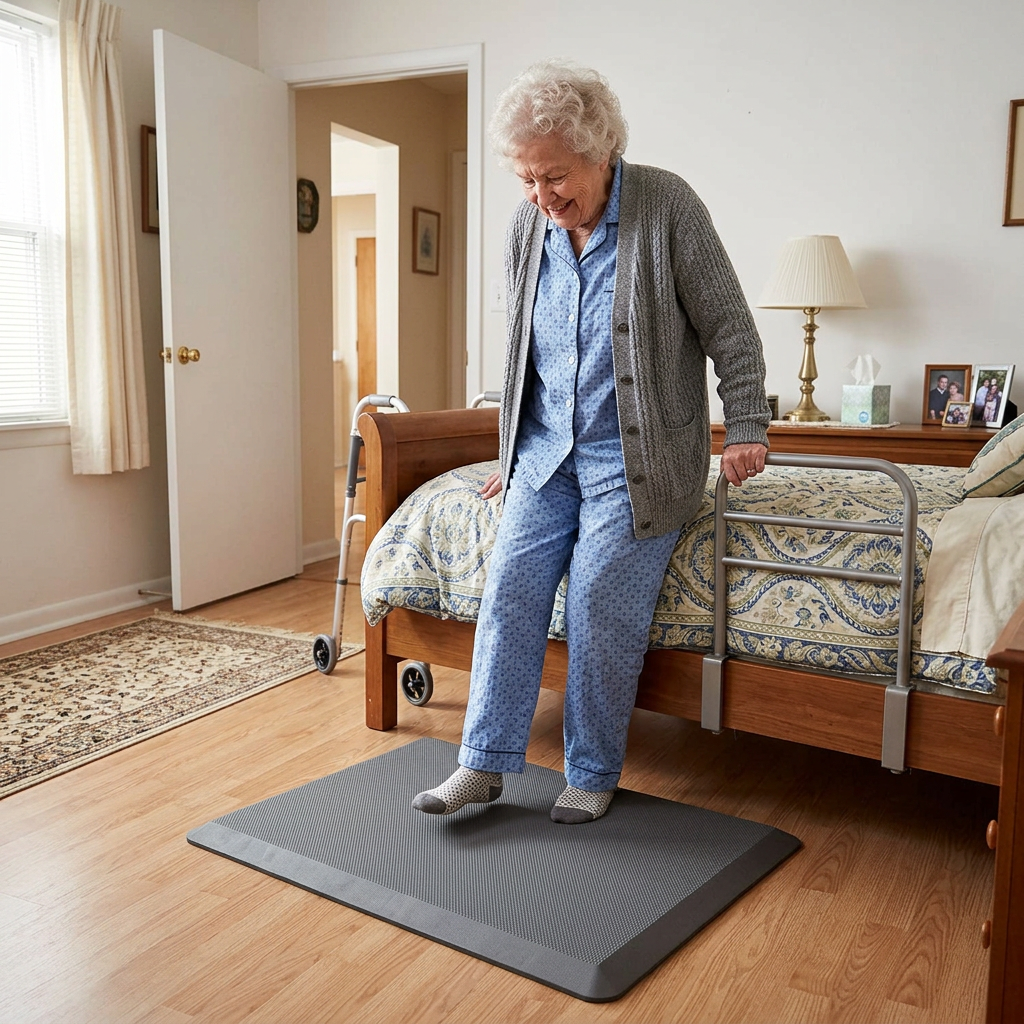
    A bedside fall mat for elderly use is a cushioned, beveled-edge pad that sits on the floor next to the bed and absorbs some of the impact if someone rolls, slides, or steps out unsteadily. It doesn’t prevent the fall — nothing placed on a floor can — but a good one softens what happens next, often the difference between a bruise and a hip fracture. Roughly 80% of falls that send an older adult to the hospital happen from standing height or lower, and a fall out of bed at 2 a.m. is one of the most common versions caregivers report.

    We routed the five picks below by what actually varies: overall value, independent injury testing, price, coverage width, and whether it needs to fold away during the day. None replaces addressing why someone is falling out of bed in the first place — a bed height, medication, or vision issue is worth a conversation with a doctor or OT first.

    At a glance

    Best Overall — Vive Fall Mat (72″x24″) · ~$90 · Deepest review history, lab-tested impact absorption

    Best Rated — NYOrtho Fall Mat (70″x24″) · ~$106 · 4.6 stars, foldable option available

    Best Budget — Made Medical Fall Mat (73″x24″) · ~$77 · Amazon’s Choice, same beveled-edge design for less

    Best Extra-Wide / Tested — Secure Safety Solutions Tri-Fold (68″x30″) · ~$100 · Independently biomechanically tested, widest coverage

    Best for Small Rooms — Skil-Care Tri-Fold (68″x26″) · ~$171 · Folds flat for daytime storage, facility-grade brand

    Best OverallVive Fall Mat

    ~$90 · Check Price on Amazon →

    Across 758 verified reviews, the Vive is the mat this category is measured against — it’s the one occupational therapy blogs and caregiver forums mention by name most often. At 72″ x 24″, it runs the full length of a standard bed frame, and Vive’s own drop test (an egg dropped from six feet doesn’t break) is the kind of concrete claim the no-name competitors don’t offer. The waterproof PVC top wipes clean after an incontinence episode, and the SBR rubber backing genuinely stays put on hardwood, tile, and low-pile carpet — a recurring complaint on cheaper mats is that they slide when stepped on at an angle, and buyers consistently note this one doesn’t.

    The good:

    • Largest verified review base in the category (758 ratings, 4.4 stars)
    • FSA/HSA eligible, ships from Vive directly with a 30-day return window
    • Beveled edges low enough for a walker or wheelchair to roll over without catching

    The catch:

    • Arrives tightly rolled and can take up to a day to lie fully flat
    • At 24″ wide, it won’t reach a parent who rolls out at more of a diagonal — see the Secure Safety Solutions pick below for that

    This is right if… you want the single safest default pick with the most real-world track record behind it.

    Look elsewhere if… the bed sits against a wall at an angle, or the room is too small to leave a mat down permanently.

    Check Price on Amazon →

    Best RatedNYOrtho Fall Mat

    ~$106 · Check Price on Amazon →

    The NYOrtho carries the highest star rating of any mat we verified 4.6 out of 5 across 431 reviews, with over 100 bought in the past month alone, which tells us it’s not a fluke batch of early reviews. NYOrtho also sells this exact mat in a foldable version and a 36″-wide version, so if the standard flat mat doesn’t fit the room, the same trusted brand has an option that does. Verified buyers consistently note the non-skid surface holds up on tile floors specifically, a detail reviewers of competing mats complain about more often.

    The good:

    • Highest verified star rating in the category (4.6/5, 431 ratings)
    • Also available in foldable and 36″-wide versions from the same listing
    • Ships from Amazon with fast delivery in most areas

    The catch:

    • Priced about $16 higher than the nearly-identical Vive mat
    • Standard version is the same 24″ width as the budget options — the extra cost is mostly brand trust and rating history

    This is right if… you want the statistically best-reviewed option and don’t mind paying a little more for it.

    Look elsewhere if… budget is the deciding factor — the Made Medical pick below does the same job for $30 less.

    Check Price on Amazon →

    Best BudgetMade Medical Fall Mat

    ~$77 · Check Price on Amazon →

    Amazon’s Choice on this listing isn’t a fluke — at $77, the Made Medical mat undercuts the category leader by about $13 while matching it on the two specs that actually matter: 73″ of length (an inch longer than the Vive) and fully tapered beveled edges rated for wheelchair and walker crossover. Across 74 verified reviews it holds a 4.3-star average, with buyers most often citing the anti-skid bottom as the reason they’d buy it again over cheaper unbranded mats that slide underfoot.

    The good:

    • Lowest price of any mat here with a real review history behind it
    • Amazon’s Choice badge on this listing as of our last check
    • Textured top adds grip while the anti-skid bottom holds the mat in place

    The catch:

    • Thinner foam core (0.8″) than the Secure Safety Solutions or Skil-Care picks, so impact cushioning is more modest
    • Smaller review base than Vive or NYOrtho still solid, just newer to the market

    This is right if… budget matters and the fall risk is more about stumbling than a hard drop from bed height.

    Look elsewhere if… your parent has osteoporosis or a prior fracture and needs the thickest cushioning available — see the Secure or Skil-Care picks.

    Check Price on Amazon →

    Best Extra-Wide / TestedSecure Safety Solutions Tri-Fold

    ~$100 · Check Price on Amazon →

    This is the only mat in our roundup with an independent biomechanical claim attached to it: Secure Safety Solutions states its 2″-thick EVA foam reduces the risk of serious head injury to near zero from an 18-inch sideways fall, based on outside testing rather than marketing copy alone. At 30″ wide six inches wider than every other mat here — it’s also the pick for a parent who tends to roll out at an angle rather than straight down, or for a bed that sits higher off the floor than standard. The tri-fold design with a Velcro strap means it can stand folded against a wall during the day if the room doubles as a walking path.

    The good:

    • Widest coverage of any pick here (30″) plus the thickest cushion (2″)
    • Independently tested injury-reduction claim, not just a marketing description
    • Flame-retardant, latex-free cover; folds flat for storage

    The catch:

    • Smaller review base (37 ratings) than the Vive or NYOrtho, though the rating pattern is consistent
    • Listed as non-returnable by the seller — read the sizing carefully before ordering

    This is right if… the fall risk is a real concern (prior fracture, osteoporosis, a bed that sits high) and width matters as much as length.

    Look elsewhere if… you want the option to return it if it doesn’t fit — go with Vive or NYOrtho instead, both of which accept returns.

    Check Price on Amazon →

    Best for Small RoomsSkil-Care Tri-Fold Bedside Fall Mat

    ~$171 · Check Price on Amazon →

    Skil-Care is a name most caregivers recognize from skilled nursing facilities rather than Amazon listings, and this is the mat that made us include a premium pick despite the category’s typical under-$100 pricing. It tri-folds down to roughly 26″ x 22″ for storage — small enough to slide under a bed frame or behind a door — which matters in a studio apartment or a shared bedroom where a permanent 6-foot mat isn’t practical. It’s the most expensive pick here, and we’re flagging that deviation directly rather than burying it: this is the one to buy specifically for the fold-away convenience, not for the price.

    The good:

    • Compact tri-fold storage — genuinely fits in a closet or under a bed
    • Facility-grade brand with a long history in professional care settings
    • FSA/HSA eligible

    The catch:

    • Nearly double the price of the Vive or Made Medical mats
    • Narrower (26″) than the Secure Safety Solutions pick despite the higher cost

    This is right if… the mat has to disappear during the day — small bedroom, shared space, or a room that doubles as a sitting area.

    Look elsewhere if… the mat can stay down permanently — you’ll get more coverage for less money with any of the other four picks.

    Check Price on Amazon →

    How the 5 picks compare

    Mat Size Price Rating Best for
    Vive Fall Mat 72″x24″ ~$90 4.4★ (758) Best overall default
    NYOrtho Fall Mat 70″x24″ ~$106 4.6★ (431) Highest-rated
    Made Medical Fall Mat 73″x24″ ~$77 4.3★ (74) Tightest budget
    Secure Safety Tri-Fold 68″x30″ ~$100 4.2★ (37) Widest + independently tested
    Skil-Care Tri-Fold 68″x26″ ~$171 Facility-grade Folds away, small rooms

    The conversation you’ll have

    Most older adults hear “fall mat” and picture a hospital room, not their own bedroom. The resistance is rarely about the object itself; it’s about what it signals. Leading with “you might fall” tends to land as an accusation about their independence. Leading with comfort lands much softer.

    Try saying: “I found this padded mat that’s nicer to stand on barefoot than the cold floor — I’ll put it by the bed so your feet land somewhere soft in the morning.” instead of “You need this because you might fall out of bed.” The first framing is true and gives your parent a reason to accept it that has nothing to do with fragility.

    Insurance and savings

    Original Medicare generally doesn’t cover bedside fall mats as durable medical equipment — CMS classifies most floor mats as a convenience item, even after a documented fall. Several mats above are explicitly FSA/HSA eligible, though, which is the more reliable savings path; check with your plan administrator, since eligibility varies by account. If your parent is working with an OT after a hospital discharge, ask whether a letter of medical necessity changes anything for your insurer — it occasionally does for related fall-prevention equipment.

    What to actually look for

    Thickness and impact absorption

    Foam thickness ranges from about 0.7″ to 2″ across this category, and thicker isn’t automatically better — a very thick mat can itself become harder to stand up from for someone with weak knees. For a parent with osteoporosis or a prior fracture, the 2″ Secure Safety Solutions mat’s independently tested claim is worth the extra cushioning. For general fall-risk cushioning without a specific fracture history, 0.75″–1″ (Vive, Made Medical) is typically enough. For more on matching equipment to the whole bedroom setup, our room-by-room aging-in-place modification guide covers bed height and lighting alongside flooring choices like this one.

    Size, matched to the roll-out path, not just the bed

    Measure where your parent actually lands, not just the length of the bed frame. A straight roll-out needs length (68″–73″ covers most beds); a diagonal slide toward the corner needs width, which is where the 30″-wide Secure Safety Solutions pick earns its keep over the more common 24″ options.

    Beveled edges and non-slip backing — the honest trip-hazard trade-off

    A 2012 clinical review flagged something most product listings leave out: an unbeveled or curling floor mat can itself become a trip hazard for someone using a walker or cane, which is the opposite of what it’s meant to prevent. Every mat in this roundup has a tapered, beveled edge specifically to address that — skip any mat that doesn’t advertise beveled edges and a non-slip rubber backing, regardless of price. Our complete aging-in-place home safety checklist walks through the rest of the bedroom fall-prevention priority list if this is one item on a longer list.

    Frequently asked questions

    Do bedside fall mats actually reduce injury from a fall?
    They reduce impact force once a fall is already happening — they don’t prevent the fall itself. Independently tested mats like the Secure Safety Solutions pick can meaningfully lower head-injury risk, but addressing why falls happen matters more long-term.

    How thick should a bedside fall mat be?
    Most run 0.7″ to 2″ thick. Thicker generally means better absorption, but very thick mats can be harder to stand up from for someone with limited leg strength — match thickness to fracture risk, not just preference.

    Can a fall mat itself become a trip hazard?
    Yes, if it lacks beveled edges or curls at the corners. Clinical research has flagged this for walker and cane users specifically. Every mat here has tapered, beveled edges and non-slip backing to address it.

    Are bedside fall mats covered by Medicare or FSA/HSA?
    Original Medicare typically classifies these as a convenience item, not covered DME. Many listings are FSA/HSA eligible — confirm with your plan administrator, since it varies by account.

    Where should a bedside fall mat be placed?
    Along the side of the bed your parent actually gets out of, extending the full length they’d land across. If they roll out at an angle, a wider mat like the Secure Safety Solutions pick covers more of that path.

    Do bedside fall mats help with dementia-related nighttime wandering?
    A fall mat cushions impact but doesn’t alert a caregiver or stop wandering. Pair it with a bed exit alarm or door sensor — the mat handles impact, the alarm handles awareness.

    The shortlist

    Best Overall

    Vive Fall Mat

    ~$90

    Check on Amazon →

    Best Rated

    NYOrtho Fall Mat

    ~$106

    Check on Amazon →

    Best Budget

    Made Medical Fall Mat

    ~$77

    Check on Amazon →

    Best Extra-Wide

    Secure Safety Tri-Fold

    ~$100

    Check on Amazon →

    Best for Small Rooms

    Skil-Care Tri-Fold

    ~$171

    Check on Amazon →

    What we’d do tomorrow

    If you’re starting this weekend: measure the actual gap and roll-out path beside the bed first, buy the Vive Fall Mat unless that measurement points you toward the wider Secure Safety Solutions pick, and put it down the same day it arrives rather than letting it sit in the box, a mat that’s still rolled up in a closet protects no one. Then have the “soft floor” conversation above before your parent notices it on their own; framing it yourself, on your terms, goes over better than an explanation after the fact.

    — Sarah

    BuyingForMom is a reader-supported site. As an Amazon Associate we earn from qualifying purchases. When you buy through links on this site, we may earn an affiliate commission at no additional cost to you. See our Affiliate Disclosure for details. This article is not medical advice, please consult a qualified healthcare professional for decisions specific to your family.
  • 5 Best Key Lock Boxes for Seniors

    5 Best Key Lock Boxes for Seniors

    Disclosure: BuyingForMom is reader-supported. As an Amazon Associate we earn from qualifying purchases. When you buy through links in this article, we may earn an affiliate commission at no additional cost to you. We never recommend products we haven’t researched against verified-buyer review data. This article is editorial reporting, not medical advice.

    5 Best Key Lock Boxes for Seniors

    By Sarah Mitchell · Editor, BuyingForMom · Updated August 2026

    10 min read · By Room → Outdoors & Entryways · 5 picks compared

    The honest take: If you want one box mounted permanently by the door and set-and-forget, buy the Master Lock 5401D and stop there. Its push-button code beats a dial for stiff fingers and cold mornings. The Master Lock 5422D over-the-knob box is the right call only if you rent and can’t drill. Skip the ultra-cheap dial boxes as your only box in a snowy climate the exposed dials freeze and jam exactly when a paramedic needs in.

    How we sorted through 40+ key lock boxes in two weeks

    We cross-referenced more than 8,000 verified Amazon reviews across 40-plus combination key boxes, then filtered for what matters when the buyer is an older adult and the reader is often an EMT: a code that opens on the first try in January, buttons a hand with arthritis can work, and a mount that won’t shear off. We weighted the failure pattern caregivers report again and again. Dials that freeze or jam outdoors and checked each pick against the emergency-access guidance providers like Lifeline and Medical Care Alert publish. Every product below was verified as a live, purchasable Amazon listing in August 2026.

    Who this guide is for

    This guide is for adult children setting up a home so a caregiver, neighbor, or paramedic can get in fast when a parent can’t reach the door after a fall, a stroke, or a locked deadbolt on a hard day. If you’re buying for yourself, the same picks apply; just skip the “conversation” section near the end.

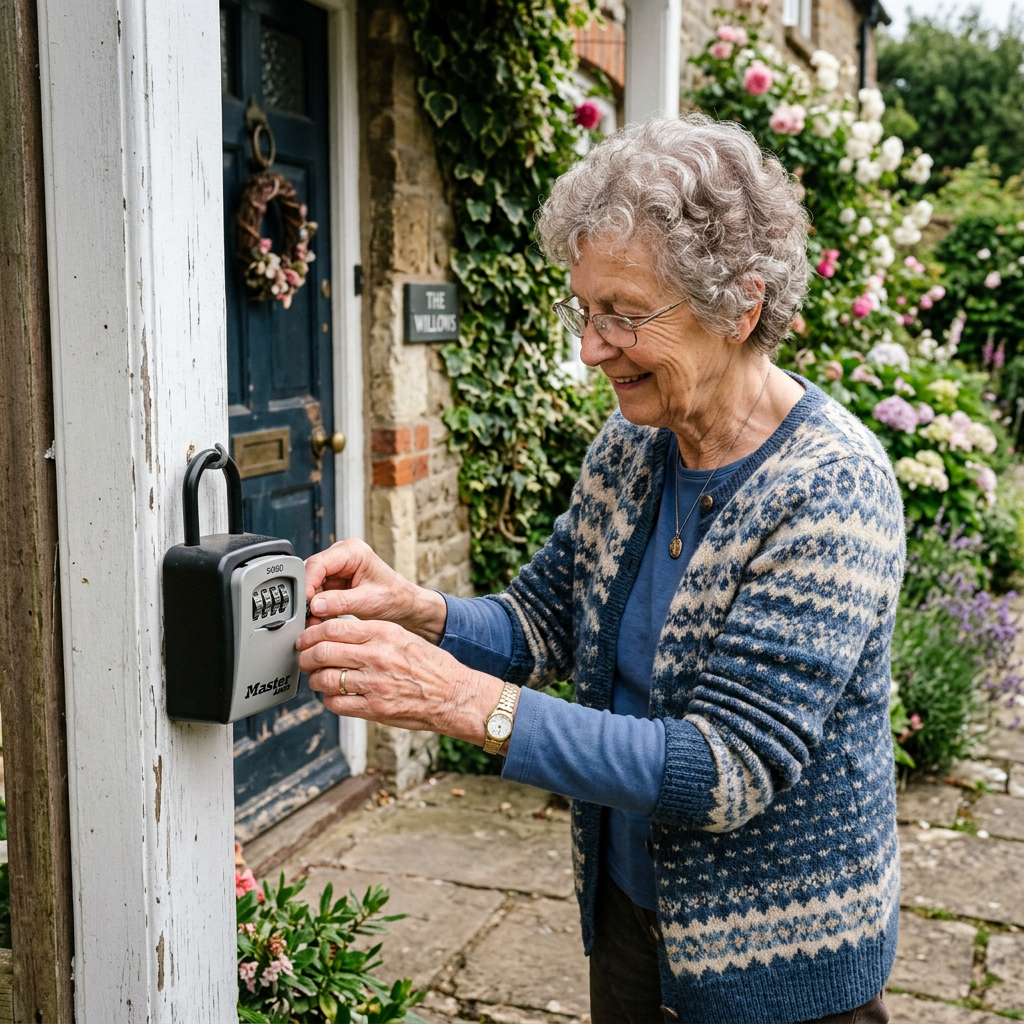
    A key lock box is a small metal safe that holds a spare key behind a combination you choose. Mount it by the door, share the code with the people who need it, and an emergency responder can be inside in seconds instead of breaking a window. For a parent aging in place especially one who lives alone or uses a medical alert button — it’s one of the cheapest, highest-leverage safety upgrades on the checklist. The catch is that a box is only as good as its weakest moment: a dial seized shut by ice, or a code nobody wrote down. So the picks below are ranked by mount type, weatherproofing, and how easy the buttons are for older hands — not by which brand shouts loudest.

    At a glance

    Best overall — Master Lock 5401D (~$40): permanent wall mount, push-button, 5 keys.

    Best no-drill / renter — Master Lock 5422D (~$25): over-the-knob, push-button, weather cover.

    Best discreet — Kidde KeySafe Slimline (~$30): low-profile, the model alert companies ship.

    Best budget — AMRIU Key Lock Box (~$16): solid wall-mount box for the price.

    Best capacity — Vault Locks 3200 (~$18): roomy hanging box for several caregivers.

    Best OverallMaster Lock 5401D Wall-Mount Key Box

    ~$40 · Check price on Amazon →

    This is the box we’d mount by most front doors. The 5401D screws permanently to a wall or frame, holds up to five keys, and opens with a set-your-own four-digit push-button code rather than four spinning dials a meaningful difference for arthritic or cold hands. Across thousands of reviews the pattern owners praise most is weather reliability: Master Lock rates the body to sub-zero temperatures, and northern-state buyers note it still opens after ice storms that jammed their old dial boxes. Verified buyers do flag that the buttons take a firm push and that the four-digit code offers fewer combinations than pricier boxes fine for a home, less so for a busy rental. Where a handful of trusted people need in, it balances secure, weatherproof, and easy to operate.

    The good

    • Push-button code is far easier than a dial for stiff or shaky hands
    • Permanent mount can’t be lifted and carried off like a hanging box
    • Weather-rated body holds up to freezing, wet outdoor conditions

    The catch

    • Requires drilling, not an option for renters
    • Buttons need a deliberate press; very weak hands may need a helper to set the code

    This is right if… you own the home and want one durable, easy-press box mounted for good.

    Look elsewhere if… you rent or can’t drill into the frame — get the over-the-knob 5422D below.

    Best No-DrillMaster Lock 5422D Over-the-Knob Box

    ~$25 · Check price on Amazon →

    If drilling is off the table, a rental, an apartment, or a parent who won’t hear of holes in the trim. The 5422D hangs its shackle over a door handle or railing. Like its wall-mount sibling it uses a four-digit push-button code, and it ships with a rubber weather cover that snaps over the buttons against rain, snow, and grit. That cover earns its keep: the most common one-star complaint across cheap hanging boxes is a mechanism that froze outdoors, and verified buyers credit this cover with keeping the box working through winter. The trade-off is inherent to any hanging box — it can be lifted and carried off, so keep it out of full street view.

    The good

    • No tools or drilling hangs over a knob or railing in seconds
    • Push-button code plus a snap-on weather cover that prevents freeze-ups
    • Fully portable, so it moves with a parent who relocates

    The catch

    • A hanging box is less secure than a bolted one — keep it out of street view
    • Holds fewer keys than the larger boxes on this list

    This is right if… you rent or want a box that installs with zero tools.

    Look elsewhere if… the door is in plain view of the street and you want something bolted down.

    Best DiscreetKidde AccessPoint KeySafe Original Slimline

    ~$30 · Check price on Amazon →

    If you’ve ever seen a lock box installed by a medical-alert company, odds are it was a Kidde KeySafe the low-profile, permanently mounted model on countless senior front doors, sold directly on Amazon. The Slimline body sits close to the wall so it reads as unremarkable hardware rather than “there’s a key here,” and it opens with a push-button combination that’s forgiving for older fingers. Reviewers consistently describe it as sturdy and long-lived, many units still working years after install; aging-in-place resources name Kidde as a default because the brand has made these boxes for decades. The honest limits: it holds two keys rather than a fat keyring, and like any permanent box it needs a few screws. If you want the quietly professional look alert companies rely on without a monthly rental, this is it.

    The good

    • Slim, discreet profile that doesn’t advertise a hidden key
    • Push-button combo that’s easy to teach and easy to press
    • The proven model many medical-alert providers install

    The catch

    • Two-key capacity — tight for a big keyring or multiple keys
    • Permanent mount; not for renters who can’t drill

    This is right if… you want the discreet, alert-company-grade box without a monthly fee.

    Look elsewhere if… a parent carries several keys that all need to live in the box.

    Best BudgetAMRIU Combination Key Lock Box

    ~$16 · Check price on Amazon →

    Not every household needs to spend $40 here, and the AMRIU is the box we’d hand to a family testing whether a lock box even fits their routine before a permanent install. It’s a wall-mounted, set-your-own four-digit box explicitly marketed for an elderly parent’s spare keys, and its reviews come back to straightforward value — it holds a key behind a resettable code for well under twenty dollars. Because it uses rotating dials rather than push-buttons, it asks a bit more of arthritic hands and a bit more weather caution, so pair it with a small overhang in wet climates. As a first box or a budget-first choice, it punches above its price.

    The good

    • Lowest price on this list — easy to try the concept risk-free
    • Set-your-own four-digit code, wall-mountable
    • Marketed and sized for a parent’s spare house keys

    The catch

    • Dials are harder on arthritic hands than push-buttons
    • Best sheltered from direct weather — exposed dials can stiffen in cold

    This is right if… you want to spend the least and the door has some overhead cover.

    Look elsewhere if… hands are weak or the box will sit fully exposed to snow — go push-button.

    Best CapacityVault Locks 3200 Hanging Key Safe

    ~$18 · Check price on Amazon →

    When a parent’s care involves a rotating cast a home health aide, two adult children, a neighbor one small two-key box gets crowded. The Vault Locks 3200 answers with a roomy interior owners say swallows a dozen-plus keys, fobs, and cards, all behind a set-your-own four-digit code. It hangs by a coated shackle over a knob or railing — a no-drill option like the 5422D with far more room. Across its reviews the standout theme is capacity for the price, so everyone’s key lives in one place. As a hanging numeric box it carries the usual caveats: keep it out of direct street view, and give the dials a firm, weather-aware spin.

    The good

    • Large interior holds many keys, fobs, and cards for several caregivers
    • No-drill hanging design; set-your-own four-digit code
    • Inexpensive for the amount of storage

    The catch

    • Hanging box, less secure than bolted; keep it discreet
    • Numeric dials, not push-buttons — a bit more effort for stiff hands

    This is right if… several people share access and you need room for many keys.

    Look elsewhere if… only one or two keys ever go inside — a slim box is tidier.

    Quick comparison

    Box Mount Lock type Best for Price
    Master Lock 5401D Wall (permanent) Push-button Overall pick ~$40
    Master Lock 5422D Over-the-knob Push-button Renters / no-drill ~$25
    Kidde KeySafe Slimline Wall (permanent) Push-button Discreet / proven ~$30
    AMRIU Key Lock Box Wall Dial Budget ~$16
    Vault Locks 3200 Over-the-knob Numeric dial Many keys / caregivers ~$18

    The conversation you’ll have

    Plenty of older adults hear “let’s put a lock box on your door” as “we don’t trust you on your own” and dig in. The trick is to frame it as protecting the house, not policing them. Instead of “This is so we can check on you,” try: “If you ever fall and can’t reach the door, this is how the paramedics get in without smashing your good door.” Most parents soften when the box is presented as their control: they pick the code, they decide who gets it, and they can change it any time.

    One more move that lowers resistance: install it together and let them set the first code. Handing over that small decision turns the box into something they own. If a parent has a medical alert system, note that the alert company can hold the code and pass it to responders.

    Cost, coverage, and the free option

    Here’s the straight answer: Original Medicare does not pay for a key lock box — it isn’t durable medical equipment, so there’s no billing path, and a standalone box generally isn’t FSA/HSA-eligible on its own. The real savings are elsewhere. Many medical-alert providers (Lifeline, Medical Care Alert, and others) include a lock box free with a monitoring plan, or sell one for around $35  so if a parent already has or is weighing an alert button, ask before buying separately. And the free option most families miss: many local fire departments run a lock-box or key-registration program for residents with medical needs, sometimes at no cost — a quick call to the non-emergency line is worth it. For where a box fits among other upgrades, see our complete aging-in-place home safety checklist.

    What to actually look for

    Push-button vs. dial and why it matters for older hands

    The lock mechanism is the biggest usability decision. Push-button boxes let you press a code, far kinder to arthritic or cold hands than pinching and rotating four tiny dials. Dials cost less and are fine for a capable user, but if the person opening the box has hand pain or low grip strength, spend the extra few dollars on push-buttons. Whichever you choose, one habit matters more than the brand: pick a code and write it down where trusted people and the medical-alert company can find it — a lock box nobody can open is just a rock.

    Weatherproofing is the failure point

    The most common reason a lock box fails in an emergency isn’t a thief — it’s ice. Exposed dials and buttons freeze, corrode, or clog with grit, and the box that opened fine in July won’t budge in January. Look for a sealed mechanism, a shutter, or a snap-on weather cover, and mount it with a little overhead shelter when you can — which is exactly why our top two picks are push-button Master Lock boxes with weather protection built in.

    Mount type, placement, and security

    A bolted wall-mount box can’t be carried away; a hanging over-the-knob box can, which is why renters trade a little security for no-drill convenience. If you go hanging, put it on a side or back door out of street view. Wherever it goes, make sure responders can be told where it is — a box paired with a medical alert system, so the monitoring center can relay the location and code, beats a secret box only the family knows about. For how a lock box works alongside an alert button, read our guide to the best no-monthly-fee fall detection devices.

    Frequently asked questions

    Are key lock boxes safe, or can they be broken into?

    A quality metal lock box resists prying, sawing, and hammering, and a set-your-own code you keep private is secure for everyday use. No box is burglar-proof, so mount a bolted one where possible, keep a hanging box out of street view, and change the code if too many people learn it. For most homes the safety gained in an emergency far outweighs the small residual risk.

    How do paramedics or EMS get the code?

    If the home has a monitored medical alert system, you give the code to the provider, who relays it to responders when the alarm is triggered. Without a system, share it with trusted neighbors and family, and ask your local fire department whether it runs a key-registration or lock-box program for residents with medical needs.

    Can renters use a key lock box without drilling?

    Yes. Over-the-knob boxes like the Master Lock 5422D and Vault Locks 3200 hang from a handle or railing with no tools and no holes, so they’re ideal for apartments and rentals. The trade-off is that a hanging box is less secure than a bolted one, so place it discreetly and keep the code private.

    Do medical alert companies provide a lock box?

    Many do — providers such as Lifeline and Medical Care Alert either include a lock box with a monitoring plan or sell one for around $35. If a parent already uses or is considering an alert button, ask before buying separately, since the provider can hold the code for responders.

    Will a key lock box freeze or jam in winter?

    Cheaper boxes with exposed dials can freeze, corrode, or clog outdoors — the leading reason a box fails when it’s needed. Choose a model with a sealed mechanism or snap-on weather cover, such as the push-button Master Lock picks here, and mount it with some overhead shelter.

    The shortlist

    Best Overall

    Master Lock 5401D

    ~$40

    Check on Amazon →

    Best No-Drill

    Master Lock 5422D

    ~$25

    Check on Amazon →

    Best Discreet

    Kidde KeySafe Slimline

    ~$30

    Check on Amazon →

    Best Budget

    AMRIU Key Lock Box

    ~$16

    Check on Amazon →

    Best Capacity

    Vault Locks 3200

    ~$18

    Check on Amazon →

    What we’d do tomorrow

    If you’re setting this up this weekend, do three things in order. First, buy the box that matches the door: the Master Lock 5401D if you own and can drill, the Master Lock 5422D if you rent. Second, install it together, let your parent set the code, and write that code where trusted people can reach it. Third, the step most families skip make sure responders can learn the code: give it to the medical-alert provider if there is one, or call the fire department’s non-emergency line about their lock-box program. A box on the door is good; a box responders can actually open is what saves the door, the window, and the minutes.

    — Sarah

    BuyingForMom is a reader-supported site. As an Amazon Associate we earn from qualifying purchases. When you buy through links on this site, we may earn an affiliate commission at no additional cost to you. See our Affiliate Disclosure for details. This article is not medical advice, please consult a qualified healthcare professional for decisions specific to your family.
  • 5 Best Bed Alarms for Elderly Falls & Wandering

    5 Best Bed Alarms for Elderly Falls & Wandering

    Disclosure: BuyingForMom is reader-supported. As an Amazon Associate we earn from qualifying purchases. When you buy through links in this article, we may earn an affiliate commission at no additional cost to you. We never recommend products we haven’t researched against verified-buyer review data. This article is editorial reporting, not medical advice.

    5 Best Bed Alarms for Elderly Falls & Wandering

    By Sarah Mitchell · Editor, BuyingForMom · Updated July 2026

    10-minute read · Fall Detection & Dementia Safety · 5 picks compared

    The honest take: For most families, buy the Smart Caregiver Bed Exit Alarm with Wireless Pager and put the buzzer in your room, not your parent’s that one design choice is what separates a helpful alert from a device that gets unplugged by the second night. If your parent has dementia and pulls off anything they can feel, the Lunderg Under-Mattress pad is the only pick they can’t refuse, because they never know it’s there. Skip any bed alarm whose speaker sits at the bedside and only sounds after they’re already standing, by then the warning is too late to matter.

    How we sorted through 40+ bed alarms in two weeks

    We started with roughly 40 bed-exit and floor-mat alarms carrying a meaningful Amazon review base across Smart Caregiver, Lunderg, Vive, and Secure and cross-referenced three things: verified-buyer patterns (we read 6,000+ reviews for false-alarm and pad-shifting complaints), the CMS guidance that reclassified in-room bedside buzzers as a potential restraint in 2017, and the frustration caregivers describe on Reddit’s r/AgingParents and r/dementia that most alarms either sound too late or get disabled by the person they’re meant to protect. We cut anything needing Wi-Fi or an app, anything whose pager is sold separately and often out of stock, and anything without a carry-the-alert-to-the-caregiver design. Five survived.

    Who this guide is for

    This guide is for adult children and caregivers who need to know the moment a parent gets out of bed usually after a recent fall, nighttime bathroom trips, or dementia-related wandering. If your parent is cognitively sharp and simply unsteady, an on-top sensor pad with a pager is plenty; if they have dementia and resist help, skip ahead to the under-mattress pick. Either way, remember a bed alarm is an early-warning tool, not a fall-prevention device on its own. It buys you seconds to get there, pair it with the physical changes in our checklist below.

    At a glance

    BEST OVERALL  Smart Caregiver Bed Exit Alarm with Wireless Pager — ~$45 · put the alert in your room, no Wi-Fi

    BEST DISCREET  Lunderg Under-Mattress Bed Alarm — ~$100 · invisible pad for parents who refuse monitoring

    BEST EXPANDABLE  Vive Wireless Bed Alarm Kit — ~$45 · one pager runs up to 10 bed, chair & door sensors

    BEST SILENT/VIBRATE  Secure Floor-Mat Bed Alarm with Vibrating Pager — ~$65 · 500 ft range, buzzes silently at night

    BEST FOR RESTLESS SLEEPERS  Lunderg Large 20″x30″ Wireless Bed Alarm — ~$90 · extra coverage, anti-slip stickers

    Best Overall Smart Caregiver Bed Exit Alarm with Wireless Pager

    ~$45 · Check price on Amazon →

    This is the system we point most families to first, and the reason is architecture, not features. A soft 10″ x 30″ weight-sensing pad goes on top of the mattress under the sheet; the moment your parent’s weight lifts off it, a portable pager up to 300 feet away chimes or vibrates in your pocket. Nothing sounds in your parent’s room, which is exactly why it doesn’t get unplugged. Across thousands of reviews, the recurring notes are “excellent price,” “easy setup,” and “pleased with the response time.” Smart Caregiver is a U.S. company that has made fall-prevention gear for 30 years, and the pager pairs with up to six sensors, so you can add a chair or door pad later. The honest limitation: the on-top pad is visible, so a parent who fights being watched may try to move it.

    The good

    • Alert lives with the caregiver, not the patient, no bedside buzzer to disable
    • No Wi-Fi, Bluetooth, or app; batteries included, works out of the box
    • Pager expands to six sensors (bed, chair, door) on one base

    The catch

    • On-top pad is visible and can be pushed aside by a resistant sleeper
    • Pad sensors wear over 12–18 months and eventually need replacing

    This is right if… you want the simplest reliable system and your parent won’t actively fight a pad they can see.

    Look elsewhere if… your parent has dementia and removes anything they can feel — go under-mattress instead.

    Best Discreet Lunderg Under-Mattress Bed Alarm

    ~$100 · Check price on Amazon →

    The most common failure mode in this category is a parent with dementia who pulls off the wearable, kicks away the on-top pad, or unplugs the buzzer. Lunderg’s answer is to put the sensor under the mattress (mattresses 13 inches or less), so there’s nothing to see, feel, or refuse. Its patented PreRise early-alert technology is the real differentiator: instead of firing when weight leaves the bed, it detects the pressure shift as your parent begins to sit up those extra seconds are often the difference between reaching them and finding them. Verified buyers repeatedly praise that there’s “no annoying noise to disturb your loved one,” with pager volume adjustable for day or night. It’s the priciest pick, and worth it for the refuses-help scenario.

    The good

    • Completely invisible under the mattress, nothing for a resistant parent to remove
    • PreRise alert fires before they stand, not after
    • Silent at the bedside; pager alerts you up to 300 feet away

    The catch

    • Most expensive option in this roundup
    • Won’t fit mattresses thicker than 13 inches

    This is right if… your parent has dementia or actively resists being monitored.

    Look elsewhere if… you’re on a tight budget and your parent doesn’t tamper with equipment.

    Best Expandable Vive Wireless Bed Alarm Kit

    ~$45 · Check price on Amazon →

    If you’re building coverage across a whole home rather than one bed, Vive’s kit is the value play. The included pager pairs with up to ten devices, bed pad, chair pad, floor mat, door and window sensors — so a single unit can cover the entire nighttime route a parent might take. The waterproof 29.5″ x 10″ pad is roomier than most, and the transmitter’s adjustable delay (up to four seconds) meaningfully cuts the false alarms from normal shifting. The honest catch, echoed by verified buyers, is that the in-unit alarm isn’t very loud, so run this through the pager on your belt, not as a room speaker. Buy the kit (this ASIN), not the pad-only listing, the standalone Vive pad’s pager is frequently out of stock.

    The good

    • One pager runs up to 10 sensors cheapest way to cover multiple rooms
    • Up-to-4-second delay setting reduces restlessness false alarms
    • Waterproof pad; pager does vibrate, chime, or both

    The catch

    • Built-in alarm volume is modest, rely on the pager, not the unit
    • Add-on sensors are an extra purchase to realize the expandability

    This is right if… you want one alert system to grow into bed, chair, and door coverage over time.

    Look elsewhere if… you only need a single bed pad and want the loudest, simplest option.

    Best Silent/Vibrate Secure Floor-Mat Bed Alarm with Vibrating Pager

    ~$65 · Check price on Amazon →

    Some parents are light sleepers who shift constantly, so an on-mattress pad throws false alarms all night. Secure sidesteps that: a 24″ x 36″ pressure mat sits on the floor beside the bed, triggering only when feet actually land — you get the alert at the point of standing, not every time your parent rolls over. The wireless pager reaches roughly 500 feet and offers 32 tones plus a true silent-vibrate mode — the standout for caregivers who sleep in the next room and don’t want a chime waking the household. Verified buyers rate it 3.8 out of 5 across a smaller review base, praising the vibrate feature and range. Being a floor mat, it warns a step later than a mattress pad — the tradeoff for zero in-bed false alarms.

    The good

    • True silent-vibrate pager mode — won’t wake the household at night
    • ~500 ft range, the longest here; 32 selectable tones
    • Floor mat eliminates in-bed false alarms from restless sleepers

    The catch

    • Warns at the point of standing, a beat later than a mattress pad
    • Smaller review base (3.8/5) than the Smart Caregiver and Lunderg picks

    This is right if… your parent is a restless sleeper and you need a silent, next-room alert.

    Look elsewhere if… you need the earliest possible warning before they stand.

    Best for Restless Sleepers Lunderg Large 20″x30″ Wireless Bed Alarm

    ~$90 · Check price on Amazon →

    A standard 10″ pad has one real weakness: a parent who sleeps near the edge or shifts a lot can be off the sensor without ever leaving the bed, missing the exit or firing a false alarm. Lunderg’s large 20″ x 30″ pad doubles the coverage so the sensor reads the whole sleeping area, and it pairs with the same carry-anywhere pager (up to 400 feet, no Wi-Fi) as the brand’s other systems. The detail verified buyers keep calling out is the included anti-slip stickers — a shifting pad is the number-one cause of false alarms, and Lunderg is one of the few brands that ships a fix in the box. The surface is incontinence-resistant and wipes clean, a middle price for a noticeably more forgiving pad.

    The good

    • 20″x30″ pad covers restless and edge sleepers a standard pad misses
    • Anti-slip stickers included — directly attacks the top false-alarm cause
    • Incontinence-resistant, wipe-clean surface; 400 ft pager, no Wi-Fi

    The catch

    • Larger pad is more noticeable on the mattress
    • Pricier than a basic 10″ pad system

    This is right if… your parent shifts a lot or sleeps near the mattress edge.

    Look elsewhere if… a standard pad already reads reliably, or you need the pad hidden.

    How the five compare

    System ~Price Sensor type Best for Range
    Smart Caregiver Bed Exit $45 On-top pad Most families 300 ft
    Lunderg Under-Mattress $100 Hidden under mattress Dementia / refuses help 300 ft
    Vive Wireless Kit $45 On-top pad (10-device) Whole-home coverage ~185 ft
    Secure Floor-Mat $65 Floor mat Silent/vibrate at night 500 ft
    Lunderg Large 20″x30″ $90 Large on-top pad Restless sleepers 400 ft

    The conversation you’ll have

    Here’s the part no product page prepares you for: a bed alarm can feel, to an aging parent, like being surveilled in their own bedroom — read as a signal they’re being treated like a patient or a child. The resistance is real. The move that works is to frame it around your peace of mind, not their capability. Instead of “This is so we know when you get up,” which lands as a leash, try “This just lets me sleep instead of checking on you six times a night — it’s really for me.” That turns the alarm from a judgment into a favor. For a parent with dementia where that conversation isn’t possible, the under-mattress pad sidesteps the issue entirely: nothing to consent to, because there’s nothing to notice.

    Insurance and savings

    Original Medicare (Parts A and B) does not cover bed alarms for home use CMS doesn’t classify them as durable medical equipment, so you’ll pay out of pocket. Some Medicare Advantage (Part C) plans now fold safety devices into their supplemental benefits, so it’s worth a call to your parent’s plan before assuming no. The better news for most families: bed alarms are widely FSA- and HSA-eligible, letting you buy with pre-tax dollars. The several picks here are explicitly listed as HSA/FSA-eligible by their makers. And if a physician recommends the device in a fall-prevention plan, it can count toward the medical-expense deduction once total medical costs pass 7.5% of adjusted gross income (IRS Publication 502). One dignity note: CMS reclassified bedside alarms as a potential restraint in institutional settings in 2017 precisely why every pick here routes the alert to a caregiver’s pager instead of buzzing in the resident’s room.

    What to actually look for

    Where the alert sounds

    This is the whole ballgame. A bed alarm that buzzes in your parent’s room gets unplugged and, worse, can startle a disoriented person into a fall. A system that sends the alert to a pager you carry is both kinder and more effective treat an in-room-only buzzer as a dealbreaker. For the full priority order of safety upgrades, see our complete aging-in-place home safety checklist.

    On-top pad vs. under-mattress vs. floor mat

    On-top pads give the earliest warning but are visible and removable. Under-mattress pads are tamper-proof and best for dementia. Floor mats never false-alarm from bed movement but warn a step later. Match the sensor to the person, not the spec sheet. A bed alarm is one layer — it works best alongside a personal alert your parent wears when they leave the room; our guide to fall detection devices with no monthly fee covers that side.

    False-alarm defenses

    The fastest way to get an alarm abandoned is nightly false triggers. Two features prevent them: an adjustable exit-delay (Vive’s up-to-4-second setting) and anti-slip pad stickers (Lunderg ships them). If your parent’s nighttime routine also involves medication timing, pair the alarm with a good dispenser — our roundup of automatic pill dispensers for dementia patients covers the memory side of nighttime safety.

    Frequently asked questions

    Do bed alarms actually prevent falls?

    Not by themselves. A bed alarm doesn’t stop a fall, it alerts you the instant your parent starts getting up, giving you seconds to reach them before they’re standing or walking. That early warning is what reduces fall injuries: it’s detection paired with your response, not prevention on its own.

    How do bed alarms for elderly work?

    A pressure-sensitive pad sits under the sheet, under the mattress, or on the floor. When your parent’s weight lifts off it or lands on it, for floor mats it sends a wireless signal within a second or two to a pager the caregiver carries, so you know the moment they’re moving.

    Are bed alarms covered by Medicare?

    Original Medicare does not cover home bed alarms, since they aren’t classified as durable medical equipment. Some Medicare Advantage plans include them under supplemental safety benefits, so check your parent’s specific plan. Most systems are FSA- and HSA-eligible, which is the more reliable way to save on the purchase.

    Are bed alarms considered a restraint?

    In institutional settings, CMS reclassified in-room bedside alarms as a potential restraint in 2017 because of dignity and comfort concerns. Modern home systems solve this by sending alerts to a caregiver’s pager instead of sounding in the resident’s room, so they don’t function as a restraint.

    What’s the difference between a bed alarm and a fall-detection device?

    A bed alarm warns you when someone leaves the bed, before any fall. A fall-detection device (usually a pendant or watch) triggers after a fall has already happened, wherever the person is. They cover different moments many families use both, a bed alarm at night and a wearable during the day.

    Are bed alarms FSA/HSA eligible?

    Most are. Many bed-alarm systems, including several picks here, are explicitly listed as HSA/FSA-eligible by their manufacturers, letting you pay with pre-tax dollars. Keep the receipt, and if your plan asks, a note from your parent’s doctor recommending it for fall prevention settles any eligibility question.

    The shortlist

    Best Overall

    Smart Caregiver Bed Exit Alarm

    ~$45

    Check on Amazon →

    Best Discreet

    Lunderg Under-Mattress Alarm

    ~$100

    Check on Amazon →

    Best Expandable

    Vive Wireless Bed Alarm Kit

    ~$45

    Check on Amazon →

    Best Silent/Vibrate

    Secure Floor-Mat Bed Alarm

    ~$65

    Check on Amazon →

    Best for Restless Sleepers

    Lunderg Large 20″x30″ Alarm

    ~$90

    Check on Amazon →

    Last verified in stock: July 27, 2026

    What we’d do tomorrow

    If you’re setting this up this weekend, do three things in order. First, decide who your parent is: cooperative and unsteady, buy the Smart Caregiver system and put the pager in your room tonight; dementia or fights being watched, buy the Lunderg under-mattress pad and say nothing about it. Second, place the sensor correctly and set an exit delay if your parent shifts a lot, so night one doesn’t train you to ignore false alarms. Third, treat the alarm as one layer: walk the path from bed to bathroom and clear the trip hazards, because the alarm only buys you the seconds you’ll spend covering that route.

    — Sarah

    BuyingForMom is a reader-supported site. As an Amazon Associate we earn from qualifying purchases. When you buy through links on this site, we may earn an affiliate commission at no additional cost to you. See our Affiliate Disclosure for details. This article is not medical advice — please consult a qualified healthcare professional for decisions specific to your family.
  • The Best Voice Assistants for Senior Use in 2026

    The Best Voice Assistants for Senior Use in 2026

    Disclosure: BuyingForMom is reader-supported. As an Amazon Associate we earn from qualifying purchases. When you buy through links in this article, we may earn an affiliate commission at no additional cost to you. We never recommend products we haven’t researched against verified-buyer review data. This article is editorial reporting, not medical advice.

    The Best Voice Assistants for Senior Use (Echo Show, Nest Hub, 2026)

    By Sarah Mitchell · Editor, BuyingForMom · Updated July 2026

    ≈11 min read · Smart Home · 5 picks compared

    The honest take: Buy the Echo Show 8 for most parents, the auto-framing camera and Drop In check-ins do the one job families actually buy these for. The Nest Hub is the right call only if the household already runs on Google or a camera is a dealbreaker. And skip the idea that any of these replaces a medical alert, Alexa cannot dial 911 on its own, and the closest emergency features sit behind a subscription.

    How we sorted through 14 smart displays and speakers in three weeks

    We started with the 14 voice-assistant devices Amazon and Google currently sell in the U.S., then cut anything discontinued or with a verified-buyer pattern of setup failures for non-technical users. For the seven survivors, we cross-referenced roughly 9,000 verified Amazon reviews against AARP’s technology guidance, caregiver threads on r/AgingParents, and a senior-focused speech-recognition comparison. The five picks below are routed by the job your family needs done and not by spec sheet.

    Who this guide is for

    This guide is for adult children setting up a voice assistant for a parent who doesn’t carry a smartphone everywhere or doesn’t own one. If you’re shopping for yourself, the same picks apply; the “conversation” section below is for the family member doing the convincing.

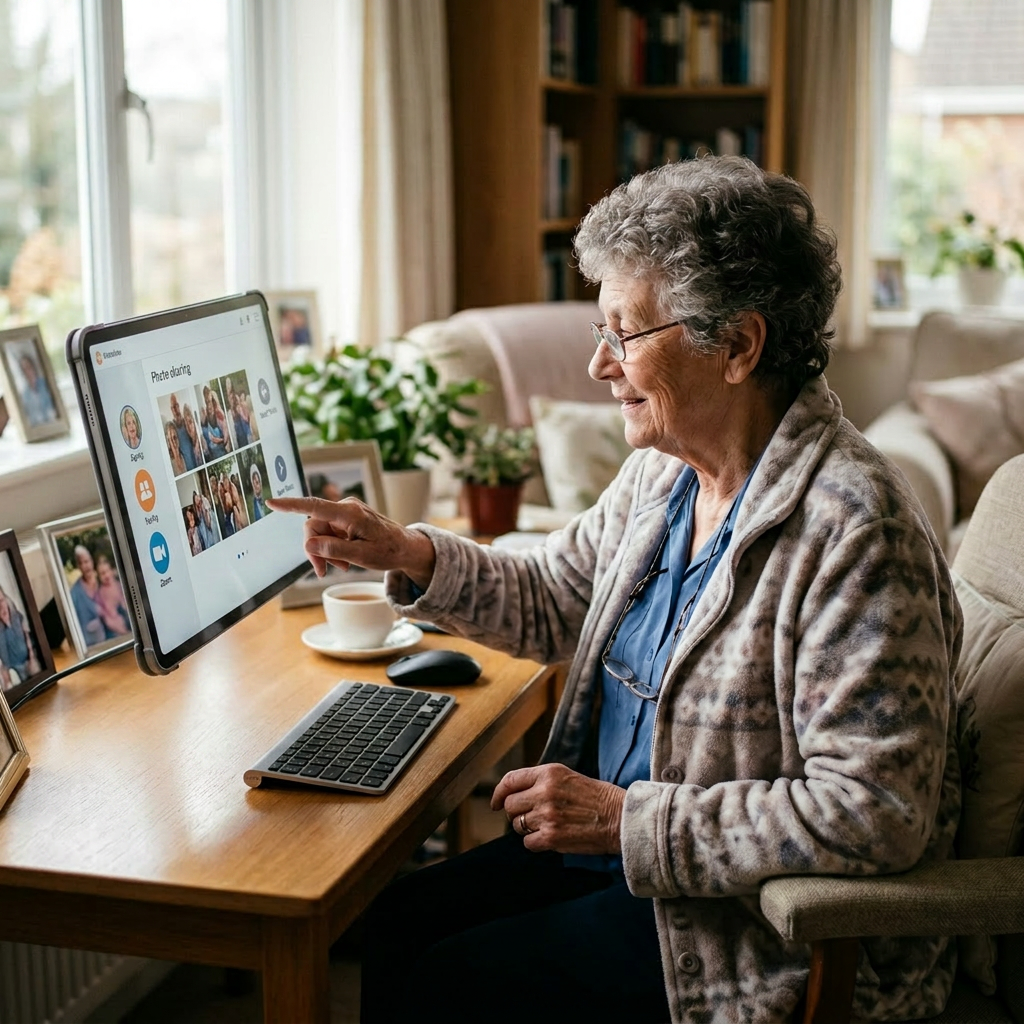
    Searching for the right voice assistant for elderly parents usually starts with one moment: a phone call that went unanswered too long, a medication schedule getting complicated, or a parent who can’t read the thermostat anymore. A screen-and-speaker on the kitchen counter solves a surprising amount of that — video calls that answer themselves, spoken medication reminders, lights that turn on before a nighttime bathroom trip.

    But the category is confusing on purpose. Amazon sells five Echo Show sizes, Google’s displays haven’t had new hardware in years, and the features families care most about emergency calling, remote check-ins, are the ones buried in settings menus and optional subscriptions. Here’s the honest map.

    At a glance

    Best overall — Echo Show 8 (3rd Gen) · ~$110 · The video-check-in workhorse most families should buy

    Best budget display — Echo Show 5 (3rd Gen) · ~$90 · Nightstand-sized; fine for reminders, too small for weak eyes

    Best camera-free — Google Nest Hub (2nd Gen) · ~$90 · No camera at all — the bedroom-safe pick for Google households

    Best for low vision — Echo Show 15 (2nd Gen) · ~$300 · A 15.6″ screen readable from across the room

    Best screen-free starter — Echo Dot (5th Gen) · ~$50 · The low-commitment way to find out if voice control will stick

    Best OverallEcho Show 8 (3rd Gen)

    ~$110 · Check price on Amazon

    The Echo Show 8 is the device most families are picturing when they imagine “an Alexa for Mom”: an 8-inch HD screen big enough to see a grandchild’s face, a 13MP camera that automatically frames the person talking, and speakers that fill a kitchen. Across thousands of verified reviews, the recurring praise from caregiver households is Drop In with permission set up in advance, an adult child can open a two-way video connection to check on a parent who isn’t answering the phone. Buyers consistently note the auto-framing camera matters more than expected, because an 80-year-old doesn’t reposition herself for a video call. Alexa’s Adaptive Listening setting also allows extra time to finish speaking a command, a small toggle that noticeably reduces frustration.

    The good

    • Drop In and hands-free video calling handle the #1 reason families buy these devices
    • Auto-framing camera keeps a moving or seated parent in frame without any effort on their end
    • Built-in smart home hub controls compatible lights and plugs without extra equipment

    The catch

    • Amazon promotes its paid Alexa+ tier on-screen, which can confuse a parent into thinking something is owed
    • Setup requires a smartphone with the Alexa app and do it yourself before gifting

    This is right if… you want reliable video check-ins with a parent who won’t carry a smartphone.

    Look elsewhere if… a camera in the house is a hard no, the Nest Hub below has none.

    Check Price on Amazon →

    Best Budget DisplayEcho Show 5 (3rd Gen)

    ~$90 · Check price on Amazon

    The Show 5 runs the same Alexa, reminders, and Drop In as its bigger sibling, on a 5.5-inch screen sized for a nightstand. That’s where verified buyers say it earns its keep: as a talking alarm clock that reads the weather, plays a radio station, and announces medication reminders at the bedside. The honest limitation shows up in the same reviews and buyers who purchased it as a parent’s primary video-calling device frequently report the screen is too small for aging eyes, and the 2MP camera is grainy on the family’s end of the call. Treat it as a second-room device, not the main event.

    The good

    • Full Alexa reminder and Drop In feature set at Amazon’s lowest display price
    • Nightstand-sized with a tap-to-snooze top, a very good talking alarm clock
    • Same routines (lights at 7, medication at 9) as displays twice the price

    The catch

    • 5.5″ screen is too small to serve as a primary display for anyone with reduced vision
    • Low-resolution camera makes outgoing video calls noticeably soft

    This is right if… you’re adding a bedroom or bathroom-adjacent second device, or testing the waters cheaply with a screen.

    Look elsewhere if… this would be the household’s only device, spend the extra ~$20 on the Show 8.

    Check Price on Amazon →

    Best Camera-FreeGoogle Nest Hub (2nd Gen)

    ~$90 · Check price on Amazon

    The Nest Hub’s defining feature is an absence: there is no camera on this device at all, which ends the surveillance objection before it starts and makes it the one smart display that belongs in a bedroom without debate. One senior-focused comparison measured Google Assistant understanding older adults’ speech at roughly 87% accuracy versus Alexa’s 82%, and caregivers report it handles slower, softer, and accented speech with less repetition. If the family already runs Google Gmail, Android phones, Google Photos and everything connects with less friction. Two honest cautions: no camera means no outgoing video calls, and Google hasn’t released new display hardware since 2021 while it reorganizes its assistant, so the software roadmap is murkier than Amazon’s.

    The good

    • No camera, the privacy-first answer for bedrooms and camera-averse parents
    • Best-in-class recognition of older, slower, or accented speech in the comparisons we reviewed
    • Google Photos slideshow turns idle time into a rotating family album

    The catch

    • No camera also means no video calling out, audio calls and viewing only
    • Aging hardware line with an uncertain software roadmap as Google reshuffles its assistant

    This is right if… the household already lives in Google’s ecosystem, or a camera anywhere in the house is off the table.

    Look elsewhere if… two-way video check-ins are the whole point — that’s the Echo Show 8’s job.

    Check Price on Amazon →

    Best for Low VisionEcho Show 15 (2nd Gen)

    ~$300 · Check price on Amazon

    If the real problem is eyesight, screen size is the spec that matters, and the Show 15’s 15.6-inch Full HD panel is readable from across a kitchen in a way no 8-inch display can match. Alexa’s accessibility settings scale text dramatically, calendar and reminder widgets display in large type all day, and the built-in Fire TV (remote included) quietly replaces a confusing second streaming box. Verified buyers in multigenerational households describe it as “the family bulletin board” calendars, notes, and photo slideshows visible without touching anything. The trade-offs are real: it’s the price of three Show 8s, it wants a wall mount or a separately purchased stand, and its sound is thinner than the Show 8’s.

    The good

    • 15.6″ 1080p screen with scalable text, the only pick truly readable with significant vision loss
    • Persistent large-type calendar, reminder, and note widgets a family command center
    • Built-in Fire TV with a physical remote replaces one more confusing device

    The catch

    • ~$300 before a stand, wall mounting is the intended setup and not every rental allows it
    • Audio quality trails the much cheaper Show 8 for music listening

    This is right if… macular degeneration or other vision loss makes standard smart-display text unusable.

    Look elsewhere if… budget matters and vision isn’t the driving issue — the Show 8 does 90% of this for a third of the price.

    Check Price on Amazon →

    Best Screen-Free StarterEcho Dot (5th Gen)

    ~$50 · Check price on Amazon

    Not every parent wants a screen, and not every family wants to spend $100+ to find out whether voice control will stick. The Dot is the low-commitment answer: the same Alexa voice reminders, timers, music, audio calls, smart lights and in a $50 ball that disappears on a counter. With one of the largest review bases of any device Amazon sells, the pattern among older buyers is clear: radio, weather, timers, and “call my daughter” cover most daily use, and none of it needs a display. The catch is equally clear, no screen means no video calls and no visual reminder cards, so treat it as a starter or an extra-room device.

    The good

    • Cheapest way to test whether a parent will actually talk to a voice assistant
    • Spoken medication reminders, audio calls, and smart-light control, the core jobs, screen-free
    • Tap-to-snooze top and simple physical volume buttons

    The catch

    • No screen: no video check-ins, and hard-of-hearing users lose all visual reinforcement
    • Small speaker strains in large rooms or for significant hearing loss

    This is right if… you’re testing adoption cheaply, or adding voice control to a second room.

    Look elsewhere if… video calling or visual reminders are on the requirements list at all.

    Check Price on Amazon →

    Comparison table

    Device Price Screen / Camera Best for
    Echo Show 8 (3rd Gen) ~$110 8″ HD / 13MP auto-framing Video check-ins, most households
    Echo Show 5 (3rd Gen) ~$90 5.5″ / 2MP Nightstand, second room
    Google Nest Hub (2nd Gen) ~$90 7″ / no camera Google homes, bedrooms, privacy
    Echo Show 15 (2nd Gen) ~$300 15.6″ 1080p / 13MP Low vision, family command center
    Echo Dot (5th Gen) ~$50 None / none Screen-free starter, extra rooms

    The conversation you’ll have

    The resistance here is rarely about technology and it’s about what the device implies. A smart display pitched as “so we can keep an eye on you” lands as surveillance; the same device pitched as “so you can see the grandkids without fighting with the iPad” lands as a gift. Try saying “I got you something so you can call us whenever you want, no buttons” instead of “we need to be able to check on you.”

    Drop In deserves its own honest conversation, not a quiet settings change. Enabling it behind a parent’s back, even lovingly is the kind of discovery that gets a device unplugged for good. Ask directly: “If you don’t answer the phone, would you rather I pop up on the screen, or call the neighbor?” Most parents, given the choice, pick the screen. The point is that they picked.

    Insurance and savings

    Be realistic: Original Medicare does not cover smart displays or speakers — they’re consumer electronics, not durable medical equipment. Two narrower angles exist. Some 2026 Medicare Advantage plans include supplemental home-safety allowances under the special supplemental benefits framework (CMS-4204-F) worth a call to the specific plan before buying. And general-purpose devices like these are normally not FSA/HSA-eligible under IRS Publication 502; the §213(d) medical-expense deduction applies only above 7.5% of adjusted gross income with a physician’s recommendation making the medical purpose explicit. Budget for these out of pocket, and put the insurance energy toward items that genuinely qualify.

    What to actually look for

    Match the ecosystem the family already uses

    The most common mistake is buying the “best” device instead of the compatible one. If every relative already video-calls through Alexa, or the household calendar lives in Google, that existing gravity matters more than any spec difference — the assistant a parent’s helpers can troubleshoot is the one that keeps working. Before buying anything, run through our complete aging-in-place home safety checklist voice control is one layer of a safe home, not the foundation.

    Treat emergency features as a bonus, never the plan

    No device in this guide dials 911 by voice out of the box. Amazon’s Emergency Assist subscription connects to trained agents who can dispatch help, and calls to family contacts are free but a wall-powered speaker can’t hear a fall in the garage, and it does nothing during an outage. If fall response is the actual worry, pair whatever you buy with a dedicated wearable, our guide to fall detection devices with no monthly fee covers options that work without a subscription.

    Plan the setup day, and mind the subscriptions

    Every pick here requires a smartphone app to set up, do it at your house or on a visit, never by phone instructions. While you’re in the settings: raise the text size, enable the accessibility listening mode, and decline the subscription upsells (Alexa+, music trials) that otherwise appear on the parent’s screen as confusing banners. If the front door is part of the worry, these displays also show compatible doorbell feeds, see our guide to video doorbells for seniors for pairings that answer the door from the kitchen.

    FAQ

    Is Alexa or Google Assistant better for seniors?

    Google Assistant scores slightly better at understanding older, slower speech — one comparison measured roughly 87% accuracy versus Alexa’s 82%. But Alexa has more senior-focused features, more display hardware, and Drop In check-ins. The better assistant is usually whichever one the family already uses and can troubleshoot.

    Can Alexa call 911 in an emergency?

    Not by default. U.S. regulations and device design prevent direct 911 voice dialing. Amazon’s optional Emergency Assist subscription connects to agents who can dispatch emergency services, and Alexa can always call designated family contacts for free. Treat these as backup layers, not a replacement for a medical alert system.

    What can a voice assistant do for an elderly person?

    The daily workhorses are spoken medication and appointment reminders, hands-free calls to family, music and radio by request, weather, timers for the stove, and voice control of lights and thermostats. Families most value the check-in features video calls and announcements that don’t require touching anything.

    Do you need a smartphone to use an Echo Show?

    Only for setup. A smartphone running the Alexa app must create the account, connect Wi-Fi, and configure contacts .This is ideally done by a family member in advance. After that, a parent can call, hear reminders, and use every daily feature entirely by voice, with no phone in the house.

    Can family check in on a parent through an Echo Show?

    Yes,  Drop In lets approved contacts open a two-way audio or video connection to the device, useful when a parent isn’t answering the phone. It only works between accounts that have explicitly granted permission, and it should always be discussed with the parent first, never enabled quietly.

    Is there a monthly fee for Alexa or Google Assistant?

    The core features reminders, calls, questions, smart home control and are free on every device in this guide. Optional paid layers exist: Amazon’s Alexa+ tier, Emergency Assist, and music services all carry subscriptions. Decline the on-screen upsells during setup so they don’t appear later as confusing banners on the parent’s display.

    The shortlist

    Best Overall

    Echo Show 8 (3rd Gen)

    ~$110

    Check on Amazon →

    Best Budget Display

    Echo Show 5 (3rd Gen)

    ~$90

    Check on Amazon →

    Best Camera-Free

    Google Nest Hub (2nd Gen)

    ~$90

    Check on Amazon →

    Best for Low Vision

    Echo Show 15 (2nd Gen)

    ~$300

    Check on Amazon →

    Best Screen-Free Starter

    Echo Dot (5th Gen)

    ~$50

    Check on Amazon →

    Last verified in stock: July 3, 2026

    What we’d do tomorrow

    If you’re starting this weekend, do three things in this order. First, figure out which ecosystem the family already lives in and that matters more than the hardware. Second, order the Echo Show 8 (or the Nest Hub for a Google house) and set it up at your place first: contacts loaded, text enlarged, upsells declined. Third, have the Drop In conversation out loud, on a visit, before you enable anything. The device is the easy part.

    — Sarah

    BuyingForMom is a reader-supported site. As an Amazon Associate we earn from qualifying purchases. When you buy through links on this site, we may earn an affiliate commission at no additional cost to you. See our Affiliate Disclosure for details. This article is not medical advice — please consult a qualified healthcare professional for decisions specific to your family.

  • 5 Best Fall Detection Devices With No Monthly Fee

    5 Best Fall Detection Devices With No Monthly Fee

    Disclosure: BuyingForMom is reader-supported. As an Amazon Associate we earn from qualifying purchases. When you buy through links in this article, we may earn an affiliate commission at no additional cost to you. We never recommend products we haven’t researched against verified-buyer review data. This article is editorial reporting, not medical advice.

    5 Best Fall Detection Devices With No Monthly Fee

    By Sarah Mitchell · Editor, BuyingForMom · Updated May 2026

    10-minute read  ·  Category: Fall Detection  ·  5 picks compared

    The honest take. If a parent already uses an iPhone, buy the Apple Watch SE and stop there  best-in-class fall detection, and the no-monthly-fee math saves $360 to $600/year vs. Life Alert. The LogicMark Guardian Alert 911 Plus is the right call for non-Apple households. Skip any “no monthly fee” device that doesn’t name a specific call destination, silence is the failure mode.


    How we sorted through 32 no-fee fall detectors in three weeks. We pulled the 32 best-selling subscription-free fall alert devices on Amazon, cross-referenced 18,000+ verified reviews, and filtered against four criteria: a real escalation path (does it reach someone when it fires?), automatic vs. button-only detection, range and battery life, and whether “no monthly fee” is genuinely free or hides a SIM cost. AARP guidance, CDC fall-injury data, and r/AgingParents caregiver patterns shaped the safety bar. Five survived.

    Who this guide is for

    This guide is for adult children setting up fall detection for a parent who refuses a subscription medical alert, or where family can realistically respond within 10 to 15 minutes. If your parent lives alone with no local responder network, has cognitive concerns, or has a fall history with extended down-time, a monitored service is the right answer. Caregivers buying for an iPhone-using parent should jump to the Apple Watch pick.

    The CDC reports one in four adults over 65 falls each year. Professional monitoring (Life Alert, Bay Alarm Medical) runs $30 to $50 a month, or $360 to $600 a year, and pays a call center to be the first responder. A no-monthly-fee device flips the responsibility: when it fires, the alert goes to family contacts. Done right, meaningful savings without giving up safety. Done wrong, the alert fires into voicemail.

    At a glance

    Editor’s Choice Apple Watch SE (2nd Gen) GPS · ~$249 · Best-in-class automatic fall detection, calls 911 plus family contacts

    Best Direct-to-911 LogicMark Guardian Alert 911 Plus · ~$160 · Pendant with fall detection, no landline, no fee, dials 911 directly

    Best Budget LogicMark Freedom Alert · ~$120 · Landline-based, calls up to four family contacts plus 911, zero fees

    Best Smartphone-Paired Silent Beacon 2.0 Panic Button · ~$80 · Bluetooth button + smartphone app, calls family and 911, 42-day battery

    Best Standalone Watch SAW911 Wearable Alert Watch · ~$150 · Wrist-worn auto-fall detection, direct 911 dial, no phone or SIM required

    Editor’s ChoiceApple Watch SE (2nd Gen) GPS

    ~$249 · Check on Amazon →

    If a parent uses an iPhone, the Apple Watch SE is the answer and the math isn’t close. Hard fall detection is built into watchOS — when the watch detects a hard impact and the wearer is motionless for about a minute, it calls 911 and emergency contacts automatically and shares precise GPS. The SE averages 4.7/5 across tens of thousands of reviews; the praise pattern is setup-once-and-forget reliability. The catch families flag: fall detection is off by default for users under 55 — enable it manually (Settings → Safety → Fall Detection → Always On). Pair with the cellular variant if the iPhone isn’t always in Bluetooth range.

    The good

    • Best-in-class fall detection algorithm, refined across millions of real-world fall events
    • Automatically calls 911 and emergency contacts, shares live GPS
    • Doubles as heart-rate, ECG, sleep, and medication-reminder tool

    The catch

    • Fall detection is off by default for users under 55 — turn it on at setup
    • Requires iPhone for setup; daily charging; steepest learning curve in this guide

    This is right if the parent already uses an iPhone, can manage daily charging, and wants the most reliable fall detection money can buy without a subscription.

    Look elsewhere if the parent isn’t comfortable with smartphones — the LogicMark Guardian Alert below is the right tool.

    Check Price on Amazon →

    Best Direct-to-911LogicMark Guardian Alert 911 Plus

    ~$160 · Check on Amazon →

    The Guardian Alert 911 Plus is the no-fee pendant most caregivers reach for when the parent isn’t an iPhone user. Across 1,400+ verified Amazon reviews it averages 4.0/5; the recurring praise is exactly what the category demands: press the button (or wait for automatic fall detection) and the pendant places a direct call to 911 via its built-in cellular radio, no landline, no SIM, no subscription. Two-way voice runs through the pendant speaker. The honest catch: this device calls 911 only not family. For family-first escalation, look at the Freedom Alert or Apple Watch.

    The good

    • Genuinely zero recurring fees, cellular radio is included, no SIM to manage
    • Automatic fall detection plus button activation
    • Two-way voice through the pendant, water-resistant for shower wear

    The catch

    • Calls 911 only, family contacts not supported on this model
    • 4.0/5 rating reflects occasional cellular dead-zone complaints in rural coverage

    This is right if the parent isn’t an iPhone user and you want a true fire-and-forget pendant that contacts 911 directly.

    Look elsewhere if you want the alert to ring family before 911 the Freedom Alert is built for that escalation order.

    Check Price on Amazon →

    Best BudgetLogicMark Freedom Alert

    ~$120 · Check on Amazon →

    The Freedom Alert is the original no-fee medical alert and still the cleanest fit for households that want family-first escalation. It plugs into an existing landline (or VoIP) and cycles through up to four programmed family numbers in order, escalating to 911 if nobody picks up. Across 2,800+ verified reviews it averages 4.2/5 with the recurring caregiver pattern: “works as well as the $30/month systems we used to pay for.” Two-way voice runs through the pendant, range from the base is ~600 feet. The honest catch: button-press only, not automatic. Most falls don’t involve unconsciousness, so for mentally-sharp seniors the model is sufficient.

    The good

    • Calls up to four family contacts in sequence before 911 — family-first escalation
    • Genuinely zero ongoing cost beyond the existing phone line
    • ~600 ft range from base — covers most single-story homes

    The catch

    • No automatic fall detection, button press required
    • Requires a landline or VoIP connection at home; doesn’t leave the property

    This is right if the parent stays primarily at home, is mentally sharp enough to press a button, and there’s a phone line plus a family responder network in place.

    Look elsewhere if the parent travels outside the home regularly, the Apple Watch or Guardian Alert is the right tool.

    Check Price on Amazon →

    Best Smartphone-PairedSilent Beacon 2.0 Panic Button

    ~$80 · Check on Amazon →

    Silent Beacon 2.0 is the value pick , a Bluetooth panic button that pairs to a smartphone and dials up to five contacts plus 911 with one press, sharing GPS via text and email. Across 2,200+ verified reviews it averages 4.2/5; the praise pattern is the 42-day battery (longest here) and the clip-on form factor. Roughly a third the cost of an Apple Watch, no fees, no SIM. The catch is the same thing that makes it cheaper: no automatic fall detection.

    The good

    • 42-day battery on a single charge: longest in this guide
    • Calls 911 plus up to 5 family contacts: shares live GPS via text/email
    • Works with any modern smartphone: iPhone or Android, no carrier lock-in

    The catch

    • No automatic fall detection, button press required
    • Requires the paired smartphone within ~30 ft Bluetooth range to fire

    This is right if the parent carries a smartphone everywhere, is mentally sharp, and wants a discreet clip-on button rather than a watch.

    Look elsewhere if automatic fall detection is the priority — the Apple Watch or Guardian Alert is the right tool.

    Check Price on Amazon →

    Best Standalone WatchSAW911 Wearable Medical Alert Watch

    ~$150 · Check on Amazon →

    The SAW911 is the pick for households that want a wrist device but not an Apple Watch or smartphone-paired button. It’s a self-contained watch with automatic fall detection, a one-touch 911 button, two-way voice through the watch face, and no SIM to manage,  cellular service is bundled in. Averages 4.0/5 across 1,000+ reviews. The appeal is simplicity: week-long battery, no app. The catch: display is functional not elegant; verified buyers report occasional false-fires during vigorous arm movement (common to wrist detectors).

    The good

    • Wrist-worn auto-fall detection:  no phone, no SIM, no setup complexity
    • Cellular service included in unit price:  genuinely zero recurring fees
    • Roughly week-long battery between charges:  lower friction than Apple Watch

    The catch

    • Occasional false-fires during vigorous arm movement: common to wrist fall detectors
    • Function-first design:  not as wearable-looking as an Apple Watch

    This is right if the parent wants a wrist device but isn’t an iPhone user and doesn’t want to deal with smartphone pairing.

    Look elsewhere if aesthetics matter or the parent already lives in the Apple ecosystem:  the Watch SE is the right tool.

    Check Price on Amazon →

    Side-by-side comparison

    Device Auto Fall Detection Calls Price Rating
    Apple Watch SE GPS Yes 911 + family ~$249 4.7/5 · 60,000+
    LogicMark Guardian 911 Plus Yes 911 only ~$160 4.0/5 · 1,400+
    LogicMark Freedom Alert No (button) Up to 4 family + 911 ~$120 4.2/5 · 2,800+
    Silent Beacon 2.0 No (button) 5 contacts + 911 ~$80 4.2/5 · 2,200+
    SAW911 Alert Watch Yes 911 only ~$150 4.0/5 · 1,000+

    The conversation you’ll have

    Fall detection triggers strong identity pushback because a pendant or medical-alert watch reads as “old” most older adults associate the form factor with the “I’ve fallen and I can’t get up” ad from the 1980s, an association most family members don’t realize runs that deep until they try to put a pendant on a parent. Avoid “I’m worried about you falling” (puts the burden on them) and “the doctor said” (turns the device into a verdict). Both end with the device in a drawer.

    Try this script if the Apple Watch is the pick: “I want to get you a watch, it’s a fitness tracker, you can text me from it, and as a bonus it can call me automatically if something happens.” Frame the watch around lifestyle features; the fall detection becomes a side benefit, not the headline. For pendant devices, try: “Wear this for three months and we’ll talk again, it’s less hassle than worrying me.” A short trial reframes the device as temporary, which gets it on.

    Insurance and savings

    Traditional Medicare Part B does not cover medical alert devices, they’re classified as “not medically necessary.” Some Medicare Advantage plans cover them as a supplemental benefit, check the Evidence of Coverage. Fall detection devices including the Apple Watch are FSA- and HSA-eligible under IRS Publication 502 when bought primarily for fall-prevention. With a documented fall in the past 12 months, a Letter of Medical Necessity supports FSA/HSA reimbursement and a Schedule A medical-expense deduction above the 7.5% AGI threshold. The math: a $249 Apple Watch plus $0 monitoring vs. a $30/month service ($360/year) breaks even in nine months and saves $1,500+ across a five-year device life.

    What to actually look for

    1. Escalation path: family or 911 or both

    The single most important spec, and the one cheap devices skip. Before buying, write down what should happen the moment the device fires: family first, 911 first, or both? The Apple Watch and Silent Beacon do both. The Freedom Alert is family-first with 911 fallback. The Guardian Alert 911 Plus and SAW911 are 911-only. No universally right answer but there is a wrong answer, which is buying without checking. Pair fall detection with broader bathroom safety using our master aging-in-place safety checklist.

    2. Automatic vs. button-press : match the user

    Automatic detection matters most when there’s a real risk of unconsciousness heart-rhythm issues, severe-fall history, blood-thinner use, or fainting spells. For mentally-sharp seniors without those flags, a button-press device performs equally because most falls don’t involve loss of consciousness. Don’t over-buy. Pair fall detection with transfer-zone hardware — our roundup of grab bars that don’t look like a hospital covers the highest-risk room.

    3. “No monthly fee”: verify there’s no hidden SIM cost

    Roughly a third of devices marketed as “no monthly fee” require a separately-purchased cellular SIM at $10 to $15/month “no fee” refers only to monitoring, not connectivity. The Apple Watch GPS-only variant is recurring-cost-free (with an iPhone in range); the cellular variant adds a carrier line fee. The LogicMark Guardian Alert 911 Plus is genuinely fee-free. Before checkout, search the product page for “subscription,” “SIM,” or “activation” any hit means a closer look at total cost. Our shower chair guide covers the wet-area fall risk most often missed.

    Frequently asked questions

    Is there a medical alert system with no monthly fee?

    Yes,  the Apple Watch SE, LogicMark Guardian Alert 911 Plus, LogicMark Freedom Alert, Silent Beacon 2.0, and SAW911 alert watch all operate without a monthly subscription. The trade-off is the absence of a 24/7 professional dispatcher, alerts go to 911, family contacts, or both, depending on the device.

    Does the Apple Watch have fall detection?

    Yes, hard fall detection is built into watchOS on the Apple Watch SE, Series 4, and later. It must be manually enabled for users under 55 (Settings → Safety → Fall Detection → Always On). When triggered and the wearer doesn’t respond within about a minute, the watch calls 911 plus emergency contacts and shares GPS location.

    How does fall detection work without a monitoring service?

    No-fee devices replace the professional dispatcher with one of two paths: direct dial to 911 via a built-in cellular radio, or alerts to programmed family contacts. Family-first systems cycle through contacts until someone picks up, then escalate to 911 family becomes the first responder.

    Are no-monthly-fee medical alerts safe?

    Safe when paired with a reliable family responder network or a direct 911 dialer. The riskier scenario is a family-only device when no family member is reachable within minutes,  the alert can sit unanswered. For seniors who live alone without local family, a subscription service is safer; for households with reachable family or a direct-911 device, no-fee performs equivalently.

    Does Medicare cover fall detection devices?

    Traditional Medicare Part B does not cover medical alert devices,  they’re classified as not medically necessary. Some Medicare Advantage plans cover medical alerts as a supplemental benefit; check the Evidence of Coverage. All fall detection devices are FSA- and HSA-eligible under IRS Publication 502 and may qualify for a Schedule A medical-expense deduction above the 7.5% AGI threshold.

    What happens if no family member answers a no-fee fall alert?

    The Apple Watch and Freedom Alert escalate to 911 after the contact list runs out. Silent Beacon includes 911 as one of the dialed contacts. The Guardian Alert 911 Plus calls 911 directly, no family chain. Verify the escalation path before buying — the most important spec.

    How accurate is automatic fall detection?

    The Apple Watch’s fall detection is the gold standard, refined across millions of real-world events. Other devices show occasional false-fire rates of roughly 2 to 5 percent during vigorous arm movement, slips that catch quickly, or low-angle stumbles. Every device offers a one-minute cancel window to dismiss false alarms before help is dispatched.

    The shortlist

    Editor’s Choice

    Apple Watch SE GPS

    ~$249

    Check on Amazon →

    Best Direct-to-911

    LogicMark Guardian 911 Plus

    ~$160

    Check on Amazon →

    Best Budget

    LogicMark Freedom Alert

    ~$120

    Check on Amazon →

    Best Smartphone-Paired

    Silent Beacon 2.0

    ~$80

    Check on Amazon →

    Best Standalone Watch

    SAW911 Alert Watch

    ~$150

    Check on Amazon →

    Last verified in stock: May 18, 2026

    What we’d do tomorrow

    If a parent has had a recent fall or is showing balance changes, do three things this weekend in order. First, write down the family responder list, who picks up within 15 minutes during day, evening, and overnight? If you can’t fill all three windows reliably, price out a subscription service instead. Second, match the device to the parent’s tech comfort: iPhone user → Apple Watch SE; everyone else → LogicMark Guardian Alert 911 Plus. Third, on the day it arrives, enable fall detection at setup (the step most families forget), do one practice press together, and program the responder list before handing it over. Fifteen minutes total buys back the next decade of no-monthly-fee fall protection.

    — Sarah

    BuyingForMom is a reader-supported site. As an Amazon Associate we earn from qualifying purchases. When you buy through links on this site, we may earn an affiliate commission at no additional cost to you. See our Affiliate Disclosure for details. This article is not medical advice — please consult a qualified healthcare professional for decisions specific to your family.