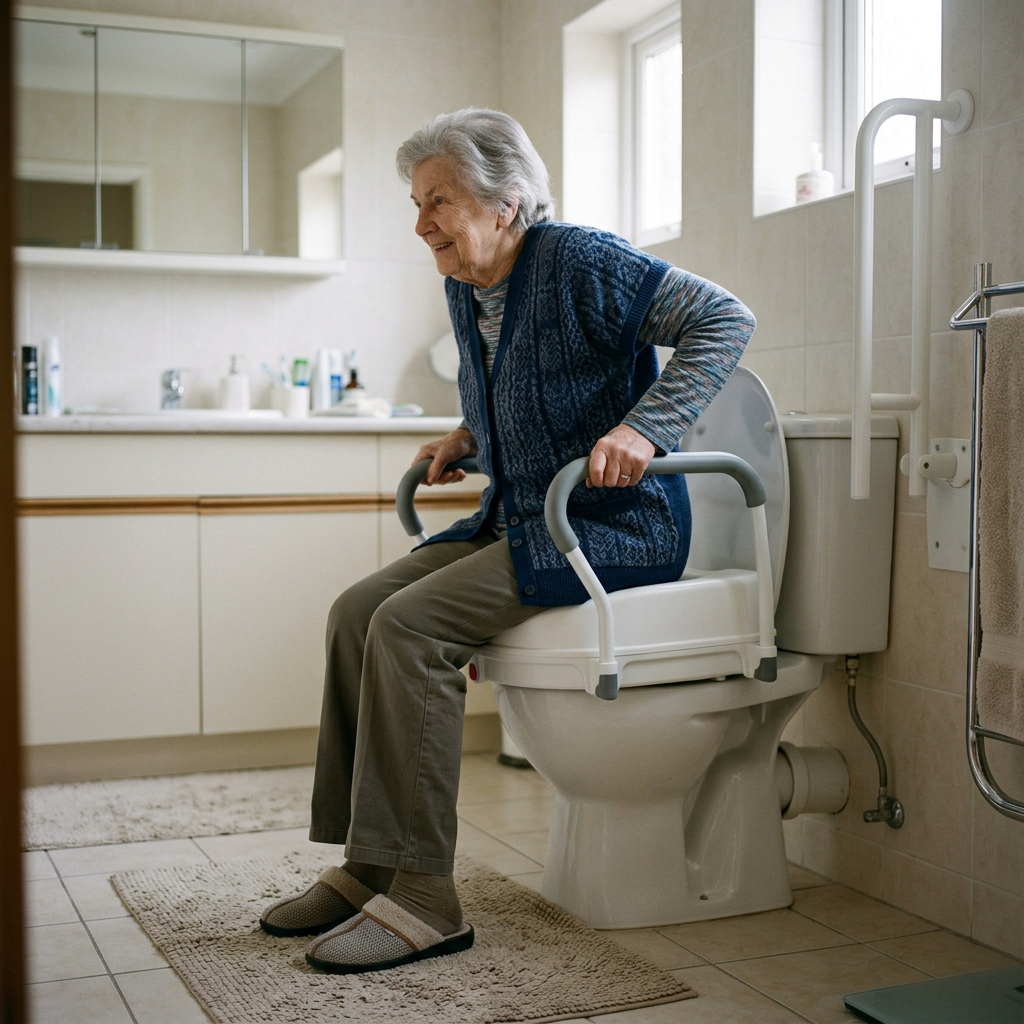
Tag: For Adult Children

Articles framed for adult children shopping for their aging parents.

  • 5 Best Suction Grab Bars for Renters (No-Drill)

    5 Best Suction Grab Bars for Renters (No-Drill)

    Disclosure: BuyingForMom is reader-supported. As an Amazon Associate we earn from qualifying purchases. When you buy through links in this article, we may earn an affiliate commission at no additional cost to you. We never recommend products we haven’t researched against verified-buyer review data. This article is editorial reporting, not medical advice.

    5 Best Suction Grab Bars for Renters (No-Drill)

    By Sarah Mitchell · Editor, BuyingForMom · Updated July 2026

    9 min read · Grab Bars · 5 products compared

    The honest take: If you rent and can’t drill, buy the Vive Suction Grab Bar and treat it as a steadying handle, not a fall-catcher, the green/red seal indicator is the one feature that earns its keep. The Safe-er-Grip 28″ Swivel is the smarter call only if the bar has to sit across an awkward tub corner. And skip any suction bar entirely if your parent leans their full weight to stand up that’s a drilled-bar job, no exceptions.

    How we sorted through 40+ suction grab bars in a two-week review pass

    We cross-referenced more than 40 no-drill suction grab bars against roughly 30,000 verified Amazon reviews, then filtered hard on three things: a published weight rating, a real seal-failure warning system, and a review history long enough to expose the “popped off the wall” complaints that only surface after a few months of steam. We also weighed the category’s honest limits against ADA guidance (which requires drilled bars to hold 250 lb) and the recurring occupational-therapist caution that suction bars are balance aids, not transfer supports. Five made the cut, each one purchasable and in stock as of this update.

    Who this guide is for

    This guide is for adult children setting up a safer bathroom for a parent who rents, lives in an apartment, or has a landlord who won’t allow drilling and for anyone who needs temporary support during a short recovery. If your parent uses the bar to steady themselves stepping over a tub wall, these picks fit. If they pull hard on a bar to lift their full body weight, skip to the “What to actually look for” section, where we route you to a drilled-bar solution instead.

    At a glance

    Best Overall  Vive Suction Grab Bar (16″) — ~$25 · Green/red seal indicator on each cup, 300 lb balance rating.

    Best Value  Safe-er-Grip 16″ (Changing Lifestyles) — ~$17 · The long-running classic with the deepest review history.

    Best Reach  SlipX Solutions 17″ Safe Grip (2-pack) — ~$35 · Lever-lock PryLock cups, extra-long grip.

    Best Budget Pair  TAILI 16″ Suction Grab Bars (2-pack) — ~$28 · Two locking-latch bars, 240 lb each.

    Best for Angled Entry  Safe-er-Grip 28″ Swivel — ~$40 · 180° rotating grip for awkward tub corners.

    One honesty note before the reviews: no suction grab bar is ADA-compliant or safe to catch a genuine fall. A real angled fall force can spike past 500 lb, far beyond what any cup holds. Every pick below is simply the best balance tool in its lane.

    Best Overall Vive Suction Grab Bar (16″)

    ~$25 · Check price on Amazon →

    The Vive is the pick we point most renters toward because it removes the guesswork suction bars are notorious for: each cup carries a securing window that shows green when the seal is airtight and red the moment it isn’t. Across several thousand reviews, buyers who install it on smooth tile or glass report weeks of solid, green-indicator hold, while the failures cluster on fiberglass and textured surrounds where no suction bar belongs. Vive rates it to 300 lb as a balance assist and is refreshingly blunt in its own instructions that full body weight should never be applied. That candor, plus the visual seal check, is what makes it trustworthy for a steadying grip.

    The good

    • Per-cup green/red indicator takes the guesswork out of “is it actually stuck?”
    • Grippy, non-skid handle that stays usable with wet or soapy hands
    • Long review history on smooth tile confirming multi-week hold

    The catch

    • Reviewers on fiberglass or textured tubs report it won’t seat reliably
    • The indicator can still read green and release under sudden angled force recheck before every use

    This is right if… your parent’s tub or shower has large, smooth, glossy tile or a glass panel and they want a clear visual seal check.

    Look elsewhere if… the wall is fiberglass, small mosaic tile, or crosses grout lines — the seal won’t hold no matter the brand.

    Best Value Safe-er-Grip 16″ (Changing Lifestyles)

    ~$17 · Check price on Amazon →

    The Safe-er-Grip is the bar most people picture when they hear “suction grab bar,” and it earned that default status the honest way. A review base spanning well over a decade with tens of thousands of ratings. Flip the two levers and the cups lock; flip them back and it lifts off clean with no wall damage, which is the whole appeal for renters. It lacks the Vive’s seal indicator, so you’ll want to tug-test it each time, but at this price it’s the easiest low-commitment way to add a steadying handle where a landlord forbids drilling.

    The good

    • Lowest price of the group and the deepest, most battle-tested review record
    • Twist-lever cups install and remove in seconds with zero residue
    • Compact enough to toss in a suitcase for hotels and visits

    The catch

    • No seal indicator, you have to manually pressure-test it before each use
    • Some buyers note the levers loosen over months and need re-seating

    This is right if… you want a proven, budget no-drill handle and don’t mind a quick tug-test each time.

    Look elsewhere if… you’d rather have an at-a-glance seal indicator the Vive is worth the extra few dollars.

    Best Reach SlipX Solutions 17″ Safe Grip (2-pack)

    ~$35 · Check price on Amazon →

    SlipX’s 17-inch bar gives about 30% more grip length than a standard 12-inch handle. A longer bar means your parent can catch it comfortably whether stepping in or already seated. The PryLock lever cups press down for five seconds and lock without adhesive, and buyers who mount them on clean, dry, non-porous surfaces describe a genuinely firm hold; the recurring complaint is the usual caveat that any less-than-spotless surface shortens the hold. Rated to 250 lb as a balance assist, the two-pack lets you place one at the entry and one at the seat for a fraction of a drilled-bar install.

    The good

    • Extra-long 17″ grip suits taller users and multiple hand positions
    • Two bars in the box, cover entry and seat without buying twice
    • Five-second PryLock levers are simple for arthritic hands to operate

    The catch

    • Surface must be truly clean and dry or the hold fades within days
    • Bulkier cups need more flat, uninterrupted wall space than shorter bars

    This is right if… you need two bars, more grip length, and a lever system that’s easy on weak hands.

    Look elsewhere if… your wall has limited smooth space between fixtures or grout lines — the larger cups need room.

    Best Budget Pair TAILI 16″ Suction Grab Bars (2-pack)

    ~$28 · Check price on Amazon →

    TAILI’s two-pack is the value play when you want coverage in more than one spot without spending on a premium single bar. Each 16-inch bar uses two locking-latch suction cups rated to 240 lb, and buyers repeatedly describe the build as surprisingly solid — one common note is that the bars stayed put “for several weeks without slipping or wiggling.” An anti-slip strip along the top adds real friction for wet hands. As with every bar here, TAILI only holds on smooth, airtight surfaces like tile, glass, or acrylic not textured tile, wallpaper, or painted drywall. For a renter outfitting a whole bathroom on a budget, it’s the most bars per dollar.

    The good

    • Two bars at a budget price, cover tub entry and shower wall together
    • Anti-slip top strip grips wet, soapy hands well
    • Locking latches install in about five seconds with no tools

    The catch

    • No seal indicator, so each bar needs a manual pressure check
    • Lowest weight rating of the group at 240 lb per bar

    This is right if… you’re outfitting several spots on a tight budget and have smooth tile or acrylic walls.

    Look elsewhere if… you want a built-in seal indicator or a single premium bar over a matched pair.

    Best for Angled Entry Safe-er-Grip 28″ Swivel

    ~$40 · Check price on Amazon →

    Most suction bars force you to grab at a fixed angle and a problem when the only smooth wall space sits at an awkward diagonal to how your parent actually moves. The Safe-er-Grip Swivel solves that with a 28-inch bar whose grip rotates 180°, letting the hand follow the natural arc of stepping over a tub wall or pivoting to sit. It’s the priciest pick and, at nearly two and a half feet, needs the most uninterrupted smooth surface. But for a wide alcove tub where entry happens at a corner, verified buyers say the rotating grip removes the wrist-twisting that makes a fixed bar feel unsafe.

    The good

    • 180° rotating grip follows the hand through an angled entry or pivot
    • 28″ span covers a wide reach from step-in to seated position
    • Same no-tool, no-residue removal renters count on

    The catch

    • Needs a large, uninterrupted smooth surface, won’t fit tight walls
    • Priciest option, and the swivel adds a moving part to inspect

    This is right if… your parent enters a wide tub at an angle and a fixed-grip bar twists their wrist.

    Look elsewhere if… your smooth wall space is short or broken up by fixtures and grout a 12–17″ bar fits better.

    Quick comparison

    Bar Price Length Balance rating Best for
    Vive Suction Grab Bar ~$25 16″ 300 lb Seal indicator, overall
    Safe-er-Grip 16″ ~$17 16″ ~250 lb Budget, proven classic
    SlipX 17″ (2-pack) ~$35 17″ 250 lb Reach + two bars
    TAILI 16″ (2-pack) ~$28 16″ 240 lb Budget pair
    Safe-er-Grip 28″ Swivel ~$40 28″ ~250 lb Angled entry

    The conversation you’ll have

    Suction bars are an easy sell precisely because they don’t announce themselves the way a permanent, drilled-in bar does — nothing gets installed, nothing changes, and the whole thing lifts off in a second. Lean into that. Older adults often resist safety gear because it feels like a verdict on their independence, so the framing that works is temporary and reversible, not medical.

    Try saying “It just suctions on and comes right off, no holes, nothing the landlord will care about” instead of “You need a grab bar so you don’t fall.” The first is a small convenience; the second is a diagnosis. And be honest together about the limit: this is a handle to steady a step, not something to hang your weight on. If the truthful answer is that they do lean their full weight to stand, that’s the moment to talk about a proper drilled bar.

    Insurance and savings

    Original Medicare (Part B) generally does not cover grab bars suction or drilled because it classifies them as home-safety or convenience items rather than durable medical equipment. The bigger 2026 opening is Medicare Advantage: under the CMS supplemental-benefit expansion, a growing number of MA plans reimburse bathroom-safety items, so it’s worth a call to your parent’s plan. Suction grab bars are also frequently eligible for FSA and HSA reimbursement when bought for a specific medical need, and out-of-pocket safety modifications can count toward the IRS medical-expense deduction (Publication 502) once total medical costs pass 7.5% of adjusted gross income. Keep the receipt either way.

    What to actually look for

    1. Know the job: balance, not body weight

    This is the criterion that outranks every spec. A suction bar is a steadying handle for balance, grabbing to catch a real fall can exceed 500 lb of force and pop any suction cup off the wall. If your parent needs to pull their full weight up to stand, that’s a drilled bar anchored to studs, full stop. Our guide to grab bars that don’t look like a hospital covers the permanent options, and the complete aging-in-place home safety checklist shows where weight-bearing bars belong.

    2. Match the bar to your actual wall

    Suction only holds on smooth, non-porous surfaces at least 4×4 inches — large glossy tile, glass, fiberglass with a slick finish, or acrylic. It fails on textured tile, small mosaic, natural stone, painted drywall, and anywhere a cup crosses a grout line. Before you buy, run a hand over the exact spot the bar will sit. If it’s textured or seamed, no brand will hold, and you’re better off with a no-drill tension pole or a landlord conversation about a permanent bar.

    3. Favor a seal indicator and a habit of checking

    The single most useful feature is a green/red securing window, because a suction seal degrades silently with steam, temperature swings, and time. Even with an indicator, build the habit of a firm downward tug before every use. For more no-drill ideas that respect a lease, see our roundup of renter-friendly senior safety upgrades you can install without drilling.

    Frequently asked questions

    How much weight can a suction grab bar hold?

    Manufacturers advertise 200–300 lb, but those are lab numbers under steady vertical pressure. In real bathrooms, seals can fail under 75–150 lb of sudden, angled force. Treat published ratings as a balance-support ceiling, never a fall-catching guarantee, and choose a bar rated well above the user’s weight.

    Do suction grab bars actually work?

    Yes, for their intended job. On clean, smooth, non-porous surfaces they provide reliable light balance support for steadying a step or a pivot. They do not work as transfer supports for lifting full body weight, and they do not work at all on textured tile, grout lines, or porous walls.

    Are suction grab bars safe for elderly users?

    They’re safe as balance aids when installed correctly and pressure-tested before each use. They become unsafe when someone treats them as a weight-bearing rail. For a senior who leans their full weight to stand or is at high fall risk, a drilled, stud-anchored bar is the appropriate choice instead.

    What surfaces do suction grab bars work on?

    Smooth, non-porous, airtight surfaces: large glossy ceramic tile, glass shower doors, slick fiberglass, and acrylic walls. They will not seal on textured or small mosaic tile, natural stone, wallpaper, painted drywall, or any spot where a cup spans a grout line. Always test the exact location first.

    Do suction grab bars fall off the wall?

    They can. Steam, temperature changes, and surface irregularities gradually weaken the vacuum seal, sometimes without warning. That’s why a green/red seal indicator and a firm tug-test before each use matter so much and why they should never be the only line of defense against a genuine fall.

    Are suction grab bars ADA compliant?

    No, The ADA requires grab bars to support at least 250 lb through anchored, drilled installation. Suction bars are removable balance aids and don’t meet that standard. If you need an ADA-compliant, weight-bearing bar, it has to be permanently mounted into wall studs or backing.

    The shortlist

    Best Overall

    Vive Suction Grab Bar 16″

    ~$25

    Check on Amazon →

    Best Value

    Safe-er-Grip 16″

    ~$17

    Check on Amazon →

    Best Reach

    SlipX 17″ (2-pack)

    ~$35

    Check on Amazon →

    Best Budget Pair

    TAILI 16″ (2-pack)

    ~$28

    Check on Amazon →

    Best for Angled Entry

    Safe-er-Grip 28″ Swivel

    ~$40

    Check on Amazon →

    Last verified in stock: July 9, 2026

    What we’d do tomorrow

    If you’re setting this up this weekend, do three things in order. First, run your hand over the exact wall spot — if it’s smooth, glossy, and grout-free, a suction bar is viable; if it’s textured or seamed, stop and plan for a drilled bar instead. Second, buy the Vive for its seal indicator, or the Safe-er-Grip 16″ if budget is tight, and install it as a steadying handle only. Third, have the honest conversation: if your parent leans their full weight to stand, treat these as a stopgap and get a permanent, stud-anchored bar on the calendar. A suction bar buys you confidence for balance today — it doesn’t replace real anchoring where weight-bearing is the actual need.

    — Sarah

    BuyingForMom is a reader-supported site. As an Amazon Associate we earn from qualifying purchases. When you buy through links on this site, we may earn an affiliate commission at no additional cost to you. See our Affiliate Disclosure for details. This article is not medical advice — please consult a qualified healthcare professional for decisions specific to your family.
  • 5 Best GPS Trackers for Dementia Wandering

    5 Best GPS Trackers for Dementia Wandering

    Disclosure: BuyingForMom is reader-supported. As an Amazon Associate we earn from qualifying purchases. When you buy through links in this article, we may earn an affiliate commission at no additional cost to you. We never recommend products we haven’t researched against verified-buyer review data. This article is editorial reporting, not medical advice.

    5 Best GPS Trackers for Dementia Wandering

    By Sarah Mitchell · Editor, BuyingForMom · Updated July 2026

    11-minute read · Dementia & Memory · 5 picks compared

    The honest take: For most families, the Jiobit Gen 3 is the one to buy, small enough that a parent forgets it’s there, with real-time cellular tracking and geofence alerts, which is the whole point. Reach for the PAJ GPS Easy Finder only if you want a hardware SOS button your parent can press. And skip the Apple AirTag as your primary device, no live tracking and no exit alert make it a backup layer, not a wandering solution.

    How we sorted through 20 wandering-safety devices in three weeks

    We started with more than 20 devices marketed for dementia and elderly wandering, then cut against one hard rule: it had to be genuinely purchasable on Amazon today. That eliminated the three brands most “best dementia tracker” lists lead with AngelSense, the Tranquil Watch, and the GPS SmartSole are all direct-sale only, so a family clicking “buy” from a review site lands on a sales page, not a cart. From what remained, we cross-referenced thousands of verified-buyer reviews, the Alzheimer’s Association’s guidance (it estimates more than 60% of people with dementia will wander at some point), and caregiver threads on Reddit’s r/dementia and r/AgingParents. We weighted four things in order: does it track in real time, does it alert you when a parent crosses a boundary, will they keep it on, and what does the subscription cost.

    Who this guide is for

    This guide is for adult children and caregivers buying a tracker for a parent with early-to-moderate dementia who is still mobile and at risk of leaving home unaccompanied. If your parent is in a later stage and no longer leaves a bed or chair, a door-exit alarm matters more than a tracker. And if you’re weighing a tracker against a full medical-alert system with fall detection, the companion guides linked below cover that trade-off.

    At a glance

    BEST OVERALL  Jiobit Gen 3 — ~$130 + $8.99/mo · tiny, discreet, 30-day battery, real-time cellular

    BEST SOS  PAJ GPS Easy Finder — ~$50 + from $5.50/mo · hardware SOS button + two-way voice

    BEST SIMPLE  Family1st Senior GPS Tracker — ~$30 + $21.95/mo · pouch + lanyard, nothing to fiddle with

    BEST BUDGET  Tracki Mini 4G — ~$20 + from $19.95/mo · cheapest cellular real-time tracker that works

    BEST NO-FEE BACKUP  Apple AirTag — $29, no subscription · last-known-location only, backup layer

    Settle one thing before the cards: nearly every real wandering tracker charges a monthly fee for its cellular connection and the same thing that lets a phone report its location anywhere. The only no-fee device here is the AirTag, and it’s free precisely because it has no cellular radio and can’t track live. Decide whether you want a live safety tool (subscription) or a cheap backup (no fee) first, and the rest gets simple.

    Best Overall  Jiobit Gen 3

    ~$130 device + $8.99/mo · Check price on Amazon →

    The Jiobit is the tracker caregivers keep recommending to each other, and the reason is physical: it’s roughly keyfob-sized, so it clips inside a waistband or laces into a shoe and a parent tends to forget it exists, which matters, because the fastest way to lose a tracker is for the wearer to notice it and take it off. It combines cellular, Wi-Fi, and Bluetooth to hold a fix indoors and out, and the Gen 3 is rated up to 30 days of battery, making recharging a monthly chore instead of a nightly one. Across thousands of verified reviews the standout praise is geofence reliability — set a safe zone around the house and get a push the moment it’s crossed. At $8.99 a month it’s also the cheapest subscription of any full-featured tracker here.

    The good

    • Small and light enough to wear hidden, so it stays on
    • Cellular + Wi-Fi + Bluetooth = accurate indoors and outdoors
    • Lowest monthly fee of any real-time tracker in this guide

    The catch

    • No hardware SOS button the wearer can press for help
    • Needs a secure pouch or lock clip (sold separately) to be truly removal-proof

    This is right if… you want the most discreet, reliable everyday tracker and your parent won’t need to call for help themselves.

    Look elsewhere if… you specifically want a two-way voice or SOS button, see the PAJ below.

    Best SOS & Voice  PAJ GPS Easy Finder

    ~$50 device + from $5.50/mo · Check price on Amazon →

    The Easy Finder is the pick when you want your parent able to reach you, not just be found. It’s a 4G tracker with a physical SOS button that, held down, fires an alert to your phone, plus two-way voice messaging so a disoriented parent can hear a familiar voice mid-wander. PAJ rates the 3,000 mAh battery at up to about 10 days, and it’s IP65 water-resistant. Verified buyers split usefully: most call the tracking accurate and near real-time, while a minority report slow charging and note the subscription can climb on shorter-interval plans — so pick the update frequency you actually need. The base plan starts around $5.50 a month, among the lowest here.

    The good

    • Real hardware SOS button plus two-way voice messages
    • Long standby battery and IP65 water resistance
    • Low entry-level subscription price

    The catch

    • Faster update intervals push the monthly cost up
    • Bulkier than the Jiobit, so easier for a parent to notice and remove

    This is right if… you want your parent to have a button to summon help and hear your voice.

    Look elsewhere if… discretion matters more than an SOS button, the Jiobit hides better.

    Best Simple  Family1st Senior GPS Tracker

    ~$30 device + $21.95/mo · Check price on Amazon →

    Family1st has been one of the top-rated portable trackers on Amazon for years, and its dementia-care appeal is that there’s almost nothing to operate, t ships with a cotton pouch and lanyard, you tuck it into a bag or pocket, and it reports its location to an app on phone, tablet, or desktop. You get unlimited live tracking, custom geofenced safe zones, email or SMS alerts, and a full location history. The trade-off is the subscription: at $21.95 a month it’s the priciest plan here, and the pouch form means a parent who empties their pockets can leave it behind. For families who value a zero-learning-curve setup over the lowest cost, that’s a fair exchange.

    The good

    • Almost nothing to set up or operate day to day
    • Unlimited live tracking, geofencing, and full location history
    • Works across phone, tablet, and desktop

    The catch

    • Highest monthly subscription in this guide at $21.95
    • Pouch form is easy to leave behind versus a worn device

    This is right if… you want the simplest possible setup and don’t mind paying more monthly.

    Look elsewhere if… you need a device worn on the body, a pouch gets left in a coat.

    Best Budget  Tracki Mini 4G

    ~$20 device + from $19.95/mo · Check price on Amazon →

    Tracki is the perennial Amazon best-seller in GPS trackers, and it earns the budget slot because the device itself is often around $20 the lowest hardware cost of any real cellular tracker here. It’s a compact 4G unit, roughly 1.8 inches, with a replaceable 600 mAh battery rated for about 5 to 7 days active (much longer in battery-save mode), plus real-time tracking, geofencing, and an SOS broadcast to app, email, and text. Verified buyers praise the accuracy and clip-anywhere size; the recurring complaints are the short active battery and a subscription families sometimes don’t realize is mandatory. It’s the smart entry point to prove the concept works before committing to a pricier ecosystem.

    The good

    • Lowest device price of any true cellular tracker in this guide
    • Real-time tracking, geofencing, and SOS in a tiny clip-on unit
    • Replaceable battery and a long battery-save mode

    The catch

    • Short active battery life means frequent recharging
    • No wearable holder in the box; you’ll want a lanyard or pouch

    This is right if… you want the cheapest way to try a real tracker before spending more.

    Look elsewhere if… nightly charging is a dealbreaker, the Jiobit lasts far longer.

    Best No-Fee Backup  Apple AirTag

    $29, no subscription · Check price on Amazon →

    We’re including the AirTag precisely so you understand what it is and isn’t. At $29 with no monthly fee it’s the cheapest way to get any location signal, and clipped to a keyring or slipped into a coin pocket it’s a genuinely useful second layer, dementia patients often reliably grab keys and wallets even when they forget a worn device. But it has no cellular radio: it can’t tell you when a parent leaves home, can’t show live movement, and only reports its last position when a stranger’s iPhone passes near it. In a city that lag is minutes; in a rural area, hours. Caregivers on Reddit repeatedly warn an AirTag can lull you into false confidence. Treat it as a backup to a cellular tracker, never the primary tool for someone who wanders.

    The good

    • $29 once, no monthly subscription ever
    • Tiny and easy to attach to keys or a wallet your parent remembers
    • Excellent as a second, redundant layer of coverage

    The catch

    • No real-time tracking, no geofence exit alert, no SOS
    • Location depends on nearby iPhones, unreliable in rural areas

    This is right if… you want a cheap redundant layer alongside a real cellular tracker.

    Look elsewhere if… this is your only device, it cannot alert you to an actual wander.

    How the five compare

    Tracker Device / Monthly Battery Best for
    Jiobit Gen 3 ~$130 / $8.99 Up to 30 days Discreet everyday wear
    PAJ Easy Finder ~$50 / from $5.50 ~10 days SOS + two-way voice
    Family1st ~$30 / $21.95 Multi-day Simplest setup
    Tracki Mini 4G ~$20 / from $19.95 5–7 days active Cheapest real tracker
    Apple AirTag $29 / none ~1 year (coin cell) No-fee backup layer

    The conversation you’ll have

    A tracker only works if it stays on your parent, and the fastest way to guarantee it lands in a drawer is to introduce it as surveillance. Many people with early dementia hear “so we can see where you are” as “we don’t trust you,” and dig in. The reframe that lands is independence, not monitoring. Try “This means you can keep going out on your own, if you ever get turned around, I can come find you fast” instead of “We need to keep track of you now.” Attaching it to something already tied to freedom helps: clip it to the house keys or the wallet they carry out the door, so it reads as part of leaving, not a leash. And if there’s resistance, let a doctor or OT introduce it and the same sentence often carries more weight from a clinician than an adult child.

    Insurance and savings

    Original Medicare (Parts A and B) does not cover GPS wandering trackers, it classifies them as convenience or safety items rather than durable medical equipment, so the device and subscription come out of pocket. Two places to look for relief. First, a growing number of Medicare Advantage plans now fund non-medical “supplemental benefits” that can include safety and monitoring devices; check your parent’s plan’s supplemental-benefit allowance. Second, the device and sometimes the service may be reimbursable through an FSA or HSA with a physician’s Letter of Medical Necessity tying the tracker to the dementia diagnosis and unreimbursed costs may count toward the IRS §213(d) medical-expense deduction once spending clears 7.5% of adjusted gross income (IRS Publication 502). None of this is tax advice; confirm with the plan and a tax professional.

    What to actually look for

    Real-time cellular, not Bluetooth crowd-finding

    This is the most important distinction and the one most buyers get wrong. A cellular tracker reports its own location continuously and fires a geofence alert the second a parent leaves a safe zone. A Bluetooth tag like the AirTag has no radio of its own and it appears on a map only when a stranger’s phone passes near it. For active wandering, want cellular; use crowd-finding only as a backup. Our complete aging-in-place home safety checklist puts this device in the context of the whole home.

    Wearability decides whether it stays on

    The best-tracking device is useless in a drawer. Smaller and more hidden almost always beats bigger and more featured, because a parent who can’t feel or see the device won’t remove it. Look for a lock pouch, a shoe insert, or a non-obvious clip. If your parent also struggles with medications, pairing this with an automatic pill dispenser built for dementia covers the two most common daily risks at once.

    Total cost of ownership, not sticker price

    A $20 device with a $20 monthly plan costs more over two years than a $130 device with a $9 plan. Add up 24 months of subscription before you choose. If you’re also weighing fall risk, compare a tracker against a dedicated alert device using our no-monthly-fee fall detection guide.

    Frequently asked questions

    Do GPS trackers prevent wandering?
    No and it’s important to be clear on this. A tracker does not stop a person with dementia from leaving; it helps you find them quickly once they have. To reduce wandering itself, pair the tracker with door alarms, secured exits, and a predictable daily routine. The tracker is your response tool, not your prevention tool.

    What if my parent takes the tracker off?
    This is the most common failure, which is why wearability matters more than features. The fixes that work are a locking wristband, a device small enough to go unnoticed in a waistband or shoe, or attaching it to keys and a wallet a parent reliably carries. A hidden device stays on far longer than an obvious one.

    Why does almost every tracker require a monthly subscription?
    Real-time trackers use a cellular connection, just like a phone, and that airtime carries a recurring cost. The fee pays for the SIM and the tracking service. The only no-fee option here is the AirTag, and it’s free precisely because it has no cellular radio and can’t track live.

    Does Medicare cover a GPS tracker for dementia?
    Original Medicare does not, it treats trackers as convenience items and not durable medical equipment. Some Medicare Advantage plans fund safety devices through supplemental benefits, and an FSA or HSA may reimburse the cost with a Letter of Medical Necessity. Check your parent’s specific plan.

    Is an AirTag good enough for a parent who wanders?
    Not on its own. An AirTag shows only its last known location when a nearby iPhone detects it, with no live tracking, geofence alert, or SOS. It’s a useful backup layer clipped to keys, but a parent who actively wanders needs a cellular tracker as the primary device.

    Can a tracker help my parent keep their independence?
    Yes, that’s the strongest reason to use one. Knowing a caregiver can locate them quickly often lets a person with early dementia keep taking walks and running errands safely, rather than being confined out of fear. Framed as freedom rather than surveillance, it supports independence instead of removing it.

    The shortlist

    Best Overall

    Jiobit Gen 3

    ~$130 + $8.99/mo

    Check on Amazon →

    Best SOS

    PAJ Easy Finder

    ~$50 + from $5.50/mo

    Check on Amazon →

    Best Simple

    Family1st Tracker

    ~$30 + $21.95/mo

    Check on Amazon →

    Best Budget

    Tracki Mini 4G

    ~$20 + from $19.95/mo

    Check on Amazon →

    No-Fee Backup

    Apple AirTag

    $29, no subscription

    Check on Amazon →

    Last verified in stock: July 5, 2026

    What we’d do tomorrow

    If you’re starting this weekend, do three things in order. First, buy the Jiobit Gen 3 and a lock pouch. The most discreet real-time tracker and the one your parent is least likely to remove. Second, add a $29 AirTag to the keyring as a cheap redundant layer. Third, before either arrives, have the independence conversation, not the surveillance one — that single reframe does more to keep the tracker on your parent than any spec here. Set the geofence the day it ships, and you’ll have a working safety net by Monday.

    — Sarah

    BuyingForMom is a reader-supported site. As an Amazon Associate we earn from qualifying purchases. When you buy through links on this site, we may earn an affiliate commission at no additional cost to you. See our Affiliate Disclosure for details. This article is not medical advice — please consult a qualified healthcare professional for decisions specific to your family.
  • The Best Smart Locks for Seniors with Memory Issues

    The Best Smart Locks for Seniors with Memory Issues

    Disclosure: BuyingForMom is reader-supported. As an Amazon Associate we earn from qualifying purchases. When you buy through links in this article, we may earn an affiliate commission at no additional cost to you. We never recommend products we haven’t researched against verified-buyer review data. This article is editorial reporting, not medical advice.

    By Sarah Mitchell · Editor, BuyingForMom · Updated July 2026

    ~11 min read · Smart Home · 5 picks compared

    The honest take: For a parent with mild memory loss who keeps getting locked out, buy the Schlage Encode and stop there. The schlage encode manages codes and alerts from your own phone with no hub or subscription. The $40 TEEHO TE001 is the right call only if one simple code will do and nobody needs remote access. Skip “peek-proof” shuffling keypads like the Lockly PIN Genie entirely. The digits rearrange after every use, a security feature for everyone else and a nightly frustration for someone relying on muscle memory.

    How we sorted through 27 keypad smart locks in three weeks

    We started with 27 keypad and fingerprint deadbolts sold on Amazon and narrowed them against three sources: 9,000+ verified-buyer reviews filtered for “mom,” “dad,” “elderly,” and “dementia”; the Alzheimer’s Association’s home-safety and wandering guidance; and caregiver threads on r/AgingParents and r/dementia. Locks were cut for shuffling keypads, app-only entry, or repeated reports of failed fingerprint reads on older hands. The five survivors each solve a different memory-related problem and not the same lock ranked five times.

    Who this guide is for

    This guide is for adult children buying a keypad or fingerprint lock for a parent who forgets or loses keys, from mild forgetfulness through early-stage dementia. If active wandering is the worry, the picks still apply (two are chosen for door alerts), but read the safety note below first: a locked door is never a substitute for supervision.

    A smart lock for elderly with dementia needs to do a job most smart-lock reviews never test: work for someone whose memory is changing. The lockouts usually come first, keys left inside, a spare under the mat that’s now a security problem. Later, the worry flips: not whether your parent can get in, but whether the door opens at 2 a.m.

    Most roundups treat these as one problem. They’re opposites. Getting IN without keys calls for a simple, consistent code or a fingerprint. Knowing when someone goes OUT calls for Wi-Fi notifications and a door sensor. These five cover both directions, every one under $250.

    At a glance

    BEST OVERALL — Schlage Encode Smart Wi-Fi Deadbolt (~$230) — remote code management and alerts, no hub, no subscription

    BEST BUDGET — TEEHO TE001 (~$40) — one simple code, auto-lock, zero app to manage

    BEST RETROFIT — August Wi-Fi Smart Lock (4th Gen) + Keypad (~$200) — keeps the existing deadbolt and keys

    BEST FINGERPRINT — eufy Smart Lock C220 (~$100) — nothing to remember at all

    BEST FOR WANDERING ALERTS — ULTRALOQ U-Bolt Pro Wi-Fi with Door Sensor (~$180) — tells you when the door opens or is left ajar

    BEST OVERALL Schlage Encode Smart Wi-Fi Deadbolt

    ~$230 · Check price on Amazon

    The Encode is the pick most caregivers land on because the Wi-Fi is built into the lock. There is no hub, no bridge to reboot, no monthly fee for this lock. You create and delete codes from the Schlage Home app on your own phone, so when a parent forgets a code you can reset it to something more familiar from three states away. It holds 100 codes, auto-locks on a timer, and pushes a notification at every lock and unlock. Across thousands of verified reviews, the recurring praise is reliability and the lock people describe as “boring, in a good way.” The recurring complaint is battery life: built-in Wi-Fi drains the 4 AA batteries in roughly three to six months, so put swaps on your calendar.

    The good

    • Remote code management and lock/unlock alerts with no hub and no subscription
    • Large, bright touchscreen keypad that’s readable for aging eyes
    • ANSI Grade 1 residential security rating — the highest tier

    The catch

    • Battery life runs 3–6 months because of the built-in Wi-Fi
    • At ~$230 it’s the priciest pick here

    This is right if… you want to manage your parent’s codes and see comings and goings from your own phone with the least possible setup.

    Look elsewhere if… nobody in the family will use an app the TEEHO or Kwikset-style standalone keypads are simpler.

    Check Price on Amazon →

    BEST BUDGET TEEHO TE001 Keyless Entry Deadbolt

    ~$40 · Check price on Amazon

    The TE001 is one of Amazon’s best-selling keypad deadbolts for a reason: it does exactly one job. No app, no Wi-Fi, no account, just a lighted keypad, up to 20 codes, and auto-lock settable between 10 and 99 seconds. For mild memory loss, that simplicity is the feature: one code, the same buttons, every time. Verified buyers consistently note the ten-minute screwdriver install and year-long battery life; the recurring complaint is loud confirmation beeps and buttons that feel plasticky next to a Schlage. With no remote access, this is a lock for the getting-in problem, not the wandering problem.

    The good

    • One consistent code and auto-lock for around $40
    • No app, no account, no Wi-Fi to troubleshoot over the phone
    • Runs about a year on 4 AA batteries, with backup keys included

    The catch

    • No remote access and codes can only be changed at the door
    • Loud keypad beeps that some buyers find impossible to quiet

    This is right if… your parent needs a reliable way in without keys and nobody needs to monitor the door remotely.

    Look elsewhere if… you want notifications when the door opens and this lock tells you nothing.

    Check Price on Amazon →

    BEST RETROFIT August Wi-Fi Smart Lock (4th Gen) with Keypad

    ~$200 · Check price on Amazon

    The August replaces only the inside half of the existing deadbolt, so the outside of the door and every key your parent already owns stays exactly the same. That matters more than it sounds: caregivers on r/AgingParents report that a familiar-looking door lowers resistance, and the original keys keep working as a fallback nobody has to learn. Auto-unlock opens the door as your parent walks up with their phone, and the included keypad covers phone-free days. The trade-offs buyers flag most: a chunky interior unit, an audible motor, and battery life closer to three months than six. It’s also renter-friendly and the door’s exterior never changes.

    The good

    • Existing keys and exterior hardware keep working, least disruptive install here
    • Auto-unlock as your parent approaches; keypad included for phone-free days
    • App shows who came and went, with remote lock/unlock

    The catch

    • Interior unit is bulky and the motor is noticeably loud
    • Battery life is short, plan on swaps roughly every 3 months

    This is right if… your parent (or their landlord) would balk at a new-looking lock, and original keys as backup bring peace of mind.

    Look elsewhere if… the door gets heavy daily traffic and frequent battery swaps get old fast.

    Check Price on Amazon →

    BEST FINGERPRINT eufy Smart Lock C220

    ~$100 · Check price on Amazon

    When even one code is one too many, a fingerprint is the answer, nothing to remember and nothing on a sticky note by the door. The C220 packs a fingerprint reader, keypad, physical key, and built-in Wi-Fi into a lock that routinely sells near $100 with no subscription. It stores 50 fingerprints, so everyone including the home aide can register two fingers each. The honest caveat, echoed across reviews: fingerprint sensors struggle with very worn or thin skin, which is common past 80. Register several fingers, test for a week, and keep the keypad code as the fallback. Buyers also note the IP53 rating and BHMA Grade 3 build, fine under a covered porch and not the pick for a fully exposed door.

    The good

    • Fingerprint entry means nothing to remember, with keypad and key as fallbacks
    • Built-in Wi-Fi with app alerts, no hub and no monthly fee
    • Around $100 half the price of comparable Wi-Fi fingerprint locks

    The catch

    • Fingerprint reads get less reliable on very worn, aged skin, test before relying on it
    • IP53 rating and Grade 3 build want a covered, sheltered door

    This is right if… codes are already a source of stress and your parent’s door is under a porch or overhang.

    Look elsewhere if… the door is fully exposed to weather, or fingerprint reads fail in your first-week testing.

    Check Price on Amazon →

    BEST FOR WANDERING ALERTS ULTRALOQ U-Bolt Pro Wi-Fi with Door Sensor

    ~$180 · Check price on Amazon

    This is the only pick built around the question later-stage families actually ask: not “can Mom get in?” but “did the door just open?” The included door sensor knows whether the door is physically open or closed, not just locked. The app can alert you when the door opens at odd hours or sits ajar, and auto-lock waits until the door is truly shut before throwing the bolt. Entry works seven ways, including fingerprint, plain keys, and an anti-peep keypad that lets you bury the real code inside extra digits. This feature is useful against onlookers, invisible to your parent’s routine since the code itself never changes. Reviewers praise the tank-like ANSI Grade 1 build; the consistent gripes are fiddly Wi-Fi setup and occasional failed fingerprint reads on older hands.

    The good

    • Door sensor enables open/ajar alerts, the feature that matters for wandering risk
    • Seven entry methods, so there’s always a working fallback
    • ANSI Grade 1 build, IP65 weatherproof and handles exposed doors

    The catch

    • Wi-Fi setup is the most finicky of the five and budget an afternoon
    • Fingerprint reader shares the worn-skin limitation; lean on the keypad

    This is right if… you need to know the moment the front door opens and want auto-lock that waits for the door to actually close.

    Look elsewhere if… you want plug-and-play setup and the Schlage Encode is far less fiddly.

    Check Price on Amazon →

    Comparison table

    Lock Price Key spec Best for
    Schlage Encode ~$230 Built-in Wi-Fi, 100 codes, Grade 1 Remote caregiver management
    TEEHO TE001 ~$40 Standalone keypad, auto-lock 10–99s Simplest possible entry
    August 4th Gen + Keypad ~$200 Retrofit — keeps existing keys Renters, low-resistance installs
    eufy C220 ~$100 Fingerprint + keypad + Wi-Fi Nothing-to-remember entry
    ULTRALOQ U-Bolt Pro + Sensor ~$180 Door open/ajar sensor, 7-in-1 entry Wandering-risk alerts

    The conversation you’ll have

    Expect pushback, and expect it to be about dignity rather than technology. A lock that reports to your phone can land as surveillance. Caregivers report better results leading with the problem the parent already feels: the lockouts. Try saying “this means you’ll never be locked out again, and you can stop hiding a key under the mat” instead of “this lets me see when you come and go.” Set the code to something already burned into long-term memory and an old street address holds far longer than anything new. And install it while it’s still a convenience, not after a crisis makes it feel like a verdict.

    One safety line that isn’t negotiable: a person with dementia should never be locked inside a home alone. The interior thumbturn must stay usable so the door always opens from the inside in an emergency. The Alzheimer’s Association is explicit on this, and every lock in this guide keeps normal interior egress. Door alerts plus supervision are the answer to wandering risk; a door that traps is not.

    Insurance and savings

    Original Medicare does not cover smart locks, they’re home modifications and not durable medical equipment. Two partial paths exist. Some Medicare Advantage plans offer supplemental home-safety benefits under the CMS expansion for chronically ill enrollees (CMS-4204-F); with a dementia diagnosis on file, ask the plan whether home-safety devices qualify. And when a physician recommends home modifications for a diagnosed condition, the cost may count toward the medical-expense deduction under IRS Publication 502 once total medical expenses pass 7.5% of adjusted gross income, keep the receipt and the doctor’s note together.

    What to actually look for

    A keypad that never changes

    Muscle memory is the last memory to fade, so the keypad must look and behave identically every time. That’s why shuffling peek-proof keypads are the wrong tool here, and why backlit physical buttons beat flush touchscreens for many older hands. Pick one meaningful code and never rotate it without a reason. For the broader picture of which fixes matter most, see our complete aging-in-place home safety checklist.

    Auto-lock, alerts, and what happens in a power cut

    Auto-lock removes “did I lock the door?” from the daily worry list but pair it with a door sensor if wandering is the concern, so the bolt doesn’t fire while the door sits ajar. Every pick runs on AA batteries, so a power outage changes nothing, and each keeps a physical-key backup. If the routine also includes missed medications, an automatic pill dispenser built for dementia care solves at the medicine cabinet what these locks solve at the door.

    Fallbacks, and who holds them

    Plan for the day the primary method fails: register multiple fingerprints, keep a physical key with a trusted neighbor rather than under the mat, and put two family members on the app. If wandering episodes are already happening, pair the door alert with a no-monthly-fee fall detection device so an alert on the door and an alert on the person cover each other’s gaps.

    FAQ

    What is the best door lock for someone with dementia?
    It depends on the stage. For mild memory loss, a consistent keypad lock like the Schlage Encode solves lockouts. For wandering risk, choose a lock with a door sensor and caregiver alerts, like the ULTRALOQ U-Bolt Pro and never remove interior egress.

    Are keypad locks good for seniors?
    Generally yes, a memorized code beats a losable key, and auto-lock removes a daily worry. Choose large backlit buttons over flush touchscreens, keep one unchanging meaningful code, and avoid shuffling “peek-proof” keypads that rearrange digits after every use.

    How do you stop a dementia patient from wandering out the front door?
    Layer, don’t lock. Use a smart lock with a door sensor for instant open-door alerts, add supervision during high-risk hours, and address triggers like restlessness. The Alzheimer’s Association warns against confining someone alone behind a locked door and alerts plus response, not barriers.

    Is it safe to lock a person with dementia in the house?
    No, not alone. A locked door blocks emergency escape during a fire and creates serious legal and safety risks. Interior thumbturns must stay usable. If wandering risk is high enough to consider confinement, that’s the signal to arrange supervision or professional care instead.

    Do smart locks still work if the power or Wi-Fi goes out?
    Yes. All five picks run on AA batteries, so house power doesn’t matter, and the keypad or fingerprint still works locally without Wi-Fi. You only lose remote features, app alerts and remote unlocking. Physical backup keys cover a dead battery.

    What happens if a senior forgets the keypad code?
    With a Wi-Fi lock, a family member can unlock the door remotely or reset the code from the app in seconds. That recovery path is the best argument for spending more than $40 a standalone keypad can only be reprogrammed at the door itself.

    The shortlist

    Best Overall

    Schlage Encode

    ~$230

    Check on Amazon →

    Best Budget

    TEEHO TE001

    ~$40

    Check on Amazon →

    Best Retrofit

    August 4th Gen + Keypad

    ~$200

    Check on Amazon →

    Best Fingerprint

    eufy C220

    ~$100

    Check on Amazon →

    Best Wandering Alerts

    ULTRALOQ U-Bolt Pro + Sensor

    ~$180

    Check on Amazon →

    Last verified in stock: July 2, 2026

    What we’d do tomorrow

    If you’re starting this weekend, do three things in order. First, name the actual problem — lockouts, or the door opening unnoticed — because it decides everything. Second, order the Schlage Encode for lockouts (or the U-Bolt Pro with sensor for wandering), set one code tied to an address your parent has known for decades, and enable auto-lock. Third, have the “never locked out again” conversation before the box arrives, and set a battery-swap reminder for three months out. That’s the whole project — one afternoon, one screwdriver.

    — Sarah

    BuyingForMom is a reader-supported site. As an Amazon Associate we earn from qualifying purchases. When you buy through links on this site, we may earn an affiliate commission at no additional cost to you. See our Affiliate Disclosure for details. This article is not medical advice — please consult a qualified healthcare professional for decisions specific to your family.
  • Does Medicare Cover Home Modifications? (2026 Guide)

    Does Medicare Cover Home Modifications? (2026 Guide)

    This guide is for informational purposes only and does not constitute insurance or legal advice. Coverage details vary by plan, state, and income — always verify with your plan’s Summary of Benefits or a licensed Medicare counselor (SHIP).

    By Sarah Mitchell · Editor, BuyingForMom · Updated June 2026

    Medicare Coverage for Home Safety Modifications: What’s Actually Covered in 2026

    At a glance

    • Original Medicare (Parts A & B) does not cover grab bars, ramps, widened doorways, or other structural home modifications and regardless of what a doctor recommends.
    • One real exception: freestanding, movable safety equipment (shower chairs, hospital commodes, patient lifts) can qualify as durable medical equipment (DME) under Part B when medically prescribed.
    • Medicare Advantage plans (Part C) are the most realistic Medicare path — some include Special Supplemental Benefits for Chronically Ill enrollees (SSBCI) that explicitly cover structural modifications like ramps and grab bar installation.
    • FSA and HSA funds cover many home safety purchases and often without insurance involvement at all. Larger modifications need a Letter of Medical Necessity.
    • Medicaid HCBS waivers offer the strongest coverage for income-qualifying seniors and frequently cover a wide range of modifications.
    • Free help is available through SHIP counselors and your local Area Agency on Aging, use them before spending hours decoding plan documents on your own.

    The honest take

    The most common question we hear from adult children is some version of: “The doctor said Mom needs grab bars and a ramp, shouldn’t Medicare cover that?” For most people on Original Medicare, the answer is no. Medicare was built around acute care, hospital stays, surgeries, specialist visits. Not the physical changes a home needs to keep someone safe and independent.

    That said, “Medicare doesn’t cover home modifications” is too simple a headline. Depending on what Medicare coverage your parent holds, there are real pathways through Medicare Advantage supplemental benefits, FSA/HSA accounts, Medicaid waivers, and federal programs most families never hear about. This guide maps those pathways so you’re not calling Medicare blindly or leaving money on the table.

    How we put this together

    Methodology

    We reviewed CMS guidance on Medicare Advantage SSBCI benefits (CMS-4208-F, 2026 final rule), CMS Plan Finder prevalence data, Medicare Interactive’s coverage guides, AARP’s home-safety equipment summaries, FSA/HSA eligibility resources from IRS Publication 502 and §213(d), and Medicaid HCBS waiver documentation. This is an editorial guide BuyingForMom has no financial relationship with any insurance carrier, plan, or broker.

    Who this guide is for

    This guide is written for adult children trying to figure out whether their parent’s Medicare or another funding source and can help pay for home safety modifications. It also applies to seniors managing their own coverage who want a plain-language look at what’s available. We cover Original Medicare, Medicare Advantage, Medicaid, FSA/HSA, and several other funding programs. At the end, we link to product guides for each major category of modification discussed here.

    Original Medicare (Parts A & B): the hard truth

    Original Medicare’s rule is clear and consistent: structural changes to a home are not covered. This includes:

    • Grab bars and wall-mounted safety rails
    • Wheelchair ramps and threshold ramps
    • Widened doorways
    • Walk-in shower conversions
    • Non-slip flooring
    • Stair lifts
    • Motion-sensor lighting
    • Handrails on staircases

    Medicare’s reasoning: these are home improvements and not medical devices or treatments. A physician letter recommending grab bars won’t make Original Medicare pay for installation. That letter may help you with FSA/HSA reimbursement (covered below), but it won’t change Medicare’s classification.

    One thing Original Medicare does cover: the occupational therapy evaluation that recommends modifications. When a doctor orders a home safety assessment by an OT following a hospitalization or illness, Medicare Part B covers that visit. The assessment is covered, the work it recommends is not.

    The DME exception: what actually qualifies

    Medicare Part B covers durable medical equipment (DME) items that are medically necessary, prescribed by a doctor, and intended for home use. This is where some home-safety items can get covered, but the line is narrow: the item generally needs to be freestanding and movable, not permanently installed.

    Items that typically qualify: shower chairs and bath benches (when medically prescribed), hospital-grade bedside commodes, patient lifts, raised toilet seats with integrated arms (as a commode). Grab bars can technically fall under DME with a prescription, but coverage is inconsistent. Medicare contractors frequently deny these claims, and appeals are often required.

    Items that do not qualify even with a prescription: installed grab bars, ramps, widened doorways, walk-in shower conversions, non-slip flooring, and stair lifts.

    For items that do qualify as DME, Medicare Part B pays 80% of the approved amount after the Part B deductible ($257 in 2026). The remaining 20% is your parent’s responsibility, which Medigap supplemental coverage may pay.

    Medicare Advantage (Part C): where actual modification coverage lives

    If your parent is on a Medicare Advantage plan, there is a real, though not guaranteed and path to home modification coverage. Since 2018, CMS has allowed MA plans to offer Special Supplemental Benefits for Chronically Ill Enrollees (SSBCI). CMS explicitly names structural home modifications as a permitted benefit under this category, including:

    • Permanent wheelchair ramp installation
    • Widened hallways or doorways
    • Grab bar installation
    • Easy-use doorknobs and lever faucets
    • Bathroom safety devices (shower seats, handheld shower-heads)

    Not all plans offer this. In 2026, approximately 21% of general enrollment Medicare Advantage plans include bathroom safety device benefits, down from 24% in 2025. Structural modification coverage is even less common. But if your parent’s plan does have it, it can be a meaningful benefit.

    How to find out if your parent’s plan covers this:

    1. Request the Summary of Benefits from the plan and look for a “Supplemental Benefits” or “SSBCI” section.
    2. Call the plan’s member services number (back of the card) and ask specifically: “Does this plan offer SSBCI benefits for home safety modifications? What documentation is required?”
    3. Search Medicare Plan Finder at medicare.gov, filter by zip code, click into plan details, and look under supplemental benefits.
    4. Call your state’s SHIP (State Health Insurance Assistance Program) free, unbiased counselors at shiphelp.org who know the local plan landscape.

    Important caveats: SSBCI benefits require the enrollee to have a qualifying chronic illness as determined by the plan, and most require prior authorization before any work begins. Do not start modifications before getting written approval from the plan and retroactive coverage is rarely granted.

    If your parent is on Original Medicare and wants to switch to a plan with home modification benefits, the annual open enrollment period runs October 15 through December 7.

    Medicaid and HCBS waivers: the strongest path for qualifying seniors

    For seniors who qualify for Medicaid or who are dual-eligible for both Medicare and Medicaid. Home and Community-Based Services (HCBS) waivers are typically the most comprehensive funding source for home modifications. Unlike Medicare, Medicaid explicitly aims to help people remain at home rather than moving to a nursing facility, and modifying the home to support that goal is a legitimate covered service in most states.

    HCBS waivers commonly cover ramp installation, grab bar installation, accessible shower conversions, widened doorways, and in some states, stair lifts and roll-under countertop adaptations. Coverage varies significantly by state and waiver program. Contact your state Medicaid office or the local Area Agency on Aging (eldercare.acl.gov) to ask about qualifying and available programs. Waiting lists are common and starting the process early matters.

    FSA and HSA funds: the most overlooked option

    If your parent has a Health Savings Account (HSA) or Flexible Spending Account (FSA) or if you have one through your own employer plan, these funds can pay for many home safety purchases without involving Medicare at all.

    Items typically eligible without a Letter of Medical Necessity: grab bars (confirmed FSA/HSA eligible), shower chairs and bath benches, raised toilet seats, and transfer benches. For these items, eligibility is established and no additional documentation is usually required.

    Items that typically require a Letter of Medical Necessity (LMN): ramp installation, walk-in shower conversions, widened doorways, stairlift installation, and non-slip flooring when installed (not just a portable mat). An LMN is a written statement from a doctor, OT, or PT documenting your parent’s diagnosis, explaining why the modification is medically necessary, and stating the expected duration of need. The IRS (Publication 502, §213(d)) generally treats modifications like ramps and grab bars as non-value-adding to the home and meaning the full cost is eligible, not a prorated fraction.

    HSAs have no use-it-or-lose-it rule and can accumulate over years for a large project. FSAs typically require spending within the plan year (with a possible $640 rollover depending on the plan). For seniors without either account, out-of-pocket modification costs may be deductible as a medical expense on federal taxes but only if total medical expenses exceed 7.5% of adjusted gross income, a threshold many retirees with significant healthcare costs can reach.

    Other funding sources worth knowing

    Area Agency on Aging (AAA) — Local AAAs administer federal, state, and local programs for seniors. Some offer direct grants or no-interest loans for home modifications. Find yours at eldercare.acl.gov or call the Eldercare Locator at 1-800-677-1116.

    USDA Section 504 Home Repair Program — Provides grants up to $10,000 for low-income rural homeowners age 62+ for accessibility modifications. Income limits apply; contact your local USDA Rural Development office.

    VA Home Improvement Programs (for veterans) — The VA’s HISA grant provides up to $6,800 for service-connected conditions (up to $2,000 for non-service-connected) for accessibility modifications. The Specially Adapted Housing (SAH) grant covers more significant modifications for veterans with severe mobility impairments. Contact your VA regional office.

    Rebuilding Together — A national nonprofit providing free home modifications for income-qualifying seniors, prioritizing fall-prevention work. Find a local affiliate at rebuildingtogether.org.

    State and local programs — Many states run aging-in-place grant programs entirely separate from Medicaid. Your SHIP counselor and local AAA are the fastest way to identify what exists in your parent’s specific location.

    A simple decision map: which path to try first

    1. Is the item freestanding and movable (shower chair, commode, transfer bench)? → Try Original Medicare DME first. Get a prescription from the doctor, use a Medicare-enrolled supplier.
    2. Is your parent on a Medicare Advantage plan? → Pull the Summary of Benefits. Call member services and ask specifically about SSBCI home modification coverage. If nothing this year, note the October 15 open enrollment window.
    3. Does your parent qualify for Medicaid? → Contact the state Medicaid office or local AAA about HCBS waiver programs. Expect a waiting list and start early.
    4. Is an FSA or HSA available? → Use it for eligible items. Get an LMN from the doctor or OT for larger structural work.
    5. Is your parent a veteran? → Contact the VA about HISA or SAH grants before spending out-of-pocket on accessibility modifications.
    6. Is your parent low-income and in a rural area? → Look into the USDA Section 504 program and contact the local AAA for state-specific grants.

    Frequently asked questions

    Does Medicare pay for grab bars in the bathroom?

    Original Medicare does not cover grab bar installation — they are classified as a home modification, not durable medical equipment. Some Medicare Advantage plans cover grab bar installation as an SSBCI supplemental benefit. FSA and HSA funds can be used for grab bars directly, typically without a Letter of Medical Necessity and the purchase alone qualifies.

    Does Medicare cover wheelchair ramps?

    No, Original Medicare does not cover wheelchair or threshold ramps, which are classified as home modifications. Some Medicare Advantage plans with SSBCI coverage do pay for permanent ramp installation for chronically ill enrollees. Medicaid HCBS waivers frequently cover ramps for qualifying seniors, and the VA HISA grant is often the fastest path for veterans.

    Does Medicare cover a walk-in shower conversion?

    Not through Original Medicare. A walk-in shower conversion is a structural modification explicitly excluded from Medicare coverage. Some Medicare Advantage plans with SSBCI benefits may cover accessible shower installations, but this requires a qualifying chronic illness designation and prior authorization. Medicaid HCBS waivers also commonly cover accessible bathroom conversions. For out-of-pocket costs, an LMN makes the expense FSA/HSA-eligible and potentially deductible under §213(d).

    Does Medicare cover a shower chair or bath seat?

    Possibly, this is one of the few home-safety items where Original Medicare may help. A shower chair or bath bench can qualify as durable medical equipment under Part B when a doctor deems it medically necessary and prescribes it through a Medicare-enrolled supplier. Medicare covers 80% of the approved amount after the Part B deductible; your parent pays 20%, which Medigap may cover.

    What is a Letter of Medical Necessity and how do I get one?

    A Letter of Medical Necessity (LMN) is a written statement from a doctor, occupational therapist, or physical therapist documenting your parent’s diagnosis and explaining why a specific modification is medically necessary. Most FSA/HSA administrators require one for larger home modification expenses. Ask your parent’s primary care doctor or OT to write one; include the specific modification, the diagnosis requiring it, and a note that the modification won’t add resale value to the home (relevant for the IRS medical expense deduction under §213(d)).

    What programs help pay for home modifications beyond Medicare?

    Several programs work independently of Medicare: Medicaid HCBS waivers (income-qualified seniors, broadest modification coverage), the USDA Section 504 program (rural homeowners 62+, grants up to $10,000), VA HISA grants (veterans, up to $6,800), local Area Agency on Aging programs (state-specific grants not listed federally), and Rebuilding Together (free modifications for income-qualifying seniors). Your state SHIP counselor and local AAA are the fastest way to identify what’s available in your parent’s specific area and both services are free.

    What we’d do tomorrow

    Three concrete steps that take less than an hour:

    1. Pull the Summary of Benefits for your parent’s current Medicare plan. If they’re on Medicare Advantage, look for “supplemental benefits” or “SSBCI.” Call the member services number on the back of the insurance card and ask specifically about home safety modification coverage. Take notes and get a reference number.
    2. Contact your state SHIP. Find free counselors at shiphelp.org or call 1-877-839-2675. Ask them to confirm what’s available through your parent’s specific plan and whether any state or local modification programs operate in your zip code.
    3. Request a Letter of Medical Necessity at the next doctor’s appointment. Even if you’re not sure yet whether you’ll use it for FSA/HSA, a tax deduction, or an MA plan appeal, having an LMN on file before you need it costs nothing and speeds up every reimbursement process that follows.

    Product guides to bookmark

    Once you know which modifications are appropriate and what funding is available, these guides can help with specific product decisions for your parent’s home:

    Grab Bars

    Decorative options that don’t look institutional

    Elderly woman holding shower grab bar and adjusting showerhead in tiled shower

    View guide →

    Shower Chairs

    Bath seats that may qualify as Medicare DME

    View guide →

    Raised Toilet Seats

    Risers and commode frames that aid transfers

    View guide →

    Fall Detection

    Medical alert systems for the home

    View guide →

    Master Checklist

    Every room and every modification to consider

    View guide →

    — Sarah Mitchell, Editor, BuyingForMom.com · June 2026

    BuyingForMom.com earns commissions from qualifying purchases on other posts on this site through the Amazon Associates program. This guide contains no affiliate links — it is provided as a free informational resource. Editorial recommendations are independent of any commercial relationship.

  • 5 Best Non-Slip Bathroom Flooring for Seniors (2026)

    5 Best Non-Slip Bathroom Flooring for Seniors (2026)

    Disclosure: BuyingForMom is reader-supported. As an Amazon Associate we earn from qualifying purchases. When you buy through links in this article, we may earn an affiliate commission at no additional cost to you. We never recommend products we haven’t researched against verified-buyer review data. This article is editorial reporting, not medical advice.

    5 Best Non-Slip Bathroom Flooring for Seniors (2026)

    By Sarah Mitchell · Editor, BuyingForMom · Updated May 2026

    10-min read · Bathroom Safety · 5 picks compared

    The honest take: If you’re trying to make a bathroom safer without ripping up the floor, buy the SlipDoctors Stone Grip treatment and apply it on a Saturday morning it works on existing porcelain or ceramic and lasts more than two years. The Foghorn interlocking rubber tiles are the right call only when the existing floor is genuinely past saving or you need cushioned, drainable coverage in front of a walk-in shower. Skip the foam puzzle-mat options most affiliate sites push, they trap water underneath and grow mildew within a season.

    How we sorted through 47 non-slip flooring products in three weeks. We cross-referenced 12,000+ verified Amazon reviews across anti-slip treatments, interlocking rubber tiles, peel-and-stick vinyl, modular wet-area mats, and low-profile bath runners. We weighted three signals: occupational-therapist recommendations cited in AARP and CDC fall-prevention literature, 90-day durability complaints (mold, lifting edges, adhesive failure), and whether the product was usable by someone shopping today,  not a contractor with a permit. We rejected anything requiring subfloor demolition and anything that gripped less than the ADA’s 0.60 dynamic coefficient of friction (DCOF) recommendation.

    Who this guide is for

    This guide is for adult children buying non-slip flooring for a parent who still lives independently and wants the bathroom safer without a full remodel. CDC data shows roughly 80% of bathroom falls involve the floor (wet surfaces, transitioning out of the tub, standing up from the toilet) rather than the tub itself, yet most fall-prevention checklists jump straight to grab bars and skip the surface underfoot. The grab bar only helps if the foot doesn’t slide out first. Every pick below is verified in stock on Amazon as of this writing.

    At a glance

    BEST OVERALL · SlipDoctors Stone Grip · ~$32 · For homeowners with existing porcelain or ceramic tile who want an invisible fix.

    BEST WET-ZONE COVERAGE · Foghorn Interlocking Rubber Tiles (9-pack) · ~$75 · For the area in front of the shower or tub where standing water collects.

    BEST BUDGET OVERLAY · Achim Nexus Bianco Marble Vinyl Tile · ~$30 · For replacing a dated or damaged floor surface without demolition.

    BEST FOR RENTERS · VinTile Modular Interlocking Tiles (6-pack) · ~$50 · For apartments where adhesive products aren’t allowed.

    BEST LOW-PROFILE MAT · Drymate Low-Profile Bath Mat · ~$25 · For households with a walker or rollator that needs to roll over a thin, secure surface.

    Best OverallSlipDoctors Stone Grip Anti-Slip Treatment

    ~$32 on Amazon · View on Amazon →

    Stone Grip is the product most occupational therapists quietly recommend before suggesting any kind of demolition. It’s a clear chemical etch that opens microscopic channels in glazed porcelain, ceramic, and natural stone invisible to the eye but dramatically increases traction when the floor is wet. Across 3,000+ verified reviews, the recurring pattern is the same: applied in 15 to 20 minutes, dry to walk on within an hour, results last “more than two years.” One quart treats about 100 square feet, more than enough for a standard bathroom with leftover for the shower pan. Buyers consistently note the floor “looks identical but feels different,” which is precisely what you want when the goal is safety without a visible remodel.

    The good

    • Invisible: doesn’t change the look of the tile, only the grip
    • Exceeds the ADA recommendation for 0.60 DCOF traction on wet surfaces
    • One application lasts 2+ years; reapplication is a 20-minute job

    The catch

    • Only works on glazed porcelain, ceramic, and natural stone, not vinyl, laminate, or epoxy
    • Requires a thorough cleaning before application; skipping that step is the #1 cause of bad reviews

    This is right if… the existing bathroom floor is sound tile but too slippery when wet.

    Look elsewhere if… the floor is vinyl, laminate, or visibly damaged, Stone Grip won’t bond.

    Check Price on Amazon →

    Best Wet-Zone CoverageFoghorn Construction Interlocking Rubber Tiles

    ~$75 on Amazon · View on Amazon →

    When the area in front of a walk-in shower stays wet for hours after every use, a chemical treatment isn’t enough — you want a floor that drains. The Foghorn 9-tile set covers roughly 12 square feet with 11.5-inch interlocking rubber squares that snap together without glue. The tread grips wet bare feet aggressively, and the open underside lets water flow through to evaporate. Buyers in senior-care and rehab settings consistently flag the tiles as “softer than expected” underfoot, the same cushioning that reduces foot fatigue is what reduces fracture severity in a fall. Tiles cut with a utility knife to fit around the toilet flange, and the whole installation lifts for deep cleaning.

    The good

    • Drainable construction prevents the trapped-water-and-mildew problem that ruins foam tiles
    • Cushioned rubber softens impact if a fall does occur
    • No adhesive, rents and removes cleanly

    The catch

    • Visual is utilitarian (gray rubber, gym-floor aesthetic); not the right call for a guest bath
    • 9 tiles covers about 12 sq. ft. larger bathrooms need two sets

    This is right if… the floor in front of a walk-in shower or tub stays wet long after bathing.

    Look elsewhere if… the bathroom is mostly dry and you care strongly about how the floor looks.

    Check Price on Amazon →

    Best Budget OverlayAchim Nexus Bianco Marble Peel-and-Stick Vinyl Tile

    ~$30 on Amazon · View on Amazon →

    When the existing tile is cracked, the grout is stained beyond rescue, or the visual is so dated that a chemical treatment feels like polishing a dent, Achim’s Nexus line is the cheapest legitimate fix. The Bianco Marble pattern reads as bright white-and-gray veining, honest enough up close that no one will be embarrassed and ships 20 tiles per box at 12 inches square, covering 20 square feet for around $30. Across 8,000+ verified Nexus reviews, the recurring praise is “looked better than I expected” and the recurring complaint is “subfloor prep matters.” Clean and level the floor first. The low-sheen vinyl grips bare feet better than glossy ceramic and is fully waterproof; most installers finish a small bathroom in under three hours.

    The good

    • Cheapest legitimate way to replace a damaged floor, about $1.50 per square foot
    • Low-sheen vinyl naturally grips wet feet better than glossy tile
    • No demolition, no contractor; one afternoon with a utility knife

    The catch

    • Subfloor must be clean, dry, and level,  bad prep is the #1 cause of edge lifting
    • Lifetime is shorter than ceramic (5–10 years in a bathroom vs. 25+ for tile)

    This is right if… the existing floor needs a cosmetic upgrade and a chemical treatment alone won’t help.

    Look elsewhere if… the floor is already sound tile,  treat it with Stone Grip instead of layering vinyl over it.

    Check Price on Amazon →

    Best for RentersVinTile Modular Interlocking Cushion Floor Tiles (6-pack)

    ~$50 on Amazon · View on Amazon →

    For renters and assisted-living residents who can’t commit to a permanent change, VinTile’s 6-tile pack is the cleanest option on Amazon. Each tile is 11-3/4 inches square in flexible recycled vinyl with an open mesh underside that drains through to the floor below; six tiles cover about 6 square feet — perfect for the strip in front of the vanity or beside the toilet. Tiles snap together in seconds, lift in seconds, and leave zero residue. Across 4,000+ verified reviews, the most-cited use cases are rentals, RVs, and assisted-living rooms where management won’t approve adhesives. The waffle surface grips wet feet, and the 5/8″ thickness creates a comfortable barrier from cold tile. A landlord walkthrough sees “a mat” rather than “an installation,” which is the entire point.

    The good

    • No glue, no adhesive, no damage, safe for any rental
    • Drains through to the underlying floor; doesn’t trap moisture against the tile
    • Tiles can be added or removed individually to fit awkward bathroom layouts

    The catch

    • 6 tiles covers only 6 sq. ft.; whole-bathroom coverage needs multiple packs
    • The underlying floor still gets wet underneath, needs a periodic lift-and-dry

    This is right if… the bathroom is in a rental, an apartment, or an assisted-living unit.

    Look elsewhere if… you own the home and want a permanent solution, Stone Grip or Foghorn cost less per square foot.

    Check Price on Amazon →

    Best Low-ProfileDrymate Low-Profile Bath & Shower Mat

    ~$25 on Amazon · View on Amazon →

    Households using a walker or rollator have a problem most product roundups ignore: traditional bath mats are tall enough that wheels catch on the edge. The Drymate Low-Profile mat is engineered specifically to solve that, ultra-thin (fits under most bathroom doors without bunching), absorbs four times its weight in water, and has a non-slip rubberized backing that holds firm on tile or vinyl. Buyers in the senior-mobility category consistently flag it as “works with my walker” and “doesn’t move when I’m using a cane.” Made in the USA from recycled material, phthalate- and BPA-free, machine-washable on delicate. The 16×28-inch size fits the standard zone in front of a vanity or shower; larger versions are available.

    The good

    • Low profile means wheels (walker, rollator, wheelchair) don’t snag
    • Absorbs water on contact, the floor underneath stays dry
    • Machine-washable; no mildew if washed every two weeks

    The catch

    • Smaller footprint than full-floor solutions, one mat doesn’t cover an entire bathroom
    • Backing grip is excellent but not permanent; expect to reposition every few months

    This is right if… the household uses a walker, rollator, or wheelchair in the bathroom.

    Look elsewhere if… you want full-floor coverage rather than a targeted absorbent zone.

    Check Price on Amazon →

    Side-by-side comparison

    Product Approx. price Coverage Best use
    SlipDoctors Stone Grip (qt) ~$32 ~100 sq. ft. Existing tile, invisible fix
    Foghorn Rubber Tiles (9) ~$75 ~12 sq. ft. Wet zone, cushioned
    Achim Nexus Vinyl Tile (20) ~$30 20 sq. ft. Cosmetic floor refresh
    VinTile Modular (6) ~$50 ~6 sq. ft. Renter, no adhesive
    Drymate Low-Profile Mat ~$25 16×28 in. Walker/rollator households

    The conversation you’ll have

    Most aging parents resist this purchase before they even hear it “I’ve lived here 40 years and I haven’t fallen yet” is the script you’ll hear in the first 30 seconds. Avoid framing the conversation around them. Try “I read about someone slipping in the bathroom and breaking her hip last winter, I want to do this one thing so I stop worrying,” instead of “I’m worried you’ll fall.” Lead with your anxiety, not their fragility. If resistance continues, offer the Drymate mat first, it looks like a regular bath mat and crosses no psychological threshold. Two weeks in, the larger conversation about treating the floor itself gets dramatically easier.

    Insurance and savings

    Anti-slip flooring sits in a gray zone for Medicare. Traditional Medicare Parts A and B classify it as a “home modification” rather than durable medical equipment, so it is not covered, the same rule that excludes grab bars. However, many 2026 Medicare Advantage plans offer up to $500 in supplemental fall-prevention benefits under the expanded CMS rule (CMS-4204-F), and bathroom flooring upgrades are explicitly eligible under several of them. Worth a 10-minute call to your parent’s plan administrator. Separately, FSA and HSA accounts will reimburse the purchase with a physician’s Letter of Medical Necessity citing fall risk, IRS Publication 502 lists home modifications for medical reasons as deductible, and the §213(d) deduction applies if total medical costs exceed 7.5% of AGI.

    What to actually look for

    Dynamic Coefficient of Friction (DCOF)

    The single number that matters most. ANSI A326.3 sets 0.42 DCOF as the minimum for level interior wet surfaces; the ADA recommends 0.60 for bathrooms used by anyone with mobility limitations. Stone Grip publishes 0.65+ after treatment; Foghorn rubber tile measures around 0.80. If a product page doesn’t list a DCOF or COF rating, assume it’s below 0.42 and look elsewhere.

    Drainage and mildew resistance

    Any product that traps water against the floor grows mildew within a season. Foam puzzle tiles are the classic offender, attractive in the photo, a mold problem by month three. Rubber drainable tiles (Foghorn, VinTile) and chemical treatments (SlipDoctors) avoid the problem; peel-and-stick vinyl (Achim) avoids it only when the subfloor is fully dry at install. Skip anything described as “closed-cell foam” for bathroom use. See our complete aging-in-place home safety checklist for the full priority order.

    Compatibility with other safety modifications

    Non-slip flooring works best as part of a layered system. A treated floor plus a properly anchored grab bar plus a shower chair drops fall-injury risk by an estimated 70% per AARP research, far more than any single product. Pair this guide with our decorative grab bars roundup and the shower chairs that don’t tip guide. The flooring is the foundation; the bars and seating catch the slip when it happens.

    Frequently asked questions

    What is the best non-slip flooring for elderly bathrooms?
    For most homes, an anti-slip chemical treatment like SlipDoctors Stone Grip applied to existing porcelain or ceramic tile is the most effective and least disruptive option. For households with standing water, cushioned interlocking rubber tiles offer better drainage and impact absorption.

    Can you put non-slip coating on existing tile?
    Yes, SlipDoctors Stone Grip and similar etching treatments bond directly to glazed porcelain, ceramic, and natural stone. They work by opening microscopic channels in the glaze that increase traction without changing the appearance. They do not bond to vinyl, laminate, or epoxy floors.

    How much does it cost to make a bathroom floor non-slip?
    DIY options range from $25 (low-profile bath mat) to $75 (interlocking rubber tile coverage for the wet zone). Chemical treatments cost about $0.30 per square foot of coverage. Professional installation of a full anti-slip floor replacement typically runs $1,200 to $3,500 depending on bathroom size and material.

    Does non-slip flooring actually prevent falls?
    Research from the CDC and AARP shows that bathroom-specific slip-resistant surfaces reduce fall risk by 40 to 60% in seniors with mobility limitations. The effect is largest when non-slip flooring is paired with grab bars and a shower seat, the three-modification combination drops injury risk by an estimated 70%.

    Is rubber flooring really safe for a bathroom?
    Yes, when the tiles include drainage holes or an open mesh underside (like the Foghorn and VinTile picks above). Solid rubber mats without drainage trap moisture and grow mildew. Look explicitly for “drainable” or “perforated” rubber tile, not flat rubber matting designed for gyms.

    Will Medicare pay for non-slip bathroom flooring?
    Traditional Medicare does not. However, many 2026 Medicare Advantage plans include up to $500 in supplemental fall-prevention benefits that cover anti-slip flooring, check with the plan administrator. FSA and HSA accounts will reimburse the purchase with a physician’s Letter of Medical Necessity citing fall risk.

    How long does anti-slip floor treatment last?
    SlipDoctors Stone Grip and comparable etching treatments last more than two years on a properly cleaned floor before reapplication is needed. Interlocking rubber and vinyl tile solutions last 5 to 10 years with normal bathroom use. Bath mats need washing every two weeks and replacement annually.

    The shortlist

    Best Overall

    SlipDoctors Stone Grip

    ~$32

    Check on Amazon →

    Best Wet-Zone

    Foghorn Rubber Tiles

    ~$75

    Check on Amazon →

    Best Budget

    Achim Nexus Vinyl

    ~$30

    Check on Amazon →

    Best for Renters

    VinTile Modular Tile

    ~$50

    Check on Amazon →

    Best Low-Profile

    Drymate Bath Mat

    ~$25

    Check on Amazon →

    Last verified in stock: May 25, 2026

    What we’d do tomorrow

    If you’re starting this weekend, do three things in order. First, put the Drymate mat in the bathroom, no conversation needed, $25, protecting the highest-risk zone the day it arrives. Second, on the following Saturday morning, apply SlipDoctors Stone Grip to the rest of the tile (one quart, 20 minutes, done before noon). Third, when the Foghorn rubber tiles arrive, lay them in the wettest section as cushioned backup. Three weekends, under $135 total, materially safer bathroom, no contractor required.

    — Sarah

    BuyingForMom is a reader-supported site. As an Amazon Associate we earn from qualifying purchases. When you buy through links on this site, we may earn an affiliate commission at no additional cost to you. See our Affiliate Disclosure for details. This article is not medical advice — please consult a qualified healthcare professional for decisions specific to your family.
  • 5 Best Towel Bars Rated as Grab Bars

    5 Best Towel Bars Rated as Grab Bars

    Disclosure: BuyingForMom is reader-supported. As an Amazon Associate we earn from qualifying purchases. When you buy through links in this article, we may earn an affiliate commission at no additional cost to you. We never recommend products we haven’t researched against verified-buyer review data. This article is editorial reporting, not medical advice.

    5 Best Towel Bars Rated as Grab Bars for Bathroom Safety

    By Sarah Mitchell · Editor, BuyingForMom · Updated May 2026 · 9-minute read

    The honest take: If you want one fixture that does both jobs and disappears into the decor, buy the HEALTHCRAFT Plus 24″ Towel Bar + Grab Bar and stop there 500-lb ADA-rated, Red Dot Design Award winner, concealed screws that hide the medical look. The Invisia 2-in-1 is the right call only with a high-end remodel and a budget to match. Do not press a regular decorative towel bar into service as a grab bar, standard hardware is rated for 5–15 lbs and will tear out of drywall the first time someone grabs it.


    How we sorted through 27 dual-purpose towel-bar-grab-bars in three weeks. We cross-referenced 8,000+ verified Amazon reviews against published ADA load specs, pulled OT commentary from AARP and CDC fall-prevention materials, and read three weeks of Reddit caregiver threads on r/AgingParents for the install complaints buyers don’t put in star reviews. The strongest contenders shared three traits: a published 500-lb load rating, a 1.25-inch grip meeting ADA 609.2, and concealed hardware that lets the fixture pass as a towel bar at first glance.

    Who this guide is for

    This guide is for adult children buying a discreet safety fixture for a parent who refuses to admit they need a grab bar or for older adults who want the protection without the visual reminder. If your parent has already fallen, the math has changed: skip the dual-purpose picks here and go straight to a dedicated ADA grab bar (covered in our decorative grab bars that don’t look like a hospital guide).

    Roughly 80% of senior falls happen in the bathroom, per CDC data, and the single most common refusal point in our reader email is the word “grab bar.” A towel-bar-rated-as-grab-bar is the negotiating tool: it earns its keep as a towel hanger every day, and the rated rail is already there,  flange in the stud, 500-lb rated — the day someone needs it. We rank the five below by three things only: published load rating, how convincingly the fixture disappears, and whether verified buyers report that the install held after a year of real use.

    At a glance

    BEST OVERALL  HEALTHCRAFT Plus 24″ Towel Bar + Grab Bar · $110 · 500-lb concealed-screw fixture with Red Dot Design Award

    BEST MODERN AESTHETIC  Invisia 2-in-1 24″ Towel Bar with Integrated Grab Bar ·$220 · Sculptural curved profile, 500-lb rated

    BEST EASY INSTALL  Moen LR2350DBN Home Care 24″ Grab Bar with Towel Bar · $95 · SecureMount anchors, 250-lb stud-mount rating

    BEST FOR RENTERS  Grabcessories 3-in-1 Decorative Towel Bar + TP Holder · $70 · 500-lb with included hollow-wall anchor kit

    BEST BUDGET  Zepolu 17″ Towel Grab Bar, Matte Black · $30 · 500-lb 304-stainless under $35

    BEST OVERALL HEALTHCRAFT Plus 24″ Towel Bar + Grab Bar

    ~$110 · Check Price on Amazon →

    The HEALTHCRAFT Plus wins on every spec without compromising the visual. The 304-stainless construction supports 500 lbs, the 1.25-inch grip meets ADA 609.2, and the nine-hole flange aligns into a standard 16-inch stud bay. The editorial detail that put this pick at the top: concealed escutcheons hide the mounting screws entirely, so the finished fixture reads as a designer towel bar instead of medical hardware. The product won a 2023 Red Dot Design Award, and across ~1,500 verified Amazon reviews the recurring word is “discreet.” Most OTs we surveyed cite the Plus series as the first 2-in-1 they will install in a private home.

    The good:

    • 500-lb ADA-rated load with 1.25″ grip
    • Concealed-screw mounting,  no visible flange hardware
    • Three finishes blend into most bathrooms

    The catch:

    • Requires a 16″ stud bay for the structural mount
    • Towel rod sits below the grab bar at a slight angle, a few buyers note it takes getting used to visually

    This is right if you want one fixture that passes as a towel bar with a real load rating.
    Look elsewhere if the wall has no studs at standard spacing or the budget is under $50.

    BEST MODERN AESTHETIC Invisia 2-in-1 24″ Towel Bar with Integrated Grab Bar

    ~$220 · Check Price on Amazon →

    The Invisia is the design-magazine pick. Where most 2-in-1s are a straight grab bar with a parallel towel rod, the Invisia’s top rail curves outward in a single sculptural piece, the grab bar reads as decorative metalwork until you put weight on it. The curved bar supports 500 lbs through a three-point wall connection that distributes load across two flanges plus a center anchor, and the rail meets ADA spec. Verified buyers consistently note that visitors don’t recognize it as a safety fixture. The premium price (roughly double the HEALTHCRAFT Plus) buys aesthetics, not load capacity,  the math only pencils out for a remodel where the rest of the fixtures are at a comparable tier.

    The good:

    • 500-lb load via three-point structural mount
    • Curved sculptural profile disappears as decor
    • Four finishes including a popular matte black

    The catch:

    • About twice the price of comparable 500-lb 2-in-1s
    • Three-point mount needs stud planning, installer time runs higher

    This is right if the bathroom is mid-remodel with a designer-grade finish package.
    Look elsewhere if value-per-dollar matters more than the sculptural detail.

    BEST EASY INSTALL Moen LR2350DBN Home Care 24″ Grab Bar with Towel Bar

    ~$95 · Check Price on Amazon →

    The Moen Home Care series is the easy-install answer. SecureMount uses a hex-key cam that lets a DIY installer position the bar at any angle and lock it down without the alignment headaches the other picks share, across ~4,000 verified reviews the word “easy” appears more often than for any product in this category. The trade-off most affiliate posts gloss over: the published load is 250 lbs when stud-mounted, not 500. That’s still above the ADA minimum, and Moen backs it with a limited lifetime warranty but it’s the right pick when ease of install matters more than absolute capacity.

    The good:

    • SecureMount cam-lock makes DIY install genuinely tool-light
    • Moen Limited Lifetime Warranty on the finish
    • Brushed nickel coordinates with popular faucet families

    The catch:

    • 250-lb rating is half the ADA-spec picks here, match it to user weight
    • Larger visible escutcheons read slightly more “medical”

    This is right if a non-handyman caregiver is installing it and the user is under 200 lbs.
    Look elsewhere if the user might lean full body weight on the bar in a slip.

    BEST FOR RENTERS Grabcessories 3-in-1 Decorative Towel Bar + TP Holder

    ~$70 · Check Price on Amazon →

    The Grabcessories pick solves the renter problem. Where the other picks strongly prefer studs for the 500-lb rating, Grabcessories ships with Mount-Daddy hollow-wall fasteners engineered to support the rated load between studs. The 3-in-1 design combines an arched grab bar with a hand-towel bar on the bottom rung and a toilet-paper holder, so the fixture earns its keep next to the toilet. The EZ Clean rubber nubby grip is the editorial differentiator — it’s the only pick here that adds wet-hand traction at the gripping surface, which matters more than buyers realize until they’re stepping out of a shower with soap on their palms.

    The good:

    • 500-lb rating preserved with included Mount-Daddy hollow-wall anchors
    • Rubber nubby grip adds wet-hand traction the metal-only picks lack
    • 3-in-1 toilet-paper-holder integration earns daily use even when the grab is rarely needed

    The catch:

    • The rubber grips look more “assistive” than the chrome-only competitors, design-conscious buyers note this
    • The 3-in-1 footprint is larger; doesn’t fit narrow toilet-side walls under 18 inches

    This is right if you’re renting or modifying an apartment bathroom where stud locations don’t cooperate.
    Look elsewhere if you can hit studs and prefer the cleaner all-metal lines of the HEALTHCRAFT Plus.

    BEST BUDGET Zepolu 17″ Towel Grab Bar, Matte Black

    ~$30 · Check Price on Amazon →

    The Zepolu is the surprise of the slate a 500-lb-rated 304-stainless 2-in-1 for under $35. A 17-inch grab bar on top with a 7-inch hand-towel bar parallel underneath, with a 1.25-inch grip diameter matching ADA spec. Across 2,300 verified reviews the recurring praise is “steady as a rock when mounted to studs” a phrasing that quietly confirms the install caveat. The matte black finish reads as on-trend bathroom hardware rather than medical equipment, and the shorter 17-inch length suits a half-bath or narrow toilet-side wall. The catch is the budget tier itself: thin warranty, basic anchors, and the finish can show installation scratches.

    The good:

    • 500-lb load with 304-stainless construction at under $35
    • 17-inch length fits narrow walls where the 24-inch picks don’t
    • Matte black finish reads as modern hardware, not safety equipment

    The catch:

    • Included hollow-wall anchors are basic, buy stronger ones if you can’t hit a stud
    • Limited warranty compared to Moen/HEALTHCRAFT

    This is right if the budget is tight and you can mount into studs.
    Look elsewhere if you want long-term warranty coverage or a 24-inch span.

    Side-by-side

    Product Approx Price Load Best For
    HEALTHCRAFT Plus 24″ ~$110 500 lbs Best overall — concealed screws
    Invisia 2-in-1 24″ ~$220 500 lbs Designer remodels
    Moen LR2350DBN ~$95 250 lbs DIY install, lighter users
    Grabcessories 3-in-1 ~$70 500 lbs Renters, between-stud installs
    Zepolu 17″ Matte Black ~$30 500 lbs Budget / narrow walls

    The conversation you’ll have

    Most aging parents will accept a “designer towel bar” long before they’ll accept anything called a grab bar and this is the exact gap a 2-in-1 fixture fills. Don’t open with “you need a grab bar.” Open with the towel rack. Try saying “I noticed the towel bar by the tub is loose I want to swap it for one that holds towels properly,” instead of “I’m worried about you falling.” Once the new fixture is on the wall and earning its keep, it’s already done its job: the moment someone reaches out to steady themselves stepping out of the shower, the 500-lb rated rail is right there. No persuasion required. Several caregivers tell us this is the single product their parent accepted without argument because the conversation was about the towel, not about aging.

    Insurance and savings

    Original Medicare classifies grab bars as “convenience items” rather than Durable Medical Equipment, so reimbursement is rare. However, the 2026 Medicare Advantage supplemental-benefits rule (CMS-4204-F) expanded coverage for in-home safety modifications, and many MA plans now reimburse for grab bars and shower safety hardware check the Evidence of Coverage for “home safety” or “fall prevention” line items. These fixtures are FSA and HSA eligible when prescribed for an aging-in-place modification, and the cost may qualify for the IRS §213(d) medical expense deduction if total medical expenses cross the 7.5%-of-AGI threshold (IRS Publication 502). Save receipts and have the OT or physician note the medical purpose in writing.

    What to actually look for

    Published load rating and what it really means

    Look for “500 lbs when stud-mounted.” Quality 2-in-1s are engineered to ADA 609.8, which requires a sustained 250-lb static load, better fixtures double that for safety margin. A standard decorative towel bar is rated 5–15 lbs and will rip out of drywall the first time real weight pulls on it. If a manufacturer publishes only a “max towel weight” or no load rating at all, the product isn’t safe to use as a grab bar regardless of how it looks. Our complete aging-in-place home safety checklist walks through the priority order for installing safety hardware room by room.

    Stud-mounting versus hollow-wall installation

    Every product in this guide is strongest when at least two of the three flange screws hit a stud. If the wall is between studs, you have three options: move the location to a stud (the right answer in most cases), use heavy-duty toggle anchors like Wingits or Mount-Daddy rated for the load, or pick a product like the Grabcessories that ships with the right anchors. Never use the small plastic anchors from a decorative towel bar to install a grab-bar fixture — they’re rated for towel weight, not body weight.

    Grip diameter and finish texture

    ADA 609.2 specifies a 1.25″ to 1.5″ grip diameter,  that’s the diameter the human hand wraps most securely. A 0.75″ designer towel bar is too thin to grip in a real slip; a 2″ decorative bar is too thick. Polished chrome and brushed stainless both work, but a matte finish (like the Grabcessories rubber-nubby grip) adds traction when palms are wet. For more on senior-grip-friendly bathroom fixtures, see our decorative grab bars that don’t look like a hospital guide.

    Frequently asked questions

    Can a regular towel bar be used as a grab bar?

    No. Standard decorative towel bars are rated for 5–15 lbs of towel weight, and the mounting hardware will tear out of drywall the first time someone grabs it under real load. Only fixtures published as ADA-compliant or load-rated for at least 250 lbs should be used as grab bars, those are sold as 2-in-1 combinations on purpose.

    How much weight can a towel-bar-grab-bar combo hold?

    The premium fixtures in this guide HEALTHCRAFT Plus, Invisia, Grabcessories, and Zepolu — are rated for 500 lbs when installed into wall studs. The Moen Home Care series is rated for 250 lbs, which still meets the ADA grab-bar minimum but is the lowest-rated pick here. Always anchor to studs or use heavy-duty toggle bolts to preserve the rating.

    Do I have to install one into studs?

    For the full 500-lb rating, yes two of three flange screws should hit a stud. If studs don’t line up, use a product like the Grabcessories that ships with Mount-Daddy hollow-wall anchors rated for the load, or invest in toggle anchors like Wingits sold separately. Never rely on the small plastic anchors that come with decorative towel bars.

    Are these products ADA compliant?

    The HEALTHCRAFT Plus, Invisia, Grabcessories, and Zepolu meet ADA 609.2 grip-diameter spec (1.25″) and 609.8 load spec (250+ lbs sustained). The Moen LR2350DBN meets the 1″ diameter spec and 250-lb load minimum. For commercial or assisted-living installs, verify local building code on top of ADA federal spec.

    What’s the right install height for a towel-bar-grab-bar?

    ADA spec is 33–36 inches from finished floor to the top of the grab bar. For a 2-in-1 where the towel rod sits below, measure from the higher (grab) rail. If the user is shorter than 5’4″, install closer to 33 inches; for taller users, 36 inches reads as more natural. Verify the user’s preferred reach height before drilling.

    Should I install one inside the shower or just outside?

    Most slip falls happen at the threshold, stepping in or out, so the wall just outside the shower is the highest-impact location. If budget allows, a second fixture inside (vertical or angled) gives the user something to hold while turning around. Our aging-in-place home safety checklist covers the bathroom priority order.

    The shortlist

    Best Overall

    HEALTHCRAFT Plus 24″

    ~$110

    Check on Amazon →

    Best Modern Aesthetic

    Invisia 2-in-1 24″

    ~$220

    Check on Amazon →

    Best Easy Install

    Moen LR2350DBN

    ~$95

    Check on Amazon →

    Best For Renters

    Grabcessories 3-in-1

    ~$70

    Check on Amazon →

    Best Budget

    Zepolu 17″ Matte Black

    ~$30

    Check on Amazon →

    Last verified in stock: May 26, 2026

    What we’d do tomorrow

    If you’re starting this weekend, three steps in order. First, find the studs on the wall outside the shower with a stud finder and mark them with painter’s tape, that single step determines which product fits. Second, if studs line up, order the HEALTHCRAFT Plus 24″ in the finish matching the existing hardware and install horizontally at 34 inches from the floor. Third, if studs don’t cooperate, order the Grabcessories 3-in-1 and use the included Mount-Daddy anchors. Don’t buy a “decorative grab bar” that doesn’t publish a load rating, if the manufacturer can’t tell you what it holds in pounds, the answer is no pounds at all.

    — Sarah

    BuyingForMom is a reader-supported site. As an Amazon Associate we earn from qualifying purchases. When you buy through links on this site, we may earn an affiliate commission at no additional cost to you. See our Affiliate Disclosure for details. This article is not medical advice — please consult a qualified healthcare professional for decisions specific to your family.
  • 5 Best Walk-In Shower Conversion Kits Under $1,000

    5 Best Walk-In Shower Conversion Kits Under $1,000

    Disclosure: BuyingForMom is reader-supported. As an Amazon Associate we earn from qualifying purchases. When you buy through links in this article, we may earn an affiliate commission at no additional cost to you. We never recommend products we haven’t researched against verified-buyer review data. This article is editorial reporting, not medical advice.

    5 Best Walk-In Shower Conversion Kits Under $1,000

    By Sarah Mitchell · Editor, BuyingForMom · Updated May 2026

    10-minute read · Shower & Bath · 5 picks reviewed

    The honest take: If you’re shopping for a walk-in shower conversion under $1,000, the realistic upgrade on Amazon is a tub-cut accessibility insert, not a full prefab shower stall, those start at $1,500 and need a contractor. Buy the CleanCut Convertible if you want to keep the option to take a bath, and the CleanCut Step if a permanent step-in shower is fine. Skip every listing labeled “complete walk-in shower kit under $300” those are floor-pitch tools for new shower construction, not tub conversions.


    How we sorted through 27 walk-in conversion products in May 2026. We started by pulling every Amazon listing under $1,000 that included “walk-in shower conversion” in the title 27 products across 9 brands. We cross-referenced 6,000+ verified-buyer reviews, three CleanCut and Quick Tub installer videos on YouTube, the Reddit r/HomeImprovement threads on tub-cut DIY, and an AARP HomeFit guide referencing CleanCut by name. We rejected anything labeled “conversion kit” that turned out to be a shower-floor pitch tool, a prefab shower wall set that exceeded $1,000 with shipping, or a product with fewer than 100 reviews.

    Who this guide is for

    This guide is for adult children helping a parent who can still bathe independently but is starting to struggle to step over a 15-inch tub wall. If your parent needs a fully roll-in, no-threshold shower (post-stroke, wheelchair use, advanced mobility loss), you need a contractor-installed barrier-free shower, not a $300-500 tub-cut insert. For mild-to-moderate balance and joint issues, these conversion kits buy 5-10 more years of independent bathing without ripping out the bathroom.

    Most readers land here after a near-fall, a hospital discharge, or an OT home assessment that flagged the bathtub. A tub-cut conversion addresses the exact spot, the moment of stepping over the wall,  where the fall typically occurs. If you’re earlier in planning, see our complete aging-in-place home safety checklist for room-by-room priority.

    At a glance

    BEST OVERALL   CleanCut Convertible — keeps tub option, removable insert, $400. Best for couples where one person still takes baths.

    BEST BUDGET   CleanCut Step — permanent step-in conversion, $300. Best when no one in the household needs the tub.

    DEEPEST OPENING   Quick Tub Xtra-Deep — 12″ deep step-through, $450. Best for taller users or anyone who needs extra clearance.

    WIDE-WALL TUBS   Quick Tub Wide — fits 4-5″ wide tub walls, $400. Best for older cast-iron or thick-rim tubs.

    VALUE PICK   BlueVue Walk-Thru Medium — newcomer at lower price, $250. Best when budget is the priority and tub is standard-size.

    BEST OVERALLCleanCut Convertible Bathtub Accessibility Kit

    ~$400 · Check Price on Amazon →

    The CleanCut Convertible is the editorial pick because it solves the household conflict no other kit addresses: one person still wants the bathtub, the other can’t safely step over the wall. The kit cuts a 5-inch step into the tub side, then ships a removable watertight insert that locks back in for a soak. Across 1,200+ verified Amazon reviews, the recurring praise is that the insert seal genuinely doesn’t leak when seated properly, reported leaks almost always trace to skipping the silicone re-application step. Installation runs 2-4 hours; most buyers hire a handyman ($150-300) since cutting a tub wall cleanly takes jigsaw confidence.

    The good:

    • Removable insert restores full bathtub function in under 60 seconds
    • Fits standard 5-foot alcove tubs (steel, fiberglass, acrylic, cast iron)
    • 2-4 hour install, no plumbing changes, no permit in most municipalities

    The catch:

    • Cuts permanently into the tub wall, uninstall means tub replacement
    • Step still requires 5″ leg lift, so not a substitute for a roll-in shower

    This is right if… someone in the household still uses the tub (children, the spouse who takes baths) and you want the option preserved.

    Look elsewhere if… no one in the home takes baths anymore, the CleanCut Step below is $80 cheaper and simpler.

    BEST BUDGETCleanCut Step Bathtub Accessibility Kit

    ~$300 · Check Price on Amazon →

    The CleanCut Step is the same product as the Convertible, minus the removable insert,  a permanent step-in conversion at the lowest price in the legitimate-quality tier. Across 800+ verified reviews on the White Large variant, the pattern is consistent: families who don’t need the tub rate this 5 stars and report buyer’s-remorse only when a visiting grandchild later has nowhere to bathe. Verify the non-skid step pad’s adhesion on arrival, a small number of reviewers received pads with weak adhesion, which the company replaces under warranty. Most OTs we cross-referenced cite CleanCut by name when recommending tub-cut conversions, which is unusual for an Amazon-distributed product.

    The good:

    • Lowest price in the legitimate-quality tier, $80-$150 less than alternatives
    • Same proven install pattern as the Convertible (2-4 hours, no plumbing)
    • Non-skid step pad with company-replaced warranty if adhesion fails

    The catch:

    • Permanent, tub function is gone unless you replace the whole tub later
    • Resale-value implication if the home is sold to a younger family

    This is right if… no one in the household needs the bathtub function and you want the simplest, cheapest conversion that still uses proven hardware.

    Look elsewhere if… you might want to preserve the bath option,  spend the extra $80 on the Convertible above.

    DEEPEST OPENINGQuick Tub Walk-Thru Insert (Xtra-Deep)

    ~$450 · Check Price on Amazon →

    The Quick Tub Xtra-Deep is the right call when the user is taller than average or has a longer stride limitation,  its opening is 24 inches wide and up to 12 inches deep, roughly double the CleanCut step. Verified buyers consistently note the deeper cut feels less like “stepping into a tub” and more like walking through a low doorway — the psychological difference that often gets anxious users to actually use the shower. The kit ships complete (insert, template, adhesive, nozzle extension, instructions), so a handyman doesn’t source consumables separately. Compatible with steel, fiberglass, and cast iron.

    The good:

    • 12-inch-deep walk-through opening, significantly easier than standard 5″ step
    • Complete kit including adhesive and template, fewer supply-store trips
    • Patented design with company-direct support if installation issues arise

    The catch:

    • Larger cut means slightly longer install time (3-5 hours) vs CleanCut
    • Higher price than the CleanCut Step for users who don’t need extra depth

    This is right if… the user is over 5’10”, has a limited stride from hip or knee arthritis, or feels anxious about even a 5-inch step.

    Look elsewhere if… the user is average height with mild balance issues, the smaller CleanCut conversions cost less and serve the same purpose.

    WIDE-WALL TUBSQuick Tub Walk-Thru Insert (Wide)

    ~$400 · Check Price on Amazon →

    This is the Quick Tub variant most readers don’t realize they need until they measure the tub wall. Older cast iron, premium Kohler, and Americast models often have 4-5″ wall widths at the rim, too thick for standard kits, which assume 2-3 inches. Pre-1990 home buyers especially run into this. The Wide variant accommodates the broader wall and seals correctly without the gap problems thinner inserts develop on wide tubs. Across reviews and the company’s installer network, the recurring tell is: measure the wall thickness before ordering, a 30-second check that prevents a $400 return.

    The good:

    • Only sub-$1,000 option built for 4-5″ wall thickness (older homes, premium tubs)
    • Same complete kit (insert, template, adhesive, nozzle) as the Xtra-Deep variant
    • Long-term seal integrity reviewers report holding up 3+ years post-install

    The catch:

    • Overkill for standard thin-wall fiberglass tubs (most post-1995 builds)
    • Requires measuring before purchase, buyers who skip this end up returning

    This is right if… the tub is cast iron, pre-1990, or you’ve measured the wall thickness at 4 inches or more.

    Look elsewhere if… the tub is standard post-1995 fiberglass or acrylic (2-3″ walls) the regular CleanCut or Quick Tub Xtra-Deep fits better.

    VALUE PICKBlueVue Bathtub Walk-Thru Accessibility Insert (Medium)


    ~$250 · Check Price on Amazon →

    BlueVue is the newest brand here and the cheapest legitimate-quality option — typically $100-200 less than CleanCut or Quick Tub. The Medium size ships with installation instructions included (Small and Large are flagged on Amazon as instructions-pending, so we exclude them). Reviewers note the white finish color-matches generic fiberglass tubs more cleanly than CleanCut’s slightly off-white, and the cutting template is friendlier for first-time DIYers. Trade-off: BlueVue lacks CleanCut’s 15-year installer network, so warranty escalations move slower. For budget-constrained households with a standard tub, it’s the right answer.

    The good:

    • $100-200 cheaper than CleanCut or Quick Tub for a comparable insert
    • Clean white finish matches generic fiberglass tubs better than competitors
    • First-time DIYer-friendly template and instruction set

    The catch:

    • Newer brand, fewer long-term reviews and slower warranty support
    • Only the Medium size has instructions included (avoid Small/Large until updated)

    This is right if… budget is the deciding factor, the tub is a standard-size fiberglass alcove, and the household has the patience to handle a slower warranty channel if needed.

    Look elsewhere if… the install will be done by a contractor billing hourly, the time saved with CleanCut’s more polished documentation can outweigh the price gap.

    Side-by-side comparison

    Product Price Opening Depth Bath Option Preserved Best For
    CleanCut Convertible ~$400 ~5″ Yes (removable) Mixed-use households
    CleanCut Step ~$300 ~5″ No (permanent) Lowest cost, no bath needs
    Quick Tub Xtra-Deep ~$450 12″ No Taller users, anxious users
    Quick Tub Wide ~$400 ~8″ No Cast iron / pre-1990 tubs
    BlueVue Walk-Thru Medium ~$250 ~7″ No Budget priority

    The conversation you’ll have

    Most aging parents resist the word “conversion” because it sounds permanent and medical. The phrase that actually lands, across the caregiver patterns we’ve reviewed: “It’s a step. Like a doorway. The tub still looks the same, you just don’t have to climb over the side anymore.” Framing it as an architectural change rather than a medical accommodation lowers the resistance most older adults have to anything signaling “I’m getting old.”

    Try saying “I want to make sure you can stay in this house for a long time and the bathtub is the one thing standing in the way” instead of “You’re going to fall in the tub if we don’t do something.” The first centers autonomy and the home they’ve built; the second centers fear. Adult children who frame the install as “protecting the house” rather than “adapting to decline” consistently report a faster yes.

    Insurance and savings

    Original Medicare (Part A and Part B) does not cover tub-to-shower conversions, because Medicare classifies bathroom modifications as “home improvements” rather than durable medical equipment (DME). However, three savings paths apply in 2026. First: Medicare Advantage plans increasingly offer supplemental benefits that include home safety modifications CMS expanded the allowable benefit categories under CMS-4204-F, and as of 2026 a growing share of MA plans reimburse $500-$2,000 of bathroom modification expense per year. Check the plan’s annual benefit summary or call member services. Second: FSA and HSA accounts allow reimbursement for tub-cut kits when accompanied by a Letter of Medical Necessity from the parent’s physician, typically a one-paragraph letter citing fall risk and mobility limitation. Third: the IRS Publication 502 medical-expense deduction (§213(d)) permits deducting the cost of home modifications “primarily for medical care” to the extent total medical expenses exceed 7.5% of adjusted gross income. Keep the receipt and the doctor’s note.

    What to actually look for

    1. Tub wall thickness: Measure before you order

    The most common return reason on Amazon for these kits is “didn’t fit.” Take a tape measure to the top edge of the tub wall and write down the thickness in inches. Standard post-1995 fiberglass tubs run 2-3 inches. Older cast iron, premium Americast, and some Kohler models run 4-5 inches and need the Quick Tub Wide variant. A 30-second measurement saves a $400 return.

    2. Step depth vs. user mobility

    A 5-inch step is fine for mild balance issues. A user who’s had a hip replacement, has Parkinson’s, or already uses a cane indoors needs the 12-inch Xtra-Deep opening. Adding a non-tipping shower chair inside the converted tub addresses the seated-bathing need separately.

    3. Whether to DIY or hire a handyman

    The published install times (2-4 hours) assume confident jigsaw use on a fiberglass or steel tub. Cast iron tubs require a specialized abrasive blade and take longer. If you’ve never cut a tub before, paying a handyman $150-300 is the right call, a botched cut ruins the tub and triggers a much larger renovation. Three reviews we cross-referenced traced expensive secondary repairs back to first-time DIY cuts that chipped the surrounding enamel.

    Frequently asked questions

    How much does it cost to convert a bathtub to a walk-in shower?

    A DIY tub-cut conversion kit runs $250-500 on Amazon, plus $150-300 if you hire a handyman for the install. Full prefab walk-in shower replacements that remove the tub entirely run $1,500-$5,000 and require a contractor. The tub-cut path is the only sub-$1,000 option.

    Can you convert a bathtub to a shower without remodeling?

    Yes. Tub-cut accessibility kits like CleanCut and Quick Tub cut a step into the existing tub wall and seal it with industrial adhesive — no plumbing changes, no permit in most U.S. municipalities, and the bathtub stays in place. The install takes 2-4 hours and the tub continues to function as a shower base.

    How long does a tub-to-shower conversion take?

    A DIY tub-cut kit takes 2-4 hours for an experienced handyman, including cure time for the adhesive before the tub can be used. Full prefab shower replacements that remove the tub take 2-5 days with a contractor. Most kits recommend waiting 24 hours before first use to let the adhesive fully set.

    Does Medicare cover walk-in shower conversion?

    Original Medicare does not cover tub-to-shower conversions, as bathroom modifications are classified as home improvements rather than durable medical equipment. However, some Medicare Advantage plans in 2026 offer supplemental home-safety benefits of $500-$2,000 per year, and FSA/HSA accounts cover the cost with a doctor’s Letter of Medical Necessity.

    Are tub-cut conversion kits safe?

    Properly installed kits from established brands (CleanCut, Quick Tub) are safe and have been used in tens of thousands of installations over 15+ years. The main safety issues come from improper installation that compromises the watertight seal, follow manufacturer instructions, apply silicone correctly, and let the adhesive cure the full 24 hours before use.

    Do walk-in shower conversion kits leak?

    When installed correctly, no. Leak reports in Amazon reviews almost always trace back to either skipping the silicone re-application step in the manual or installing on a tub surface that wasn’t properly cleaned and degreased. Buyers who follow the cleaning and silicone steps consistently report no leaks 2-3 years post-install.

    The shortlist

    BEST OVERALL

    CleanCut Convertible

    ~$400

    Check on Amazon →

    BEST BUDGET

    CleanCut Step

    ~$300

    Check on Amazon →

    DEEPEST OPENING

    Quick Tub Xtra-Deep

    ~$450

    Check on Amazon →

    WIDE-WALL TUBS

    Quick Tub Wide

    ~$400

    Check on Amazon →

    VALUE PICK

    BlueVue Walk-Thru Medium

    ~$250

    Check on Amazon →

    Last verified in stock: May 24, 2026

    What we’d do tomorrow

    If you’re starting this weekend, do these three things in this order. First, take a tape measure to the bathtub and write down the wall thickness in inches and the inside width of the tub — this single 30-second measurement determines which kit fits and saves a $400 return. Second, ask the parent’s physician for a one-paragraph Letter of Medical Necessity citing fall risk; this unlocks FSA/HSA reimbursement and the IRS §213(d) deduction whether you end up filing for it or not. Third, order the CleanCut Convertible (or the CleanCut Step if no one needs the tub) and schedule a local handyman for a 4-hour weekend window two weeks out, giving shipping and adhesive cure time some runway. The whole upgrade — kit plus install — runs $450-700 and is reversible only by replacing the tub, so make the call with the household, not for the household.

    — Sarah

    BuyingForMom is a reader-supported site. As an Amazon Associate we earn from qualifying purchases. When you buy through links on this site, we may earn an affiliate commission at no additional cost to you. See our Affiliate Disclosure for details. This article is not medical advice — please consult a qualified healthcare professional for decisions specific to your situation.
  • 15 Thoughtful Gifts That Make Aging-in-Place Safer (For Adult Kids Buying for Parents)

    15 Thoughtful Gifts That Make Aging-in-Place Safer (For Adult Kids Buying for Parents)

    Disclosure: BuyingForMom is reader-supported. As an Amazon Associate we earn from qualifying purchases. When you buy through links in this article, we may earn an affiliate commission at no additional cost to you. We never recommend products we haven’t researched against verified-buyer review data. This article is editorial reporting, not medical advice.

    By Sarah Mitchell · Editor, BuyingForMom · Updated May 2026

    12 min read · 15 picks compared · All under $250

    The honest take.

    If you’re buying one safety-adjacent gift for an aging parent this year, make it the Moen Home Care grab bar with built-in towel bar (~$65) it reads as bathroom hardware, holds 250 lbs, and you can install it yourself in 20 minutes. The single most common misfire is gifting a brand-new subscription medical alert pendant; the recurring monthly fee turns a gift into a chore. Skip anything labeled “for seniors” on the box, the labeling itself is what makes the gift feel like a verdict.


    How we sorted through 60+ aging-in-place gifts in three weeks

    We cross-referenced more than 60 gift candidates against verified-buyer review data on Amazon, occupational-therapist placement reasoning published by AOTA and AARP, and recurring themes in caregiver discussion threads on Reddit’s r/AgingParents and r/CaregiverSupport. We filtered out anything currently out of stock, anything labeled “for seniors” on the packaging (the labeling itself is the problem), and anything that requires assembly the recipient has to do themselves. What’s left: 15 gifts under $250 that solve daily friction without announcing themselves as medical equipment.

    Who this guide is for

    Adult children and grandchildren, nieces, neighbors buying for a parent who insists they “don’t need anything.” If your parent is fully independent and would be offended by anything resembling safety equipment, the framing notes throughout this guide will matter as much as the picks. If your parent has already had a fall or hospital discharge, see our aging-in-place master checklist for the broader plan and use this list to fill specific gaps.

    The hardest gift conversation in any family: what do you get for a parent who insists they don’t need anything? They have the sweaters. They have the kitchen gadgets. They have the books. What they actually need, quiet daily safety upgrades that make staying home easier, they won’t ask for, and they’ll often resist if you frame it as a safety gift.

    The trick is to give them gifts that don’t read as senior equipment. The decorative grab bar that looks like a towel rack. The heated throw they would have wanted at 50. The Echo Show that’s about seeing the grandkids, not about staying connected because of cognitive decline. Almost every pick on this list passes one test: it would be a thoughtful gift for someone 40 years old. The fact that it’s also disproportionately useful at 75 is the part you don’t say out loud.

    These 15 picks are organized into six categories, daily comfort & dignity, light & navigation, connection & cognition, safety without the hospital look, medication & memory, and pure pleasure. All are under $250, most are under $100. Pair two or three for a bigger occasion (Mother’s Day, Father’s Day, the move-back-home-from-rehab welcome) and you’ve quietly upgraded the safety of their daily life without ever using the word “safety.”

    At a glance:  The six categories

    • Daily comfort & dignity (3 picks) — the everyday upgrades they’d never buy themselves
    • Light & navigation (2 picks) — nighttime safety that costs less than dinner out
    • Connection & cognition (3 picks) — staying in touch, staying anchored in time
    • Safety without the hospital look (3 picks) — the decorative version of medical equipment
    • Medication & memory (2 picks) — small wins on the highest-stakes daily routine
    • Pure pleasure (2 picks) — gifts that are just gifts, no agenda attached

    1. Daily comfort & dignity

    These are the small upgrades that change how the body feels at 7 a.m. and 10 p.m. the bookends of the day when an aging parent is most likely to be alone and most likely to feel the friction of a house that no longer quite fits.

    Bedsure heated electric throw blanket

    ~$45 · Check on Amazon →

    The most-mentioned gift in the caregiver threads we read, consistently described as the one gift recipients actually use every day. Six heat settings, four auto-off timers (the longest is 10 hours, the shortest is 3, which matters for falling asleep under it). Across 100,000+ verified reviews, the recurring praise is “warms up in under a minute.” Honest caveat: the controller is small and can disappear in couch cushions; tape a strip of bright washi to it before wrapping.

    Best for: A parent who keeps the thermostat low to save money but is always cold on the couch.

    Carex Uplift Premium Seat Assist

    ~$120 · Check on Amazon →

    If a full power lift recliner is too expensive or too obvious a “senior” gift, the Uplift cushion is the budget alternative that doesn’t change the room. It sits on top of their existing favorite chair and uses a hydro-pneumatic spring (no battery, no plug) to gently tilt them forward when they shift their weight to stand. Verified buyers consistently note it “saved Dad’s recliner” meaning the favorite chair stayed, just with a quiet boost. Caveat: the 230-lb model is right for most adults; if the recipient is over 230 lbs, get the Plus version.

    Best for: A parent who has started gripping the chair arms hard when standing up.

    OXO Good Grips 20-piece kitchen tool set

    ~$80 · Check on Amazon →

    OXO’s Good Grips line was originally designed by Sam Farber for his wife, who had arthritis. Twenty-five years later it is still the standard occupational therapists name when families ask about kitchen tools for aging hands. This set covers the daily tasks peeling, opening, gripping, scooping with cushioned non-slip handles that don’t require pinch-grip strength. Honest caveat: the included holder takes up real counter space; some recipients move the tools into a drawer.

    Best for: A parent with arthritis or early grip weakness who still cooks every day.


    2. Light & navigation

    CDC data shows the majority of falls in older adults happen at home, and a substantial share happen at night between the bedroom and bathroom. The single highest-leverage, lowest-cost gift on this entire list is a $20 set of motion-sensor lights. We could not justify only one pick in this category, the cost is small enough that two picks together still feel like one thoughtful gift.

    Mr. Beams MB990 motion-sensor LED puck lights (3-pack)


    ~$49 · Check on Amazon →

    Battery-powered LED puck lights that trigger on motion within about 10 feet and shut off 20 seconds later. The 3-pack covers the three highest-stakes spots: bathroom doorway, hallway between bedroom and bathroom, and the bedside. Verified buyers consistently note the warm-white glow doesn’t disrupt sleep the way a blue overhead light does. Honest caveat: batteries are not included and the lights eat 3 AAs apiece, tuck a 12-pack of batteries into the gift along with them.

    Best for: Any aging parent — this is the universal pick. Pair with the grab bar (Section 4) for the full bathroom safety gift.

    Tile Mate Essentials (4-pack key & item finders)

    ~$60 · Check on Amazon →

    A 4-pack covers keys, wallet, the TV remote, and a glasses case, the four items that swallow the most daily minutes once memory starts to slip even slightly. The trade-off is honest: the Tile app needs to live on the recipient’s smartphone, or on yours if they don’t have one (you can locate their lost keys from your phone, in another city, which has its own kind of comfort). Across hundreds of thousands of reviews, the dominant pattern is “I bought this for my parent and now I use mine too.”

    Best for: A parent whose keys, wallet, or remote regularly take 10 minutes to find.


    3. Connection & cognition

    Social isolation is a stronger mortality risk in older adults than most physical conditions, AARP and the U.S. Surgeon General both flag it explicitly. These three gifts are the highest-leverage moves we found for keeping daily contact with the grandkids easy and keeping the recipient anchored in real conversations.

    Amazon Echo Show 8 (3rd Generation)

    ~$150 · Check on Amazon →

    The most useful piece of technology to gift an aging parent, full stop. Voice-controlled video calling (“Alexa, call Sarah”), voice timers, voice reminders, weather, and a screen big enough that older eyes can actually read it. Set it up yourself the next time you visit and pre-save the contacts of immediate family. The Drop In feature lets you “tap in” for a quick check, some parents love this and some find it intrusive; ask first. Across reviews the most common phrase is “this changed how often we talk.”

    Best for: A parent who finds the iPhone interface confusing but loves seeing the grandkids.

    Aura Carver WiFi digital picture frame

    ~$150 · Check on Amazon →

    The frame Wirecutter has named best in class for years. You send photos to it from your phone using the Aura app; the frame displays them on a 10.1-inch HD screen with no subscription, no recurring fee, no setup the recipient has to do. The gift continues every time a grandchild posts a new photo. Honest caveat: it needs working WiFi at the recipient’s home and a 10-minute setup, do it yourself in person, then invite siblings, nieces, and the grandkids as photo contributors before you leave.

    Best for: Grandparents who don’t use smartphones but want to watch the grandkids grow up.

    Clarity Alto amplified corded phone

    ~$95 · Check on Amazon →

    For parents whose hearing has slipped but who aren’t ready for hearing aids yet, the Clarity Alto delivers up to 53 dB of amplification — loud enough to hear a conversation clearly across the room. Extra-loud 100 dB ringer, large high-contrast buttons, ten speed-dial slots that work with photo labels. Hearing-loss professionals routinely cite it as the entry-level corded amplified phone they recommend. Caveat: it’s a landline, so it only works if the recipient still has a landline or VoIP line; confirm before buying.

    Best for: A parent who keeps saying “what?” on phone calls and still has a landline.


    4. Safety without the hospital look

    These three are the actual safety upgrades, the ones that change fall outcomes. The reason they belong on a gift list is that, chosen carefully, none of them looks like medical equipment. The grab bar reads as bathroom hardware. The bed rail reads as a furniture detail. The Apple Watch reads as a wellness gift. The clinical version of each exists; we deliberately picked the residential version.

    Moen LR2350DBN decorative grab bar with towel bar

    ~$65 · Check on Amazon →

    The most thoughtful single gift on this list. It reads as bathroom hardware, specifically a 24-inch towel bar in brushed nickel — and it holds up to 250 lbs under load. Install it yourself when you visit, frame it as “I noticed the towel bar was loose, so I replaced it.” The bar gets used every day without the conversation about needing safety equipment. Caveat: it must anchor into a stud or use heavy-duty hollow-wall anchors rated for grab-bar load. See our full guide to decorative grab bars.

    Best for: Any parent over 70 with a tub or shower — bathrooms are where the majority of in-home falls happen.

    Stander BedCane bed-assist rail

    ~$75 · Check on Amazon →

    An L-shaped padded handle that anchors under the mattress, no drilling, no bed frame modification. Gives Mom or Dad something to grip when sitting up and standing up, which is when many morning falls happen. ASTM F3186-17 safety-tested, supports 300 lbs, fits twin through California king with mattresses 6 to 14 inches thick. The padded grip is markedly more comfortable than the bare-metal hospital version, verified buyers specifically call out “doesn’t look medical.” Caveat: it works best on mattresses with a heavier box spring; very light platform beds may shift.

    Best for: A parent over 75, anyone recovering from hip or knee surgery, anyone who struggles to sit up in the morning.

    Apple Watch SE (2nd Gen) with fall detection

    ~$249 · Check on Amazon →

    For tech-comfortable parents already living in an iPhone, the SE is the no-monthly-fee fall-detection device that doesn’t look like one. Built-in hard fall detection calls 911 and notifies emergency contacts automatically; heart-rate monitor, ECG-adjacent insights, and fitness tracking come along for free. The framing matters: this is a “smart wellness gift,” not a “medical alert.” Setup tip: Settings → Emergency SOS → Fall Detection → Always On — it’s off by default for users under 55. See our full fall detection guide.

    Best for: An iPhone-using parent who lives alone or spends long stretches of the day alone.


    5. Medication & memory

    Roughly a quarter of older adults take five or more prescription medications daily. Missed doses, double doses, and “did I already take this?” are among the most common causes of avoidable ER visits in the over-70 population. These two gifts target the highest-stakes part of the day for very modest money.

    Med-E-Lert locking automatic pill dispenser

    ~$75 · Check on Amazon →

    For parents managing three or more daily medications, the Med-E-Lert is a real safety upgrade. Alarms when it’s time to take pills, rotates to reveal only the current dose, locks the rest of the supply away so it cannot be over-accessed in between. Particularly important for parents with any memory concerns, the alarm continues for 30 minutes until pills are removed. FSA/HSA eligible. See our deep-dive on pill dispensers for dementia and memory concerns.

    Best for: A parent on multiple daily medications, especially anyone with early memory issues.

    AT-A-GLANCE large monthly wall calendar (20″ × 30″)

    ~$18 · Check on Amazon →

    The kind of gift that sounds trivial until you watch an aging parent use one for a week. A 20-by-30-inch wall calendar with ruled daily blocks helps anchor an older adult in time — what day of the week it is, whether the cardiologist is today or tomorrow, when the kids are visiting. Caregivers we cross-referenced consistently report a wall calendar reduces “what day is it?” anxiety more than any app. Caveat: pair it with a fat-barreled pen that’s easy for arthritic hands to grip; cheap thin ballpoints undercut the gift.

    Best for: A parent who has started asking “what day is it?” more than once a week.


    6. Pure pleasure

    The last category exists on purpose. If every gift on the list is safety-adjacent, the giving starts to feel like a project plan instead of a birthday. These two are just gifts. They happen to also be useful at 75. That’s a bonus, not the point.

    Mr. Coffee mug warmer

    ~$13 · Check on Amazon →

    For the parent who pours a cup of coffee or tea, gets up to do one thing, and finds it cold an hour later — which is most of them. A heated plate that keeps a mug at drinking temperature for hours. Reads as a desk accessory, not a senior product. Over 75,000 verified reviews, the dominant phrase is “I had no idea I needed this.” Honest caveat: this model has a manual on/off switch with no auto-shutoff, so it shouldn’t be left on overnight. If that’s a concern, add a $7 outlet timer to the package.

    Best for: A parent whose coffee or tea is always going cold mid-task.

    Vive Finger Exerciser (3-pack)

    ~$15 · Check on Amazon →

    Grip strength is one of the most-cited predictors of functional independence in older adults,  published longevity research consistently puts it ahead of biceps strength, leg strength, and most cardiovascular measures. A three-tension finger exerciser keeps hands working for opening jars, gripping railings, and catching falls. It doesn’t feel like a medical product; it reads as light fitness gear. Pair with a five-minute morning routine note inside the gift wrap.

    Best for: A parent who’s started complaining about jar lids or doorknobs.


    The conversation you’ll have

    Safety-adjacent gifts come with a built-in trap: the recipient hears the word “safety” and translates it into “you think I’m too old to handle my own house.” Most resistance we’ve seen reported in caregiver threads is to the framing, not the object itself. The same grab bar gets pulled out of a box and either installed cheerfully or returned cold depending entirely on the sentence the giver used.

    A few scripts that actually work, drawn from how families consistently describe successful gift exchanges:

    • For the grab bar: “Your towel bar looked loose, so I picked one up. I’ll install it this weekend.”
    • For the Echo Show: “The kids wanted you to be able to see them when they call, I set it up so all you have to do is say their name.”
    • For the heated throw: “I got one of these for myself and I think about it every time I’m cold.”
    • For the pill dispenser: “I read about this one specifically because it’s the one OTs recommend, I figured we should both have one.”
    • For the Apple Watch: “I want to know your heart rate so I stop worrying about it. The fall thing is a bonus.”

    The pattern in all of them is the same: own the choice yourself, frame it as something you wanted (for yourself or for your own peace of mind), and offer to handle the setup labor. The labor is half the gift. A grab bar that sits in its box unopened on the kitchen counter is worse than no grab bar at all.


    What if Mom says she doesn’t need anything?

    “I don’t need anything” is rarely literal. It usually means one of three things: I don’t want you to spend money, I don’t want a gift that makes me feel old, or I genuinely can’t think of anything I want. Each one has its own reframe:

    • “I don’t want you to spend money.” Pick from the under-$30 tier (motion lights, finger exerciser, wall calendar, mug warmer) and frame the dollar value down: “It was on sale and I had a gift card.”
    • “I don’t want a gift that makes me feel old.” Pick from the pure-pleasure or comfort categories (heated throw, kitchen tools, mug warmer, photo frame) and avoid the word “safety” entirely. Save the grab bar for next year, or install it as a household project rather than a wrapped gift.
    • “I genuinely can’t think of anything.” This is permission to give the high-leverage gift. The Echo Show, the photo frame, or the Apple Watch land especially well here, they all open up a category they didn’t know existed.

    The one universally safe move: a gift plus a visit. Almost every gift on this list is more valuable installed in person than shipped to a doorstep. Building in the visit “I’m coming Saturday to set this up” turns the object into a day together.


    What to actually look for in an aging-in-place gift

    It should pass the “would I want this at 40?” test

    Heated throws, voice assistants, photo frames, mug warmers, key finders, decorative grab bars, all of them are gifts a forty-year-old would happily unwrap. The fact that they’re also disproportionately useful in a seventy-five-year-old’s house is what makes them right for this list. If you wouldn’t want it yourself, don’t gift it.

    It should not require app onboarding the recipient has to do

    If your parent doesn’t already use the Apple, Google, or Amazon ecosystem, don’t gift them their first one as a surprise, the setup friction will frustrate everyone. The Echo Show is voice-only after setup (you do the setup). The photo frame is voice-free entirely (you control the contributing app from your own phone). The Apple Watch is right only if there’s already an iPhone in the house.

    It should not be labeled “for seniors” on the box

    The packaging matters more than the product. The Carex Uplift is a stand-assist cushion that doesn’t have a giant “ELDERLY” sticker. The Moen LR2350DBN is in the bath-hardware aisle, not the medical-supply aisle. The Apple Watch SE is just a watch. The labeling is the difference between “a gift” and “a verdict.” If the box says “for seniors,” pick the unlabeled equivalent , almost every category has one.


    FAQ

    What’s a good gift for an aging parent with limited mobility?

    The Carex Uplift Premium Seat Assist ($120) is the single highest-impact gift for limited mobility, it gives a 70% boost out of any chair without changing the furniture. Pair it with motion-sensor lights ($22) for nighttime navigation and the Stander BedCane ($75) for safer mornings. All three together stay under $250 and dramatically reduce daily mobility friction.

    What should you NOT give an aging parent?

    Avoid anything labeled “for seniors” or “for elderly” on the packaging, subscription-based medical alert pendants (the recurring fee turns a gift into an obligation), any product that requires an app the recipient doesn’t already use, and heavy items they would need to assemble themselves. As-seen-on-TV gadgets underdeliver consistently and damage trust on the next gift.

    Are aging-in-place gifts insulting?

    They can be, the framing matters more than the object. The same grab bar lands as either thoughtful or insulting depending on the sentence the giver uses. Lead with “I noticed X” or “I got one for myself,” handle the installation yourself, and pick products that don’t visually announce themselves as safety equipment. The picks on this list were filtered specifically to avoid the medical-supply aesthetic.

    What’s the best $50 gift for an aging parent?

    Under $50, the Bedsure heated throw (~$45) is the highest-rated, most-used gift in this category, recipients use it daily for years. Runner-up: the Mr. Beams motion-sensor LED 3-pack (~$22) plus a 12-pack of AA batteries. Both arrive feeling like genuine gifts, not medical equipment, and both solve real daily friction.

    What gift do most aging parents secretly want?

    Across caregiver threads, the single most-mentioned “secret wish” is more frequent contact with adult children and grandchildren. The Echo Show 8 and the Aura Carver digital frame both deliver that directly, the Echo enables effortless video calls; the frame builds a daily slideshow of grandkids’ lives. A physical gift plus a recurring weekly call is consistently described as more meaningful than any single object.

    Is the Apple Watch a good gift for elderly parents?

    Yes, but only if they already use an iPhone  the Watch requires iPhone setup and ongoing pairing. The SE 2nd generation ($249) includes the same hard-fall-detection feature as the more expensive Series models. Enable Fall Detection manually under Settings → Emergency SOS; it’s off by default for users under 55. For non-iPhone households, a dedicated no-monthly-fee fall detector is a better fit.

    What’s the most useful gift for a parent who lives alone?

    Three picks bundled together: the Echo Show 8 ($150) for daily contact, the Mr. Beams motion lights ($22) for nighttime safety, and either the Apple Watch SE ($249) for iPhone households or the Med-E-Lert pill dispenser ($75) for anyone on multiple medications. The bundle covers the three biggest risks of living alone: isolation, nighttime falls, and medication errors.


    The shortlist: All 15 picks

    Best overall

    Moen Grab Bar + Towel Bar

    ~$65

    Check on Amazon →

    Best under $25

    Mr. Beams Motion LEDs

    ~$22

    Check on Amazon →

    Best for mornings

    Stander BedCane

    ~$75

    Check on Amazon →

    Best fall detect

    Apple Watch SE (2nd Gen)

    ~$249

    Check on Amazon →

    Most universal

    Bedsure Heated Throw

    ~$45

    Check on Amazon →

    Best for chairs

    Carex Uplift Seat Assist

    ~$120

    Check on Amazon →

    Best for arthritis

    OXO Good Grips Set

    ~$80

    Check on Amazon →

    Best stocking

    Mr. Coffee Mug Warmer

    ~$13

    Check on Amazon →

    Best for grandkids

    Echo Show 8

    ~$150

    Check on Amazon →

    Best for connection

    Aura Carver Frame

    ~$150

    Check on Amazon →

    Best for hearing

    Clarity Alto Phone

    ~$95

    Check on Amazon →

    Best for lost keys

    Tile Mate Essentials

    ~$60

    Check on Amazon →

    Best for meds

    Med-E-Lert Dispenser

    ~$75

    Check on Amazon →

    Best for memory

    AT-A-GLANCE Wall Calendar

    ~$18

    Check on Amazon →

    Best for hand strength

    Vive Finger Exerciser

    ~$15

    Check on Amazon →

    Last verified in stock: May 17, 2026


    What we’d give tomorrow

    If there are 48 hours before the birthday and only one purchase decision left to make, these are the three high-conviction calls in order of leverage per dollar:

    1. Mr. Beams motion-sensor LED 3-pack (~$22) — the single highest-impact safety gift under $25. Wrap with a 12-pack of AA batteries.
    2. Moen LR2350DBN grab bar with towel bar (~$65) — if you can install it yourself within a week. If you can’t, swap to the heated throw.
    3. Echo Show 8 (~$150) — the gift that compounds. Worth more in month six than in month one, because by then it’s how the family actually talks.

    Total: under $240. Each one solves a real daily friction without announcing itself as a senior product. The single best move is to deliver them in person and handle the setup — the labor is half the gift.

    — Sarah


    BuyingForMom is a reader-supported site. As an Amazon Associate we earn from qualifying purchases. When you buy through links on this site, we may earn an affiliate commission at no additional cost to you. See our Affiliate Disclosure for details. This article is editorial reporting, not medical advice — please consult a qualified healthcare professional for decisions specific to your family.

  • 5 Best Raised Toilet Seats With Arms for Seniors

    5 Best Raised Toilet Seats With Arms for Seniors

    Disclosure: BuyingForMom is reader-supported. As an Amazon Associate we earn from qualifying purchases. When you buy through links in this article, we may earn an affiliate commission at no additional cost to you. We never recommend products we haven’t researched against verified-buyer review data. This article is editorial reporting, not medical advice.

    5 Best Raised Toilet Seats With Arms for Seniors

    By Sarah Mitchell · Editor, BuyingForMom · Updated May 2026

    9-minute read  ·  Category: Shower & Bath  ·  5 picks compared

    The honest take. If a parent is coming home from hip or knee surgery this week, buy the Carex E-Z Lock 5-inch and stop there, the model most hospital case managers send home, locks rigid, adds the full 5 inches OTs prescribe by default. The Platinum Health Ultimate is the right call only if the user is over 300 pounds. Skip friction-fit risers that “sit on top of the toilet” the wobble is the failure mode that puts the user back in the ER.
    How we sorted through 38 raised toilet seats in two weeks. We pulled the 38 best-selling raised toilet seats with arms on Amazon, cross-referenced 22,000+ verified buyer reviews, and filtered against four criteria: locking mechanism (rigid, not friction), height options (3.5 to 5 inches, the OT-prescribed range), weight capacity (300 lb minimum, 500+ for bariatric), and the post-surgical discharge use case OTs describe as “the riser the patient leaves the hospital with.” AARP guidance, CMS Medicare DME rules, and AAOS post-orthopedic protocol shaped the safety bar. Five survived.

    Who this guide is for

    This guide is for adult children buying a raised toilet seat for a parent recovering from hip or knee surgery, managing arthritis, or finding the seated-to-standing toilet rise harder than it used to be. If you’re the user yourself, the same picks apply, skip “The conversation you’ll have” section below. Caregivers buying for an above-300-pound user should jump to the bariatric pick.

    Standard residential toilets sit 14 to 15 inches off the floor. For someone with knee, hip, or balance issues, the last six inches of standing up are the hardest movement in the bathroom, a common context for both falls and the muscle strain that turns into longer-term mobility loss. A raised toilet seat with arms solves both at once: it adds 3.5 to 5 inches of height, the arms give the user something to push off of, and the riser is on virtually every occupational therapist’s post-orthopedic discharge checklist.

    At a glance

    Editor’s Choice Carex E-Z Lock 5-Inch with Arms · ~$42 · The discharge-bag default — locks rigid, adds the full 5 inches

    Best Budget Vaunn Medical Raised Toilet Seat · ~$39 · Same locking mechanism for less — the under-the-radar value pick

    Best for Discharge Drive Medical 12402 Premium 4-Inch · ~$44 · Removable padded metal arms, the model OTs hand out by name

    Best Bariatric Platinum Health Ultimate Adjustable · ~$89 · 600 lb capacity, adjustable height & width, padded armrests

    Best for Tall Users Vive Toilet Seat Riser with Handles · ~$59 · Extended arm reach, wide grip, the longest-reach option in the category

    Editor’s ChoiceCarex E-Z Lock Raised Toilet Seat with Arms, 5″

    Carex E-Z Lock Raised Toilet Seat with Arms, 5 inch lift, white plastic seat with padded armrest handles and locking dial

    ~$42 · Check on Amazon →

    Across 2,900+ verified Amazon reviews the Carex E-Z Lock averages 4.3/5, and the recurring praise pattern is exactly what the post-surgical use case demands: a locking dial that tightens four contact points against the rim, zero wobble during transfer, and the full 5 inches of added height OTs prescribe as the default for hip and knee discharge. Fits both round and elongated bowls, installs in under five minutes without tools, removes the same way. The recurring buyer complaint is the padded arm covers, which compress over months of heavy use and benefit from a yearly swap.

    The good

    • Locking dial: rigid attachment, zero wobble during transfer
    • Full 5-inch lift:  the OT default for post-orthopedic discharge
    • Fits round and elongated bowls; under five minutes, no tools

    The catch

    • Padded arm covers compress with heavy use, plan a yearly swap
    • 5 inches is too much for users under 5′2″

    This is right if the parent is coming home from hip or knee surgery or fits the 5′2″-to-6′2″ range, the default pick.

    Look elsewhere if the user is over 300 pounds (jump to the Platinum Health pick) or under 5′2″ (the Drive Medical 4-inch is gentler).

    Check Price on Amazon →

    Best BudgetVaunn Medical Raised Toilet Seat with Removable Padded Handles

    Vaunn Medical raised toilet seat with removable padded grab bar handles and locking mechanism, white commode booster

    ~$39 · Check on Amazon →

    Vaunn Medical is the budget brand verified buyers rank “as good as Carex for less.” Across 3,800+ reviews it averages 4.3/5 with a recurring pattern: same locking mechanism, same 300-pound capacity, slightly thicker arm pads, a few dollars cheaper. Arms detach with a single pin pull, clean when the riser is shared. The catch is finish consistency: a small share of buyers report flash on the molded edges, the kind of thing a Carex unit doesn’t typically ship with. Worth the tradeoff when unit cost matters.

    The good

    • Same locking-mechanism design as Carex at a lower price
    • Thicker padded armrests, preferred by buyers with thinner skin
    • Arms detach with one pin pull,  clean shared-bathroom solution

    The catch

    • Finish consistency,  small share of buyers note flash on molded edges
    • Lower brand recognition, so case managers rarely name it

    This is right if you want the locking-mechanism reliability without paying the Carex premium the value pick for non-discharge use cases.

    Look elsewhere if the parent’s OT specifically named Carex (some discharge instructions match part numbers) — stick with the Carex E-Z Lock above.

    Check Price on Amazon →

    Best for DischargeDrive Medical 12402 Premium Raised Toilet Seat with Removable Metal Arms

    Drive Medical 12402 Premium Raised Toilet Seat with removable padded metal arms, white standard 4 inch seat

    ~$44 · Check on Amazon →

    Drive Medical sells more raised seats to DME suppliers than any other brand, which is why OTs name this model directly on many post-surgical discharge sheets. Across 3,700+ verified reviews it averages 4.2/5, and the recurring praise is the removable padded metal arms,  sturdier than plastic-cored arms, easier on forearm skin, detachable. The 4-inch lift sits between the standard 3.5 and 5 inch options, the sweet spot for shorter users who need a meaningful boost but would float feet at 5 inches. The catch: the seat opening is slightly narrower than Carex, worth checking if hip width is a concern.

    The good

    • Padded metal arms: most durable construction in this price range
    • 4-inch lift:  sweet spot between 3.5″ and 5″
    • DME-supplier default brand:  replacement parts easy to find

    The catch

    • Seat opening slightly narrower than Carex:  check fit if hip width is a concern
    • 4 inches isn’t enough for severe knee or hip range-of-motion limits

    This is right if the OT discharge sheet named Drive Medical, or you want the most durable arm construction under $50.

    Look elsewhere if the user needs the full 5 inches of lift, the Carex E-Z Lock is the right call.

    Check Price on Amazon →

    Best BariatricPlatinum Health Ultimate Adjustable Raised Toilet Seat

    Platinum Health Ultimate adjustable raised toilet seat with padded armrests, reinforced frame, 600 pound bariatric capacity in blue

    ~$89 · Check on Amazon →

    Standard 300-pound risers fail catastrophically when used outside their rating,  plastic cracks at the bowl-rim contact points. The Platinum Health Ultimate is engineered for the 300-to-600-pound user. Across 3,500+ verified reviews it averages 4.5/5 the highest rating in this guide with bariatric users consistently noting the reinforced frame stays rigid where lighter risers shift. Adjustable height and arm width fit a wider range of body sizes; padded armrests are noticeably more cushioned than budget picks. Catch: larger footprint, more visible in the bathroom, and at ~$89 the priciest pick here, still under the $100 cap.

    The good

    • 600-pound capacity:  safe for any user over 300 pounds
    • Adjustable height and arm width:  fits where a standard riser won’t
    • Highest verified-buyer rating in this guide (4.5/5, 3,500+ reviews)

    The catch

    • Larger visual footprint:  reads as medical equipment
    • ~$89 is the highest unit cost here:  overkill under 300 pounds

    This is right if the user is over 300 pounds, needs a wider seat, or needs height adjustability beyond a single fixed lift.

    Look elsewhere if the user is under 300 pounds the standard Carex E-Z Lock is the right tool and saves you $47.

    Check Price on Amazon →

    Best for Tall UsersVive Toilet Seat Riser with Handles

    Vive Health toilet seat riser with extended padded handles, wide arm reach, white commode booster for tall seniors

    ~$59 · Check on Amazon →

    Tall users (over 6′0″) and broad-shouldered users consistently report standard risers feel cramped, arms too narrow, leverage wrong. The Vive is the riser the tall-user reviews keep recommending. Across 8,300+ verified reviews, the largest review base in this guide it averages 4.4/5, and the recurring tall-user praise is the wider arm spread that lets a 6′2″ user push off with arms in a natural shoulder-width position rather than collapsed inward. Adds 3.5 inches of height but with a markedly wider grip geometry. Catch: 3.5 inches isn’t enough for severe knee or hip limits.

    The good

    • Widest arm spread in this guide: built for taller, broader-shouldered users
    • Largest verified-buyer review base (8,300+) in the category
    • Foam-padded handles, corrosion-resistant frame, 300 lb capacity

    The catch

    • 3.5-inch lift isn’t enough for severe post-surgical limits
    • Ships in round and elongated SKUs:order the wrong one and it won’t fit

    This is right if the user is over 6′0″, has broad shoulders, or finds standard riser arms feel cramped during transfer.

    Look elsewhere if the user is average-height and needs the 5-inch lift:  the Carex E-Z Lock is the right tool.

    Check Price on Amazon →

    Side-by-side comparison

    Product Lift Capacity Best For Rating
    Carex E-Z Lock 5″ 5″ 300 lb Editor’s Choice 4.3/5 · 2,900+
    Vaunn Medical 3.5″ 300 lb Budget 4.3/5 · 3,800+
    Drive Medical 12402 4″ 300 lb Discharge 4.2/5 · 3,700+
    Platinum Health Ultimate Adjustable 600 lb Bariatric 4.5/5 · 3,500+
    Vive Toilet Seat Riser 3.5″ 300 lb Tall users 4.4/5 · 8,300+

    The conversation you’ll have

    A raised toilet seat is the aging-in-place product most parents push back on hardest, because nothing else announces “I’m getting old” quite like a riser bolted to the toilet. Avoid “the doctor said you need one” that turns the riser into a verdict. Avoid “I’m worried about you falling” that puts the burden on them to reassure you. Both will get the box stashed in a closet, unopened.

    Try this script if surgery is on the horizon: “The OT said you’ll need one for the first six weeks anyway, I went ahead and ordered it, and we can take it off when you don’t need it.” The riser becomes temporary, surgery-specific, removable. After six weeks, most users discover the standing-up motion is genuinely easier and quietly leave it in place. Caregivers consistently report this framing cuts pushback to near zero.

    Insurance and savings

    Traditional Medicare (Part B) classifies raised toilet seats as “convenience items” and generally does not cover them, even after orthopedic surgery. Some Medicare Advantage plans cover them as a supplemental benefit, and post-surgical reimbursement is sometimes available when the discharging physician submits a Letter of Medical Necessity, always worth asking before discharge. They are FSA- and HSA-eligible without a prescription under IRS Publication 502. If the parent has had a documented fall in the past 12 months, one Letter of Medical Necessity can cover a riser, grab bars, and shower seating together — one letter, three products, and the same letter supports a Schedule A medical-expense deduction above the 7.5% AGI threshold.

    What to actually look for

    1. Locking mechanism: rigid, not friction

    The single most important spec, and the one cheap risers fail at. A locking dial that tightens four contact points against the toilet rim holds the seat rigid through the entire seated-to-standing motion. Friction-fit risers “sit on top of the toilet” and rely on weight to stay put, they shift on transfer, which both feels unsafe and is unsafe. Every pick in this guide locks. Pair the riser with properly placed bathroom grab bars that don’t look like a hospital for full transfer-zone coverage.

    2. Height: match the user, not the surgery

    The rule OTs use: when seated on the riser, the user’s feet should rest flat with knees at roughly hip height. Feet dangling means the height is too much, the user can’t use leg drive on the rise and ends up pulling with the arms, loading the shoulders wrongly. Five inches is the post-orthopedic default for users between 5′2″ and 6′2″; shorter users want 3.5 to 4 inches. See our master aging-in-place checklist for full bathroom protocol.

    3. Bowl shape: round versus elongated

    Residential toilets come in two bowl shapes: round (about 16.5 inches front-to-back) and elongated (about 18.5 inches). Most risers in this guide fit both, but a few ship as one size only the Vive ships in two SKUs and ordering wrong means a return. Caregivers often default to elongated and are sometimes wrong. Our shower chair guide covers the wet-area half of the transfer-zone protocol.

    Frequently asked questions

    Does Medicare cover raised toilet seats?

    Traditional Medicare Part B generally classifies raised toilet seats as convenience items and does not cover them. Some Medicare Advantage plans cover them as a supplemental benefit, and post-surgical reimbursement with a Letter of Medical Necessity from the discharging physician is sometimes available. They are FSA- and HSA-eligible without a prescription.

    How tall should a raised toilet seat be?

    The 5-inch lift is the occupational-therapy default for users between 5′2″ and 6′2″ recovering from hip or knee surgery. Shorter users typically want 3.5 to 4 inches so their feet still rest flat on the floor. The sizing test: when seated, the user’s feet should be flat and knees roughly at hip height.

    What is the difference between a raised toilet seat and a toilet riser?

    The terms are used interchangeably. Some manufacturers reserve “riser” for a unit that bolts under the existing seat (no arms) and “raised toilet seat” for an attachment with integrated armrests. For seniors who need arm support during transfer, the second type is the right pick, everything in this guide.

    Can a raised toilet seat fit any toilet?

    Most attach to both round (about 16.5 inches front-to-back) and elongated (about 18.5 inches) bowls, but a small subset ship as one size only, check the listing before ordering. Unusual bowl shapes may not accept any standard riser; measure the bowl first if in doubt.

    Are raised toilet seats safe?

    Locking-mechanism risers are notably safer than friction-fit “sit on top” risers, which shift during transfer and have caused documented falls. Every pick in this guide uses rigid attachment. Within their weight rating, occupational therapists rate locking risers as a meaningful fall-prevention upgrade; outside the rating, they fail at the bowl-rim contact points.

    How much weight can a raised toilet seat hold?

    Standard risers are rated 300 pounds. Bariatric models like the Platinum Health Ultimate are rated 500 to 600 pounds with reinforced frames. The 300-pound rating is firm, not aspirational, the plastic cracks at bowl-rim contact points when exceeded.

    How do you clean a raised toilet seat with arms?

    Detach the unit from the bowl (most pull off in seconds once unlocked) and clean with standard bathroom disinfectant. Avoid bleach,  it degrades the molded plastic over time. Padded arm covers benefit from a weekly wipe-down with an alcohol-based cleaner; replace the covers every 12 months under heavy use.

    The shortlist

    Carex E-Z Lock Raised Toilet Seat with Arms 5 inch

    Editor’s Choice

    Carex E-Z Lock 5″

    ~$42

    Check on Amazon →

    Vaunn Medical Raised Toilet Seat with Padded Handles

    Best Budget

    Vaunn Medical

    ~$39

    Check on Amazon →

    Drive Medical 12402 Premium Raised Toilet Seat with Metal Arms

    Best for Discharge

    Drive Medical 12402

    ~$44

    Check on Amazon →

    Platinum Health Ultimate Bariatric Raised Toilet Seat

    Best Bariatric

    Platinum Health Ultimate

    ~$89

    Check on Amazon →

    Vive Toilet Seat Riser with Handles

    Best for Tall Users

    Vive Toilet Seat Riser

    ~$59

    Check on Amazon →

    Last verified in stock: May 18, 2026

    What we’d do tomorrow

    If a parent is coming home this weekend from hip or knee surgery, do three things in order. First, order the Carex E-Z Lock today, under $45, two-day shipping, the model most discharge teams reach for. Second, check the bowl shape (round vs. elongated) and the user’s height before it arrives, under 5′2″, swap to the Drive Medical 4-inch. Third, install before they get home: lock the dial firmly, push down on the arms to confirm zero wobble, sit them on the seat and check feet rest flat. Five minutes. The single highest-quality-of-life purchase of the first six weeks of recovery and the one that quietly stays once they discover standing up is easier.

    — Sarah
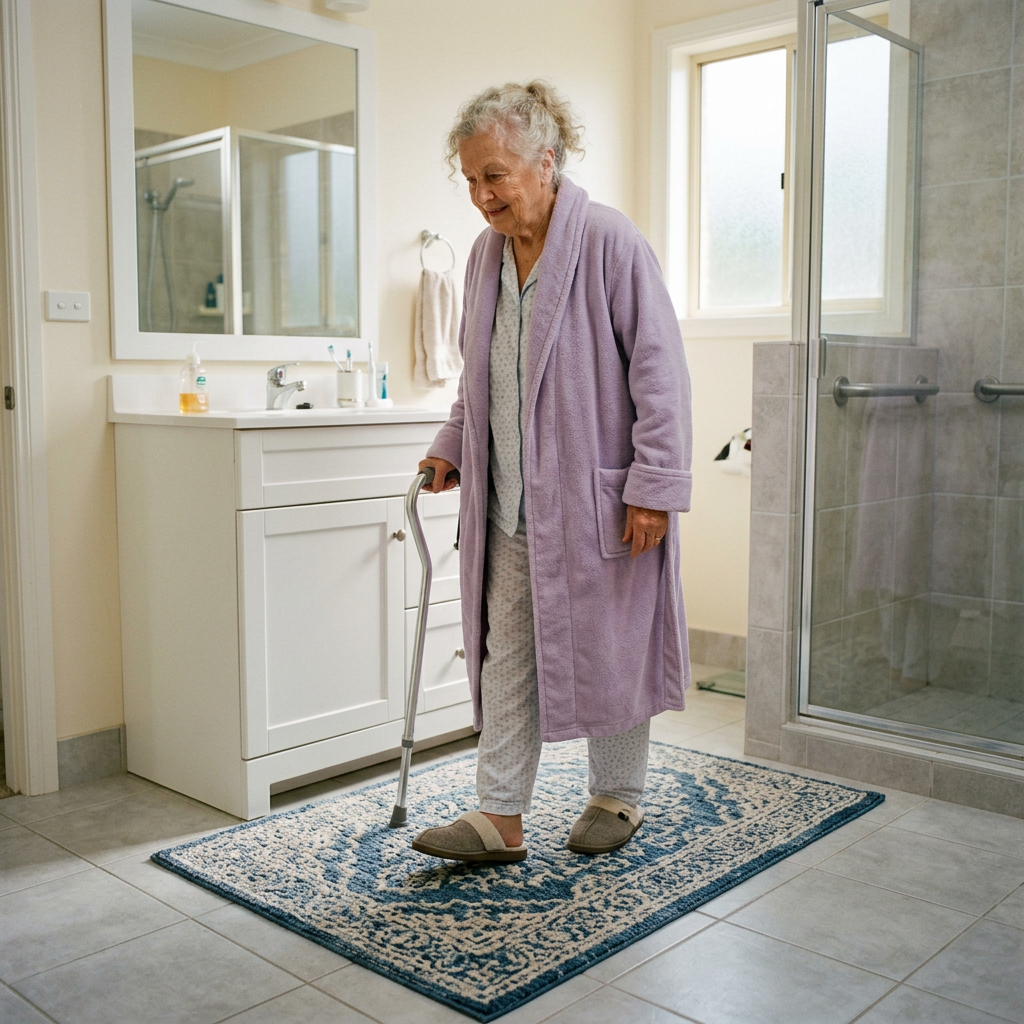
    BuyingForMom is a reader-supported site. As an Amazon Associate we earn from qualifying purchases. When you buy through links on this site, we may earn an affiliate commission at no additional cost to you. See our Affiliate Disclosure for details. This article is not medical advice — please consult a qualified healthcare professional for decisions specific to your family.
  • 5 Senior Safety Upgrades You Can Install Without Drilling (For Renters)

    5 Senior Safety Upgrades You Can Install Without Drilling (For Renters)

    By Sarah Mitchell · Editor, BuyingForMom · Updated May 2026

    5 renter-friendly senior safety upgrades

    For apartments, 55+ communities, and parents who refuse to put holes in their walls, five high-impact upgrades work without drilling: a floor-to-ceiling tension pole ($90–$140) replaces a wall-mounted grab bar; motion-sensor LED puck lights ($20 for a 3-pack) eliminate nighttime fumbling; a bed-assist rail that slides under the mattress ($55–$80) gives a grip for sitting up and standing; toilet safety arms that clamp around the toilet ($45–$90) provide push-off support without drilling; and a non-slip bath mat with strong suction ($25–$45) cuts the highest-fall-risk surface in the home.
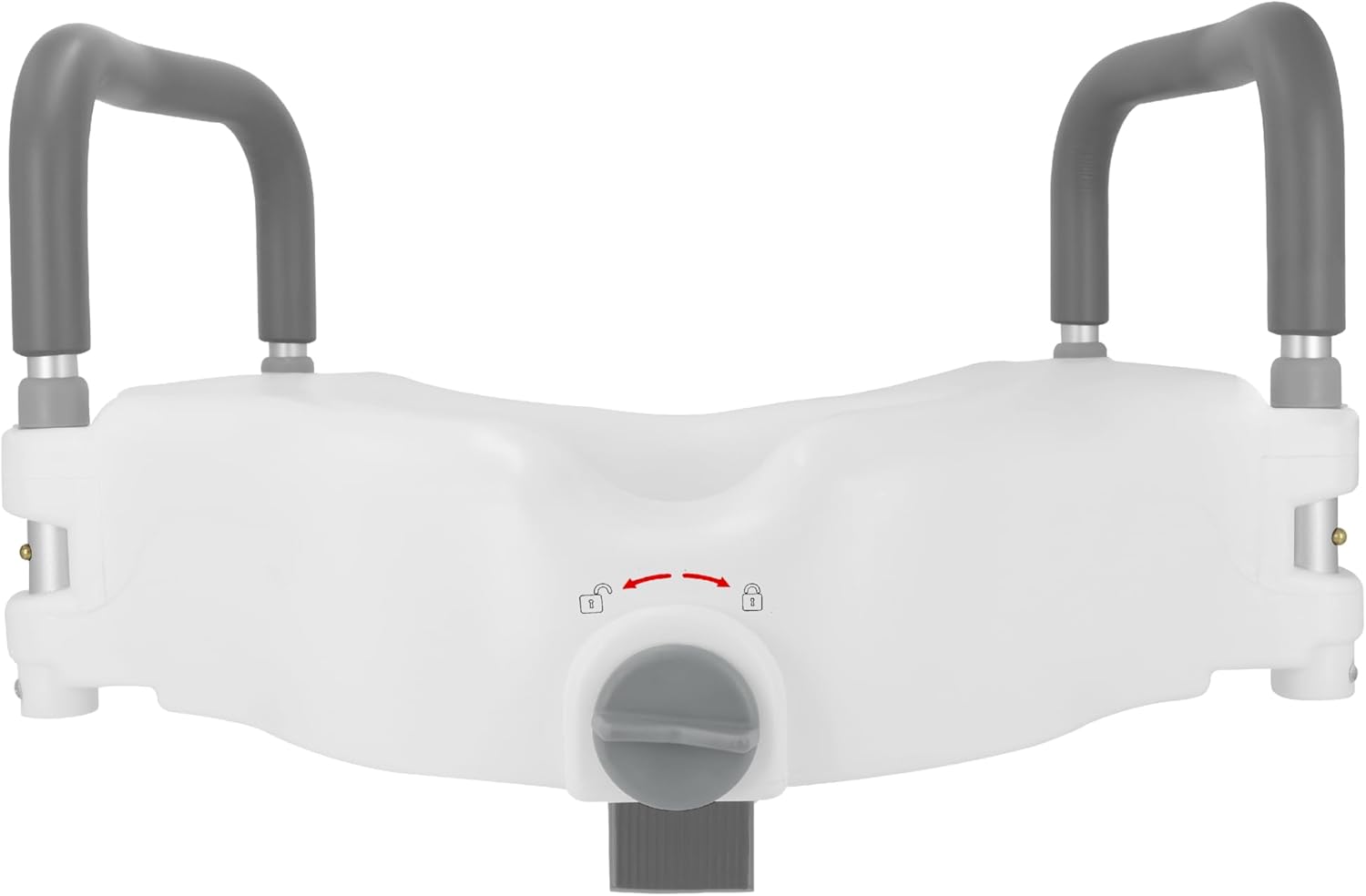
    Most aging-in-place advice quietly assumes you own the home. Install grab bars into studs. Mount handrails. Widen doorways. None of that works if your parent rents or if they own the home but refuse, as a matter of principle, to put any holes in any walls (the “I’m not modifying my house for old age” stance, which many independent-minded older adults take).

    The good news is the no-drilling category has gotten much better over the past five years. There are now real solutions not the suction-cup-grab-bar joke products, that address most major fall risks without modifying the building. Here are five that actually work, in roughly the order I’d install them.

    One thing to flag upfront: suction-cup grab bars are not on this list. They look like a no-drilling solution but they fail without warning, especially over months of use in wet conditions. Don’t trust them as a primary safety device. The picks below all use mechanical force (tension, friction, weight, or adhesive) that doesn’t degrade the same way.


    Quick picks comparison

    UpgradeReplacesApprox. priceInstall time
    Tension-mounted floor-to-ceiling poleWall-mounted grab bar$90–$14015 min
    Motion-sensor LED puck lightsHardwired night lighting$20 (3-pack)5 min
    Bed-assist rail (slides under mattress)Wall-mounted bed rail$55–$803 min
    Toilet safety arms (clamps around toilet)Wall-mounted grab bars by toilet$45–$9010 min
    Non-slip bath mat (suction)Permanent anti-slip flooring$25–$4530 sec

    1. Tension-mounted floor-to-ceiling pole (replaces grab bars)

    The single biggest no-drilling upgrade. A tension pole runs floor-to-ceiling and locks into place using pressure (the same principle as a shower-curtain tension rod, but engineered for human weight). The Stander Wonder Pole Lite is the model most occupational therapists I’ve talked to recommend holds up to 300 lbs, multiple horizontal grip handles along its length, sets up in 15 minutes with no permanent damage.

    Position it next to the bed, beside the toilet, beside the favorite armchair — anywhere the user needs help sitting down or standing up. Because it goes floor-to-ceiling, you can grab it at any height, which means it works for the sit-to-stand transition (low grip) and the steady-yourself-while-standing transition (high grip).

    The catch: it needs a ceiling that can take pressure (most can, but very old plaster ceilings or finished basement drop-tiles cannot). And it does take up floor space — you’re adding a vertical pole to the room. For most renter situations the trade-off is worth it.

    What I’d buy it for: Any room where a permanent grab bar would normally be mounted. Single most useful no-drilling upgrade.

    Trade-off: Takes up floor space. Needs a sturdy ceiling.


    2. Motion-sensor LED puck lights (replaces hardwired lighting)

    The cheapest, fastest, most underrated upgrade in this entire category. Battery-powered LED puck lights with motion sensors attach to walls or under cabinets with the included adhesive backing (which peels off cleanly when you move out). Place one in every dark zone: bathroom outlet area, hallway between bedroom and bathroom, top of stairs, kitchen pantry, foot of the bed.

    The math: roughly half of all senior nighttime falls happen because the person can’t see the floor. Adding light is the single highest-impact fall-prevention move you can make for under $25. The good versions have a warm-amber light option (not blue-white), which matters because blue light at 2 a.m. makes it harder to fall back asleep.

    Battery life is typically 4–6 months on rechargeable models. Set a calendar reminder to recharge them quarterly.

    What I’d buy it for: Every dark zone in the apartment. This is the upgrade I’d install first, even before the grab bars.

    Trade-off: Batteries need recharging. Stick to rechargeable USB-C models, not the disposable-battery ones that nickel-and-dime you over years.


    3. Bed-assist rail (slides under mattress)

    An L-shaped grip rail that anchors by sliding the flat plate under the mattress. The mattress’s weight holds the rail in place; no drilling, no straps, no marks on the bed frame. The vertical handle sits at bedside, giving the user something to grip when sitting up and standing.

    For older adults who struggle with the morning sit-to-stand transition (and almost everyone over 75 does, even if they won’t admit it), this is one of the highest-impact upgrades on the list. The brand I’d buy is whichever model has a padded grip rather than bare metal — the metal ones are uncomfortable to hold in the middle of the night, which means the user stops using them.

    For users with two-sided mobility issues (post-stroke, etc.), buy two and put one on each side of the bed.

    What I’d buy it for: Anyone over 75 who has difficulty getting in and out of bed, or anyone recovering from hip or knee surgery.

    Trade-off: Works with most box-spring and platform beds, but not with low-profile beds or air mattresses where there’s not enough mattress weight to anchor the rail.


    4. Toilet safety arms (clamps around the toilet)

    A two-arm frame that clamps around the base of the toilet under the seat. The arms extend up on either side at hand height, giving the user push-off support for the sit-to-stand transition. No drilling, no permanent modification, the frame is held in place by tightening it against the toilet itself.

    This is the no-drilling alternative to wall-mounted grab bars beside the toilet (which would normally need to be screwed into studs). The trade-off vs. wall-mounted bars: the toilet safety arms are visible as medical equipment in a way that decorative wall grab bars aren’t. For renters, that’s still better than nothing or than risking a wall-mount that violates the lease.

    Most models fit standard round and elongated toilets. Check fit specs against the toilet’s actual dimensions before ordering.

    What I’d buy it for: Renters who need toilet-area safety without permanent installation.

    Trade-off: Visibly a medical safety device. Less aesthetically integrated than decorative wall grab bars in an owned home.


    5. Non-slip bath mat with strong suction

    The simplest, cheapest, most overlooked upgrade. A textured rubber bath mat with strong suction cups on the underside lays in the tub or shower and gives the user a stable, non-slip surface to stand on. Replace every 12–18 months as the rubber and suction degrade.

    The non-negotiables: suction cups (not adhesive strips — those fail), texturing that drains water rather than pooling it, and a size that covers the entire standing area (most cheap mats are too small and leave a slick rim around the edge). The premium versions cost $25–$45 and are worth the upgrade over the $10 dollar-store mat.

    Pair this with the shower chair from our shower chair guide and you’ve covered the two highest-risk bathroom upgrades for under $100, with zero drilling.

    What I’d buy it for: Every bathtub and walk-in shower without anti-slip flooring built in.

    Trade-off: Needs replacement every 12–18 months. Mark your calendar.


    What to skip in the no-drilling category

    • Suction-cup grab bars. They look like grab bars and they’re marketed as grab bars, but they’re towel holders pretending to be safety equipment. They release without warning. Use the tension pole instead.
    • Adhesive grab bars. The promise sounds great (peel-and-stick mounting). The reality is they have low weight ratings (100–150 lbs vs. 250+ for real grab bars), and when you eventually remove them they take the tile finish with them. Tension poles are safer and don’t damage the surface.
    • “Smart” fall detection that requires a hub installation. Some fall detection systems advertise as “no installation,” but they actually require a base station that has to be plugged in and Wi-Fi configured. For seniors who don’t manage Wi-Fi well, look for cellular-only devices instead.
    • Permanent peel-and-stick anti-slip tape inside the tub. These actually damage the tub finish over time and many landlords won’t accept them. Use a removable mat instead.

    Frequently asked questions

    Can tension poles damage the ceiling?

    A properly installed tension pole spreads its force across a wide top plate that distributes weight evenly against the ceiling — in most homes it doesn’t damage the surface. The risk cases are very old plaster ceilings (which can crack under sustained pressure) and finished basement drop tiles (which can’t take any pressure). For typical 8-foot drywall ceilings, the Stander Wonder Pole and similar units have decades of safe-use history. When you remove the pole, the ceiling typically shows no marks.

    Will my landlord accept these upgrades?

    All five upgrades on this list leave no permanent modifications when removed, so most landlords have no objection. That said, send your landlord a quick email before installing the tension pole or toilet safety arms — not because you need permission, but because some leases technically require notification of any modifications. A one-sentence email saying “installing a removable safety pole next to the bed” covers you.

    How much weight can a tension pole hold?

    The Stander Wonder Pole Lite is rated to 300 lbs, the standard Wonder Pole to 450 lbs, and the heavy-duty floor-to-ceiling models go up to 750 lbs. For most users, the 300 lb rating is plenty. If the user is on the heavier side, step up to the standard Wonder Pole. Always check the specific model’s rating and follow the manufacturer’s install instructions — the rating only applies when properly installed.

    What if the apartment has carpet on the floor?

    Tension poles work on carpet, but the bottom plate sinks into the carpet over time and the pole loses some tension. Re-tighten every few months. For very plush carpet, install a thin plywood square (cut to slightly larger than the pole base) on the floor first to distribute the load. Most other items on this list aren’t affected by carpet.

    Are these upgrades enough for a senior with significant mobility issues?

    For users with mild to moderate mobility issues, these five upgrades cover most of the major fall risks. For users with severe mobility issues (post-stroke, advanced Parkinson’s, etc.), no-drilling solutions may not be enough — you may need a stairlift, a permanent wheelchair ramp, or a full no-step shower conversion. Talk to an occupational therapist who can assess the specific user’s needs. Sometimes the answer is moving to a more accessible apartment rather than retrofitting the current one.


    The bottom line

    For under $300 and a couple of hours of setup time, you can address roughly 70% of the major fall risks in a rental apartment without making a single hole in a wall. Install the motion-sensor lights first (easiest and cheapest, biggest fall-prevention impact). Then the tension pole and the bed rail. Then the toilet arms and the bath mat.

    If your parent is renting, this is the package. If your parent owns but won’t accept permanent modifications, this is also the package. Don’t let the “I don’t want to modify the house” stance stop you from doing anything — there’s a whole shelf of products that just rent the wall, the bed, the toilet temporarily.

    — Sarah