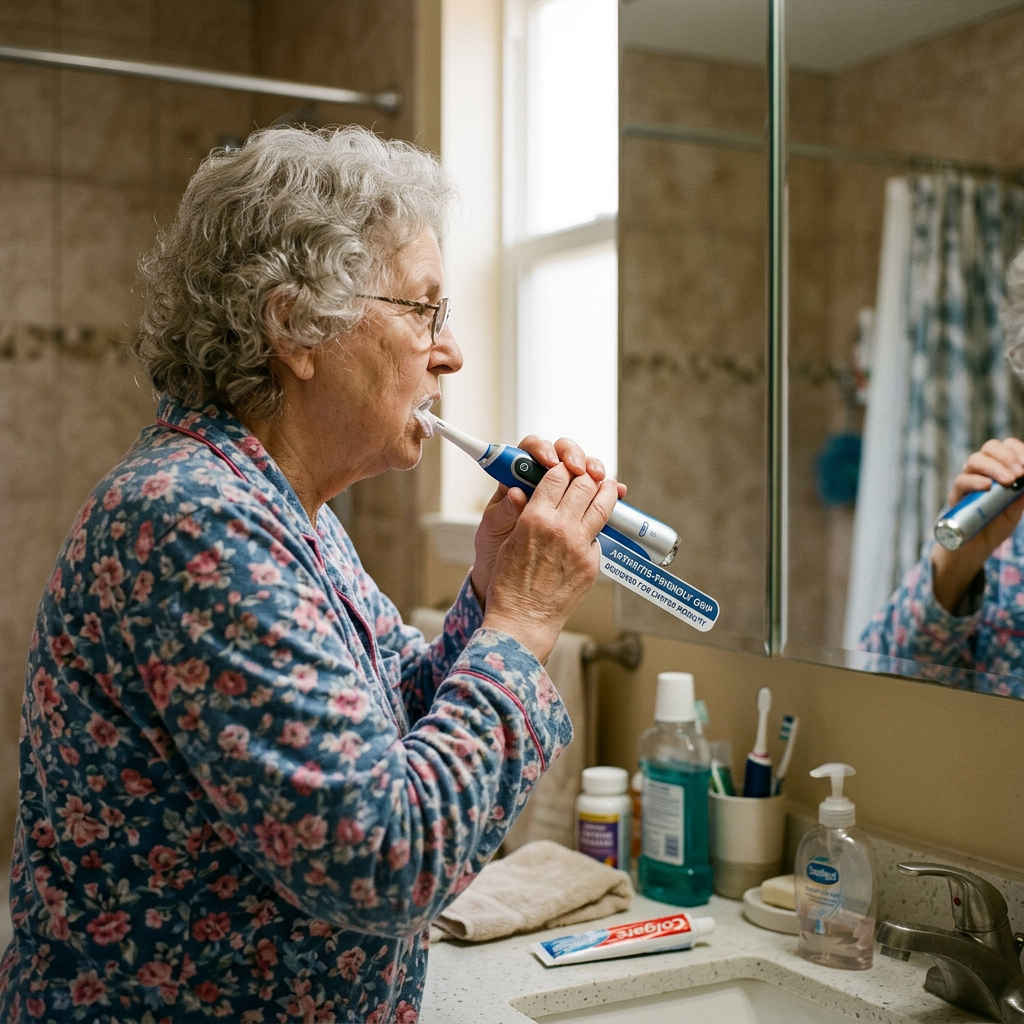
5 Best Electric Toothbrushes for Seniors With Arthritis
By Sarah Mitchell · Editor, BuyingForMom · Updated September 2026
7 min read · Daily Living · 5 picks under $70

How we sorted through 15 electric toothbrushes in September 2026
We started with 15 models that showed up across senior-care buying guides, dental-school advice and Amazon best-seller lists. We cross-referenced published hands-on measurements of handle shape, weight, button design and battery life, then read through the recurring complaints in retailer reviews. We also checked the guidance from dental and consumer-testing organizations on what older adults should look for. Anything with a fiddly touchscreen, a subscription, or a hard-to-find charger dropped out, and every pick that survived was confirmed listed on Amazon in September 2026.
Who this guide is for
This guide is for adult children buying an electric toothbrush for a parent whose hands are stiff, sore or shaky. If you are shopping for yourself, the same picks apply, but you can skip the conversation section below.
Why the toothbrush matters more than you think
A regular manual toothbrush asks a lot of arthritic hands: a narrow handle to grip, a small back-and-forth motion to repeat, and a full two minutes of effort. When brushing hurts, people brush less, and that is when plaque and gum disease creep in. Dental-school guidance points out that electric brushes tend to have larger handles and built-in timers, and Consumer Reports notes that powered models do most of the work for people with dexterity problems.
Not every electric brush is a good fit, though. Some buzz hard enough to be dropped, some hide the on button, and some die without warning. The five below were sorted by how well they handle those failure modes for an older adult with limited grip strength. If daily-living aids are on your list, our guide to built-up handle utensils for weak grip uses the same logic.
At a glance
Best Overall
Philips Sonicare 4100 Rechargeable
~$30–$50
Pressure sensor, 14-day battery, two settings. The one to buy for most parents.
Best Budget Grip
Oral-B Vitality FlossAction
~$25–$35
Tapered, dimpled handle and a single power button. Cheapest way in.
Best Oral-B Upgrade
Oral-B Pro 1000 Rechargeable
~$40–$50
Round oscillating head, timer, pressure control and a smooth handle.
Best for Limited Motor Control
Triple Bristle Original Sonic
~$60–$70
Three-sided head cleans several surfaces at once. Popular with caregivers.
Best Simple Sonic
Philips Sonicare 1100 Rechargeable
~$25–$40
Same 14-day battery and pacing as the 4100, minus the pressure sensor.
Best OverallPhilips Sonicare 4100 Rechargeable
~$30–$50 · See it on Amazon

The Sonicare 4100 earns the top slot because it quietly solves the three things that go wrong with electric brushes in older hands: too much force, too little time, and constant charging. The handle pulses when pressure is too hard, a guided timer with 30-second quadrant pacing walks the user around the mouth, and the battery is rated for about 14 days. Retail listings describe an EasyStart ramp-up that eases new users into the vibration, which matters because strong buzzing is the most common reason people quit a new brush. Published buyer guides flag two small annoyances: it ships with a single brush head, and some listings do not include a wall adapter, so check the listing before you order.
The good
- Pressure sensor pulses to warn against hard scrubbing on receding gums
- Two-minute timer with 30-second pacing, plus a brush-head replacement reminder
- Roughly two weeks per charge means fewer missed brushing days
The catch
- Only one brush head in the box, so order a spare pack
- Two intensity settings need a button press to switch, which can be fiddly for stiff fingers
This is right if… your parent can manage a standard-sized handle and you want the most protection for tender gums.
Look elsewhere if… your parent needs an extra-thick, cushioned handle, since the 4100 does not advertise one.
Best Budget GripOral-B Vitality FlossAction
~$25–$35 · See it on Amazon

The Vitality is the brush to hand someone who says they hate gadgets. Hands-on testers describe a tapered handle, thicker at the top, with dimples all the way around so the fingers have something to hold, plus one power button with enough resistance to prevent accidental starts. There is only one mode, which is a feature when a parent gets confused by choices. Testers repeatedly note the same weak spots: no battery indicator, no pressure sensor, and an older NiMH battery that needs a long charge. Replacement heads run around $5, so the running cost stays low.
The good
- Grippy, dimpled 360-degree handle suits limited dexterity
- One button and one mode, so there is nothing to learn
- Low price and inexpensive replacement heads (about $5)
The catch
- No battery or charging indicator, so it can die without warning
- No pressure sensor, so heavy-handed brushers get no feedback
This is right if… you want the simplest possible brush at the lowest price and your parent will use it with supervision or a charging routine.
Look elsewhere if… your parent brushes hard or has significant gum recession, since nothing warns them to ease off.
Best Oral-B UpgradeOral-B Pro 1000 Rechargeable
~$40–$50 · See it on Amazon

For families who prefer a round oscillating head, the Pro 1000 is the sensible step up from the Vitality. Reviewers measure it at roughly 4.1 ounces, with a smooth plastic handle that is easy to wipe clean and a rubber panel around the power button. It adds a 30-second pacer and a pressure sensor that cuts back the bristle action when you push too hard. The catches are real, though: the sensor gives no visible warning, so the user never learns to lighten up, and the button must be pressed repeatedly to cycle from Daily Clean to Sensitive. Battery life is around 10 days, shorter than the Sonicare.
The good
- Round head is easy to position on one tooth at a time
- 30-second pacer and two-minute timer built in
- Inexpensive replacement heads (around $5 each)
The catch
- Pressure sensor is invisible, so it does not teach better technique
- Mode cycling takes several button presses, which is hard on sore thumbs
This is right if… you or your parent already like an Oral-B round head and want a pressure safeguard.
Look elsewhere if… joint pain makes repeated button presses difficult or you want more than about 10 days between charges.
Best for Limited Motor ControlTriple Bristle Original Sonic
~$60–$70 · See it on Amazon

Triple Bristle is the odd one out, and for a specific situation it is the right answer. The patented three-sided head has angled bristles that clean the front, back and biting surface of a tooth in one pass, so a parent who cannot reliably angle a brush, or a caregiver brushing for someone else, needs fewer precise movements. The brand markets it for special-needs users and those with limited dexterity, and its own product page shows 268 reviews, about 93 percent of them five-star. Published roundups mention a fiddly battery panel and that the vibration may feel mild to people used to stronger brushes. Treat that mild vibration as a plus for sensitive mouths.
The good
- Three-sided head reduces the aiming and angling needed
- Built-in two-minute timer that pauses at each section
- Marketed for caregivers and users with limited dexterity
The catch
- Priciest pick here at roughly double the Vitality
- Battery panel is reported to be awkward to open
This is right if… your parent struggles to position a brush or a caregiver does the brushing.
Look elsewhere if… you want the strongest, most conventional sonic clean or the lowest price.
Best Simple SonicPhilips Sonicare 1100 Rechargeable
~$25–$40 · See it on Amazon

The Sonicare 1100 is the stripped-down sibling of our top pick. It keeps the parts that matter for older users, namely a two-minute guided timer, QuadPacer quadrant prompts, EasyStart ramp-up and a battery rated for about 14 days, and drops the extras. Retail listings do not advertise a pressure sensor, which is the main reason it sits below the 4100. Published guides note that it comes with just one brush head and, on some listings, no wall adapter. For a parent whose gums are healthy and who just needs a brush that reminds them how long to brush, it is a strong value.
The good
- Two-week battery and guided timer at a low price
- EasyStart eases the vibration in for sensitive mouths
- Same two-minute timer and 30-second pacing as the pricier 4100
The catch
- No advertised pressure sensor
- Single head in the box, and check whether the adapter is included
This is right if… you want Sonicare cleaning and long battery life without paying for extras.
Look elsewhere if… your parent presses hard or has gum recession, in which case the 4100 is worth the extra few dollars.
Comparison table
| Model | Price | Motion | Key feature | Best for |
|---|---|---|---|---|
| Sonicare 4100 | ~$30–$50 | Sonic | Pressure sensor, ~14-day battery | Most parents |
| Oral-B Vitality FlossAction | ~$25–$35 | Oscillating | Dimpled handle, single button | Lowest price |
| Oral-B Pro 1000 | ~$40–$50 | Oscillating | Pacer, hidden pressure control, ~10-day battery | Oral-B fans |
| Triple Bristle Original | ~$60–$70 | Sonic, 3-sided head | Fewer angles needed | Caregiver-assisted |
| Sonicare 1100 | ~$25–$40 | Sonic | ~14-day battery, QuadPacer | Simple sonic |
The conversation you’ll have
Many parents hear “I got you an electric toothbrush” as “you are not brushing well enough.” It is one of the most common points of friction with safety and care products, because it feels like a comment on ability rather than a convenience. Lead with the aching hand, not the teeth.
Try saying, “This one does the scrubbing so your hands don’t have to,” instead of “You need this because your hands are getting worse.” Or offer it as a swap: “Try it for two weeks, and if you hate it we will go back to the old one.” Put it on the charger by the sink yourself so the first use takes zero effort, and pick the quietest, gentlest setting to start. If the buzzing bothers them, that is normal, and it is worth trying the EasyStart brushes before giving up.
Insurance and savings
Original Medicare does not cover routine dental care. The Medicare.gov coverage page says it doesn’t cover “routine cleanings, fillings, tooth extractions,” and items like dentures, so a toothbrush is out of pocket. Some Medicare Advantage plans include dental or over-the-counter allowances, so it is worth a five-minute call to the plan. Electric toothbrushes are generally treated as general health items rather than qualified medical expenses under IRS Publication 502, so FSA and HSA use usually requires a letter of medical necessity from a doctor, and approval is up to your plan administrator. Do not assume it is eligible, and ask a tax professional before claiming it. For broader coverage questions, see our guide on what Medicare covers for home modifications.
What to actually look for
Handle width, weight and grip
Wider, dimpled or tapered handles are easier to hold than slim ones. Weight matters too: the Pro 1000 is roughly 4.1 ounces, and a heavier brush tires the wrist over two minutes. If the handle slips when wet, a foam grip or a wrapped towel can help, a tip Consumer Reports gives for weak grips.
Buttons, modes and battery indicators
One big button beats a row of tiny ones. Every extra mode is another press for a sore thumb, and a brush with no battery light can die mid-week. A charger that sits on the counter is easier than one that has to be plugged in and unplugged. For a broader look at making a home easier on stiff hands, see our complete aging-in-place home safety checklist.
Pressure sensor, timer and brush heads
Older gums often recede and are easier to injure, so a pressure sensor is worth having. A two-minute timer with quadrant pacing helps parents who rush. Replace the head about every three months, or sooner if bristles fray, and stock spares so it does not get forgotten.
Frequently asked questions
Is an electric toothbrush better for someone with arthritis?
Usually yes. Electric brushes have larger handles and do the scrubbing motion for you, which reduces wrist and finger effort. Consumer Reports notes powered brushes can help people with dexterity problems, though vibration can be too strong for some, so start on a gentle setting and see how it feels.
Are sonic or oscillating toothbrushes better for sensitive gums?
Neither is universally better. Both can work well if used gently. Sonic brushes like the Sonicare use fast side-to-side vibration, while oscillating brushes use a small round rotating head. Pick the one your parent finds comfortable, and prioritize a pressure sensor and soft bristles over motion type.
How important is a pressure sensor for seniors?
It is worth having. Gums often recede with age, and brushing too hard can wear enamel and irritate tissue. A sensor that pulses or slows the bristles when pressure is too high gives a safety net, especially for parents who scrub hard out of habit or tremor.
How often should you replace the brush head?
About every three months, or sooner if the bristles look bent or frayed. Consumer Reports gives the same guideline. Many Sonicare models include a replacement reminder. Buying a multi-pack at the start and writing the date on the calendar makes it far easier to keep up.
Does Medicare cover electric toothbrushes?
No. Original Medicare does not cover routine dental services, and a toothbrush is a personal-care purchase. Some Medicare Advantage plans include dental or over-the-counter allowances that might apply, so call the plan. FSA and HSA funds generally do not apply without a doctor’s letter of medical necessity.
Can you use an electric toothbrush for a parent with dementia?
Often yes, with patience. Start with a gentle setting, show the brush before turning it on, and consider the caregiver-friendly Triple Bristle, which needs fewer precise angles. If your parent resists or gags, stop and ask their dentist for guidance on mouth care.
The shortlist


What we’d do tomorrow
If you are starting this weekend, do three things in this order. First, ask your parent which part of brushing hurts, the grip, the wrist or the buttons, because that decides between the Sonicare 4100 and the Vitality. Second, order the brush plus a spare head pack, and put it on the charger yourself. Third, book a dental check-up in the next few months so a professional can confirm the new routine is working.
— Sarah
Leave a Reply