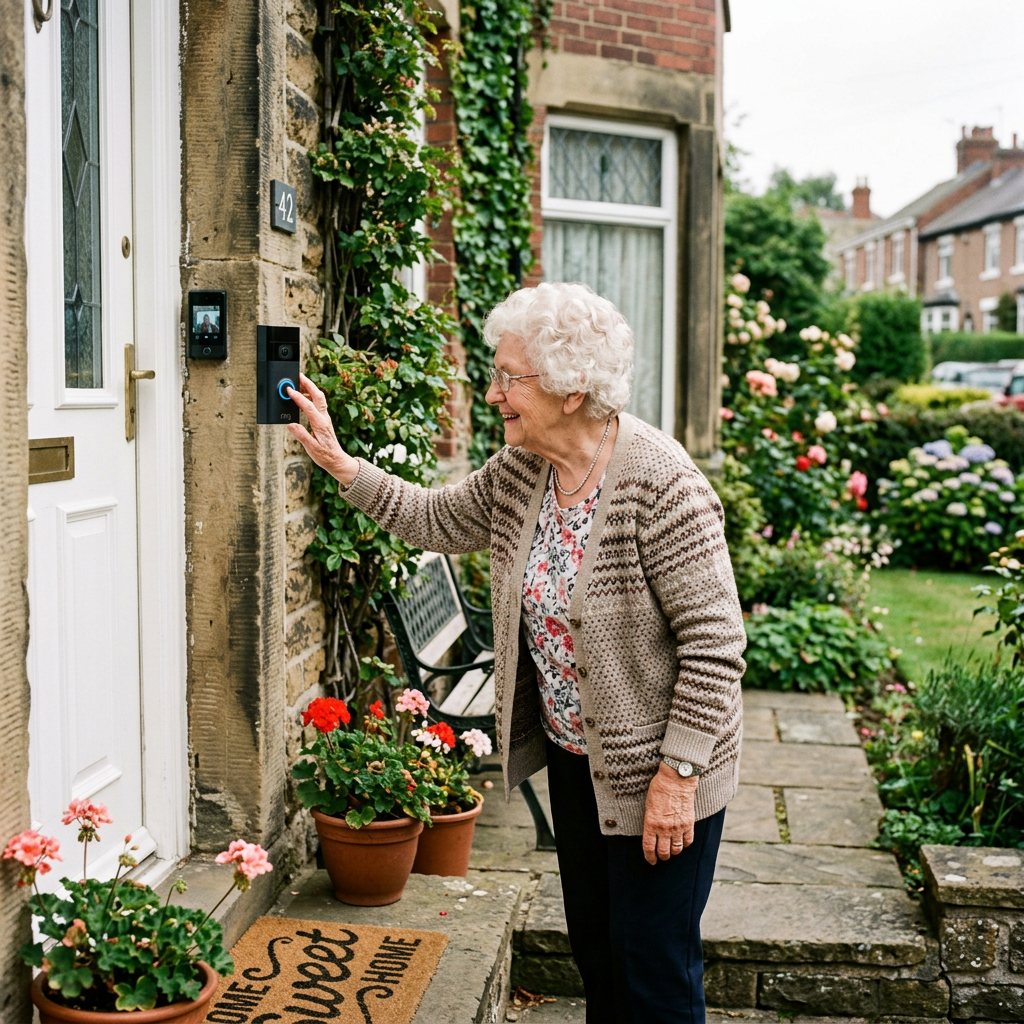
The Best Video Doorbells for Seniors That Are Actually Easy to Use (2026)
By Sarah Mitchell · Editor, BuyingForMom · Updated July 2026
10-minute read · Smart Home · 5 picks compared

How we sorted through 40+ video doorbells in three weeks
We started with roughly forty doorbells from the “best for seniors” lists, then cross-referenced them against more than 60,000 verified Amazon reviews, the subscription-free testing from Consumer Reports and SafeHome, and the recurring complaints caregivers post in r/AgingParents. One pattern cut through everything: the doorbells that get returned aren’t the ones with bad cameras — they’re the ones where the only way to see the visitor is inside a phone app. So we ranked by what screen actually answers the door: an Echo Show, a Nest Hub, a dedicated included monitor, or (last resort) a phone. That framing is the gap every competitor roundup leaves open.
Who this guide is for
This guide is for adult children setting up a video doorbell for a parent who wants to see who’s at the door without rushing to it, especially a parent who is a target for door-to-door scammers or who has had a fall hurrying to answer. If you’re buying for yourself and you live on your phone, any of these five works; just weight the picks toward camera quality over the “which screen” question that dominates our ranking.
A video doorbell is one of the highest-value senior safety upgrades you can make for under $200: it lets an older adult screen visitors from a chair instead of a doorstep, and it gives you — the adult child — a way to check on deliveries, caregivers, and the occasional too-persuasive salesperson. The catch is that “easy to use” means something very specific for an 80-year-old, and it rarely matches what a tech reviewer means. Below are the five that hold up when the person using them isn’t fluent in apps.
At a glance
Best Overall Ring Battery Doorbell Plus — ~$150 — best if there’s an Echo Show in the house.
Simplest BOKKY No-Wi-Fi Doorbell + Indoor Monitor — ~$80 — no Wi-Fi, no app, no account.
No Monthly Fee eufy Video Doorbell E340 — ~$150 — records locally, no subscription ever.
Best for Google Homes Google Nest Doorbell (Battery) — ~$150 — announces on a Nest Hub.
Best Budget Wyze Video Doorbell Pro — ~$70 — includes an indoor chime.
Best Overall Ring Battery Doorbell Plus
Around $150 · Check price on Amazon →

The Ring earns the top spot for one reason that has nothing to do with its camera: pair it with an Amazon Echo Show your parent already keeps on the counter, and the visitor’s face pops up on that screen automatically with a spoken “Someone is at the front door.” No phone, no app-opening, no fumbling. Across more than 40,000 reviews the “Head-to-Toe” HD+ view is the most-praised feature. It shows a package on the step and a person’s face in the same frame, which older square-format doorbells never managed. The quick-release battery pops off and charges over USB-C, so nobody unscrews anything off the wall.
The good
- Announces visitors out loud on any Echo Show or Alexa speaker, the true senior feature
- Head-to-Toe HD+ view captures faces and packages together
- Quick-release USB-C battery; no tools to recharge
The catch
- Saved video history and person alerts require a Ring Home plan (about $5/month)
- Without an Echo device, you’re back to answering inside the phone app
This is right if… your parent already uses an Echo Show or you’re willing to add one as the “door screen.”
Look elsewhere if… you refuse to pay any monthly fee, the eufy below is your pick instead.
Simplest BOKKY No-Wi-Fi Doorbell with Indoor Monitor
Around $80 · Check price on Amazon →

This is the pick for the house with no reliable Wi-Fi, no smart speaker, and no interest in accounts. wwich describes far more older adults than the big brands admit. The BOKKY doorbell talks directly to a 4.5-inch color monitor over its own 2.4G radio; you plug the monitor in inside, and that’s the whole system. When someone presses the button, the screen lights up and shows them — no app, no password, no subscription, ever. Verified buyers repeatedly describe handing it to a parent who “got it in one try,” and reviewers flag the large physical buttons as the reason it works for arthritic or unsteady hands. It stores clips on a local SD card. The trade-off is honest: because it doesn’t use the internet, you can’t check the door from across town — it’s a device for the person at home, not for remote monitoring.
The good
- Zero Wi-Fi, zero app, zero account — the shortest possible learning curve
- Dedicated indoor screen; nothing to install on a phone
- No subscription and local SD recording
The catch
- No remote viewing, you can’t check the door from your own house
- Camera quality is good, not flagship-sharp
This is right if… the person lives alone, doesn’t carry a phone, and just wants to see who’s knocking from a chair.
Look elsewhere if… your main goal is checking on Mom’s door remotely, you need a Wi-Fi model.
No Monthly Fee eufy Video Doorbell E340
Around $150 · Check price on Amazon →

If the phrase “another monthly bill” is a dealbreaker, the eufy E340 is the answer. It records to 8GB of built-in storage with no subscription for the life of the device, Consumer Reports and SafeHome both single out eufy as the reference point for subscription-free doorbells. Its standout is a second, downward-facing camera that watches the doormat, so packages don’t disappear into a blind spot below the frame. Across more than 8,000 reviews the dual-camera package view and the no-fee promise are the two most-cited reasons buyers chose it over Ring. It works wired or on battery and can announce on an Alexa or Google display, so it fits the “which screen” test too. The honest downside: eufy’s app is busier than Ring’s or Nest’s, so the setup is better handled by the adult child.
The good
- No subscription ever, 8GB local storage built in
- Second camera shows packages on the doormat
- Announces on Alexa/Google displays; wired or battery
The catch
- The app has more menus than Ring/Nest, set it up for them
- Local-only storage means a stolen unit takes its footage with it
This is right if… you want a full-featured Wi-Fi doorbell with zero recurring cost.
Look elsewhere if… you want the absolute simplest interface, the BOKKY or Nest is friendlier.
Best for Google Homes Google Nest Doorbell (Battery)
Around $150 · Check price on Amazon →

The Nest is the mirror image of the Ring: if the household runs on Google rather than Amazon, this turns the Nest Hub on the counter into the door screen, announcing “There’s someone at the front door” out loud. Its on-device intelligence is the best in this group at telling a person from a passing car or a swaying branch, which matters for a senior who would otherwise get startled by every alert. Reviewers highlight the three hours of free event history with no subscription — enough to catch “did the aide actually come?” without paying Google a cent. The downside verified buyers mention most: in cold climates the battery wants a recharge every few weeks, so a wired install is worth it if the old doorbell wiring is there.
The good
- Announces visitors on any Google Nest Hub or speaker
- Best-in-class person vs. car vs. animal alerts, fewer false startles
- 3 hours of event history free, no subscription required
The catch
- Cold-weather battery life means frequent recharges unless wired
- Longer saved history needs a Nest Aware subscription
This is right if… the home already has a Nest Hub or Google speakers.
Look elsewhere if… the house is an Alexa household, get the Ring instead.
Best Budget Wyze Video Doorbell Pro
Around $70 · Check price on Amazon →

For roughly half the price of the name brands, the Wyze Video Doorbell Pro includes something the seniors-first crowd should notice: an indoor chime unit in the box. Plug it into any outlet inside and it rings loudly through the house. A quiet win for a hard-of-hearing parent who would never hear a phone buzz. The tall 1:1 “head-to-toe” sensor shows the full doorway, and across more than 20,000 reviews buyers repeatedly call it “shockingly good for the money.” The honest limits: Wyze’s cloud features lean on an inexpensive Cam Plus plan, and the build is plasticky next to Ring and Nest. But as a first, low-stakes doorbell, nothing here beats the value.
The good
- Includes a loud plug-in indoor chime — great for hearing loss
- Tall head-to-toe view for the price of a budget model
- Lowest-risk way to test whether a doorbell helps at all
The catch
- Full smart features want a low-cost Cam Plus plan
- Plastic build feels less durable than pricier rivals
This is right if… you want to try the idea cheaply or need a loud indoor chime for hearing loss.
Look elsewhere if… you want the smoothest smart-speaker announcements — Ring or Nest do that better.
How the five compare
| Doorbell | Answers on | Subscription? | ~Price | Best for |
|---|---|---|---|---|
| Ring Battery Doorbell Plus | Echo Show / phone | For saved video (~$5/mo) | $150 | Alexa households |
| BOKKY No-Wi-Fi + Monitor | Included indoor screen | Never | $80 | No Wi-Fi, no phone |
| eufy Video Doorbell E340 | Phone / Alexa / Google | Never (8GB built in) | $150 | No monthly fee |
| Google Nest Doorbell (Battery) | Nest Hub / phone | Free 3-hr history | $150 | Google households |
| Wyze Video Doorbell Pro | Phone / loud chime | Optional (low cost) | $70 | Budget / hearing loss |
The conversation you’ll have
Plenty of older adults hear “I want to put a camera on your door” and stiffen. It can land as surveillance, or as one more gadget that says “you can’t manage.” The reframe that works is safety and control, not monitoring. Instead of “I’m going to install a camera so I can keep an eye on things,” try: “This lets you see who’s knocking before you get up, so you never have to hurry to the door or open it for someone you don’t recognize.” That shifts the doorbell from something done to them into a tool that puts them in charge of their own front door. It also helps to let them press the button and watch themselves appear on the screen. Once they see how it works, the resistance usually drops. Frame it as scam protection, too: being able to look at a “utility inspector” on a screen and simply not answer is a real defense against the door-to-door schemes that target seniors living alone.
Insurance and savings
Be realistic here: a video doorbell is generally not covered by Original Medicare (it isn’t durable medical equipment) and isn’t a standard FSA/HSA-eligible expense the way a grab bar or shower chair can be. Two legitimate ways to save, though. First, a growing number of 2026 Medicare Advantage plans include supplemental “home safety” or in-home support benefits, and a handful now reimburse security devices — worth a two-minute call to the plan. Second, many homeowners and renters insurers offer a small premium discount (often 2–5%) for a camera-equipped entry; ask your parent’s agent whether a doorbell qualifies. Neither is a guarantee, but both are free to check.
What to actually look for
Match the doorbell to a screen they already use
This is the whole game. A doorbell is only “easy” if the person can see the visitor without learning something new. An Echo Show pairs with Ring; a Nest Hub pairs with Nest; a no-Wi-Fi model brings its own monitor. Decide the screen first, then buy the matching doorbell. For the bigger picture on where a doorbell fits among other upgrades, see our complete aging-in-place home safety checklist.
Loud alerts beat pretty apps
Hearing loss is the quiet reason doorbells fail for seniors. A model with a plug-in indoor chime (Wyze) or a spoken announcement on a smart speaker (Ring, Nest) will actually get noticed; a silent phone notification won’t. If your parent already wears a help button, a doorbell is a natural companion and read our guide to fall detection devices with no monthly fee for how the two work together.
Decide the subscription question up front
“Needs Wi-Fi” and “needs a subscription” are two different things — don’t conflate them. Ring charges for saved video; Nest gives you three free hours; eufy and the BOKKY charge nothing because they store locally. If a recurring bill is a hard no, that decision alone narrows your five picks to two.
Frequently asked questions
Do video doorbells work without Wi-Fi?
Most mainstream doorbells (Ring, Nest, eufy, Wyze) need Wi-Fi to send video to a phone or smart display. A few, like the BOKKY, skip Wi-Fi entirely by beaming video to their own included indoor monitor over a private radio signal. Those work anywhere but can’t be checked remotely, since there’s no internet in the loop.
Does a video doorbell need a subscription?
Not always. Ring requires a plan (around $5/month) to save recorded clips and get person alerts. Google Nest includes three hours of event history free. eufy and no-Wi-Fi models like the BOKKY record to local storage with no fee at all. If avoiding a monthly bill matters, choose eufy or a no-Wi-Fi doorbell.
What is the easiest video doorbell for a senior to use?
For a parent who doesn’t carry a smartphone, the easiest is a no-Wi-Fi model with its own indoor monitor, like the BOKKY there’s no app, account, or password to learn. For a phone-comfortable senior with a smart speaker, the Ring or Nest is easiest because the visitor is announced out loud automatically.
Can a video doorbell work without a smartphone?
Yes. A no-Wi-Fi doorbell with an included screen works entirely without a phone. Ring and Nest can also run without the user touching a phone if they’re paired to an Echo Show or Nest Hub the smart display becomes the answering screen, and an adult child manages the app from their own device.
How much does a video doorbell cost per month?
It ranges from nothing to about $20. Ring’s plans start near $5/month; Nest Aware and Wyze Cam Plus are similar. eufy and no-Wi-Fi doorbells cost $0/month because they store footage locally. The hardware itself runs roughly $70 to $180 depending on the model.
Do video doorbells help protect elderly people from scams?
They help meaningfully. Door-to-door scammers rely on catching someone off guard at the doorstep. Seeing a stranger on a screen and simply choosing not to open the door, removes that pressure. Being able to record or show a family member who came by adds another layer of protection for a senior living alone.
The shortlist


Last verified in stock: July 1, 2026
What we’d do tomorrow
If you’re setting this up this weekend, do three things in order. First, look at what’s already on your parent’s counter: an Echo Show points you to the Ring, a Nest Hub points you to the Nest. Second, if there’s no smart screen and the Wi-Fi is spotty, get the BOKKY — it will be working in ten minutes with nothing to learn. Third, whichever you choose, set up the app on your phone, not theirs, and let them do the one thing they’ll actually use: press the button, see themselves on the screen, and answer. That single rehearsal is what makes it stick.
— Sarah
Leave a Reply