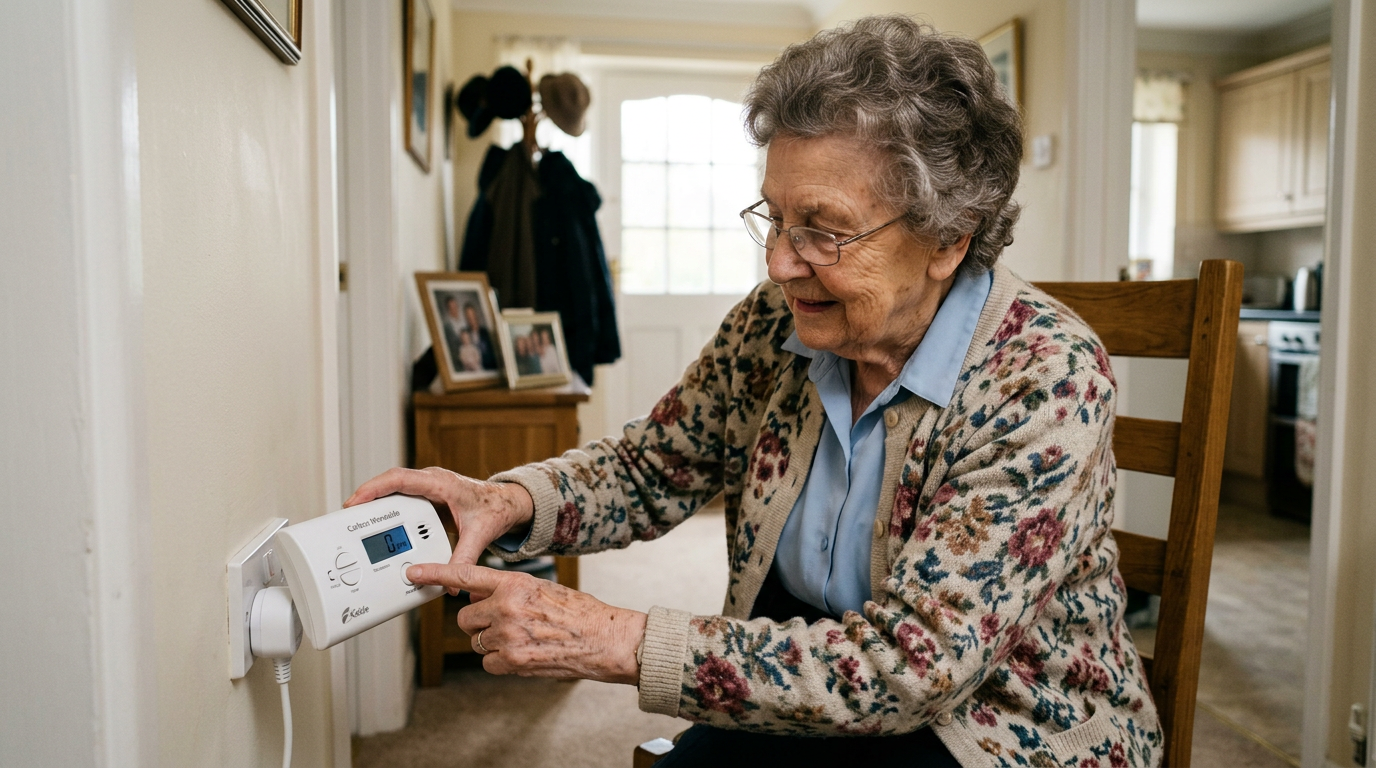
Category: Product Reviews

Honest, hands-on reviews and product roundups for aging-in-place essentials — grab bars, walkers, fall detection devices, pill dispensers, lift chairs, and more.

  • 5 Best Carbon Monoxide Alarms for Seniors

    5 Best Carbon Monoxide Alarms for Seniors

    Disclosure: BuyingForMom is reader-supported. As an Amazon Associate we earn from qualifying purchases. When you buy through links in this article, we may earn an affiliate commission at no additional cost to you. We never recommend products we haven’t researched against verified-buyer review data. This article is editorial reporting, not medical advice.

    5 Best Carbon Monoxide Alarms for Seniors

    By Sarah Mitchell · Editor, BuyingForMom · Updated November 2026

    9 min read · Smart Home · 5 picks

    The honest take

    If you are buying a carbon monoxide alarm for a parent, get the Kidde plug-in with the spoken voice alert and put it in the hallway outside the bedroom; it is the clearest warning for someone waking from sleep. Choose the Kidde Smart model only if you live far away and want your phone to buzz when theirs goes off. Skip the bare-bones alarm with a single blinking light and no number on a display, because a chirp without a reading leaves a confused person guessing.

    How we sorted through 14 carbon monoxide alarms in two weeks

    We started with 14 plug-in, battery and Wi-Fi CO alarms sold on Amazon and narrowed them by reading manufacturer spec sheets, confirming UL 2034 listings, and cross-referencing published reviews from consumer outlets and verified-buyer patterns. We weighed the features older adults actually run into: whether the warning is spoken or just a beep, whether the screen is readable, what happens in a blackout, and how much upkeep the alarm demands. We also checked CDC guidance on placement and replacement so the advice below matches public-health recommendations rather than marketing copy.

    Who this guide is for

    This guide is for adult children buying alarms for a parent who lives alone or with a spouse, especially if the home has a gas furnace, gas stove, fireplace or attached garage. If you are shopping for yourself, the same picks apply; skip the conversation section below.

    Winter is when the risk climbs. Furnaces run daily, space heaters come out, and generators appear during storms. The CDC reports that more than 400 Americans die each year from unintentional CO poisoning not linked to fires, over 100,000 visit an emergency department, and older adults are among those more likely to become seriously ill. The gas is colorless and odorless, and its early symptoms (headache, dizziness, confusion) look like the flu. Someone asleep may never notice. That is why the best carbon monoxide alarm for seniors is one that is loud, readable and impossible to neglect. If you are also thinking about heat sources, our guide to safe space heaters for seniors covers the other half of the winter picture.

    At a glance

    Best OverallKidde Voice-Alert Plug-In · ~$45 · Bedrooms and hearing- or vision-limited sleepers
    Best Budget Plug-InFirst Alert CO615A · ~$36 · Basements, hallways and travel
    Best Set-and-ForgetKidde C3010D · ~$40 · Renters, outlet-poor rooms, no-maintenance homes
    Best for Long-Distance KidsKidde Smart COPDW · ~$50 · Adult children who live far away
    Best Under $20X-Sense CO03D · ~$19 · Tight budgets and extra rooms

    1. Best OverallKidde Plug-In CO Alarm with Voice Alert (KN-COP-DP-10YB / 900-0282)

    ~$45 · View on Amazon
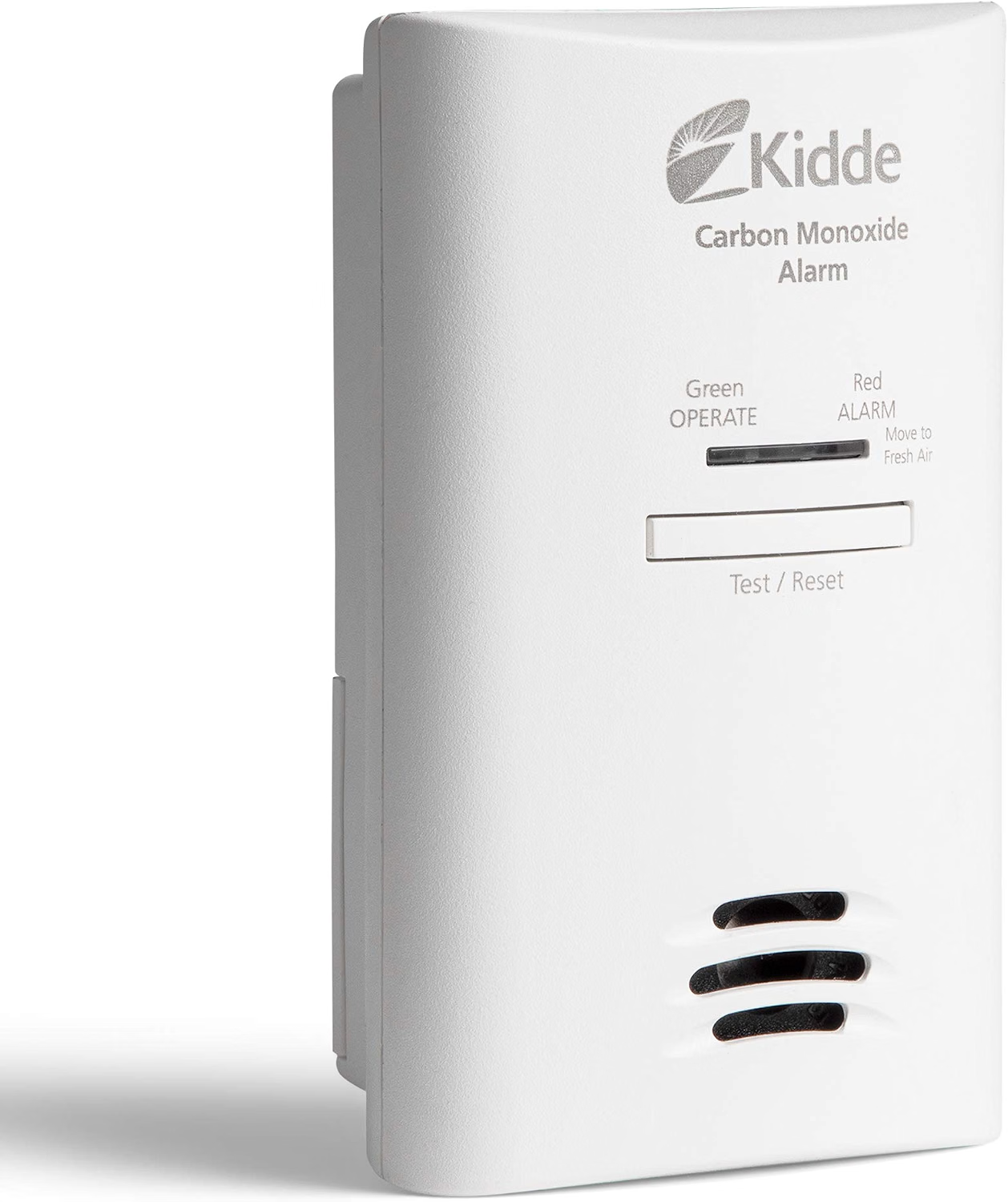
    This is the alarm most editorial roundups land on, and it earns it by solving three problems at once. It plugs into the wall so there is no battery to forget, a sealed 10-year lithium battery takes over during an outage, and a spoken warning announces the hazard when CO reaches 100 PPM instead of leaving a groggy sleeper to decode a beep pattern. The LED display shows live CO readings and a peak-level memory, which is useful when you are trying to tell a paramedic or a technician what actually happened overnight. Kidde backs it with a 10-year limited warranty and lists it to the UL 2034 standard. Across the owner write-ups we read, the praise centers on the voice and the dimming display; the grumbles are about outlet placement.

    The good

    • Spoken warning plus an 85 dB alarm, so confusion at 3 a.m. is less of a risk
    • Sealed 10-year lithium backup keeps it alive through power cuts
    • Peak-level button shows the highest reading since the last reset

    The catch

    • It needs an outlet, and a low outlet behind furniture hides the display
    • Not a smoke alarm, so it does not replace the ones you already have

    This is right if… You want one alarm for the bedroom hallway and want the clearest possible warning.

    Look elsewhere if… The only open outlets are behind a bed or couch; choose a battery model you can set on a shelf.

    Check Price on Amazon →

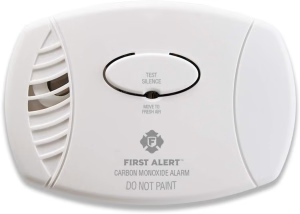
    2. Best Budget Plug-InFirst Alert CO615A Plug-In CO Alarm with Battery Backup

    ~$36 · View on Amazon
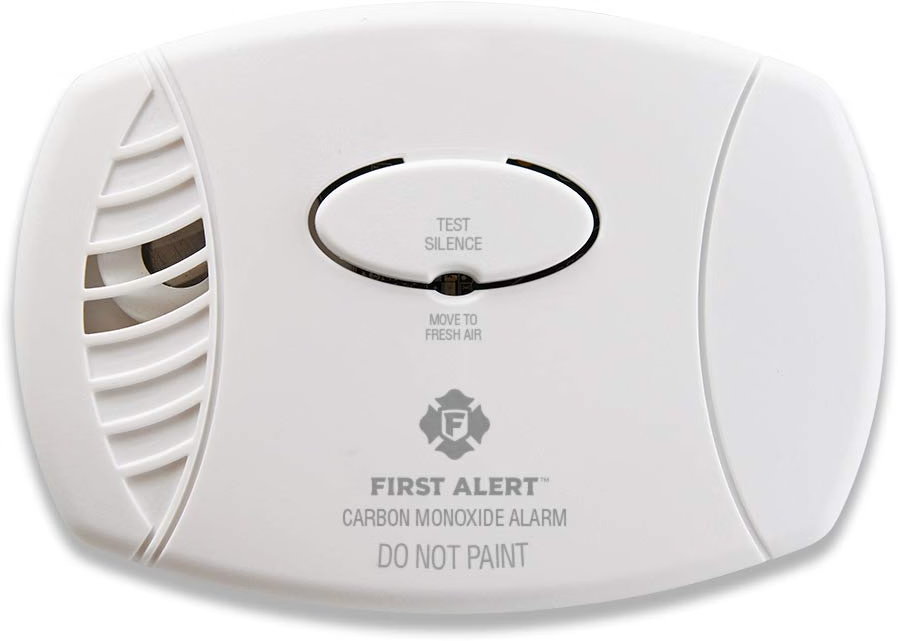
    The CO615 family is the workhorse of the category: a backlit digital screen, a plug-in cord, and a pair of AA batteries that keep it running if the lights go out. An NBC Select reviewer who used one for a month found setup took a few minutes, the blue screen was easy to read, and the batteries still showed full charge after more than 30 days. The same review noted the Amazon listing averaging 4.6 stars across nearly 7,000 ratings. It is not fancy, but it is the sort of alarm you can buy two or three of without flinching. For an aging parent, the honest value is that it displays the actual CO number, which turns a vague chirp into something you can act on.

    The good

    • Dual power: wall plug plus included AA backup
    • Backlit display shows current CO level and battery status
    • Priced low enough to cover every sleeping area

    The catch

    • The battery door is fiddly; the NBC reviewer found it hard to open and close
    • AA backup batteries still need a yearly swap, unlike sealed models

    This is right if… You are outfitting several rooms and want a proven display model at a low price.

    Look elsewhere if… Nobody in the house will remember an annual battery change; pick a sealed 10-year unit.

    Check Price on Amazon →

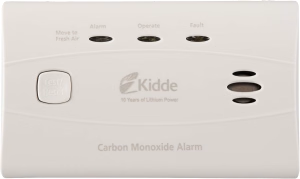
    3. Best Set-and-ForgetKidde Worry-Free C3010D 10-Year Sealed Battery CO Alarm

    ~$40 · View on Amazon
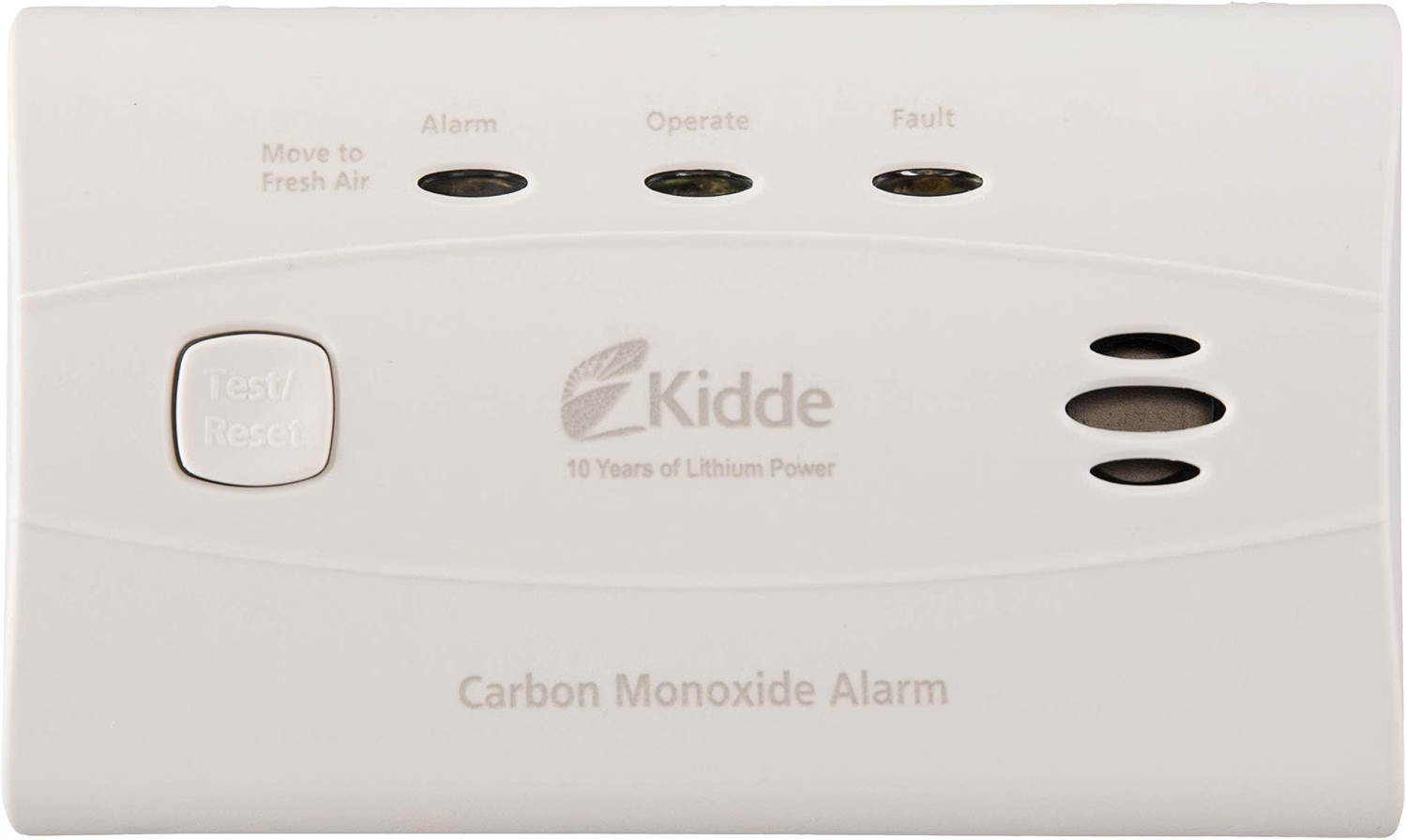
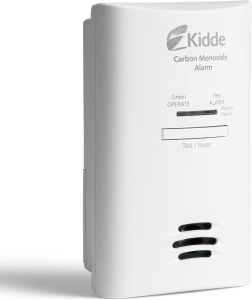
    This one removes the single most common reason senior households end up with a dead alarm: nobody changes the battery. A sealed lithium cell is built to last the full 10-year life of the unit, and the alarm chirps when the whole device needs replacing. Kidde’s spec sheet lists a digital display reading from 30 to 999 PPM, peak-level memory that detects as low as 11 PPM, and a color-coded status light (green normal, red alarm, amber fault). It mounts on a bracket or sits on a shelf, which means it can go where outlets are scarce, including a nightstand. The trade-off is that you cannot swap a battery if something fails, so the 10-year warranty matters.

    The good

    • Nothing to maintain for a decade; no batteries to buy
    • Mounts anywhere, including a shelf or bracket near the bed
    • Display with peak-level memory and clear green, red and amber lights

    The catch

    • No spoken warning; it relies on an 85 dB tone
    • Not interconnectable, so it will not trigger other alarms

    This is right if… You are shopping for a parent who will not touch a battery compartment.

    Look elsewhere if… You want phone alerts or a voice announcement.

    Check Price on Amazon →

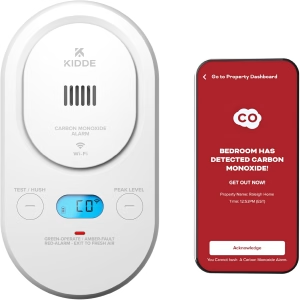
    4. Best for Long-Distance KidsKidde Smart CO Detector, Plug-In with Wi-Fi Alerts (COPDW)

    ~$50 · View on Amazon
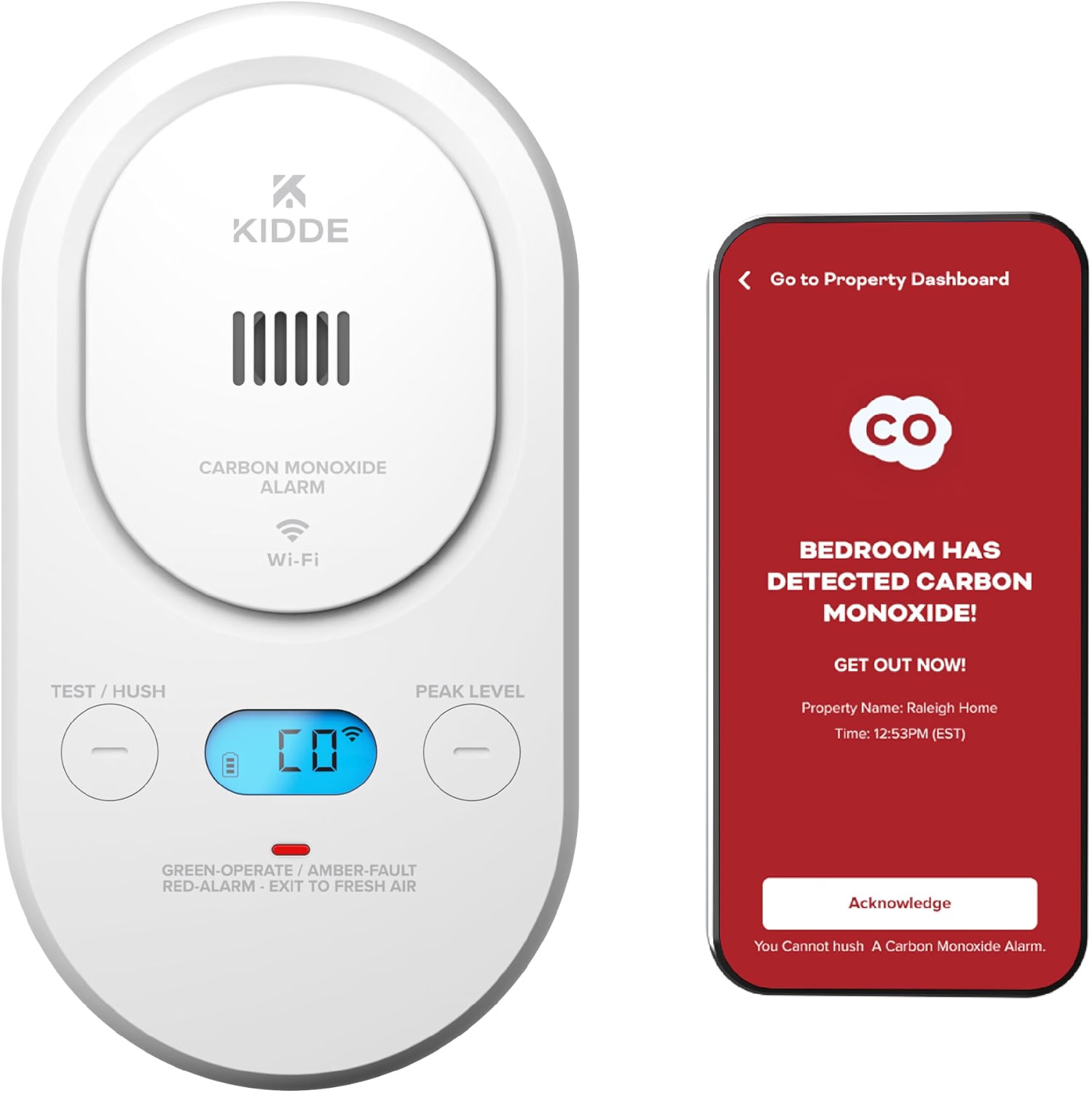
    If the real worry is that something happens while you are three states away, this is the pick. The alarm still sounds locally, but it also pushes a notification through the free Kidde app to every phone you register, and it reports low batteries or faults so you hear about problems before they become emergencies. A WC Safety review found no subscription fee and noted that the local alarm keeps working if Wi-Fi drops. The listing states a plug-in design with AA battery backup. Its drawbacks are real: it needs a 2.4 GHz network, the reviewer noted a 7-year sensor life (shorter than sealed 10-year units), and setup involves an app, which not every household will enjoy.

    The good

    • Push alerts to your phone and a sibling’s, with no monthly fee
    • Local siren still sounds if Wi-Fi goes down
    • Reports faults and low battery remotely

    The catch

    • Requires a 2.4 GHz Wi-Fi network and a one-time app setup
    • Sensor life is shorter than the 10-year sealed models

    This is right if… Your parent lives alone and you want to know within seconds if the alarm goes off.

    Look elsewhere if… The home has no reliable Wi-Fi, or your parent finds apps stressful.

    Check Price on Amazon →

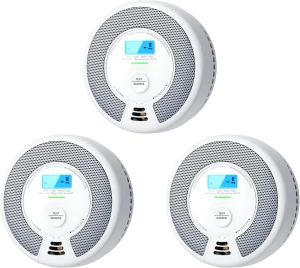
    5. Best Under $20X-Sense CO03D Battery-Operated CO Alarm with LCD

    ~$19 · View on Amazon
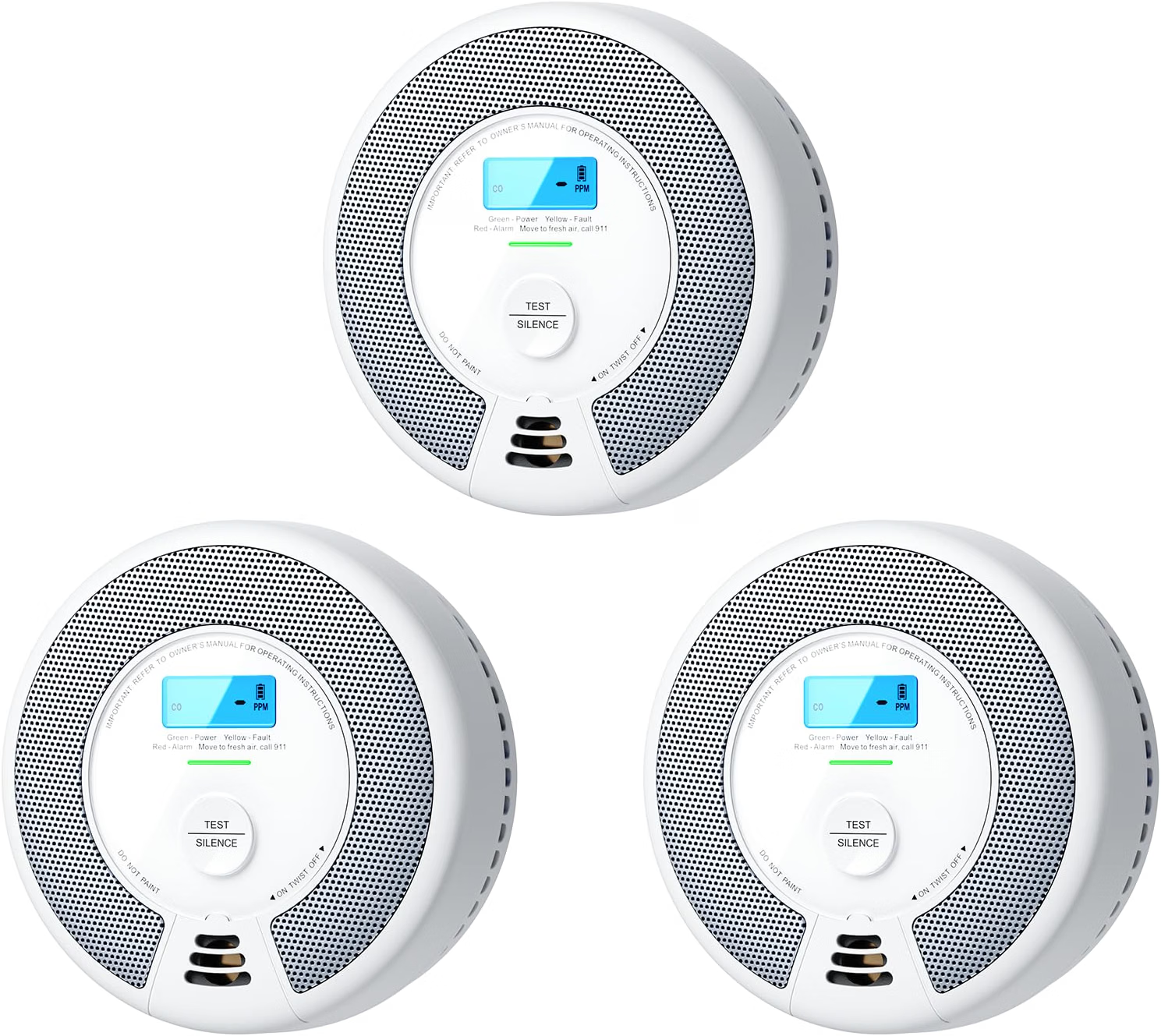
    Sometimes the right answer is the cheapest alarm that actually meets the standard. The CO03D is battery-operated, carries a UL 2034 compliance claim in its Amazon listing, and has an LCD that shows the reading. At about the price of a takeout dinner (a Slickdeals post tracked it at $18.99), you can place one on every floor instead of debating which room to protect. Because it uses replaceable batteries, it works anywhere and keeps working in a blackout, but it also means somebody has to own the maintenance. That makes it a good second or third alarm and a weaker choice for the one parent who never checks anything.

    The good

    • Lowest price in this guide, so full-house coverage is affordable
    • Battery power means it works in any room and in any outage
    • LCD readout instead of a bare light

    The catch

    • Replaceable batteries need a calendar reminder
    • Basic tone only: no voice, no app, no peak-level frills

    This is right if… You want extra coverage on a budget and can manage a twice-a-year battery check.

    Look elsewhere if… You need the alarm to run unattended for years.

    Check Price on Amazon →

    Comparison table

    Alarm Price Power Standout Best for
    Kidde Voice-Alert Plug-In ~$45 Plug-in + sealed 10-yr backup Voice + display Bedrooms
    First Alert CO615A ~$36 Plug-in + AA backup Display Extra rooms
    Kidde C3010D ~$40 Sealed 10-yr battery Display + peak memory No-maintenance
    Kidde Smart COPDW ~$50 Plug-in + AA backup Phone alerts Long-distance kids
    X-Sense CO03D ~$19 Replaceable battery LCD Tight budgets

    The conversation you’ll have

    Older adults often hear “you need a CO alarm” as “you can’t manage your own house.” The resistance is rarely about the alarm; it is about what it implies. Frame it as a household upgrade that protects the furnace, the stove and the guests, not a judgment about their awareness.

    Try saying, “I’m putting one of these in my own place this weekend, and I’d feel better if I put one here too,” instead of “Mom, it isn’t safe in here.” Offer to do the work: pick the spot, plug it in, write the install date on the back with a marker, and set a phone reminder for the test. If a parent worries about false alarms, explain the test button and the hush button before you leave so the first beep isn’t a surprise.

    Insurance and savings

    Original Medicare does not cover household safety devices like CO alarms, and they generally are not FSA- or HSA-eligible, so plan to pay out of pocket. The good news is the cost is low. Many local fire departments and utility companies run free or discounted alarm programs for older residents, so a quick phone call before you buy can save you real money. It is also worth asking the homeowner’s insurer whether it offers any credit for installed detectors; policies vary, and we found no universal rule.

    What to actually look for

    Where to put them

    The CDC advises installing alarms near every sleeping area, and First Alert recommends one on every level, in every bedroom and outside each sleeping area. Start with the hallway outside the bedroom, then add the basement and any floor with a fuel-burning appliance. Our Complete Aging-in-Place Home Safety Checklist shows where this fits among the other fixes worth doing at the same visit.

    Power source and backup

    Storms and generators go together, so battery backup is not optional. Plug-in models with backup (Kidde, First Alert) work in an outage as long as the batteries are fresh. Sealed 10-year units remove the battery question entirely. If you are preparing for outages generally, pair this with a set of power outage lights for seniors.

    Display, voice and replacement dates

    A digital readout lets you see a rising number before the alarm trips, which the CDC suggests for the highest recorded level. Voice alerts help anyone woken from sleep. Alarms wear out: the CDC says to replace detectors per the manufacturer or every 5 years, while First Alert cites a 5 to 7 year lifespan for standard units and Kidde’s sealed models are rated for 10. Write the install date on the back. If hearing loss is the main concern, see our guide to strobe smoke and CO alarms for hard-of-hearing seniors.

    Frequently asked questions

    Where should a carbon monoxide detector be placed for an elderly person?

    Put one outside each sleeping area and on every level of the home, including the basement. The CDC recommends installing battery-operated or battery-backup alarms near every sleeping area. Avoid spots directly beside a fuel-burning appliance, where brief readings can trigger nuisance alarms.

    How long do carbon monoxide alarms last?

    Most standard alarms last about 5 to 7 years, and the CDC says to replace them according to manufacturer instructions or every 5 years. Sealed models like the Kidde C3010D are rated for 10. Write the install date on the back, and replace the whole unit when it signals end of life.

    Do carbon monoxide detectors work during a power outage?

    Plug-in models only work in an outage if they have battery backup, which is why dual-power alarms are recommended. Battery-operated and sealed 10-year models run independently of the grid. Outages matter because portable generators are a leading source of non-fire CO deaths.

    What are the signs of carbon monoxide poisoning in the elderly?

    Headache, dizziness, weakness, nausea, chest pain and confusion are the main signs, and they often resemble the flu. Older adults and people with heart or breathing problems are more likely to become seriously ill. If you suspect exposure, get everyone outside and call 911.

    Can you smell carbon monoxide?

    No. Carbon monoxide is colorless, odorless and tasteless, so people cannot detect it with their senses, and anyone who is asleep may never notice symptoms. A working alarm is the only reliable warning, which is why placement near bedrooms and regular testing every month matter so much.

    Do I need a carbon monoxide detector in an all-electric home?

    An all-electric home has a much lower risk, but alarms are still wise if there is an attached garage, a fireplace, a portable generator or a gas appliance anywhere. A detector costs less than a dinner out, and it also protects against sources a parent may not realize exist.

    The shortlist
    Best Overall

    Kidde Voice-Alert Plug-In

    ~$45

    Check on Amazon →

    Best Budget Plug-In

    First Alert CO615A

    ~$36

    Check on Amazon →

    Best Set-and-Forget

    Kidde C3010D

    ~$40

    Check on Amazon →

    Best for Long-Distance Kids

    Kidde Smart COPDW

    ~$50

    Check on Amazon →

    Best Under $20

    X-Sense CO03D

    ~$19

    Check on Amazon →

    Listings last checked: November 9, 2026. Prices are approximate and change often.

    What we’d do tomorrow

    If you are starting this weekend, do three things in order. First, check the date on every existing CO alarm in your parent’s home and note anything older than five to seven years. Second, buy the Kidde voice-alert plug-in for the bedroom hallway and a sealed or battery model for the basement. Third, press every test button together and set a phone reminder for the first of each month. It takes about twenty minutes.

    — Sarah

    BuyingForMom is a reader-supported site. As an Amazon Associate we earn from qualifying purchases. When you buy through links on this site, we may earn an affiliate commission at no additional cost to you. See our Affiliate Disclosure for details. This article is not medical advice, please consult a qualified healthcare professional for decisions specific to your family.

  • 5 Best Thermometers for Seniors

    5 Best Thermometers for Seniors

    Disclosure: BuyingForMom is reader-supported. As an Amazon Associate we earn from qualifying purchases. When you buy through links in this article, we may earn an affiliate commission at no additional cost to you. We never recommend products we haven’t researched against verified-buyer review data. This article is editorial reporting, not medical advice.

    5 Best Thermometers for Seniors

    By Sarah Mitchell · Editor, BuyingForMom · Updated October 2026

    10 min read · Smart Home · 5 picks

    The honest take

    If you are buying a thermometer for an aging parent, get the Vicks ComfortFlex at about $14 and use it the same way every day, because the real job is learning their normal, not catching a 100.4°F fever. The Braun ThermoScan 7 is worth four times the price only if your parent cannot hold a probe. Skip a no-touch forehead gun as the only thermometer in the house: its readings are the most technique-sensitive, and an older adult’s lower baseline lets a real infection hide behind a “normal” number.

    How we sorted through 14 thermometers in October 2026

    We started with every thermometer that surfaced across expert roundups and Amazon search results on October 30, 2026, which came to 14 distinct models across oral, ear, temporal and no-touch designs. We cross-referenced published roundups from NBC Select and Medical News Today, the manufacturer-stated specs, and the pattern of downsides reviewers keep repeating. We checked the fever and baseline guidance against geriatric sources, including the Infectious Diseases Society of America definition that caregiver resources cite, and confirmed that each finalist had an active Amazon listing on the day we published.

    Who this guide is for

    This guide is for adult children buying a thermometer for a parent who lives alone or with a spouse, or who is recovering after a hospital stay. If you are shopping for yourself, the same picks apply, but skip the conversation section below.

    Cold, flu and COVID season starts now, and the sticking point with older adults is that the usual signal fails. Caregiver guidance reports that older adults’ body temperatures tend to run lower with age, and a 2014 study cited by Care.com found that 20 to 30 percent of seniors with infections arrived at the emergency department with a blunted fever response. In other words, your parent can be properly sick at 99°F. A thermometer is only useful if you know your parent’s baseline, so every pick below is judged on how easily you can take the same reading the same way, every day.

    At a glance

    Best Overall

    Vicks ComfortFlex

    ~$14 · Best for learning a baseline

    Best Ear

    Braun ThermoScan 7

    ~$57 · Best when a parent can’t hold a probe

    Best Temporal

    Exergen Temporal Artery

    ~$50 · Best gentle scan, no probe

    Best No-Touch

    iHealth PT3

    ~$35–55 · Best for night checks and hearing loss

    Best Budget

    Boncare

    ~$8 · Best spare for a second home

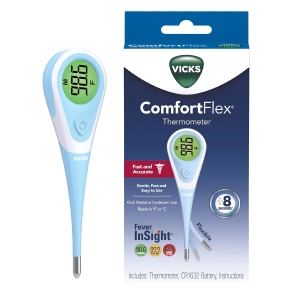
    Best Overall1. Vicks ComfortFlex Digital Thermometer

    ~$14 · View on Amazon

    The ComfortFlex wins because it is the cheapest reliable way to learn what normal looks like for your parent. It reads in roughly 8 seconds to within about 0.2°F, works orally or under the arm, has a flexible tip, remembers the last reading, and is waterproof for easy cleaning. NBC Select named it best overall, and the doctor NBC Select quotes calls oral readings the most accurate option for anyone over age four. The recurring complaint in published reviews is the lack of a backlight, plus a screen that is hard to read at an angle. One caution: the green, yellow and red color coding assumes a standard fever threshold, so write down the number rather than trusting the color.

    The good

    • Roughly $14 with a case and battery included
    • Color-coded display and last-reading memory
    • Waterproof, so it wipes clean between uses

    The catch

    • No backlight, so night readings need a lamp
    • Color coding uses standard fever cutoffs, not an older adult’s

    This is right if… your parent can hold a probe under the tongue or arm for several seconds and you want a trustworthy daily baseline.

    Look elsewhere if… your parent cannot sit still or keep their mouth closed for ten seconds.

    Check Price on Amazon →

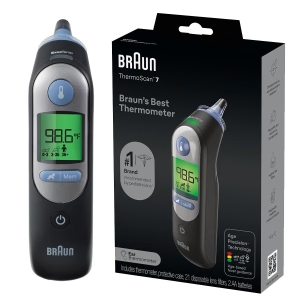
    Best Ear2. Braun ThermoScan 7 Digital Ear Thermometer

    ~$57 · View on Amazon

    If a parent with dementia, tremor or a sore mouth will not hold a probe, the ThermoScan 7 takes the reading in about a second. It beeps and flashes when the tip is positioned correctly, uses a pre-warmed tip, accepts an age setting, and takes disposable lens filters for hygiene. NBC Select named it the best ear thermometer, at about $57 on Amazon against a $75 list price. Medical News Today lists the cost, some reports of incorrectly high readings, and fiddly per-use setup as downsides, and ear thermometers in general can be hard to position. Heavy earwax or a very narrow canal can also throw a reading off.

    The good

    • About a one-second reading with a positioning beep and flash
    • Age setting and pre-warmed tip
    • Disposable lens filters for hygiene

    The catch

    • Costs roughly four times the Vicks
    • Positioning matters, and some buyers report high readings

    This is right if… your parent can’t cooperate with an oral reading or you take readings while they sleep or rest.

    Look elsewhere if… you have the budget for only one thermometer and your parent can manage an oral reading.

    Check Price on Amazon →

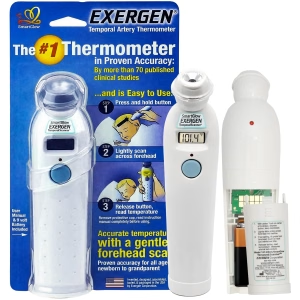
    Best Temporal3. Exergen Temporal Artery Thermometer

    ~$50 · View on Amazon

    The Exergen reads the temporal artery by sliding the sensor across the forehead, so there is no probe in the mouth or ear, which is its appeal for a frail or anxious parent. The model reviewers describe has a soft-glow display, a silent mode, and memory for the last eight readings, and the manufacturer itself recommends twice-daily checks in older adults to establish a baseline. Medical News Today lists a hard-to-open battery cover and some reviewer doubts about accuracy as downsides. Technique decides the result here, so follow the sweep instructions exactly and take every reading the same way.

    The good

    • No probe in the mouth or ear
    • Soft-glow display and a silent mode
    • Remembers recent readings for trend-spotting

    The catch

    • Battery cover is stiff to open
    • Sloppy sweep technique skews results

    This is right if… your parent resists oral or ear readings but will tolerate a quick pass across the forehead.

    Look elsewhere if… you want the lowest price or you are unlikely to follow the scanning instructions closely.

    Check Price on Amazon →

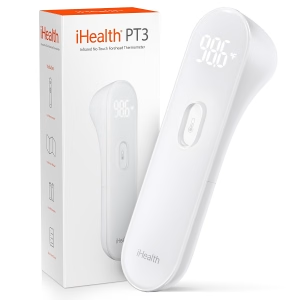
    Best No-Touch4. iHealth No-Touch Forehead Thermometer (PT3)

    ~$35–55 · View on Amazon

    The iHealth PT3 reads from about 1.2 inches away in roughly one second, so nobody has to be woken or touched. Its large LED digits are readable in total darkness, and it signals the reading with a vibration rather than beeps, which suits a parent with hearing loss or a partner who is sleeping. Three sensors, including distance and environment sensors, are meant to improve accuracy. Medical News Today notes that some reviewers question its accuracy and that the display is not color-coded. The CDC says infrared forehead models must be held at a set distance, and the FDA warns that drafts and sunlight skew them.

    The good

    • Large LED digits that are readable in the dark
    • Vibration feedback instead of beeps
    • Nothing touches your parent’s skin

    The catch

    • Some reviewers question accuracy, and distance matters
    • Price swings widely, from about $17 on deal days to over $50

    This is right if… you check overnight, your parent hears poorly, or you want a fast second opinion.

    Look elsewhere if… it would be your only thermometer, since non-contact readings are the most technique-sensitive.

    Check Price on Amazon →

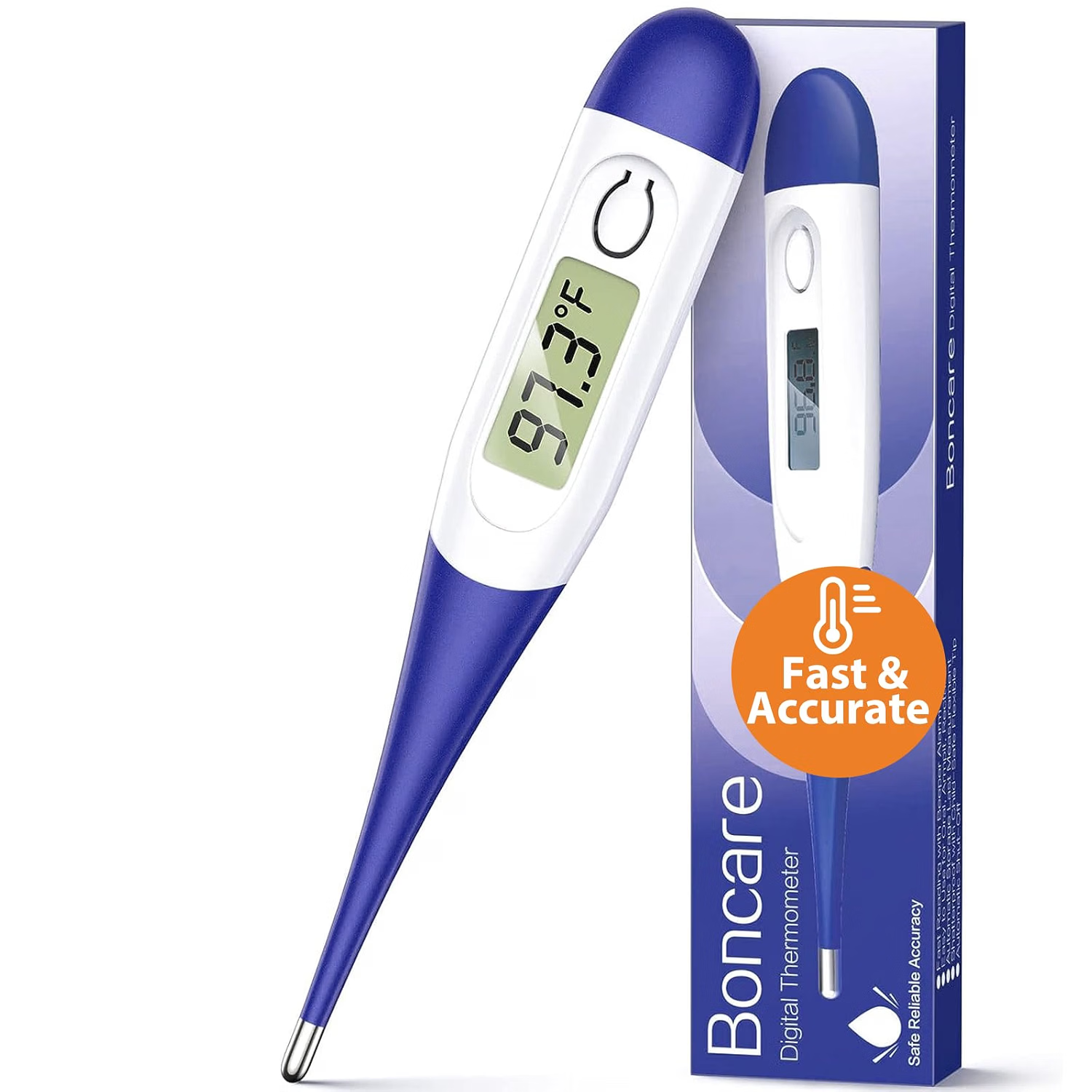
    Best Budget5. Boncare 10-Second Digital Thermometer

    ~$8 · View on Amazon

    At about $8, the Boncare earns its slot as the spare: one for the bathroom, one for the caregiver’s bag, one for the parent’s second home. It reads in around 10 seconds, shows the result on a legible LCD, sounds a beeper alarm for a possible fever, and recalls the last reading. NBC Select named it best budget, though its reasoning was mostly price, and there is far less independent testing behind it than behind the Vicks. Treat it as a convenience thermometer and sanity-check it against your main one the first week by taking both readings back to back.

    The good

    • About $8, cheap enough to keep several
    • 10-second reading with a fever beeper
    • Remembers the last reading

    The catch

    • Little independent testing behind it
    • Beeper alarm uses standard fever thresholds

    This is right if… you want a backup or a thermometer at a second home, or a caregiver wants their own.

    Look elsewhere if… you want something with a proven track record as the main daily thermometer.

    Check Price on Amazon →

    Comparison table

    Thermometer Price Method Speed Best for
    Vicks ComfortFlex ~$14 Oral / underarm About 8 sec Daily baseline
    Braun ThermoScan 7 ~$57 Ear About 1 sec Can’t hold a probe
    Exergen Temporal Artery ~$50 Forehead sweep A few sec Gentle, no probe
    iHealth PT3 ~$35–55 No-touch forehead About 1 sec Night checks, hearing loss
    Boncare ~$8 Oral / underarm About 10 sec Spare or second home

    The conversation you’ll have

    Many older adults hear “let me take your temperature” as “I think you’re sick,” and a daily check can feel like surveillance. Frame it as a habit you are doing together rather than a test they might fail. A reading taken every morning when nothing is wrong is what makes the one abnormal day meaningful.

    Try saying, “Let’s find out what’s normal for you, so if you ever feel off we’re not guessing,” instead of “I need to keep an eye on your temperature.” Offer to take your own reading first, tie it to something already in the routine such as coffee or the pill organizer, and write the number in a notebook that stays by the thermometer. If your parent lives alone, a quick phone call each morning to read the number out loud turns it into a check-in rather than a chore.

    Insurance and savings

    Original Medicare generally does not cover over-the-counter thermometers, so plan on paying out of pocket. Amazon marks several of these models as FSA and HSA eligible, based on a reading of IRS Publication 502, but plans interpret that differently, so confirm with the plan administrator and keep the receipt. Some Medicare Advantage plans include an over-the-counter allowance that may apply, so check the plan’s catalog before you buy. Because the Vicks costs about $14, the tax deduction angle is not worth chasing: medical expenses are deductible only above 7.5 percent of adjusted gross income.

    What to actually look for

    The same spot, at the same time

    Care.com reports that the standard 98.6°F figure drops with age, and advises finding an individual’s baseline by checking the same spot several times a day while the person is well. Doctors typically treat a rise of about two degrees above a person’s own usual temperature as a sign of infection. The Infectious Diseases Society of America definition cited there is a single oral reading over 100°F, repeated oral readings over 99°F, or a 2°F rise over baseline. The thermometer matters less than the routine; our aging-in-place safety checklist puts daily health checks on the list for exactly this reason.

    Match the method to your parent

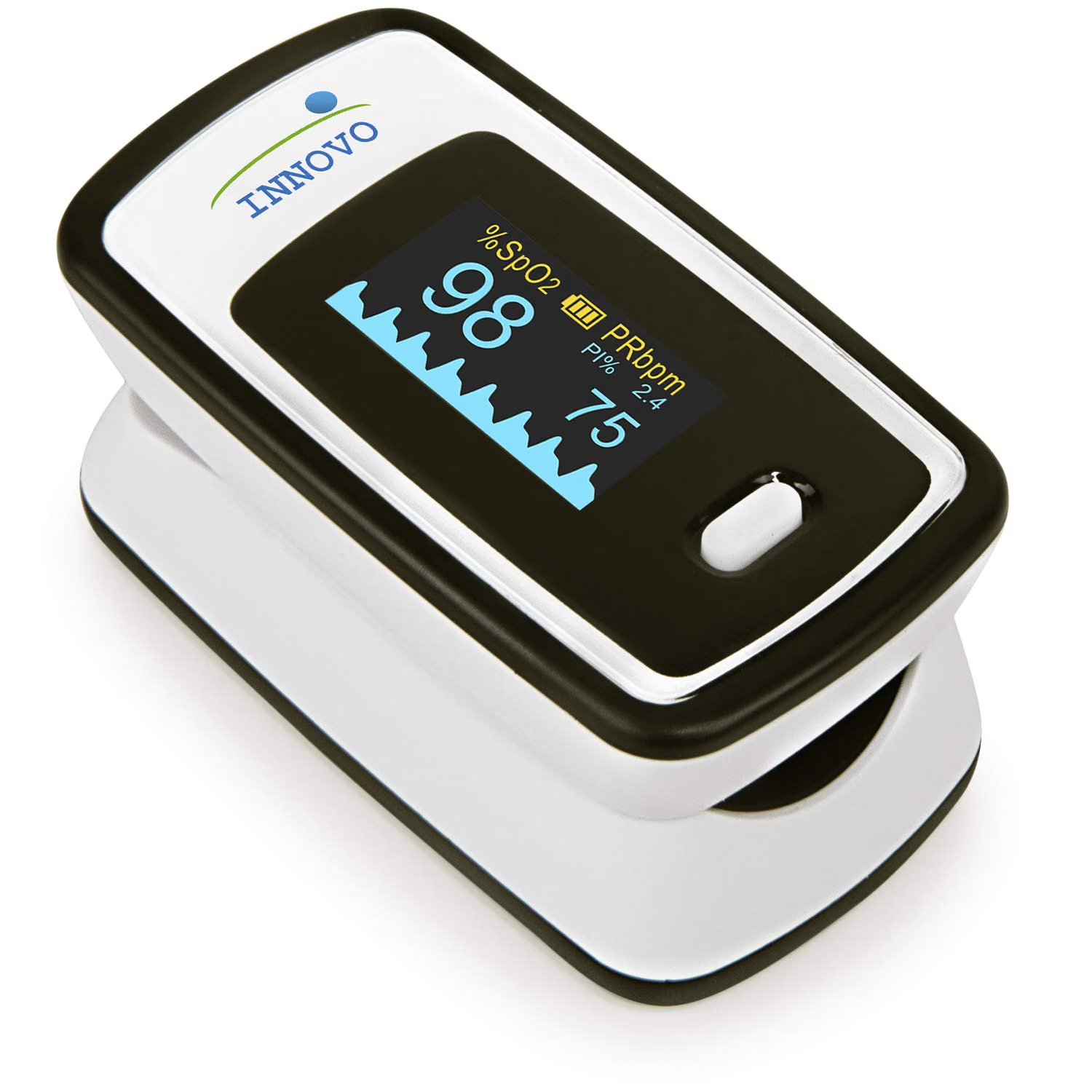
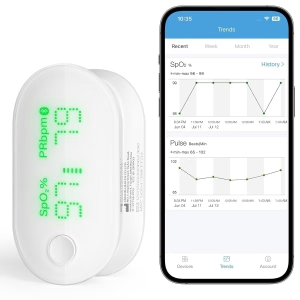
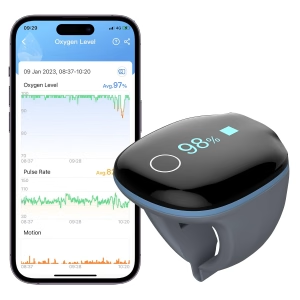
    In a study of hospitalized patients aged 75 and older cited by Care.com, rectal readings detected fever in 86 percent of cases, compared with 66 percent orally and 32 percent under the arm. Medical News Today cites a 2022 study finding ear and forehead readings as reliable as other types, so the best choice is the one you will use correctly. Pick oral or underarm if your parent cooperates, ear or temporal if they do not, and no-touch only as a second opinion. If your parent has heart, lung or blood-sugar problems, pair this with a home blood pressure monitor or a pulse oximeter so you have more than one signal.

    Readable display and clean technique

    Look for large digits, a backlight or a dark-readable screen, and a memory for the last reading. For infrared models the FDA advises holding the thermometer perpendicular to the forehead without touching the skin, noting that the right distance varies by product and that drafts, direct sunlight and nearby heat can skew results. It also suggests leaving the thermometer in the room for 10 to 30 minutes first. Keep the instructions with the device, and see our room-by-room modification guide for where to keep it so it actually gets used.

    FAQ

    What is the best thermometer for seniors?

    For most older adults, the Vicks ComfortFlex is the most practical: about $14, a fast oral or underarm reading, and easy daily baseline tracking. If your parent cannot hold a probe, the Braun ThermoScan 7 ear thermometer is the better fit, and the Exergen suits those who tolerate only a quick forehead sweep.

    What is a normal body temperature for an elderly person?

    Older adults often run below 98.6°F, and the right number varies by person. Care.com advises finding your parent’s baseline by taking the same reading, in the same spot, several times a day while they are well. After that, a rise of about two degrees above their usual is the signal.

    What counts as a fever in older adults?

    The Infectious Diseases Society of America definition cited by Care.com is a single oral temperature over 100°F, repeated oral readings over 99°F, or a rise of 2°F over baseline. Many older adults never reach the standard 100.4°F during an infection, so confusion or poor appetite also deserve a call to the doctor.

    Are forehead thermometers accurate for seniors?

    They can be, but they are the most technique-sensitive. The FDA says to hold an infrared model perpendicular to the forehead at the product’s stated distance, away from drafts, sun and heat. Medical News Today notes mixed evidence on infection screening, so confirm a worrying forehead reading with an oral or ear thermometer.

    Is an ear or oral thermometer better for the elderly?

    Both work. Oral readings cost less but need a parent who can keep their mouth closed. Ear thermometers are quick and suit parents with dementia or a sore mouth, though earwax and positioning can affect results. Medical News Today cites a 2022 study finding ear readings as reliable as other types.

    How often should I check an elderly parent’s temperature?

    Exergen, a thermometer manufacturer, recommends checking twice daily, morning and evening, to establish a baseline and spot small shifts, particularly for people with chronic illness. When your parent seems off, check right away and again later. Call a doctor if the number rises or behavior changes, such as new confusion or sleepiness.

    The shortlist

    BEST OVERALL

    Vicks ComfortFlex

    ~$14

    Check on Amazon →

    BEST EAR

    Braun ThermoScan 7

    ~$57

    Check on Amazon →

    BEST TEMPORAL

    Exergen Temporal Artery

    ~$50

    Check on Amazon →

    BEST NO-TOUCH

    iHealth PT3

    ~$35–55

    Check on Amazon →

    BEST BUDGET

    Boncare

    ~$8

    Check on Amazon →

    What we’d do tomorrow

    If you are starting this weekend, do three things in this order. First, order the Vicks ComfortFlex and, if your parent will not tolerate a probe, add the Braun ThermoScan 7. Second, take a reading at the same time, in the same spot, every morning for a week while your parent is well, and write the numbers down. Third, decide in advance what will trigger a call: a rise of about two degrees over their baseline, or confusion and sleepiness at any temperature.

    — Sarah

    BuyingForMom is a reader-supported site. As an Amazon Associate we earn from qualifying purchases. When you buy through links on this site, we may earn an affiliate commission at no additional cost to you. See our Affiliate Disclosure for details. This article is not medical advice. Please consult a qualified healthcare professional for decisions specific to your parent’s situation.
  • 5 Best Power Outage Lights for Seniors

    5 Best Power Outage Lights for Seniors

    Disclosure: BuyingForMom is reader-supported. As an Amazon Associate we earn from qualifying purchases. When you buy through links in this article, we may earn an affiliate commission at no additional cost to you. We never recommend products we haven’t researched against verified-buyer review data. This article is editorial reporting, not medical advice.

    5 Best Power Outage Lights for Seniors: Easy-to-Use Emergency Flashlights & Lanterns

    By Sarah Mitchell · Editor, BuyingForMom · Updated October 2026

    6 min read · Lighting · 5 picks, all under $25

    The honest take: If you’re shopping for a power outage light for an older parent, buy the Energizer Auto-On plug-in light and put one in every hallway and bathroom, because the best outage flashlight is the one that is already glowing when the lights die. The Energizer PRO-360 lantern is the right second purchase only if your parent needs to cook, read, or sit up through a long evening outage. Skip the tiny keychain flashlights and the “tactical” 1,000-lumen models entirely, because a button-heavy light is one more thing to fumble for in the dark.

    How we sorted through 20 emergency lights in one October review window

    We reviewed 20 plug-in emergency lights, battery lanterns, and rechargeable flashlights by reading their Amazon listings line by line, checking rating counts and star averages, and confirming that every finalist was actually in stock with a realistic delivery date before winter storm season. We cross-referenced those specs against power-outage checklists published by state aging agencies and county emergency offices, plus mainstream product round-ups. We then ranked each light on one question: can a 78-year-old find it, switch it on, and carry it in the dark without help?

    Who this guide is for

    This guide is for adult children buying outage lighting for a parent who lives alone or with a spouse, and for older adults who want to be ready before the first ice storm. If you are shopping for yourself, the picks are the same, but you can skip “The conversation you’ll have” below.

    A power outage is more than an inconvenience for an older adult. The dangerous moment is the first ten minutes, when the house goes dark, the hallway disappears, and the nearest flashlight is in a kitchen drawer. Falls in the dark, and fires from candles used as a substitute, are the two predictable harms. Fire-safety agencies consistently tell households to use flashlights or battery lanterns instead of candles, and this guide is built around making that advice easy to follow.

    The right setup is layered: automatic plug-in lights along the path to the bathroom, and one bright lantern for the room where your parent spends the evening. None of these picks cost more than about $25, so the goal is coverage, not a single perfect gadget. Every pick below needs no app, no Wi-Fi, and no tools.

    At a glance

    BEST OVERALL · Energizer Auto-On LED Flashlight · ~$12 · turns on by itself when power fails

    BEST NIGHT LIGHT COMBO · Energizer 4-in-1 Emergency Light · ~$13 · hallway night light that doubles as an outage light

    BEST RUNTIME · Amerelle LED Emergency Light · ~$13 · about 7 hours per charge

    BEST ROOM LANTERN · Energizer WeatheReady PRO-360 · ~$21 · fills a whole room, 150 hours

    BEST BUDGET LANTERN · Eveready X-250 2-Pack · ~$15 · two lanterns, batteries included

    Best OverallEnergizer Auto-On LED Flashlight

    Energizer Auto-On rechargeable plug-in LED flashlight for power outages

    ~$12 · View on Amazon

    This is the one to buy first because it removes the hardest step in an outage: finding a light. It sits in a wall outlet charging, glows the instant power fails, and then lifts out like a flashlight with a comfortable retractable-plug grip. The beam reaches about 30 meters and runs up to 3 hours per charge. With more than 19,000 ratings averaging 4.7 stars, it is the most-reviewed light in this guide by a wide margin, and the listing is explicit that nobody has to press a button. It is cheap enough to buy several and place one at the bedroom door, one in the hall, and one by the bathroom.

    The good

    • Turns on automatically when power fails, with no switch to find
    • Doubles as a handheld flashlight for the walk to the breaker box or the front door
    • Rechargeable, so there are no batteries to forget or let leak

    The catch

    • Roughly 3 hours of light per charge, so it covers the first stretch of an outage rather than a full night
    • It is a path light, not a reading or cooking light

    This is right if… your parent’s biggest risk is the walk from bed to bathroom in a sudden blackout.

    Look elsewhere if… an outage usually means several hours of sitting up, in which case add a lantern.

    Check Price on Amazon →

    Best Night Light ComboEnergizer 4-in-1 Emergency Light

    Energizer 4-in-1 plug-in emergency light and night light for hallways and bathrooms

    ~$13 · View on Amazon

    Think of this as a bathroom or hallway night light that happens to become an outage light. A built-in sensor switches it on at dusk and off at dawn, so it earns its outlet every night, and it takes over automatically when household power is lost. When the lights go out, it unplugs and folds its prongs in to work as a handheld flashlight or tabletop light, with multiple brightness levels at roughly 40 lumens. It has fewer ratings than the Auto-On, about 1,600 at a 4.4 average, which is the honest reason it sits second. For a parent who already walks to the bathroom at night, it solves two problems with one outlet.

    The good

    • Light sensor means it works every night, not just during emergencies
    • Automatic emergency mode needs no action from your parent
    • Folds into a tabletop light or flashlight when needed

    The catch

    • A lower 4.4-star average than the Auto-On, so unit quality is a bit less consistent
    • Modest brightness; it lights a hallway, not a room

    This is right if… you want one outlet to handle both nightly lighting and outages.

    Look elsewhere if… you need a light that runs for most of a night.

    Check Price on Amazon →

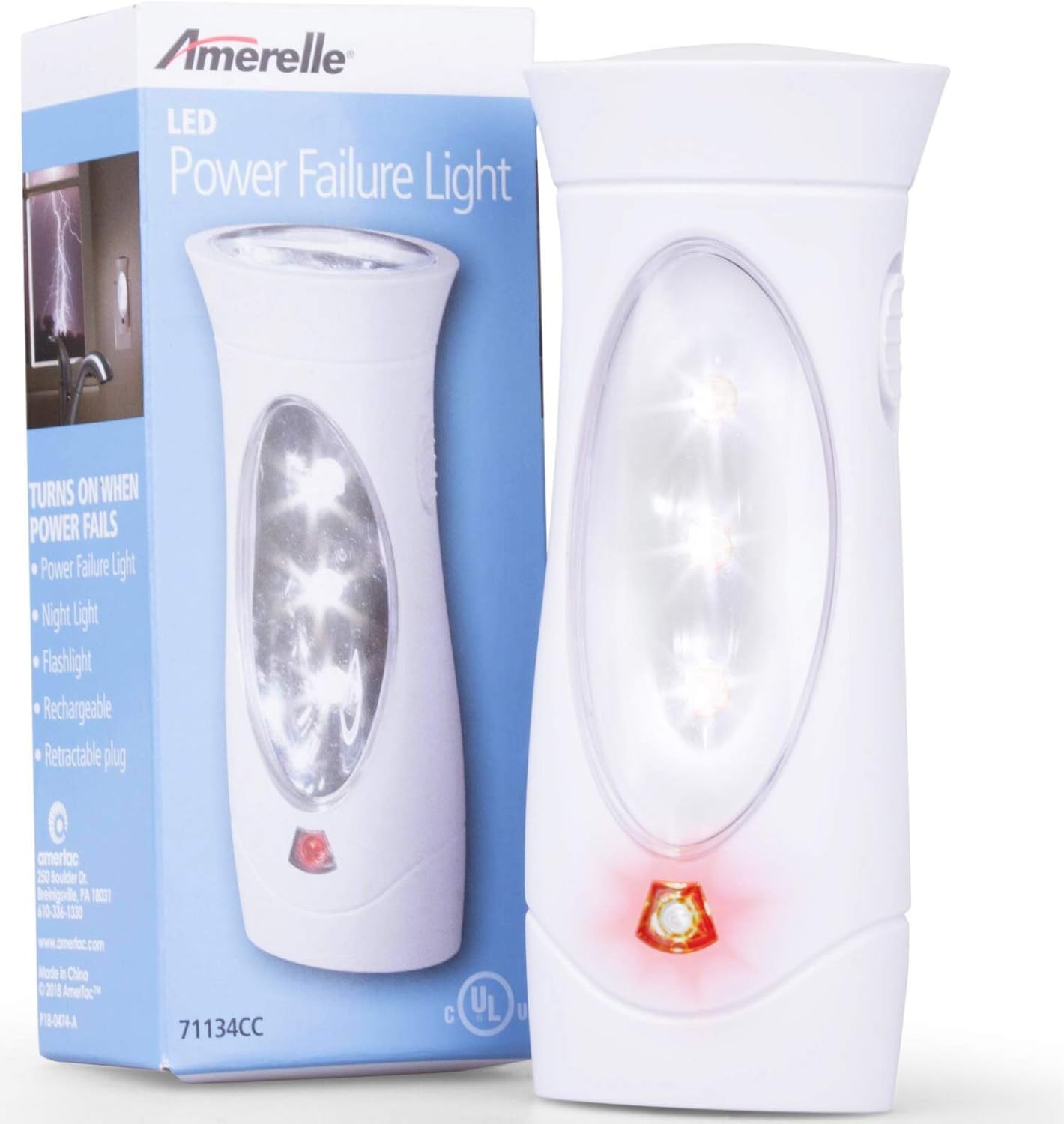
    Best RuntimeAmerelle LED Emergency Light (71134)

    Amerelle triple-function plug-in power failure light and flashlight

    ~$13 · View on Amazon

    Amerelle’s listing claims a fully charged unit lasts about 7 hours, more than double the Auto-On’s runtime, which matters when an outage stretches past bedtime. The front panel lights automatically when power fails, and the unit unplugs to become a rechargeable flashlight. Its warm 3000K white light is easier on older eyes than the harsh blue-white of many cheap LEDs. Across nearly 2,000 ratings it holds a 4.6 average. It also comes in a 5-pack (about $50) if you want to cover a whole house in one order, which works out cheaper per unit than buying singles.

    The good

    • About 7 hours per charge, the longest of the plug-in lights here
    • Warm light that does not glare in dim rooms
    • Available as a 5-pack for whole-house coverage

    The catch

    • Uses a small Ni-MH battery that will eventually need the whole unit replaced
    • The flashlight mode is dimmer than a true handheld

    This is right if… you want plug-in lights that last through a long evening.

    Look elsewhere if… your parent needs a bright, aimable beam to check outside.

    Check Price on Amazon →

    Best Room LanternEnergizer WeatheReady PRO-360 LED Lantern

    Energizer WeatheReady PRO-360 battery LED lantern for lighting a room in a power outage

    ~$21 · View on Amazon

    Plug-in lights get your parent safely through the house; this lantern lets them live in one room. It puts out up to 500 lumens on high with a listed runtime of 150 hours, so one set of batteries covers an entire storm week on a lower setting. The all-around glow fills a large room, which means no one has to hold a flashlight to read, take medication, or fix a snack. It is IPX4 water resistant and rated to survive a drop from about a meter, useful for a lantern that will eventually get knocked off a counter. With more than 7,800 ratings at 4.5 stars, it is the most proven lantern here.

    The good

    • 500 lumens lights a full room with no flashlight pointing required
    • Very long listed runtime on a low setting
    • Impact-resistant and shatterproof lens

    The catch

    • Runs on batteries, so keep a fresh spare set next to it and check them each fall
    • Heavier and bulkier than a flashlight for someone with limited grip strength

    This is right if… your parent stays put during outages and needs a real room light.

    Look elsewhere if… lifting or carrying objects is difficult; choose the plug-in lights instead.

    Check Price on Amazon →

    Best Budget LanternEveready LED Camping Lantern X-250 (2-Pack)

    Eveready X-250 compact LED lanterns two-pack for emergency lighting at home

    ~$15 · View on Amazon

    Two lanterns for about the price of one gets you coverage in two rooms, such as the living room and the bedroom. Each gives 250 lumens of 360-degree light and a listed 100 hours of runtime in area mode, with batteries included in the box. The top handle makes it easy to carry or hang from a hook, and it carries the same IPX4 water resistance and one-meter drop rating as the pricier Energizer. Its 4.6-star average across about 3,500 ratings suggests the budget price is not coming at the cost of reliability. It is the pick we would hand an adult child who wants to equip several relatives at once.

    The good

    • Two lanterns and batteries for about $15
    • Compact and light enough for most hands to carry
    • Top handle works for hanging as well as carrying

    The catch

    • 250 lumens is noticeably dimmer than the PRO-360
    • Replacing batteries later is a small task a parent may need help with

    This is right if… you want low-cost coverage in more than one room.

    Look elsewhere if… your parent needs to read small print by lantern light.

    Check Price on Amazon →

    How the five compare

    Light Price Type Runtime Rating
    Energizer Auto-On ~$12 Plug-in, auto-on Up to 3 hrs 4.7 (19,000+)
    Energizer 4-in-1 ~$13 Plug-in night light Varies by mode 4.4 (1,600+)
    Amerelle 71134 ~$13 Plug-in, auto-on About 7 hrs 4.6 (1,900+)
    Energizer PRO-360 ~$21 Battery lantern Up to 150 hrs 4.5 (7,800+)
    Eveready X-250 (2-pack) ~$15 Battery lantern Up to 100 hrs 4.6 (3,500+)

    The conversation you’ll have

    Many older adults will say they already have candles, a flashlight somewhere, or that they got through outages for decades without help. That is true, and it is also why the pitch matters: nobody likes being told their own house is unsafe. Lead with convenience, not risk, and make the first ask small.

    Try saying, “I’m putting these in the outlets so you never have to hunt for a flashlight,” instead of “You need an emergency plan.” Then add, “They also work as night lights, so you will use them every day.” If candles come up, try “Keep the candles for dinner. These are for when the power goes out, so you do not have to light anything.” Offer to install them yourself and leave the old flashlight where it is. The goal is to add a light, not to take anything away.

    Insurance and savings

    Medicare and private insurance do not cover flashlights or lanterns, and these items are not FSA or HSA eligible, so treat this as a small out-of-pocket purchase. The savings are elsewhere. If your parent uses powered medical equipment such as an oxygen concentrator, ask their electric utility about a medical baseline or priority-notification program, which many utilities offer at no cost. Your local Area Agency on Aging can also point to free outage-preparedness help. Our guide to cellular medical alerts that don’t need Wi-Fi covers the other thing an outage can break: the alert button itself.

    What to actually look for

    Automatic beats manual

    The single biggest feature is a light that turns on without being touched. Plug-in lights with power-failure sensing remove the fumbling, and they sit at outlet height where a walking parent can see the glow from the bedroom. Our Home Safety Checklist puts lighting the route to the bathroom among the first fixes worth making, and these lights are the cheapest way to do it.

    Match the light to the job

    Path lights need to be everywhere but do not need to be bright. Room lanterns need to be bright but only in one place. Do not buy a single expensive light and hope it does both. If your parent already has a motion-sensor strip along the stairs, our roundup of pathway and stair strip lights can finish the job, but note that many plug-in strips go dark when the power does.

    Simple switches, easy batteries

    Look for one large switch and a battery door that opens without a screwdriver. Test any lantern in the store or at home before you hand it over: if you cannot open it one-handed, neither can an arthritic hand. Put a reminder in your calendar to check batteries each fall and each spring.

    Frequently asked questions

    What is the best light to have in a power outage for the elderly?

    For most older adults, an automatic plug-in light that switches on when power fails is the best first choice, because nobody has to find or operate it in the dark. Add a battery lantern for the room where they spend the evening. Avoid anything that needs several button presses.

    Should you use candles during a power outage?

    Fire-safety agencies recommend flashlights or battery lanterns over candles, because an open flame in a dark house with an unsteady or distracted person is a real fire risk. If your parent insists on candles, use only enclosed or flameless LED candles, and never leave one burning unattended.

    How long do plug-in emergency lights last?

    Runtime depends on the model. The Energizer Auto-On is listed at up to 3 hours per charge, while the Amerelle is listed at about 7 hours. They are designed for the first stretch of an outage, so pair them with a lantern if outages in your area run long.

    Where should flashlights be kept in the house?

    Keep a light in every spot your parent reaches in the dark: beside the bed, in the hall, and in the bathroom. Plug-in models stay at outlet height; battery lanterns belong on a bedside table or a fixed shelf, not in a drawer. Everyone in the household should know where each one lives.

    How do you keep a senior safe during a power outage?

    Light the path first, keep a charged phone and a non-electric way to call for help, and avoid stairs in the dark. Plan for temperature as well, with warm layers in winter. Register powered medical equipment with the utility ahead of time, and arrange for a neighbor to check in.

    Do rechargeable emergency lights need replacing?

    Yes, eventually. The small rechargeable batteries inside plug-in lights lose capacity over several years, and on most models the whole unit is replaced rather than the battery. Press the test feature, or unplug the light, once a season to confirm it still works.

    The shortlist

    Energizer Auto-On plug-in LED flashlight

    Best Overall

    Energizer Auto-On

    ~$12

    Check on Amazon →

    Energizer 4-in-1 emergency light

    Best Night Light Combo

    Energizer 4-in-1

    ~$13

    Check on Amazon →

    Amerelle LED emergency light

    Best Runtime

    Amerelle 71134

    ~$13

    Check on Amazon →

    Energizer WeatheReady PRO-360 lantern

    Best Room Lantern

    Energizer PRO-360

    ~$21

    Check on Amazon →

    Eveready X-250 LED lantern two-pack

    Best Budget Lantern

    Eveready X-250 2-Pack

    ~$15

    Check on Amazon →

    Last verified in stock: October 30, 2026

    What we’d do tomorrow

    If you are starting this weekend, do three things in this order. First, order two or three Energizer Auto-On lights and plug them in at the bedroom door, the hallway, and the bathroom. Second, pick one lantern, the PRO-360 if your parent sits up during outages or the Eveready pair if you are covering several rooms, and set it on a fixed shelf in the main living space with fresh spare batteries beside it. Third, walk the route from bed to bathroom with the lights off and fix anything you trip over. The whole setup takes about an hour and costs under $50.

    — Sarah

    BuyingForMom is a reader-supported site. As an Amazon Associate we earn from qualifying purchases. When you buy through links on this site, we may earn an affiliate commission at no additional cost to you. See our Affiliate Disclosure for details. This article is not medical advice please consult a qualified healthcare professional for decisions specific to your situation.
  • Best Bedside Fall Mats for Seniors

    Best Bedside Fall Mats for Seniors

    Disclosure: BuyingForMom is reader-supported. As an Amazon Associate we earn from qualifying purchases. When you buy through links in this article, we may earn an affiliate commission at no additional cost to you. We never recommend products we haven’t researched against verified-buyer review data. This article is editorial reporting, not medical advice.

    Best Bedside Fall Mats for Seniors

    By Sarah Mitchell · Editor, BuyingForMom · Updated September 2026

    6 min read · Bedroom & Fall Prevention · 5 mats compared

    The honest take: If your parent is at real risk of rolling or stepping out of bed at night, buy the Vive Fall Mat and stop there it’s the best-reviewed, easiest to source, and covers the most floor for the price. The Secure Safety Solutions tri-fold earns its higher price only if the bed sits in a tight room where a 30-inch mat needs to fold away by day. Skip anything with fewer than a few hundred verified reviews a $47 no-name mat with nine ratings isn’t a place to save money on something your parent’s head will land on.

    How we sorted through 19 bedside fall mats in three weeks: We surveyed the full field of mats sold through Amazon’s Health & Household and Industrial & Scientific listings, cross-referenced verified-buyer review patterns (758 reviews on the category leader alone), manufacturer-stated foam density and drop-test claims, and a 2012 peer-reviewed clinical finding on floor-mat trip risk most competitor roundups skip. We dropped nine mats at the in-stock check below and four more for having fewer than 40 verified ratings — not enough track record for something a parent steps onto nightly.

    This guide is for adult children shopping for a parent who’s had a fall, a near-fall, or a recent hospital stay and needs the floor beside the bed to be safer without turning the bedroom into a clinical space. If you’re shopping for yourself after a fall or surgery, the same five picks apply, just skip the “conversation you’ll have” section below.

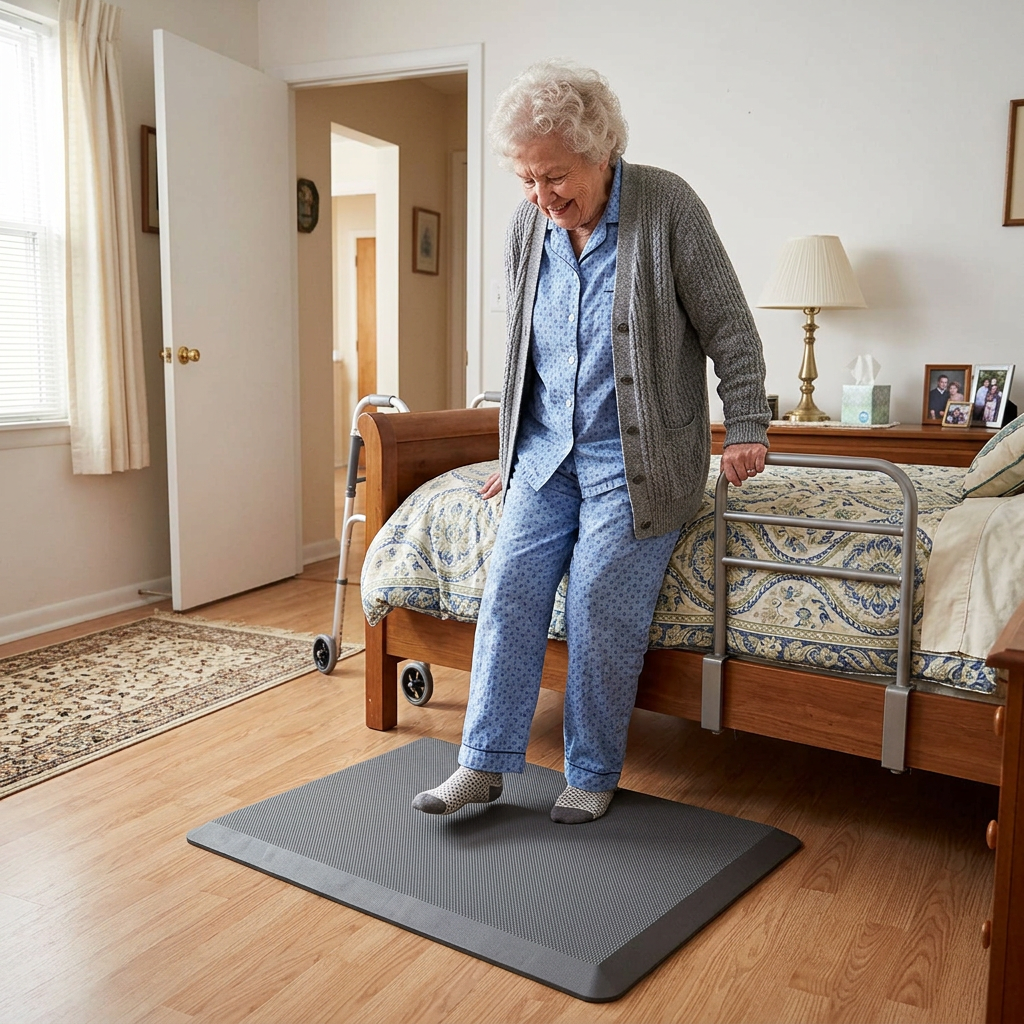
    A bedside fall mat for elderly use is a cushioned, beveled-edge pad that sits on the floor next to the bed and absorbs some of the impact if someone rolls, slides, or steps out unsteadily. It doesn’t prevent the fall — nothing placed on a floor can — but a good one softens what happens next, often the difference between a bruise and a hip fracture. Roughly 80% of falls that send an older adult to the hospital happen from standing height or lower, and a fall out of bed at 2 a.m. is one of the most common versions caregivers report.

    We routed the five picks below by what actually varies: overall value, independent injury testing, price, coverage width, and whether it needs to fold away during the day. None replaces addressing why someone is falling out of bed in the first place — a bed height, medication, or vision issue is worth a conversation with a doctor or OT first.

    At a glance

    Best Overall — Vive Fall Mat (72″x24″) · ~$90 · Deepest review history, lab-tested impact absorption

    Best Rated — NYOrtho Fall Mat (70″x24″) · ~$106 · 4.6 stars, foldable option available

    Best Budget — Made Medical Fall Mat (73″x24″) · ~$77 · Amazon’s Choice, same beveled-edge design for less

    Best Extra-Wide / Tested — Secure Safety Solutions Tri-Fold (68″x30″) · ~$100 · Independently biomechanically tested, widest coverage

    Best for Small Rooms — Skil-Care Tri-Fold (68″x26″) · ~$171 · Folds flat for daytime storage, facility-grade brand

    Best OverallVive Fall Mat

    ~$90 · Check Price on Amazon →

    Across 758 verified reviews, the Vive is the mat this category is measured against — it’s the one occupational therapy blogs and caregiver forums mention by name most often. At 72″ x 24″, it runs the full length of a standard bed frame, and Vive’s own drop test (an egg dropped from six feet doesn’t break) is the kind of concrete claim the no-name competitors don’t offer. The waterproof PVC top wipes clean after an incontinence episode, and the SBR rubber backing genuinely stays put on hardwood, tile, and low-pile carpet — a recurring complaint on cheaper mats is that they slide when stepped on at an angle, and buyers consistently note this one doesn’t.

    The good:

    • Largest verified review base in the category (758 ratings, 4.4 stars)
    • FSA/HSA eligible, ships from Vive directly with a 30-day return window
    • Beveled edges low enough for a walker or wheelchair to roll over without catching

    The catch:

    • Arrives tightly rolled and can take up to a day to lie fully flat
    • At 24″ wide, it won’t reach a parent who rolls out at more of a diagonal — see the Secure Safety Solutions pick below for that

    This is right if… you want the single safest default pick with the most real-world track record behind it.

    Look elsewhere if… the bed sits against a wall at an angle, or the room is too small to leave a mat down permanently.

    Check Price on Amazon →

    Best RatedNYOrtho Fall Mat

    ~$106 · Check Price on Amazon →

    The NYOrtho carries the highest star rating of any mat we verified 4.6 out of 5 across 431 reviews, with over 100 bought in the past month alone, which tells us it’s not a fluke batch of early reviews. NYOrtho also sells this exact mat in a foldable version and a 36″-wide version, so if the standard flat mat doesn’t fit the room, the same trusted brand has an option that does. Verified buyers consistently note the non-skid surface holds up on tile floors specifically, a detail reviewers of competing mats complain about more often.

    The good:

    • Highest verified star rating in the category (4.6/5, 431 ratings)
    • Also available in foldable and 36″-wide versions from the same listing
    • Ships from Amazon with fast delivery in most areas

    The catch:

    • Priced about $16 higher than the nearly-identical Vive mat
    • Standard version is the same 24″ width as the budget options — the extra cost is mostly brand trust and rating history

    This is right if… you want the statistically best-reviewed option and don’t mind paying a little more for it.

    Look elsewhere if… budget is the deciding factor — the Made Medical pick below does the same job for $30 less.

    Check Price on Amazon →

    Best BudgetMade Medical Fall Mat

    ~$77 · Check Price on Amazon →

    Amazon’s Choice on this listing isn’t a fluke — at $77, the Made Medical mat undercuts the category leader by about $13 while matching it on the two specs that actually matter: 73″ of length (an inch longer than the Vive) and fully tapered beveled edges rated for wheelchair and walker crossover. Across 74 verified reviews it holds a 4.3-star average, with buyers most often citing the anti-skid bottom as the reason they’d buy it again over cheaper unbranded mats that slide underfoot.

    The good:

    • Lowest price of any mat here with a real review history behind it
    • Amazon’s Choice badge on this listing as of our last check
    • Textured top adds grip while the anti-skid bottom holds the mat in place

    The catch:

    • Thinner foam core (0.8″) than the Secure Safety Solutions or Skil-Care picks, so impact cushioning is more modest
    • Smaller review base than Vive or NYOrtho still solid, just newer to the market

    This is right if… budget matters and the fall risk is more about stumbling than a hard drop from bed height.

    Look elsewhere if… your parent has osteoporosis or a prior fracture and needs the thickest cushioning available — see the Secure or Skil-Care picks.

    Check Price on Amazon →

    Best Extra-Wide / TestedSecure Safety Solutions Tri-Fold

    ~$100 · Check Price on Amazon →

    This is the only mat in our roundup with an independent biomechanical claim attached to it: Secure Safety Solutions states its 2″-thick EVA foam reduces the risk of serious head injury to near zero from an 18-inch sideways fall, based on outside testing rather than marketing copy alone. At 30″ wide six inches wider than every other mat here — it’s also the pick for a parent who tends to roll out at an angle rather than straight down, or for a bed that sits higher off the floor than standard. The tri-fold design with a Velcro strap means it can stand folded against a wall during the day if the room doubles as a walking path.

    The good:

    • Widest coverage of any pick here (30″) plus the thickest cushion (2″)
    • Independently tested injury-reduction claim, not just a marketing description
    • Flame-retardant, latex-free cover; folds flat for storage

    The catch:

    • Smaller review base (37 ratings) than the Vive or NYOrtho, though the rating pattern is consistent
    • Listed as non-returnable by the seller — read the sizing carefully before ordering

    This is right if… the fall risk is a real concern (prior fracture, osteoporosis, a bed that sits high) and width matters as much as length.

    Look elsewhere if… you want the option to return it if it doesn’t fit — go with Vive or NYOrtho instead, both of which accept returns.

    Check Price on Amazon →

    Best for Small RoomsSkil-Care Tri-Fold Bedside Fall Mat

    ~$171 · Check Price on Amazon →

    Skil-Care is a name most caregivers recognize from skilled nursing facilities rather than Amazon listings, and this is the mat that made us include a premium pick despite the category’s typical under-$100 pricing. It tri-folds down to roughly 26″ x 22″ for storage — small enough to slide under a bed frame or behind a door — which matters in a studio apartment or a shared bedroom where a permanent 6-foot mat isn’t practical. It’s the most expensive pick here, and we’re flagging that deviation directly rather than burying it: this is the one to buy specifically for the fold-away convenience, not for the price.

    The good:

    • Compact tri-fold storage — genuinely fits in a closet or under a bed
    • Facility-grade brand with a long history in professional care settings
    • FSA/HSA eligible

    The catch:

    • Nearly double the price of the Vive or Made Medical mats
    • Narrower (26″) than the Secure Safety Solutions pick despite the higher cost

    This is right if… the mat has to disappear during the day — small bedroom, shared space, or a room that doubles as a sitting area.

    Look elsewhere if… the mat can stay down permanently — you’ll get more coverage for less money with any of the other four picks.

    Check Price on Amazon →

    How the 5 picks compare

    Mat Size Price Rating Best for
    Vive Fall Mat 72″x24″ ~$90 4.4★ (758) Best overall default
    NYOrtho Fall Mat 70″x24″ ~$106 4.6★ (431) Highest-rated
    Made Medical Fall Mat 73″x24″ ~$77 4.3★ (74) Tightest budget
    Secure Safety Tri-Fold 68″x30″ ~$100 4.2★ (37) Widest + independently tested
    Skil-Care Tri-Fold 68″x26″ ~$171 Facility-grade Folds away, small rooms

    The conversation you’ll have

    Most older adults hear “fall mat” and picture a hospital room, not their own bedroom. The resistance is rarely about the object itself; it’s about what it signals. Leading with “you might fall” tends to land as an accusation about their independence. Leading with comfort lands much softer.

    Try saying: “I found this padded mat that’s nicer to stand on barefoot than the cold floor — I’ll put it by the bed so your feet land somewhere soft in the morning.” instead of “You need this because you might fall out of bed.” The first framing is true and gives your parent a reason to accept it that has nothing to do with fragility.

    Insurance and savings

    Original Medicare generally doesn’t cover bedside fall mats as durable medical equipment — CMS classifies most floor mats as a convenience item, even after a documented fall. Several mats above are explicitly FSA/HSA eligible, though, which is the more reliable savings path; check with your plan administrator, since eligibility varies by account. If your parent is working with an OT after a hospital discharge, ask whether a letter of medical necessity changes anything for your insurer — it occasionally does for related fall-prevention equipment.

    What to actually look for

    Thickness and impact absorption

    Foam thickness ranges from about 0.7″ to 2″ across this category, and thicker isn’t automatically better — a very thick mat can itself become harder to stand up from for someone with weak knees. For a parent with osteoporosis or a prior fracture, the 2″ Secure Safety Solutions mat’s independently tested claim is worth the extra cushioning. For general fall-risk cushioning without a specific fracture history, 0.75″–1″ (Vive, Made Medical) is typically enough. For more on matching equipment to the whole bedroom setup, our room-by-room aging-in-place modification guide covers bed height and lighting alongside flooring choices like this one.

    Size, matched to the roll-out path, not just the bed

    Measure where your parent actually lands, not just the length of the bed frame. A straight roll-out needs length (68″–73″ covers most beds); a diagonal slide toward the corner needs width, which is where the 30″-wide Secure Safety Solutions pick earns its keep over the more common 24″ options.

    Beveled edges and non-slip backing — the honest trip-hazard trade-off

    A 2012 clinical review flagged something most product listings leave out: an unbeveled or curling floor mat can itself become a trip hazard for someone using a walker or cane, which is the opposite of what it’s meant to prevent. Every mat in this roundup has a tapered, beveled edge specifically to address that — skip any mat that doesn’t advertise beveled edges and a non-slip rubber backing, regardless of price. Our complete aging-in-place home safety checklist walks through the rest of the bedroom fall-prevention priority list if this is one item on a longer list.

    Frequently asked questions

    Do bedside fall mats actually reduce injury from a fall?
    They reduce impact force once a fall is already happening — they don’t prevent the fall itself. Independently tested mats like the Secure Safety Solutions pick can meaningfully lower head-injury risk, but addressing why falls happen matters more long-term.

    How thick should a bedside fall mat be?
    Most run 0.7″ to 2″ thick. Thicker generally means better absorption, but very thick mats can be harder to stand up from for someone with limited leg strength — match thickness to fracture risk, not just preference.

    Can a fall mat itself become a trip hazard?
    Yes, if it lacks beveled edges or curls at the corners. Clinical research has flagged this for walker and cane users specifically. Every mat here has tapered, beveled edges and non-slip backing to address it.

    Are bedside fall mats covered by Medicare or FSA/HSA?
    Original Medicare typically classifies these as a convenience item, not covered DME. Many listings are FSA/HSA eligible — confirm with your plan administrator, since it varies by account.

    Where should a bedside fall mat be placed?
    Along the side of the bed your parent actually gets out of, extending the full length they’d land across. If they roll out at an angle, a wider mat like the Secure Safety Solutions pick covers more of that path.

    Do bedside fall mats help with dementia-related nighttime wandering?
    A fall mat cushions impact but doesn’t alert a caregiver or stop wandering. Pair it with a bed exit alarm or door sensor — the mat handles impact, the alarm handles awareness.

    The shortlist

    Best Overall

    Vive Fall Mat

    ~$90

    Check on Amazon →

    Best Rated

    NYOrtho Fall Mat

    ~$106

    Check on Amazon →

    Best Budget

    Made Medical Fall Mat

    ~$77

    Check on Amazon →

    Best Extra-Wide

    Secure Safety Tri-Fold

    ~$100

    Check on Amazon →

    Best for Small Rooms

    Skil-Care Tri-Fold

    ~$171

    Check on Amazon →

    What we’d do tomorrow

    If you’re starting this weekend: measure the actual gap and roll-out path beside the bed first, buy the Vive Fall Mat unless that measurement points you toward the wider Secure Safety Solutions pick, and put it down the same day it arrives rather than letting it sit in the box, a mat that’s still rolled up in a closet protects no one. Then have the “soft floor” conversation above before your parent notices it on their own; framing it yourself, on your terms, goes over better than an explanation after the fact.

    — Sarah

    BuyingForMom is a reader-supported site. As an Amazon Associate we earn from qualifying purchases. When you buy through links on this site, we may earn an affiliate commission at no additional cost to you. See our Affiliate Disclosure for details. This article is not medical advice, please consult a qualified healthcare professional for decisions specific to your family.
  • 5 Best Easy-Read Glucose Monitors for Seniors

    5 Best Easy-Read Glucose Monitors for Seniors

    Disclosure: BuyingForMom is reader-supported. As an Amazon Associate we earn from qualifying purchases. When you buy through links in this article, we may earn an affiliate commission at no additional cost to you. We never recommend products we haven’t researched against verified-buyer review data. This article is editorial reporting, not medical advice.

    5 Best Easy-Read Glucose Monitors for Seniors

    By Sarah Mitchell · Editor, BuyingForMom · Updated September 2026

    10-min read · Smart Home, Vision & Hearing, Caregiver Resources · 5 products compared

    The honest take: For most parents, buy the Contour Next Gen and stop there its accuracy is among the best tested, and its color light tells you instantly whether a number is high or low. The talking Prodigy AutoCode is the right call only if eyesight is what keeps your parent from testing alone. And don’t choose any meter before checking which strip brand their insurance covers the meter costs $15 to $35 once, but the strips are the bill that repeats every month.

    How we sorted through 40 glucose meters in three weeks

    We cross-referenced more than 20,000 verified-buyer reviews across 40 home blood glucose meters and kits sold on Amazon, then checked them against sources most roundups skip: the Diabetes Technology Society’s independent meter accuracy surveillance, American Diabetes Association guidance on glucose targets for older adults, Medicare’s coverage rules for testing supplies, and recurring caregiver threads on Reddit’s r/diabetes and r/AgingParents. The pattern that decided every pick: the best meter for an older adult is the one matched to the thing that stops them from testing — reading the screen, understanding the number, remembering to share it, or affording the strips.

    Who this guide is for

    This guide is for adult children and caregivers helping a parent with type 1 or type 2 diabetes — whether newly diagnosed or struggling with a meter that’s too small, too complicated, or too expensive to keep stocked. If you’re buying for yourself, the same picks apply; skip the conversation section, which is written for the harder job of getting a parent to test consistently.

    What makes a glucose monitor right for a senior

    A blood glucose monitor for seniors does the same job as any meter a finger-stick drop on a test strip, a number in about five seconds but the details that matter change with age. Aging eyes need large, high-contrast digits and a backlight. Stiff or shaky fingers need strips that are easy to grip and a meter that doesn’t require coding or menu navigation. Parents who live alone benefit from a result that’s explained, spoken, or automatically shared with someone who can help.

    The part most shoppers miss: the meter is nearly free, but strips aren’t. Twice-a-day testing uses about 60 strips a month, at roughly 20 cents to over a dollar each depending on brand. Accuracy varies too: major brands score well in independent testing, while some budget brands suit trend tracking better than insulin dosing.

    At a glance

    Best Overall  Contour Next Gen — ~$35 · accurate strips, green/amber/red target light

    Best Budget Kit  Metene TD-4116 — ~$35 with 100 strips · 100 strips + 100 lancets, big digits

    Best for Low Vision  Prodigy AutoCode Talking Meter — ~$25 with 100 strips · speaks results aloud, 100 strips included

    Best Color-Coded Readings  OneTouch Verio Reflect Kit — ~$35 with 30 strips · range bar + coaching messages

    Best for Remote Caregivers  Accu-Chek Guide Me — ~$15 · Bluetooth log to the mySugr app

    Best Overall  Contour Next Gen

    Contour Next Gen blood glucose meter kit with test strips, lancing device and carrying case

    ~$35 · Check price on Amazon →

    The Contour Next Gen is the meter we’d put in most parents’ hands, and the reason is accuracy you don’t have to think about. Ascensia’s Contour Next strips have consistently landed near the top of independent accuracy comparisons, including the Diabetes Technology Society’s surveillance program, which matters more than any screen feature when a number decides whether to eat, dose, or call the doctor. Two details make it senior-friendly: a smartLIGHT that glows green, amber, or red so the reading is understood at a glance, and Second-Chance sampling, which gives 60 seconds to add more blood instead of wasting a strip. Verified buyers repeatedly praise the bright, high-contrast digits, and the kit ships with 55 strips.

    The good

    • Top-tier strip accuracy in independent testing
    • Green/amber/red target light makes results obvious
    • Second-Chance sampling saves strips when a drop is too small

    The catch

    • Bluetooth app is optional but setup menus are fiddly
    • Kit includes only 10 lancets — plan to buy more

    This is right if… you want one trustworthy meter and your parent can handle a standard-size display.

    Look elsewhere if… reading any screen is a struggle — the talking Prodigy AutoCode reads results aloud.

    Check Price on Amazon →

    Best Budget Kit  Metene TD-4116

    Metene TD-4116 glucose monitor kit with large display meter, 100 test strips and lancets

    ~$35 with 100 strips · Check price on Amazon →

    With nearly 11,000 ratings, the Metene is one of Amazon’s most-bought glucose kits, and the math explains why: roughly $35 gets the meter, 100 strips, 100 lancets, a lancing device, and control solution. The display is large with oversized digits, it needs no coding, and it only asks for a tiny 0.7 µL drop with a result in about seven seconds. Across thousands of reviews, the recurring praise is ‘simple, big numbers, cheap refills.’ The recurring complaint is equally consistent: readings sometimes run a bit different from a doctor’s-office or name-brand meter. Fine for trend tracking; not for insulin dosing.

    The good

    • Complete kit with 100 strips and 100 lancets in the box
    • Large digits, no coding, tiny blood sample
    • Low refill cost keeps daily testing affordable

    The catch

    • Some buyers report readings that differ from name-brand meters
    • Strips only fit Metene meters; less likely to be on an insurance formulary

    This is right if… your parent has type 2 diabetes managed with diet or pills and tests to track trends.

    Look elsewhere if… they take insulin — pay more for the Contour or Accu-Chek’s accuracy.

    Check Price on Amazon →

    Best for Low Vision  Prodigy AutoCode Talking Meter

    Prodigy AutoCode talking blood glucose meter starter kit with two vials of test strips

    ~$25 with 100 strips · Check price on Amazon →

    The Prodigy AutoCode is the meter blind and low-vision diabetes communities have recommended for years, because it speaks. It turns on when a strip goes in, talks the user through each step, and announces the result aloud in English, Spanish, French, or Arabic — with a mute option for privacy in public. This starter kit bundles the meter with 100 strips for about $25, which makes it one of the least expensive ways to start testing. Buyers with macular degeneration say it let them keep testing independently. The trade-off is a plainer, older design with no app and a voice that isn’t loud in a noisy room.

    The good

    • Speaks instructions and results aloud; mute button for privacy
    • Starter kit includes 100 strips at a low price
    • No coding; turns on automatically when a strip is inserted

    The catch

    • Voice volume is modest for someone who is also hard of hearing
    • No app or wireless sharing

    This is right if… failing eyesight is the main thing standing between your parent and testing alone.

    Look elsewhere if… hearing is the bigger barrier — the Contour’s color light works without sound.

    Check Price on Amazon →

    Best Color-Coded Readings  OneTouch Verio Reflect Kit

    OneTouch Verio Reflect blood glucose meter kit with test strips, lancets and lancing device

    ~$35 with 30 strips · Check price on Amazon →

    The Verio Reflect is built for the parent who sees a number and doesn’t know what it means. Its ColorSure range bar shows where a reading falls — low, in range, or high — and the Blood Sugar Mentor feature adds short on-screen messages, like flagging a pattern of lows. The backlit screen and lit strip port help with early-morning tests. Blood can go on either side of the strip, which helps shaky hands. The catch is cost over time: OneTouch Verio strips are among the pricier brands if you’re paying cash, so check whether your parent’s plan prefers them before committing.

    The good

    • Range indicator and coaching messages explain each result
    • Backlit screen and lit strip port for dim rooms
    • Blood can be applied to either side of the strip

    The catch

    • Verio strips cost more than most if paying out of pocket
    • More on-screen features than a strictly minimalist parent may want

    This is right if… your parent is newly diagnosed and needs help understanding what the numbers mean.

    Look elsewhere if… you’re paying cash for strips — the Metene or Prodigy refills cost far less.

    Check Price on Amazon →

    Best for Remote Caregivers  Accu-Chek Guide Me

    Accu-Chek Guide Me glucose meter kit with Softclix lancing device

    ~$15 (strips sold separately) · Check price on Amazon →

    If you live across town or across the country, the Guide Me solves the question ‘did she check today, and what was it?’ It pairs by Bluetooth with the free mySugr app, which logs every reading with a timestamp so you and the doctor can see the trend instead of a half-filled paper log. The Guide strips have a wide dosing edge that’s easy to hit, come in a spill-resistant vial, and eject with a button so no one has to pinch a used strip. The Guide system tests well for accuracy. The caveat: this kit has no strips, and the app needs a smartphone paired by someone comfortable with setup.

    The good

    • Automatic reading log via the mySugr app to share with family or the doctor
    • Wide-edge strips, spill-resistant vial, and strip-eject button
    • Strong accuracy from a major brand at a low meter price

    The catch

    • Test strips are sold separately, budget for them
    • Bluetooth pairing is a caregiver job

    This is right if… you want to see your parent’s readings without calling every morning.

    Look elsewhere if… your parent has no smartphone and no one nearby to pair it — the Contour works fine on its own.

    Check Price on Amazon →

    How the five compare

    Product Key feature Price Best for
    Contour Next Gen Color target light, Second-Chance ~$35 (55 strips) Accuracy for most parents
    Metene TD-4116 Large display, no coding ~$35 (100 strips) Trend tracking on a budget
    Prodigy AutoCode Talking meter, multilingual ~$25 (100 strips) Low vision
    OneTouch Verio Reflect Range bar + coaching, backlit ~$35 (30 strips) Newly diagnosed
    Accu-Chek Guide Me Bluetooth + mySugr app ~$15 (no strips) Remote caregivers

    The conversation you’ll have

    Many older adults test less as they age — not from carelessness, but because the screen got harder to read, sticks hurt more, or the numbers began to feel like a report card. Leading with “you’re not checking enough” usually backfires. Try “this new meter talks” or “this one lights up green when you’re fine — I thought it might make it quicker” instead. You’re offering an easier tool, not pointing out a failure.

    If you want to see the readings, ask plainly and give the reason: “Could the numbers come to my phone too? Then I won’t have to call and ask every morning.” And agree with the doctor on a written plan — what number means eat something, what number means call — and tape it next to the meter so a scary reading comes with a next step.

    Insurance and savings

    Medicare Part B covers blood glucose meters, test strips, and lancets for people with diabetes as durable medical equipment: after the Part B deductible, your parent generally pays 20% of the approved amount, as long as they get a prescription and use a supplier that accepts Medicare assignment. Coverage limits are typically up to 300 strips every three months for insulin users and 100 for those who don’t use insulin, with more allowed when a doctor documents the need. The catch is that a plan or supplier may favor certain strip brands, so call before buying a meter. For anything bought out of pocket, meters and strips are FSA- and HSA-eligible, and unreimbursed medical costs may count toward the IRS medical-expense deduction above 7.5% of adjusted gross income.

    What to actually look for

    Match the meter to the barrier

    Ask what would actually stop your parent from testing. Small digits? Choose a large display or a talking meter. Not sure what the number means? Pick a color-coded range indicator. You worry from a distance? Get one that logs to an app. It’s the same barrier-first logic we use in our complete aging-in-place home safety checklist.

    Price out the strips, not the meter

    Before buying, find out which strip brand the Medicare supplier or plan covers, then choose a meter that uses those strips. If you’re paying cash, compare the per-strip price: a $15 meter whose strips cost a dollar each will cost far more over a year than a $35 kit with 20-cent refills. Insist on no-coding — coding mistakes cause wrong readings.

    Know where a finger-stick meter fits

    Continuous glucose monitors (CGMs) are now sold over the counter for people who don’t use insulin, and Medicare covers prescription CGMs for many insulin users or those with a history of dangerous lows — worth asking the doctor about if lows are frequent. For most parents, though, a reliable meter is still the backbone. If you’re building a home health kit, pair it with one of our easy-to-use blood pressure monitors for seniors and, for lung or heart conditions, our pulse oximeter picks.

    Frequently asked questions

    What is the easiest glucose meter for seniors to use?

    The easiest meter depends on the barrier. For most older adults, a no-coding meter with a large, backlit display and a color range indicator, like the Contour Next Gen, is simplest. For low vision, a talking meter such as the Prodigy AutoCode reads results aloud so a parent can test independently.

    Which glucose meter is the most accurate?

    In independent testing by the Diabetes Technology Society, name-brand systems such as Contour Next and Accu-Chek Guide consistently meet accuracy standards. Some budget brands perform less consistently. For anyone dosing insulin, choose a well-tested major brand; for trend tracking, a budget meter is usually acceptable.

    Does Medicare cover glucose meters and test strips?

    Yes. Medicare Part B covers meters, strips, and lancets for people with diabetes. After the deductible, your parent typically pays 20% of the approved amount. They need a prescription, and the supplier must accept Medicare assignment. Strip quantity limits depend on whether they use insulin.

    What is a normal blood sugar for a 70-year-old?

    Targets for older adults are often less strict than for younger people to avoid dangerous lows. The American Diabetes Association suggests many healthy older adults aim for about 80–130 mg/dL before meals, with looser targets for those with complex health issues. Ask the doctor for your parent’s personal range.

    Is a CGM better than a finger-stick meter for seniors?

    A continuous glucose monitor shows trends and can alert to lows without finger sticks, which helps insulin users and people with frequent lows. But it costs more, needs a sensor change every 10–15 days, and may still require confirming finger sticks. Many seniors do well with a simple meter.

    The shortlist

    Contour Next Gen glucose meter

    Best Overall

    Contour Next Gen

    ~$35

    Check on Amazon →

    Metene TD-4116 glucose meter

    Best Budget Kit

    Metene TD-4116

    ~$35

    Check on Amazon →

    Prodigy AutoCode Talking Meter glucose meter

    Best for Low Vision

    Prodigy AutoCode Talking Meter

    ~$25

    Check on Amazon →

    OneTouch Verio Reflect Kit glucose meter

    Best Color-Coded Readings

    OneTouch Verio Reflect Kit

    ~$35

    Check on Amazon →

    Accu-Chek Guide Me glucose meter

    Best for Remote Caregivers

    Accu-Chek Guide Me

    ~$15

    Check on Amazon →

    Last verified in stock: September 23, 2026

    What we’d do tomorrow

    If you’re sorting this out this week, do three things in order. First, call your parent’s Medicare supplier or plan and ask which strip brand is covered — that answer may pick the meter for you. Second, match the meter to the barrier: the Contour Next Gen for most parents, the Prodigy if eyesight is failing, the Verio Reflect if the numbers need explaining, the Accu-Chek Guide Me if you want readings on your phone, the Metene if cash for strips is tight. Third, sit together for the first test, set the target range with the doctor, and tape the “what to do” card next to the meter. The meter is the easy part; a plan for the number is what keeps your parent safe.

    — Sarah

    BuyingForMom is a reader-supported site. As an Amazon Associate we earn from qualifying purchases. When you buy through links on this site, we may earn an affiliate commission at no additional cost to you. See our Affiliate Disclosure for details. This article is not medical advice — please consult a qualified healthcare professional for decisions specific to your own situation.
  • 5 Best Pulse Oximeters for Seniors

    5 Best Pulse Oximeters for Seniors

    Disclosure: BuyingForMom is reader-supported. As an Amazon Associate we earn from qualifying purchases. When you buy through links in this article, we may earn an affiliate commission at no additional cost to you. We never recommend products we haven’t researched against verified-buyer review data. This article is editorial reporting, not medical advice.

    5 Best Pulse Oximeters for Seniors

    By Sarah Mitchell · Editor, BuyingForMom · Updated September 2026

    10-min read · Smart Home, Vision & Hearing, Caregiver Resources · 5 products compared

    The honest take: For most parents, buy the Innovo Deluxe iP900AP and stop there, its waveform and perfusion index tell you whether a reading is trustworthy, which matters more than a bigger screen or an app. The Wellue O2Ring is worth its much higher price only if a doctor is worried about oxygen drops during sleep, because a fingertip clip can’t record overnight. Skip the no-name $12 multipacks entirely, reviewers report numbers that jump several points between fingers, and a reading you can’t trust is worse than no reading at all.

    How we sorted through 35 pulse oximeters in three weeks

    We cross-referenced more than 10,000 verified-buyer reviews across 35 fingertip and wearable oximeters, then filtered them against sources most roundups skip: the FDA’s safety communication on oximeter limitations, NIH MedlinePlus guidance on getting an accurate reading, published research on skin pigmentation and cold fingers, and recurring caregiver threads on Reddit’s r/AgingParents and r/COPD. The pattern that decided every pick: the right oximeter is the one matched to the senior’s actual barrier — reading the screen, trusting the number, or having someone else see it — not the one with the longest feature list.

    Who this guide is for

    This guide is for adult children and caregivers buying an oximeter for a parent with COPD, heart failure, sleep apnea, a recent pneumonia or COVID illness, or a hospital discharge that came with “keep an eye on your oxygen.” If you’re buying for yourself, the same picks apply — skip the conversation section, which is written for the harder job of getting a parent to actually use it.

    What a home oximeter can and can’t do

    A pulse oximeter for seniors clips onto a fingertip and shines light through the skin to estimate blood oxygen saturation (SpO2) and pulse rate in about ten seconds. For most healthy adults, a normal reading is 95% to 100%; many older adults and people with lung disease run a little lower, and their doctor may give them a personal target. That personal baseline is the number that matters.

    What the box won’t tell you: most sub-$50 fingertip units are sold as “sports and aviation” devices rather than FDA-cleared medical monitors, and even good ones can be off by 2–3 points. Cold hands, nail polish, a shaky finger, and darker skin tones can all skew the result — the FDA has warned that oximeters may overestimate oxygen in people with darker skin. So the smart way to use one is for trends — is today lower than her usual? and to call the doctor on a sustained drop rather than panic over a single number.

    At a glance

    Best Overall  Innovo Deluxe iP900AP — ~$35 · waveform + perfusion index, alarm

    Best Budget  Zacurate Pro Series 500DL — ~$20 · one button, bright LED digits

    Best Big Screen  ChoiceMMed C29 — ~$30 · large OLED, 10 brightness levels

    Best for Remote Caregivers  iHealth Air — ~$30 · rechargeable, logs to an app

    Best Overnight  Wellue O2Ring — ~$180 · ring sensor, records all night, vibrates on drops

    Best Overall  Innovo Deluxe iP900AP

    ~$35 · Check price on Amazon →

    The Innovo earns the top spot for one feature most cheap oximeters lack: a live pulse waveform (plethysmograph) plus a perfusion index that shows how strong the signal is. In plain terms, it tells you whether to believe the number, a smooth, even wave means a good read; a flat or jagged one means warm the hand and try again. Across thousands of reviews, caregivers of parents with COPD and heart failure single this out as the reason they stopped second-guessing readings. The latest version adds an adjustable alarm, pulse beeps, and a screen that rotates six ways so a caregiver can read it upside-down.

    The good

    • Waveform + perfusion index show whether a reading is trustworthy
    • Reads reliably even with weaker circulation, per verified buyers
    • Rotating OLED screen and optional alarm help a caregiver standing beside the bed

    The catch

    • OLED digits are crisp but smaller than the big-screen pick below
    • Menu for the alarm settings takes a few minutes to learn

    This is right if… your parent has a lung or heart condition and you want readings you can actually trust.

    Look elsewhere if… reading small screens is the main struggle — the ChoiceMMed C29 is easier on the eyes.

    Best Budget  Zacurate Pro Series 500DL

    ~$20 · Check price on Amazon →

    The Zacurate is the oximeter we’d hand a parent who hates gadgets. There’s one button, the bright red LED digits are readable in a dim bedroom without glasses, and a spring-loaded chamber accommodates a wide range of finger sizes, including knobby, arthritic ones. It has been one of Amazon’s most-reviewed oximeters for years, and the recurring praise is that it simply works: clip on, press, read. It comes with batteries, a silicone cover, and a lanyard, plus a 12-month warranty with U.S.-based phone support — rare at this price.

    The good

    • One-button operation — nothing to set up or remember
    • High-contrast LED digits readable in low light
    • Roomy finger chamber suits arthritic or larger fingers

    The catch

    • No waveform, so it’s harder to tell when a reading is unreliable
    • No alarm and no memory — you have to write readings down

    This is right if… your parent needs occasional spot checks and the simplest possible device.

    Look elsewhere if… the doctor wants a daily log — the iHealth Air records it for you.

    Best Big Screen  ChoiceMMed C29

    ~$30 · Check price on Amazon →

    ChoiceMMed is a long-established oximeter maker whose units are widely used by clinics and the UK’s NHS, and the C29 is its large-display model. The OLED screen is noticeably bigger than a standard fingertip unit, with two display modes and ten brightness levels — the details that matter for macular degeneration, cataracts, or simply tired eyes. Verified buyers describe it as solid and simple, and a pair of AAA batteries runs it for 30-plus hours. It shows the numbers plus a pulse-strength bar, a middle ground between the bare-bones Zacurate and the Innovo.

    The good

    • Larger OLED display with adjustable brightness for low vision
    • Reputable clinical brand; simple single-button use
    • Carrying pouch and lanyard included; long battery life

    The catch

    • Newer listing with a smaller review base than the Zacurate or Innovo
    • No app or reading history

    This is right if… your parent’s eyesight is the barrier and they’ll be checking on their own.

    Look elsewhere if… you need readings sent to you — go with the iHealth Air.

    Best for Remote Caregivers  iHealth Air

    ~$30 · Check price on Amazon →

    If you live an hour or a time zone away, the iHealth Air solves the problem no screen can: remembering, and knowing. It syncs by Bluetooth to the free iHealth MyVitals app, which logs every reading with a timestamp, so a doctor can see a two-week trend instead of a scribbled note. It’s also rechargeable — up to about 300 checks per charge — which ends the “batteries died and nobody noticed” failure caregivers complain about most. iHealth devices are used by many U.S. telemedicine programs, and reviewers praise the bright LED display.

    The good

    • Automatic reading log in an app — easy to share with the doctor
    • Rechargeable; no battery swaps for arthritic hands
    • Also works as a plain spot-check oximeter without a phone

    The catch

    • Syncing requires a smartphone nearby — someone has to set it up
    • Some third-party retailers have shown backorders; buy from the main Amazon listing

    This is right if… the doctor wants a daily log or you want to see readings from afar.

    Look elsewhere if… your parent has no smartphone and no one nearby to sync it — the Zacurate is simpler.

    Best Overnight  Wellue O2Ring

    ~$180 · Check price on Amazon →

    This is a different tool, priced accordingly. The O2Ring is a soft ring sensor worn on the thumb or finger all night; it records oxygen and pulse continuously and vibrates gently if levels drop below a threshold you set. Verified buyers with sleep apnea, COPD, or unexplained morning headaches describe the app’s overnight graph as the thing that finally got their doctor’s attention. It’s rechargeable and far more comfortable to sleep in than a fingertip clip. But it’s overkill for daytime spot checks, buy it only when overnight drops are the question.

    The good

    • Continuous all-night recording with shareable reports
    • Vibration alert on drops — no loud alarm waking the house
    • Comfortable ring design stays on during sleep

    The catch

    • Several times the price of a fingertip unit
    • Needs an app to see the report; setup is a caregiver job

    This is right if… a doctor suspects oxygen drops at night and wants data before or between sleep studies.

    Look elsewhere if… you only need a daytime check — any fingertip pick above does it for a fraction of the price.

    How the five compare

    Product Type Price Best for
    Innovo iP900AP Fingertip, waveform + PI, alarm ~$35 Lung/heart conditions, trustworthy reads
    Zacurate 500DL Fingertip, LED, one button ~$20 Occasional spot checks
    ChoiceMMed C29 Fingertip, large OLED ~$30 Low vision
    iHealth Air Fingertip, Bluetooth, rechargeable ~$30 Logging and remote caregivers
    Wellue O2Ring Wearable ring, continuous ~$180 Overnight drops, sleep apnea

    The conversation you’ll have

    An oximeter looks harmless, but to a parent it can feel like being watched or like proof they’re sicker than they want to admit. The most common failure isn’t a bad device; it’s one that sits in a drawer because checking it feels like inviting bad news. Instead of “you need to check your oxygen every day,” try “the doctor said a few numbers would help her adjust things without another appointment — can we write down one in the morning and one at night?” That frames it as fewer office visits, not more worry.

    Then agree on what the numbers mean before a scary one shows up. Ask the doctor for your parent’s personal range and write it on a card next to the device: “Usual: 93–96. Call Dr. Lee if under 90 for more than a few minutes.” A plan turns a frightening number into a clear next step.

    Insurance and savings

    The honest picture: Original Medicare generally doesn’t pay for a standalone home fingertip oximeter for spot checks; oximetry is typically covered only as part of a prescribed home-oxygen setup or a doctor-ordered overnight test. The good news is that at $20–$35 these are inexpensive, and pulse oximeters are FSA- and HSA-eligible, so you can pay with pre-tax dollars. Many Medicare Advantage plans include an over-the-counter allowance that covers exactly this kind of item — worth a quick call to the plan before paying out of pocket.

    What to actually look for

    Match the device to the barrier

    Ask what would actually stop your parent from using it. Can’t read small digits? Prioritize screen size. Forgets or won’t write readings down? Choose one that logs to an app. Doctor worried about sleep? Only a wearable records overnight. That single question narrows the field faster than any spec sheet — and it’s the same logic we apply across the whole house in our complete aging-in-place home safety checklist.

    Look for signal-quality clues

    A waveform or perfusion index is the most underrated feature for older adults, whose circulation to the fingers is often weaker. It shows when a number is unreliable, so you don’t act on a false low. To get a good read: warm the hands, remove nail polish, sit still for five minutes, rest the hand at heart level, and use the middle or index finger. Wait for the number to hold steady for several seconds before writing it down.

    Know what an oximeter won’t catch

    An oximeter measures oxygen, not falls, blood pressure, or an emergency when no one’s watching. If your parent lives alone with a lung or heart condition, pair it with a way to call for help — see our no-monthly-fee fall detection guide — and consider tracking blood pressure too with one of our easy-to-use blood pressure monitors for seniors. And whatever the screen says, trouble breathing, chest pain, confusion, or bluish lips mean calling 911, not re-checking.

    Frequently asked questions

    What is a normal oxygen level for an 80-year-old?

    For most older adults, a resting reading of 95% to 100% is normal, though healthy seniors sometimes run slightly lower. People with COPD or other lung disease may have a doctor-set target closer to 88–92%. The most useful number is your parent’s personal baseline, so ask the doctor for their range.

    Are home pulse oximeters accurate?

    Good ones are reasonably close, typically within 2 to 3 points when oxygen is above 90% but accuracy drops at lower levels. Cold hands, movement, nail polish, and darker skin can skew results. Use a home oximeter to spot trends and changes, and confirm worrying readings with a doctor.

    Which finger is best for a pulse oximeter?

    The middle or index finger of the dominant hand usually gives the most reliable reading. Remove nail polish or artificial nails, warm the hand if it’s cold, and rest it at heart level. If a reading seems off, try a different finger and compare after the number holds steady for several seconds.

    Why is my parent’s oximeter reading low?

    Often it’s the reading, not the lungs. Cold fingers, poor circulation, shaky hands, nail polish, or bright light can all cause a false low. Warm the hands, sit still for five minutes, and recheck. If it stays below their usual range, or they’re short of breath, contact their doctor promptly.

    Does skin color affect pulse oximeter readings?

    Yes, The FDA and published research show oximeters can overestimate oxygen levels in people with darker skin, which means a genuinely low level could look normal. If your parent has darker skin, pay close attention to symptoms like breathlessness or confusion and don’t let a normal-looking number override them.

    Does Medicare cover a pulse oximeter?

    Original Medicare generally doesn’t cover a standalone fingertip oximeter for home spot checks; it’s usually covered only as part of prescribed home-oxygen equipment or a doctor-ordered test. Oximeters are FSA- and HSA-eligible, and many Medicare Advantage over-the-counter allowances include them — check the plan’s catalog.

    The shortlist

    Best Overall

    Innovo Deluxe iP900AP

    ~$35

    Check on Amazon →

    Best Budget

    Zacurate Pro Series 500DL

    ~$20

    Check on Amazon →

    Best Big Screen

    ChoiceMMed C29

    ~$30

    Check on Amazon →

    Best for Remote Caregivers

    iHealth Air

    ~$30

    Check on Amazon →

    Best Overnight

    Wellue O2Ring

    ~$180

    Check on Amazon →

    What we’d do tomorrow

    If you’re setting this up this week, do three things in order. First, call the doctor’s office and ask for your parent’s personal oxygen range and the number that should trigger a call. Second, buy the oximeter that matches the barrier the Innovo for most parents, the ChoiceMMed if eyesight is the problem, the iHealth Air if you need the log, the O2Ring only if nights are the question. Third, sit down together, take the first reading with warm hands, and tape the range card right next to it. The device is the easy part; knowing what to do with the number is the point.

    — Sarah

    BuyingForMom is a reader-supported site. As an Amazon Associate we earn from qualifying purchases. When you buy through links on this site, we may earn an affiliate commission at no additional cost to you. See our Affiliate Disclosure for details. This article is not medical advice, please consult a qualified healthcare professional for decisions specific to your own situation.
  • 5 Best Canes for Elderly Parents (Quad & Folding)

    5 Best Canes for Elderly Parents (Quad & Folding)

    Disclosure: BuyingForMom is reader-supported. As an Amazon Associate we earn from qualifying purchases. When you buy through links in this article, we may earn an affiliate commission at no additional cost to you. We never recommend products we haven’t researched against verified-buyer review data. This article is editorial reporting, not medical advice.

    5 Best Canes for Elderly Parents: Quad & Folding

    By Sarah Mitchell · Editor, BuyingForMom · Updated September 2026

    9-minute read · Walkers & Canes · 5 picks compared

    The honest take: For most parents who just need a little steadiness, buy the HurryCane Freedom Edition and stop there its three-point base gives real stability without the awkward gait of a full quad. Step up to the Drive Medical Small-Base Quad Cane only if balance loss is genuine and they need something that stands on its own and bears weight. Skip the heavy decorative “fashion” canes with a single narrow tip and they do little for someone who’s actually unsteady.

    How we sorted through 30-plus canes in two weeks. We cross-referenced more than 12,000 verified Amazon reviews, the 2026 cane roundups from physical therapists and nurses, and caregiver threads on Reddit’s r/AgingParents, then checked each pick against manufacturer-stated capacity and height range. The throughline OTs repeat: the right cane isn’t the fanciest — it’s the one matched to how much balance a person has lost, held at the correct height, on the correct side. Every product below was confirmed in stock at the time of writing.

    Who this guide is for. This is for adult children choosing a first (or better) cane for a parent who’s started feeling unsteady, is recovering from a fall or surgery, or leans on furniture to get around. Shopping for yourself? The same picks apply skip the “conversation” section below.

    A cane is the most underrated fall-prevention tool in the house and the most commonly bought wrong. Get the best cane for an elderly parent right and it quietly adds a third point of contact that turns a wobble into a non-event; get it wrong (too tall, too heavy, wrong base for their balance) and it becomes the thing they leave by the door. The decision comes down to three questions, none about color: how much balance have they lost, do they need it to stand on its own, and will they realistically carry it? The five canes below cover every honest answer — from a discreet single-point cane to a 500-pound-rated quad — each with its tradeoffs spelled out.

    At a glance

    Best Overall  HurryCane Freedom Edition — ~$45 · folding pivot base, steadies without a quad gait

    Best Budget Fold  Vive Folding Cane — ~$20 · folds in four, drops in a purse or glovebox

    Best for Balance  Drive Medical Small-Base Quad Cane — ~$25 · four feet, stands alone, real weight-bearing support

    Best Everyday  HealthSmart Comfort-Grip Offset Cane — ~$18 · light gel offset handle, discreet

    Best Heavy-Duty  Drive Medical Heavy-Duty Quad Cane — ~$35 · 500 lb capacity, quad base for larger users

    Best Overall  HurryCane Freedom Edition

    ~$45 · Check price on Amazon →

    The HurryCane solves the biggest reason canes fail: it steadies a person without forcing the slow, deliberate gait a rigid quad demands. Its three-point SteadiGrip base flexes to stay flat as the foot rolls through a step and lets the cane stand on its own instead of clattering to the floor. Across 4,000-plus reviews the pattern is telling — caregivers describe a parent who refused a cane finally accepting this one because it doesn’t read as “medical.” It folds to about 14 inches, adjusts from 30.5 to 37.5 inches, and is rated to 350 pounds. The honest caveat: a few long-term reviewers report the joints loosening with heavy use, so check the pivot periodically.

    The good

    • Pivoting three-point base steadies without the awkward stop-start gait of a quad
    • Folds small and stands on its own — the two features that keep it actually being used
    • 350 lb capacity and quiet “WhisperFlex” flex that doesn’t clack on hard floors

    The catch

    • A few long-term reviewers report joints loosening or wobbling with heavy use
    • Heavier and pricier than a plain single-point cane

    This is right if… your parent needs meaningful steadiness but still walks at a normal pace and will only use a cane that doesn’t look clinical.

    Look elsewhere if… they need to lean their full weight on the cane and let go with the other hand — that calls for a true quad.

    Check Price on Amazon →

    Best Budget Fold  Vive Folding Cane

    ~$20 · Check price on Amazon →

    If portability matters more than heavy support, the Vive Folding Cane is the value pick and one of the most reviewed folding canes on Amazon. This single-point cane breaks at four points and collapses small enough for a purse, tote, or glovebox — ideal for a parent who walks fine at home but wants something for the store or an uneven parking lot. The anodized aluminum weighs almost nothing, adjusts from 33 to 37 inches, and supports 250 pounds, with a lifetime guarantee reviewers repeatedly cite as the reason to trust it at the price. The honest trade-off: it’s a single narrow tip, for light steadying, not for someone who lists to one side. A few reviewers note the folding joints can rattle — snugging the internal cord tension fixes most of it.

    The good

    • Folds into four sections — genuinely bag-sized for travel and errands
    • Very light aluminum with a comfortable adjustable height range
    • Lifetime guarantee at a sub-$25 price

    The catch

    • Single narrow tip — light support only, not for real balance loss
    • Folding joints can rattle a little until the cord tension is snugged

    This is right if… your parent is mostly steady and wants a grab-when-needed cane that disappears into a bag.

    Look elsewhere if… they need support every step — a folding single-point cane isn’t stable enough for that.

    Check Price on Amazon →

    Best for Balance  Drive Medical Small-Base Quad Cane

    ~$25 · Check price on Amazon →

    When balance loss is real — after a stroke, during recovery, or for a parent who can’t trust a single tip — a quad cane is the right tool, and Drive Medical’s small-base model is the sensible default. Four feet on a compact base give a wide, stable footprint, and the offset handle puts the user’s weight directly over it. It adjusts from 30 to 39 inches and holds up to 300 pounds. The “small” base is deliberate: it clears doorways and stair edges more easily than a wide quad while still standing alone. The recurring complaint is worth knowing — a few units arrive with feet that don’t sit level, which defeats the whole point, so set it on a flat floor on day one and return it if it rocks.

    The good

    • Four-foot base stands on its own and bears real weight
    • Offset handle centers weight over the base for better stability
    • Small base clears doorways and stairs better than a wide quad

    The catch

    • Some units arrive with feet that don’t sit level — test on day one
    • Vinyl grip can get slick with perspiration (foam-grip version available)

    This is right if… your parent has meaningful balance loss and needs a cane that stands alone and takes real weight.

    Look elsewhere if… they walk quickly and steadily — a quad’s four feet slow the gait and can feel clunky for the mildly unsteady.

    Check Price on Amazon →

    Best Everyday  HealthSmart Comfort-Grip Offset Cane

    ~$18 · Check price on Amazon →

    For the parent who needs a touch of steadiness and nothing more  the most common situation of all — a simple offset single-point cane is often the honest right answer, and the HealthSmart Comfort-Grip is a well-made, inexpensive version. The offset handle, which occupational therapists tend to prefer over a straight shaft, places body weight directly over the tip, and the gel grip reduces the hand fatigue that makes people abandon canes. It’s lightweight aluminum, adjusts from 31 to 40 inches — enough range for a tall parent, which many budget canes lack — and supports 250 pounds. Verified buyers consistently praise the grip comfort and how discreet it looks. It’s the least supportive of the five, but for mild unsteadiness that’s the point: the best cane is the lightest one that does the job, because a heavy cane is a cane left at home.

    The good

    • OT-preferred offset handle centers weight over the tip
    • Gel-cushioned grip cuts hand and wrist fatigue on longer walks
    • Adjusts up to 40 inches genuinely usable for taller parents

    The catch

    • Single tip — least stable of the five, for mild support only
    • Doesn’t stand on its own; will slide down if hooked over a chair

    This is right if… your parent just needs light, everyday steadiness and will use the cane most if it’s light and unobtrusive.

    Look elsewhere if… they’ve had a fall or lean noticeably to one side — move up to a three-point or quad base.

    Check Price on Amazon →

    Best Heavy-Duty  Drive Medical Heavy-Duty Quad Cane

    ~$35 · Check price on Amazon →

    Most canes top out around 250 to 300 pounds, which rules out larger users — and a cane rated below the person leaning on it is a real safety problem. Drive Medical’s heavy-duty small-base quad is built for that gap, rated to 500 pounds on a reinforced four-foot base while keeping the same compact footprint and offset handle as the standard model. It stands on its own and gives a heavier or less steady parent a weight-bearing base they can genuinely trust; reviewers who bought it for the capacity report it feels reassuringly solid. The tradeoffs are any quad’s — heavier to lift each step, a slower walk — plus a bit more than a basic quad, the price of the higher rating.

    The good

    • 500 lb capacity — one of the few canes safe for larger users
    • Stands on its own with a wide, weight-bearing four-foot base
    • Compact small base still clears doorways despite the higher rating

    The catch

    • Heavier to lift each step, like every quad
    • Costs more than a basic quad cane

    This is right if… the person using it is heavier than a standard cane’s rating or needs the most weight-bearing base you can get.

    Look elsewhere if… they’re under 250 pounds and steady — the extra weight and slower gait aren’t worth it for them.

    Check Price on Amazon →

    How the five compare

    Cane Base type Capacity Best for ~Price
    HurryCane Freedom Edition Folding, pivoting 3-point 350 lb Steadiness without a quad gait ~$45
    Vive Folding Cane Folding single point 250 lb Travel & errands, bag-sized ~$20
    Drive Small-Base Quad Quad, small base 300 lb Real balance loss, stands alone ~$25
    HealthSmart Offset Cane Single point, offset 250 lb Light everyday steadiness ~$18
    Drive Heavy-Duty Quad Quad, small base 500 lb Larger users, max support ~$35

    The conversation you’ll have

    A cane is loaded with meaning in a way a grab bar isn’t for many older adults it’s the first visible admission that something has changed, which is exactly why so many refuse one until after a fall. The instinct is to frame it as safety (“I worry about you falling”), but that lands as a verdict on their independence. It goes better framed around what the cane protects — energy and freedom. Try “This means you don’t have to hold the walls, so you can walk the whole garden with me” instead of “You need this so you don’t fall.” One offers something back; the other takes something away.

    It also helps to let them choose: order two options and let a parent pick which handle feels right a cane someone chose is a cane someone uses. And if they’ll only accept the single-point cane when they arguably need a quad, take the win — a cane used imperfectly beats the perfect cane by the door.

    Insurance and savings

    Here’s the part most roundups skip: a cane is durable medical equipment, so Medicare Part B can cover roughly 80% after your deductible — but only with a doctor’s prescription for medical necessity and a Medicare-enrolled supplier. In practice, the sub-$50 canes here often cost less out of pocket than the paperwork and copay are worth, so most families just buy one outright. The better angle at this price is an FSA or HSA: canes are eligible, so you can buy any of these with pre-tax dollars. (General information, not tax or medical advice; confirm with the plan and a clinician.)

    What to actually look for

    Match the base to their real balance level

    This is the decision that matters most, and the one every “15 best canes” list glosses over. A single-point cane is for mild steadiness; a three-point pivoting base like the HurryCane’s bridges the middle; a quad is for genuine balance loss, when the person needs the cane to stand on its own and bear weight. The honest tradeoff runs one way: the wider the base, the slower the gait, so “more support to be safe” backfires if it saddles a mobile parent with a clunky quad they’ll resent. Our complete aging-in-place home safety checklist shows where a cane fits in the fall-prevention priority order.

    Get the height right — this decides whether it helps or hurts

    A cane at the wrong height is worse than none, and it’s astonishingly common. Have your parent stand in normal shoes with arms relaxed; the top of the cane should line up with the crease of the wrist, putting a comfortable 15-to-20-degree bend in the elbow. Too tall and they hunch; too short and they lean forward into a fall. Every cane here adjusts, so set it on the person, not the box. If they’re already leaning on furniture across whole rooms, it may be time for more support — our guide to walkers for tall seniors covers the step up when a cane isn’t enough.

    Handle, tip, and weight the details that get it used

    An offset or ergonomic handle distributes weight and eases arthritic hands far more than a straight handle, and a gel or foam grip prevents the fatigue that makes people quit a cane. Check the rubber tip on arrival and replace it the moment the tread wears smooth. And weigh the cane in your hand: the lightest cane that gives enough support is almost always the right one, because the heavy cane is the one that stays home. If falls are the worry driving this purchase, pair the cane with a backup — our roundup of fall-detection devices with no monthly fee covers the safety net for when a cane isn’t in hand.

    Frequently asked questions

    What is the best type of cane for balance?

    For genuine balance loss, a quad cane is safest because its four-foot base stands on its own and bears weight without tipping. For milder unsteadiness, a pivoting three-point base like the HurryCane’s gives strong stability while still allowing a natural walking stride, which a rigid quad does not.

    Are quad canes better than regular canes for seniors?

    Not universally. Quad canes provide far more stability and stand on their own, but the four feet slow the gait and can feel clunky for someone who’s only mildly unsteady. A quad is better for real balance loss or post-stroke recovery; a single-point cane is better for light, everyday support and faster walking.

    How tall should a cane be for an elderly person?

    Have them stand in normal shoes with arms relaxed at their sides. The top of the cane should reach the crease of the wrist, creating a comfortable 15-to-20-degree bend in the elbow. Too tall causes hunching; too short pushes them forward. Every cane here adjusts, so fit it to the person.

    Which side should a cane be held on?

    Hold the cane on the stronger side — opposite the weak or injured leg. It moves forward together with the weak leg, sharing the load. Holding it on the weak side is a common mistake that reduces its benefit and can throw off balance.

    Do canes actually prevent falls?

    A correctly fitted cane, used on the right side, meaningfully reduces fall risk by adding a stable third point of contact. The key words are fitted and used — a cane at the wrong height, on the wrong side, or left by the door protects no one.

    The shortlist

    Best Overall

    HurryCane Freedom Edition

    ~$45

    Check on Amazon →

    Best Budget Fold

    Vive Folding Cane

    ~$20

    Check on Amazon →

    Best for Balance

    Drive Small-Base Quad Cane

    ~$25

    Check on Amazon →

    Best Everyday

    HealthSmart Offset Cane

    ~$18

    Check on Amazon →

    Best Heavy-Duty

    Drive Heavy-Duty Quad Cane

    ~$35

    Check on Amazon →

    Last verified in stock: September 15, 2026

    What we’d do tomorrow

    If you’re sorting this out this week, do three things. First, watch how your parent moves for a day — walking fine but tiring, or grabbing furniture and listing to one side? That picks the base: single- or three-point for the former, a quad for the latter. Second, order the match — the HurryCane Freedom Edition for most, the Drive small-base quad if balance loss is real. Third, the day it arrives, fit it to the wrist crease and confirm they hold it on the strong side. That’s the whole job — an afternoon, not a project.

    — Sarah

    BuyingForMom is a reader-supported site. As an Amazon Associate we earn from qualifying purchases. When you buy through links on this site, we may earn an affiliate commission at no additional cost to you. See our Affiliate Disclosure for details. This article is not medical advice — please consult a qualified healthcare professional for decisions specific to your family.
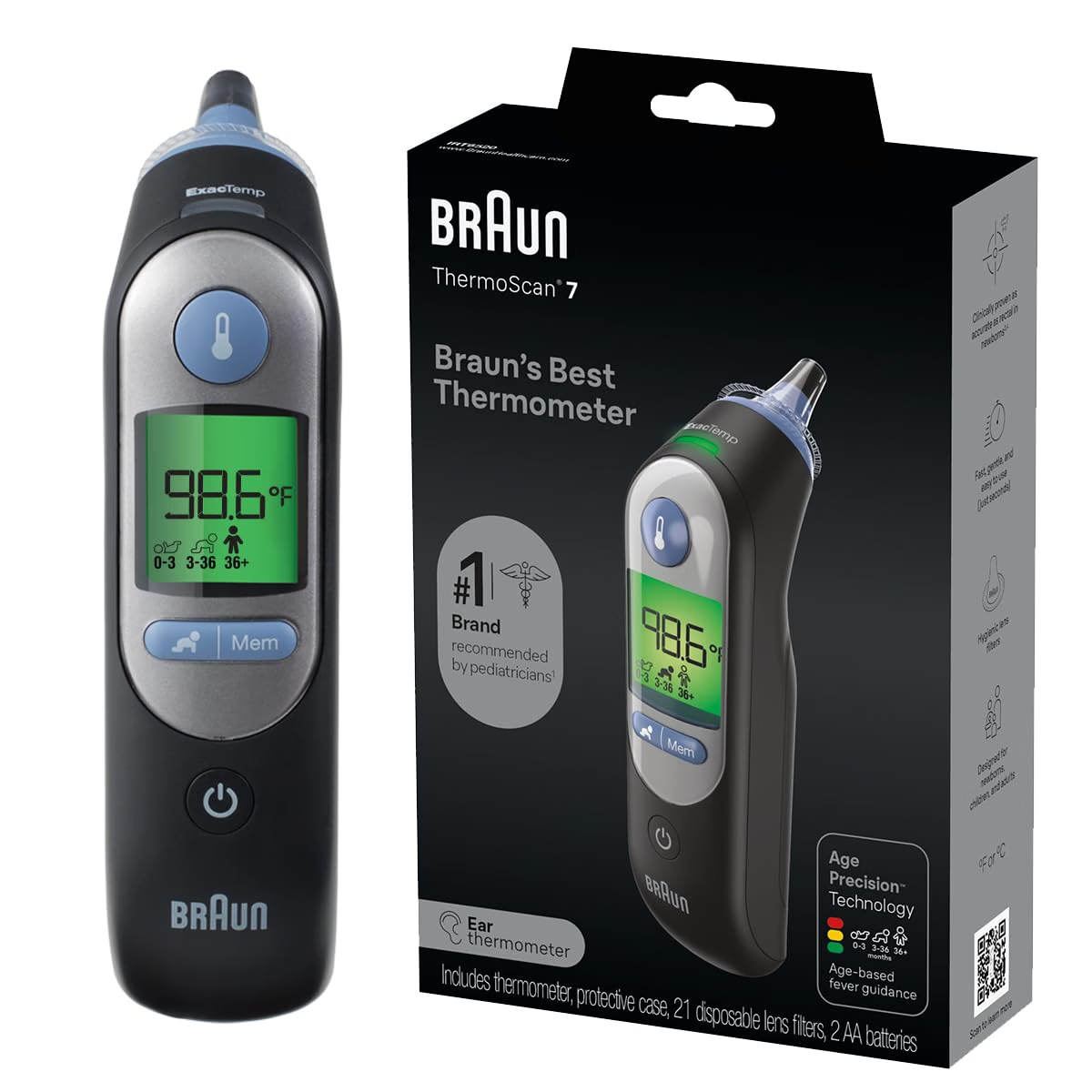
  • Best Recliner for Elderly Getting Up: 5 Picks

    Best Recliner for Elderly Getting Up: 5 Picks

    Disclosure: BuyingForMom is reader-supported. As an Amazon Associate we earn from qualifying purchases. When you buy through links in this article, we may earn an affiliate commission at no additional cost to you. We never recommend products we haven’t researched against verified-buyer review data. This article is editorial reporting, not medical advice.

    Best Recliner for Elderly Getting Up: 5 Non-Powered Picks

    By Sarah Mitchell · Editor, BuyingForMom · Updated September 2026

    10-min read · Living Room · 5 recliners compared

    The honest take: If a parent can still stand on their own but the recliner fights them, buy the CANMOV Classic Manual Recliner a firmer, higher seat with flat push-up arms does 90% of the work a motor does, for a third of the price. Choose a rocker recliner only if your parent is genuinely steady on their feet, because a rocking base is the single hardest thing to push up from. And if standing is already a real struggle, stop shopping manual recliners entirely that’s a job for a power lift chair, not a $300 recliner and wishful thinking.

    How we sorted through 40+ recliners in three weeks

    We started with more than 40 manual and pushback recliners, then cross-referenced roughly 30,000 verified-buyer reviews, the seat-height and egress guidance occupational therapists publish for chair selection, and recurring caregiver complaints on Reddit’s r/AgingParents. We deliberately set the power lift recliners aside — those are a different product we cover separately, and most families shopping “recliners for seniors” don’t actually need a motor. What we screened for: an 18–21″ seat height, a firm-not-mushy cushion, a stable base, and arms a person can push down on to stand. Beautiful chairs that sat low and soft got cut.

    Who this guide is for

    This is for the adult child buying a recliner for a parent who can still get up on their own but grunts, rocks, or needs two tries to do it and who either doesn’t want a motorized chair or doesn’t need one yet. If your parent already can’t rise from a standard chair without a hand, skip to the power-lift conversation near the end; a manual recliner will only frustrate them. Shopping for yourself with a stiff back or a new knee? The same five picks apply — just ignore the “conversation” section.

    Why “easy to get up from” is mostly about the seat, not the recline

    Almost every recliner roundup gets this wrong: it obsesses over the reclining action and ignores the one moment that matters for an aging body — standing back up. Getting out of a chair is the hardest movement of most seniors’ day, and it fails for three predictable reasons: the seat is too low (knees above hips, nothing to push against), too soft (the person sinks and has to climb out of a hole), or the base rocks (nothing solid to launch from). A firmer, taller seat with flat, sturdy arms turns standing into a controlled push. That’s the lens we used for every pick below — and why our top choice is a plain manual recliner, not the flashiest chair on the page.

    At a glance

    Best Overall  CANMOV Classic Manual Recliner — ~$270 · firm higher seat, flat push-up arms, non-rocking

    Best Budget  Homall Pushback Recliner — ~$160 · stable base, small footprint, best for shorter parents

    Most Popular  Ashley Bladen Rocker Recliner — ~$430 · best-reviewed, for a parent still steady on their feet

    Best for Tall Parents  Ashley RiverCam Recliner — ~$400 · 41″ back, needs only 13″ of wall clearance

    Best Easy-Clean  CANMOV Genuine Leather Recliner — ~$380 · wipeable leather, non-rocking, overstuffed

    Best Overall CANMOV Classic Manual Recliner

    ~$270 · Check price on Amazon →

    This is the chair we’d send most families to, precisely because it’s unremarkable. It’s a traditional single-lever recliner on a stable, non-rocking base, with a firm overstuffed seat that sits higher than the theater-style recliners it competes with — and that height is the whole game for standing up. The arms are wide, padded, and flat enough on top to plant a palm and push. Across CANMOV’s thousands of reviews the recurring note is “sturdier and firmer than expected” faint praise for a couch, high praise for a chair a parent launches out of a dozen times a day.

    The good

    • Firmer, higher seat than most manual recliners — the key egress advantage
    • Stable non-rocking base gives a solid platform to push up from
    • Wide flat-topped arms are genuinely usable for pushing to stand

    The catch

    • The recline lever takes a firm pull weak grip or wrist arthritis may struggle with it
    • Assembly of the back onto the base is a two-person job out of the box

    This is right if… your parent can stand on their own but needs a firm, higher seat that doesn’t fight them.

    Look elsewhere if… they can’t work a manual lever — then a pushback or a powered chair fits better.

    Best Budget Homall Pushback Recliner

    ~$160 · Check price on Amazon →

    A pushback recliner has no lever at all you lean back to recline and lean forward to sit up, and the base doesn’t rock. That stability is a real plus for balance, and the small footprint suits an apartment or a bedroom corner. Where it earns its “budget with an asterisk” label is the seat: verified specs put it around 17.75″, which is on the low side for the egress problem we care about. Reviewers who are shorter or lighter love it; taller or heavier parents report sinking in. Our honest fix, one we’d recommend regardless is to add a firm 2–3″ seat cushion, which raises the launch point and makes a low-but-stable chair work surprisingly well. At this price that’s a reasonable trade.

    The good

    • No lever to operate, leaning is easier than gripping and pulling for arthritic hands
    • Stable, non-rocking base and a compact footprint for small rooms
    • Hard to beat under ~$160

    The catch

    • Low seat height, best paired with a firm booster cushion for easier standing
    • Reclining takes body weight to push back, which not every frail parent can generate

    This is right if… your parent is shorter or lighter, the room is small, and the budget is tight.

    Look elsewhere if… they’re tall or heavy — the low seat will make standing harder, not easier.

    Most Popular Ashley Bladen Manual Rocker Recliner

    ~$430 · Check price on Amazon →

    The Bladen is the recliner families actually buy thousands of reviews, well-padded faux leather that wipes clean, and a look that fits a normal living room. We include it with one honest caveat: it’s a rocker, and a rocking base is the least stable thing to push up from. Plenty of seniors are steady enough that the rock is a non-issue and the comfort wins — but if getting up is already dicey, the rocking works against you at the wrong moment. Buyers praise the cushioning and value; the recurring gripe is a footrest that takes a firm push to close. Buy it for comfort and looks, not as a mobility aid.

    The good

    • Best-reviewed pick here proven comfort and durability across thousands of buyers
    • Wipe-clean faux leather handles spills and everyday messes well
    • Looks like living-room furniture, not a medical chair

    The catch

    • Rocking base is less stable to stand up from a real drawback for unsteady parents
    • Closing the footrest takes a firm push some report as stiff

    This is right if… your parent is still steady on their feet and you’re prioritizing comfort and looks.

    Look elsewhere if… balance or standing is already a worry pick a non-rocking chair instead.

    Best for Tall Parents Ashley RiverCam Manual Rocker Recliner

    ~$400 · Check price on Amazon →

    Taller parents get shortchanged by most recliners — their head clears the backrest with no support where it counts. The RiverCam answers with a tall 41″ back and padded pillow-top arms, and it reclines with a smooth pull-tab needing only about 13″ of wall clearance, so it works against a wall in a tight room. Like the Bladen it’s a rocker, so the same standing caveat applies. Reviewers single out the back height and arm padding as the reasons they’d buy again. It’s the pick for a 6-foot-plus parent who finds every other recliner too small.

    The good

    • Tall 41″ back finally supports the head and neck of a taller parent
    • Only needs ~13″ of wall clearance — real help in a small living room
    • Thick pillow-top arms are comfortable and easy to grip

    The catch

    • Rocking base — same standing-stability caveat as any rocker recliner
    • Larger overall footprint despite the wall-hugging recline

    This is right if… your parent is tall and most recliners leave their head unsupported.

    Look elsewhere if… they’re petite — this big chair will swallow a smaller frame.

    Best Easy-Clean CANMOV Genuine Leather Recliner

    ~$380 · Check price on Amazon →

    When spills, incontinence, or a parent who eats in the chair are part of the picture, wipeable upholstery stops being a luxury. This CANMOV is the leather sibling of our top pick — the same firm, higher, non-rocking seat and overstuffed push-up arms, wrapped in genuine leather with an adjustable backrest. Leather resists absorbing what fabric soaks up and looks more finished as it ages. Reviewers note it runs firm out of the box and softens with use — the right direction for a chair chosen for easy standing. It’s the priciest manual pick here, but for the right household the cleanability justifies it.

    The good

    • Genuine leather wipes clean — ideal for spills or incontinence concerns
    • Firm, higher, non-rocking seat — the same egress-friendly build as our top pick
    • Adjustable backrest and a more premium look that ages well

    The catch

    • Most expensive manual pick here
    • Leather feels cold at first and stiff until it breaks in

    This is right if… easy cleanup matters and you want the firm, stable seat in wipeable leather.

    Look elsewhere if… your parent prefers the warmth and softness of fabric.

    How the five compare

    Recliner ~Price Base Best for
    CANMOV Classic Manual $270 Stable Best all-around egress
    Homall Pushback $160 Stable Small budget, small space
    Ashley Bladen $430 Rocker Comfort, steady parent
    Ashley RiverCam $400 Rocker Tall parents, tight walls
    CANMOV Genuine Leather $380 Stable Easy cleanup

    The conversation you’ll have

    A recliner is an easy gift to introduce — no one resists a comfortable chair the way they resist a grab bar or a walker. The friction comes only when a parent senses you’re managing their decline, so don’t frame it that way. Instead of “I’m worried about you getting stuck in that old chair,” try “Your recliner’s looking tired — I want to get you one that actually fits you.” Bring them in on the color and fabric; ownership of the decision matters more than the specs. And retire the old low, sunken chair quietly rather than announcing it was a hazard. The goal is a parent who loves their new chair, not one who feels diagnosed by it.

    Insurance and savings

    Be clear-eyed here: Medicare does not cover a standard recliner. For power lift recliners, Part B may reimburse a portion of the lift mechanism only when a doctor documents medical necessity and you buy from an enrolled supplier — the seat, fabric, and frame are on you. A plain manual recliner like the ones here has no lift motor, so there’s nothing for Medicare to cover. FSA and HSA funds generally can’t buy ordinary furniture without a doctor’s letter of medical necessity, and even then approval is inconsistent. The takeaway: budget for full retail, and if getting up is hard enough that a lift mechanism is medically justified, talk to your parent’s physician first — that’s the only path to any reimbursement.

    What to actually look for

    Seat height and firmness first

    Aim for a seat that puts your parent’s hips level with or slightly above their knees — usually an 18–21″ seat height. Firm beats plush: a cushion you sink into is one you have to climb out of. If a chair you love sits low, a firm 2–3″ booster is a cheap fix. Our complete aging-in-place home safety checklist covers measuring seat height against your parent’s leg length so you’re not guessing.

    A stable base and usable arms

    For anyone whose balance is even slightly off, choose a non-rocking, non-swiveling base — a rocker moves at the exact moment your parent is pushing up. The arms matter just as much: they should be firm, wide, and flat enough on top to press a full palm against, not thin or rounded. Those two features, a solid base and pushable arms, do more for safe standing than any recline feature on the box.

    Match the recline mechanism to their hands

    A lever recliner needs grip strength and a firm pull; a pushback needs body weight to lean into; a power chair needs only a button. Be honest about which your parent can actually do — arthritis and weak grip rule out stiff levers. Placing the chair well also matters: see how it fits the rest of the room in our room-by-room aging-in-place modification guide, so a beautiful recliner doesn’t end up blocking a walker’s path.

    Frequently asked questions

    What kind of recliner is best for getting up?

    The best recliner for standing has a firm, higher seat (around 18–21″), a stable non-rocking base, and wide flat arms to push against. For most seniors who can still stand on their own, a plain manual recliner with those features works well. If standing is a real struggle, a power lift recliner is the better answer.

    Is a rocker recliner bad for the elderly?

    Not inherently, but the rocking base is less stable to push up from, which matters if balance is shaky. A steady parent can enjoy a rocker with no issue. For anyone unsteady on their feet, a non-rocking or stationary-base recliner is the safer choice for getting in and out.

    How high should a recliner seat be for a senior?

    Aim for a seat height that keeps the hips level with or slightly above the knees when seated — generally 18 to 21 inches for an average-height adult. Too low forces the knees up and removes leverage. If a favorite chair sits low, a firm booster cushion raises the launch point affordably.

    Are manual or power recliners better for the elderly?

    Manual recliners cost far less and suit seniors who can stand on their own and operate a lever or lean back. Power lift recliners are worth it only when getting up is genuinely difficult, since a motor tilts the seat forward to assist standing. Match the chair to how much help is actually needed.

    What is a wall-hugger recliner?

    A wall-hugger recliner reclines by sliding the seat forward instead of tipping the back rearward, so it needs only a few inches of clearance behind it — often under a foot. That makes it ideal for apartments and small living rooms where a standard recliner would hit the wall before fully reclining.

    Does Medicare pay for a recliner?

    Medicare does not cover a standard recliner. For a power lift recliner, Part B may reimburse part of the lift mechanism only when a doctor documents medical necessity and you use an enrolled supplier — never the chair itself. A manual recliner has no lift motor, so nothing about it qualifies for Medicare coverage.

    The shortlist

    Best Overall

    CANMOV Classic Manual Recliner

    ~$270

    Check on Amazon →

    Best Budget

    Homall Pushback Recliner

    ~$160

    Check on Amazon →

    Most Popular

    Ashley Bladen Rocker Recliner

    ~$430

    Check on Amazon →

    Best for Tall Parents

    Ashley RiverCam Recliner

    ~$400

    Check on Amazon →

    Best Easy-Clean

    CANMOV Genuine Leather Recliner

    ~$380

    Chck on Amazon →

    Last verified in stock: September 10, 2026

    What we’d do tomorrow

    If you’re sorting this out this weekend, do three things in order. First, measure — have your parent sit in their current chair and check whether their hips sit level with their knees; that tells you whether you need a taller seat or just a firmer cushion. Second, decide honestly whether they can still stand on their own: if yes, order the CANMOV Classic Manual Recliner and add a firm booster if the seat runs low. Third, if standing is already a two-person job, read our guide to power lift chairs under $1,000 instead — a manual recliner won’t solve a lift problem. Match the chair to the real need, not the prettiest photo.

    — Sarah

    BuyingForMom is a reader-supported site. As an Amazon Associate we earn from qualifying purchases. When you buy through links on this site, we may earn an affiliate commission at no additional cost to you. See our Affiliate Disclosure for details. This article is not medical advice — please consult a qualified healthcare professional for decisions specific to your parent’s needs.
  • 5 Best Folding Electric Wheelchairs for Seniors

    5 Best Folding Electric Wheelchairs for Seniors

    Disclosure: BuyingForMom is reader-supported. As an Amazon Associate we earn from qualifying purchases. When you buy through links in this article, we may earn an affiliate commission at no additional cost to you. We never recommend products we haven’t researched against verified-buyer review data. This article is editorial reporting, not medical advice.

    5 Best Lightweight Folding Electric Wheelchairs for Seniors

    By Sarah Mitchell · Editor, BuyingForMom · Updated September 2026

    11 min read · Walkers & Canes / Balance & Mobility · 5 picks compared

    The honest take: For most seniors and the families lifting the chair, buy the Vive Airframe Magnesium it hits the rare sweet spot of 42 pounds, a five-year warranty, and a real 265-pound capacity. Spend up only if a specific need forces it: go carbon-fiber (Vive Carbon) if someone frail is doing the trunk lift alone, or heavy-duty (ComfyGo Majestic IQ-8000) if your parent needs a 20-inch seat and 330-pound support. Skip the temptation to buy on range alone — a 28-mile spec sheet means nothing if the folded chair is too heavy for the person loading it.

    How we sorted through 40+ folding power chairs in three weeks

    We cross-referenced more than 8,000 verified Amazon reviews across 40-plus folding electric wheelchairs, then filtered against three things the spec sheets bury: the folded weight a real caregiver has to lift, the seat width measured against actual hip sizes, and whether the listing was genuinely purchasable (several popular “2026 best” picks were out of stock or third-party-only). Reddit caregiver threads and the pattern occupational therapists repeat both point the same way: the lightest chair the user can safely operate beats the most powerful one nobody can lift. Every pick below was verified in stock the week of publication.

    Who this guide is for

    This guide is for adult children buying a folding power chair for a parent who can still transfer and steer but can no longer walk long distances the grocery store, the airport, the church parking lot. If your parent rarely leaves the house, a standard (non-folding) power chair may fit better; if someone is always pushing, a lighter manual transport chair is cheaper. Everyone else: read on.

    A folding electric wheelchair is the device that gives an aging parent their radius back. Walking to the mailbox is fine; walking a mile of airport terminal is not, and that gap is exactly where independence quietly erodes. The best folding electric wheelchair for seniors collapses in seconds, drops into a car trunk, and lets one person — often a spouse in their seventies — get it in and out without a second set of hands.

    The catch nobody advertises is weight. A chair that supports 330 pounds and travels 19 miles sounds impressive until the folded frame weighs 55 pounds and an aging spouse is the one loading it. That’s why our picks lead with the trade-off between capacity, range, and liftability — a chair too heavy to load helps no one.

    At a glance

    Best Overall  Vive Airframe Magnesium · ~$1,800 — 42 lb, 265 lb capacity, 5-year warranty. The balanced everyday pick.

    Lightest to Lift  Vive Carbon Fiber · ~$2,000 — 35 lb heaviest piece. When one frail person loads it alone.

    Best Heavy-Duty  ComfyGo Majestic IQ-8000 · ~$1,800 — 20″ seat, 330 lb, 13 mi. Widest, most established.

    Longest Range + Remote  Tech 4 Remote Control · ~$1,300 — 19 mi, 350 lb, folds by remote. No bending to fold.

    Best Budget  ROPLASO One-Button Fold · ~$800 — 19″ seat, 330 lb, one-button 3-second fold.

    Best Overall Vive Airframe Magnesium Power Wheelchair

    ~$1,800 · Check price on Amazon →

    The Airframe is the chair we point most families toward because it refuses to make you choose between light and sturdy. Its magnesium-alloy frame keeps the whole rig at 42 pounds while still supporting 265 pounds and heights up to 6’1″, and it folds in seconds without tools. Across Vive’s power-chair reviews, buyers consistently praise two things: the genuinely tool-free fold and the five-year warranty, which is far longer than most Amazon-brand competitors offer. The single battery delivers around 10 miles — enough for errands and appointments — with a second battery port if a caregiver wants backup range for travel days.

    The good

    • 42 lb total with a magnesium frame — liftable by most caregivers
    • Five-year warranty, unusually long for this price
    • Second-battery port for doubling range on trips

    The catch

    • 265 lb capacity rules it out for heavier users
    • 10-mile single-battery range trails the long-haul picks below

    This is right if… your parent is average-sized and you want the safest bet that one person can still load into a trunk.

    Look elsewhere if… the user is over 265 lb or needs more than 10 miles between charges.

    Check Price on Amazon →

    Lightest to Lift Vive Carbon Fiber Power Wheelchair

    ~$2,000 · Check price on Amazon →

    When the person loading the chair is themselves frail an aging spouse, or a daughter with her own back trouble — the deciding number is the weight of the heaviest single piece, and this is where carbon fiber earns its premium. Vive’s Carbon Fiber model folds down so its heaviest lift is about 35 pounds once the 4-pound battery comes out separately, which is genuinely one of the lightest in the category. Verified buyers who fly frequently note it clears most airline gate-check requirements, and the 5-speed joystick is simple enough for shaky hands. The trade-off is a lower 225-pound capacity and a modest 6.2-mile base range, extendable to about 12.8 miles with a second battery.

    The good

    • Heaviest piece ~35 lb the easiest solo trunk load here
    • Battery detaches, so no single heavy chunk to hoist
    • Travel- and airline-friendly footprint

    The catch

    • 225 lb capacity is the lowest of our picks
    • Carbon-fiber premium pushes it to the top of the price range

    This is right if… a frail spouse or caregiver has to load the chair alone, or your parent flies often.

    Look elsewhere if… the user approaches 225 lb or you’d rather not pay the carbon premium.

    Check Price on Amazon →

    Best Heavy-Duty ComfyGo Majestic IQ-8000

    ~$1,800 · Check price on Amazon →

    The Majestic IQ-8000 is the pick when a standard 16- or 17-inch seat simply won’t do. Its 20-inch-wide seat and 330-pound capacity give larger users room the lighter chairs can’t, and ComfyGo is one of the more established names in the folding-power category, which shows up in the review pattern: buyers repeatedly cite the 3-second fold and the airline-approved battery as the features that made travel realistic again. It reaches about 13 miles on the standard battery. It is heavier than our lightweight picks, so this is a chair chosen for fit and durability rather than for the easiest possible trunk lift.

    The good

    • 20″ seat and 330 lb capacity for larger users
    • Fast 3-second fold, airline-approved battery
    • Established brand with a real dealer/service network

    The catch

    • Heavier than the lightweight picks — harder solo lift
    • Priced at the premium end for the category

    This is right if… your parent needs a wider seat and higher weight support and travels by air.

    Look elsewhere if… the priority is the absolute lightest chair for a single caregiver to load.

    Check Price on Amazon →

    Longest Range + Remote Tech 4 Remote Control Power Wheelchair

    ~$1,300 · Check price on Amazon →

    The Tech 4’s headline feature solves a real caregiver problem: a wireless remote that both drives and folds the chair, so nobody has to bend over a heavy frame to collapse it or maneuver it into a tight garage corner. On the numbers it’s the workhorse of this list dual 250W motors, 350-pound capacity, and up to 19 miles on two lithium batteries, the longest usable range here. It’s FAA-approved and folds to a compact 29″ x 14″ x 24″. Buyers note the remote-fold feature is the thing that sells spouses who couldn’t manage a manual fold. The trade-off is heft: at 59 pounds without the battery, the folded chair is a two-hands-and-a-knee lift, not a one-arm toss.

    The good

    • Remote drives and folds — no bending to collapse it
    • Longest range here (~19 mi) and 350 lb capacity
    • FAA-approved, compact folded footprint

    The catch

    • 59 lb frame is the heaviest to lift on this list
    • More features mean a slightly steeper learning curve

    This is right if… you want maximum range and a remote so no one has to stoop to fold or park it.

    Look elsewhere if… lifting the folded chair into a trunk falls to one small-framed person.

    Check Price on Amazon →

    Best Budget ROPLASO One-Button Folding Power Wheelchair

    ~$800 · Check price on Amazon →

    For families testing whether a power chair even fits their parent’s life before committing four figures, the ROPLASO is the reasonable entry point. It undercuts the field on price while still offering a widened 19-inch seat, a 330-pound capacity, and a one-button mechanism that collapses the frame in about 3 seconds. At 38 pounds (47 with the battery) it’s on the lighter side. Verified buyers rate it well for fold-and-go convenience; the honest caveat, as with most value-tier chairs, is a shorter warranty and thinner service backing, so it suits occasional use more than all-day driving.

    The good

    • Lowest price here by a wide margin
    • One-button 3-second fold, 19″ seat, 330 lb capacity
    • 38 lb frame is manageable for most caregivers

    The catch

    • Shorter warranty and thinner service network than premium brands
    • Best for occasional use, not all-day daily driving

    This is right if… you want an affordable first chair to prove out the need before spending more.

    Look elsewhere if… your parent will rely on it every day and needs long-term warranty support.

    Check Price on Amazon →

    How the five compare

    Chair Weight Capacity Range Best for
    Vive Airframe Magnesium 42 lb 265 lb ~10 mi Balanced everyday pick
    Vive Carbon Fiber ~35 lb (piece) 225 lb 6.2–12.8 mi Lightest solo lift / travel
    ComfyGo Majestic IQ-8000 Heavier 330 lb ~13 mi Wide 20″ seat, larger users
    Tech 4 Remote Control 59 lb 350 lb ~19 mi Range + remote fold
    ROPLASO One-Button 38 lb (47 w/ battery) 330 lb ~15 mi Budget / first chair

    The conversation you’ll have

    Powered mobility carries more emotional weight than a grab bar or a shower stool. For many older adults, sitting in a wheelchair feels like a line they didn’t want to cross, and pushing the purchase can trigger real resistance even when the need is obvious. The reframe that tends to land is one about range, not disability. Instead of “you need a wheelchair now,” try: “This is just for the long days — the airport, the whole farmers market — so you’re not wiped out by lunch and can save your energy for what you actually want to do.” Naming it a travel tool rather than a medical concession changes the whole conversation.

    It also helps to hand your parent the joystick first, in the driveway, before it’s ever used in public. Ten minutes of steering it themselves — feeling that they, not you, control where it goes — wins more buy-in than any amount of convincing.

    Insurance and savings

    Here’s the reality the manufacturer pages soften: Medicare Part B may cover a power wheelchair only when a doctor documents it as medically necessary for use inside the home, through an enrolled supplier. Lightweight folding travel chairs like these are frequently classified as “convenience items” for outside-the-home use and denied — so don’t assume the Amazon purchase will be reimbursed. If in-home medical need is real, ask the physician about the standard (non-folding) power-chair path through a Medicare supplier instead. The better near-term angle for travel chairs is an FSA or HSA: power wheelchairs are generally eligible when prescribed, so a doctor’s note plus your tax-advantaged account can effectively discount the purchase. Confirm specifics with CMS, your plan administrator, and IRS Publication 502.

    What to actually look for

    Start with who lifts it, not the range

    The most-ignored number on the spec sheet is the folded weight relative to the person loading the chair. A 55–60 lb frame is a two-person or two-hands-and-a-knee job; a 35–42 lb chair (or one whose battery detaches) is a realistic solo lift. Decide who will most often put it in the trunk, then buy for that person’s back — not for the biggest range number. For the broader room-by-room picture of where mobility dollars do the most good, see our complete aging-in-place home safety checklist.

    Match seat width and capacity to the actual user

    Standard folding chairs run a 16–18 inch seat; larger users need the 20-inch, 330-pound-rated models. Measure your parent’s hips seated and add an inch or two, and don’t round down to save money — a too-narrow seat gets left at home. If your parent is still walking short distances and only needs help occasionally, a walking aid may be the better first step; our guide to walkers for tall seniors over six feet covers that fit question in detail.

    Be honest about power vs. push

    A folding electric chair only makes sense if your parent can safely operate a joystick and wants to drive themselves. If someone is always pushing, a lighter, cheaper manual chair is the smarter buy — compare against our pick of a lightweight transport wheelchair before spending four figures on motors the household won’t use.

    Frequently asked questions

    Does Medicare cover a folding electric wheelchair for seniors?

    Sometimes, but rarely for these. Medicare Part B may cover a power wheelchair when a doctor documents it as medically necessary for use inside the home and it’s ordered through an enrolled supplier. Lightweight folding travel chairs are often deemed “convenience items” for outside use and denied.

    How much does a folding electric wheelchair weigh?

    Most fall between 35 and 60 pounds. Carbon-fiber and magnesium travel models can bring the heaviest single piece down near 35 pounds, especially when the battery detaches, while wider heavy-duty chairs with longer range often reach 55 to 60 pounds folded.

    What is the weight capacity of a folding electric wheelchair?

    Typically 220 to 350 pounds. Lightweight travel chairs usually cap around 220 to 265 pounds, while heavy-duty models with 19- to 20-inch seats support 330 to 350 pounds. Always check the stated capacity against the user’s weight before buying.

    Can you take a folding electric wheelchair on an airplane?

    Usually yes. Many folding power chairs use airline-approved lithium batteries and fold compactly enough to gate-check. Confirm your specific battery’s watt-hour rating with the airline in advance, carry the battery documentation, and expect to remove and carry the battery into the cabin.

    How far can a folding electric wheelchair go on one charge?

    Around 6 to 19 miles depending on the model and battery count. A single-battery travel chair covers roughly 6 to 13 miles, while dual-battery setups can reach about 19 miles. Real-world range drops with hills, heavier users, and cold weather, so buy some margin.

    Folding power wheelchair or mobility scooter — which is better for a senior?

    A power wheelchair turns tighter and works better indoors and for full-time seated users; a scooter suits someone who can walk short distances and mostly needs help over long outdoor stretches. Choose the wheelchair for indoor use and tight spaces, the scooter for outdoor errands and range.

    The shortlist

    Best Overall

    Vive Airframe Magnesium

    ~$1,800

    Check on Amazon →

    Lightest to Lift

    Vive Carbon Fiber

    ~$2,000

    Check on Amazon →

    Best Heavy-Duty

    ComfyGo Majestic IQ-8000

    ~$1,800

    Check on Amazon →

    Range + Remote

    Tech 4 Remote Control

    ~$1,300

    Check on Amazon →

    Best Budget

    ROPLASO One-Button

    ~$800

    Check on Amazon →

    What we’d do tomorrow

    If you’re starting this weekend, do three things in order. First, weigh the decision on the person who will load the chair most often — if that’s an aging spouse, the Vive Carbon Fiber’s 35-pound heaviest piece matters more than any range spec. Second, measure your parent’s seated hip width and check it against seat size before you buy; a too-narrow chair is the most common reason these get abandoned. Third, if there’s any chance of in-home medical need, ask the doctor about the Medicare power-chair path before paying out of pocket. For most families, the Vive Airframe Magnesium is the confident default light enough to actually use, sturdy enough to trust.

    — Sarah

    BuyingForMom is a reader-supported site. As an Amazon Associate we earn from qualifying purchases. When you buy through links on this site, we may earn an affiliate commission at no additional cost to you. See our Affiliate Disclosure for details. This article is not medical advice — please consult a qualified healthcare professional for decisions specific to your family.
  • 5 Best Folding Mobility Scooters for Seniors

    5 Best Folding Mobility Scooters for Seniors

    Disclosure: BuyingForMom is reader-supported. As an Amazon Associate we earn from qualifying purchases. When you buy through links in this article, we may earn an affiliate commission at no additional cost to you. We never recommend products we haven’t researched against verified-buyer review data. This article is editorial reporting, not medical advice.

    5 Best Folding Mobility Scooters for Seniors

    By Sarah Mitchell · Editor, BuyingForMom · Updated September 2026

    10-minute read · Walkers & Canes / Balance & Mobility · 5 picks compared

    The honest take: For most families, buy the Metro Mobility M1 it has the highest weight capacity of the group, the longest warranty, and the most consistent reviews. Choose the SuperHandy Passport only if the person loading it into a car is doing it alone and can’t lift more than about 35 pounds. And ignore the top-speed and total-weight numbers every other roundup leads with — the number that decides whether a folding scooter actually gets used is the weight of the single heaviest piece you have to lift into the trunk.

    How we sorted through 30-plus folding scooters in two weeks

    We cross-referenced more than 6,000 verified-buyer reviews across the folding and travel-scooter category, plus Consumer Reports’ scooter testing (which priced the segment from about $500 to $2,850), FAA and TSA lithium-battery rules, and the recurring complaints caregivers post on mobility forums. Two patterns ran through nearly every disappointed review. Families bought for total weight and top speed, then discovered the “60-pound” scooter came apart into a base piece that alone weighed 60 pounds impossible for one spouse to lift. And they confused a scooter that folds into one piece with one that breaks into several — different products with different failure points. So we ranked by who lifts it, where it’s used, and how it folds — not by the spec sheet.

    Who this guide is for

    This guide is for adult children or spouses buying a portable scooter for a parent who can still walk short distances but tires quickly, struggles with long store aisles or airports, or has stopped going places because getting around wears them out. If you’re shopping for yourself, the same picks apply  just pay extra attention to the “who lifts it” question below.

    A quick word on “folding” before you shop

    “Folding” covers two designs, and mixing them up is the costliest mistake here. One-piece folders collapse like a stroller into a single unit you lift whole lighter overall, but it’s one lift. Break-apart travel scooters separate into pieces so no single lift is the full weight, but the heaviest piece (the battery-and-motor base) can still be 40 to 60 pounds and reassembly takes a minute each time. Neither is better, the right one depends entirely on who’s loading it and their back.

    At a glance

    Best overall  Metro Mobility M1 — around $700 · highest capacity (300 lb) and longest warranty

    Lightest to load  SuperHandy Passport 3-Wheel — around $650 · 35 lb, one-step fold, airline-friendly

    No bending  Vive Auto-Folding Scooter — around $1,000 · folds by remote at the push of a button

    Tight indoor turns  Vive 3-Wheel Scooter — around $800 · sharpest turning radius for stores and apartments

    Heavy-duty  SuperHandy Explorer 4-Wheel — around $900 · 350 lb capacity, sturdier outdoor ride

    Best Overall Metro Mobility M1 4-Wheel Folding Scooter

    Around $700 · Check price on Amazon →

    The M1 earns the top spot on capacity and support, not gimmicks. It’s rated to 300 pounds the highest here — rides on four 9-inch airless tires with rear anti-tip wheels, and carries a five-year limited warranty no other pick matches. Across thousands of reviews, buyers praise the thickened, height-adjustable seat and the outdoor stability; the recurring complaint is honest and important — this is a break-apart scooter, and the base piece weighs about 60 pounds on its own. If the person loading it can’t manage a 60-pound lift, it’s the wrong pick despite everything else it does well. For a family with a stronger adult child or caregiver handling loading, it’s the most reassuring buy of the five.

    The good

    • Highest weight capacity here (300 lb) with a genuinely padded, adjustable seat
    • Four wheels plus anti-tip wheels — the most stable outdoor ride of the group
    • Five-year limited warranty and US-based support

    The catch

    • Heaviest piece is ~60 lb not a one-person lift for many spouses
    • Breaks into pieces rather than folding whole; reassembly takes a minute

    This is right if… a capable adult child or caregiver loads it and outdoor stability matters more than a light, single-piece lift.

    Look elsewhere if… the person traveling with it has to load it alone and can’t lift 60 pounds.

    Lightest to Load SuperHandy Passport 3-Wheel

    Around $650 · Check price on Amazon →

    If loading is the whole problem, this is the answer. The Passport folds in one step to roughly 24 by 22 by 17 inches and weighs about 35 pounds assembled — light enough for many spouses to lift into a trunk without help. It runs two removable 44.4-volt lithium batteries, delivers up to 13 miles per charge, and because each battery is well under the FAA’s 300-watt-hour limit, it’s genuinely airline- and cruise-friendly. Verified buyers repeatedly say the foldability and value beat their expectations. The trade-offs are real: a modest 3.7 mph top speed, a basic flat seat, and three wheels less planted than four on cambered sidewalks. As a get-through-the-airport scooter, though, nothing here loads easier.

    The good

    • About 35 lb and folds as one piece — the easiest solo load of the five
    • Two removable airline-legal batteries; up to 13 miles of range
    • Compact folded footprint fits a sedan trunk

    The catch

    • 3.7 mph top speed and a firm, basic seat — not built for long outdoor rides
    • 275 lb capacity and three wheels — less stable than the 4-wheel picks

    This is right if… one person loads it alone, or it needs to fly and go on cruises.

    Look elsewhere if… your parent weighs near the limit or spends hours outdoors on uneven ground.

    No Bending Vive Auto-Folding Mobility Scooter

    Around $1,000 · Check price on Amazon →

    This one solves a specific problem: the caregiver who can’t bend or crouch to fold a scooter by hand. At the push of a remote, it folds and unfolds itself into a compact upright shape that stands on its own for storage. It’s rated to 220 pounds, delivers about 11 miles per charge on flat-free tires, and is TSA approved. Vive is one of the most-reviewed names in home mobility, and buyers value the hands-free convenience but be clear-eyed about weight. Folding automatically doesn’t make it light: at roughly 64 pounds as one unit, it still has to be lifted into a trunk whole, so many owners pair it with a small trunk ramp or a second set of hands. It’s the priciest pick, and the premium buys the folding mechanism, not more range or capacity.

    The good

    • Remote-controlled auto fold/unfold — no bending or crouching
    • Stands upright folded and stores in a closet corner
    • TSA approved; well-supported, heavily reviewed brand

    The catch

    • ~64 lb as one piece auto-folding doesn’t solve the lift into a trunk
    • Most expensive pick, with lower capacity (220 lb) than the M1

    This is right if… bending to fold is the barrier and a ramp or second person can handle the lift.

    Look elsewhere if… a light solo lift is the real need — spend less on the Passport instead.

    Tight Turns Vive 3-Wheel Mobility Scooter

    Around $800 · Check price on Amazon →

    Three wheels turn sharper than four, and that’s the entire case for this scooter. If the trouble is navigating a crowded grocery store, a narrow apartment hallway, or a tight condo, the single front wheel gives it a noticeably smaller turning radius than any 4-wheel pick here. It collapses for travel, ships with a charger and basket, and runs an extended-range battery. Vive’s reviews on this model skew positive on maneuverability and value, with two consistent caveats: tight legroom for taller riders, and three wheels feel less planted on cambered paths or clearing a curb cut at an angle. Treat it as an indoor-and-errands scooter rather than an all-day outdoor cruiser, and it’s the most agile option of the five.

    The good

    • Sharpest turning radius here — built for stores and tight rooms
    • Collapses for travel; basket and charger included
    • Extended-range battery from a well-reviewed brand

    The catch

    • Tight legroom for taller riders
    • Three wheels feel less stable on slopes and cambered outdoor paths

    This is right if… indoor and grocery-store maneuverability is the priority.

    Look elsewhere if… most use is outdoors on uneven ground — choose a 4-wheel pick.

    Heavy-Duty SuperHandy Explorer 4-Wheel

    Around $900 · Check price on Amazon →

    When the rider is larger or the terrain is rougher, the Explorer has the most headroom. It’s rated to 350 pounds the highest capacity of all five — runs a 48-volt, 500-watt brushless motor, and rides on larger wheels near 5 mph for confident outdoor travel. The aluminum frame keeps it lighter than a same-size steel scooter, and buyers who use it for errands and light outdoor paths call the performance a step above what they expected at the price. It’s the least compact fold and the fastest, so it asks for more storage room and a rider comfortable with the extra speed. For a heavier parent who wants to cover real ground, it’s the sturdiest choice here.

    The good

    • Highest capacity of the five (350 lb) on a strong 48V motor
    • Larger wheels and ~5 mph the most capable outdoor ride
    • Aluminum frame is lighter than comparable steel scooters

    The catch

    • Least compact fold — needs more trunk and storage space
    • Faster top speed asks for a confident, steady rider

    This is right if… the rider is heavier or wants to cover real outdoor distance.

    Look elsewhere if… trunk space is tight or the person is nervous at higher speeds.

    How the five compare

    Scooter Capacity Fold type Best for Price
    Metro Mobility M1 300 lb Breaks apart Best overall / stability ~$700
    SuperHandy Passport 275 lb One-piece (35 lb) Solo loading / airline ~$650
    Vive Auto-Folding 220 lb Remote auto-fold No bending to fold ~$1,000
    Vive 3-Wheel 220 lb Collapsible Tight indoor turns ~$800
    SuperHandy Explorer 350 lb Folds (bulkier) Heavy-duty / outdoors ~$900

    Prices fluctuate on Amazon; figures are approximate as of September 2026.

    The conversation you’ll have

    A scooter can land harder than a grab bar or a nightlight, because for a lot of older adults it reads as a public announcement that they can’t walk anymore. Expect some resistance, and don’t argue the medical case. What works is framing it around what the scooter gives back rather than what it admits. Instead of “you need this so you don’t fall,” try “this is so you can do the whole farmers market with us instead of waiting in the car.” Naming a specific outing they’ve been giving up moves the object from a symbol of decline to a ticket to something they miss. And let them drive it first in an empty parking lot, alone, before anyone watches — the first few minutes of realizing they can go where they want again does more persuading than you can.

    Insurance and savings

    Here’s the reality most sellers won’t lead with: Medicare Part B may cover a scooter as durable medical equipment, but almost never one of these. Coverage requires a doctor’s prescription establishing a medical need inside the home, and the scooter must come from a Medicare-enrolled supplier — Amazon purchases don’t qualify, and travel scooters designed for outings rarely meet the “needed in the home” test. Where these scooters do save money is an FSA or HSA: a mobility scooter is generally an eligible expense with a letter of medical necessity, so a family with either account can effectively buy pre-tax. It’s worth a five-minute call to your plan administrator before you order. For the bigger picture on what’s covered, our complete aging-in-place safety checklist lays out where home-safety dollars go furthest.

    What to actually look for

    Start with the folded weight, not the total weight

    The single most useful number is the weight of the heaviest piece you’ll actually lift — the folded unit for a one-piece scooter, or the base for a break-apart. A scooter nobody can load stays in the garage. Decide who loads it and their honest lifting limit first, then shop to that number.

    Match the wheels to where it’s used

    Three wheels turn tighter and suit indoor and store use; four wheels are steadier on sidewalks, ramps, and cambered paths. Be honest about the mix. If most trips are outdoors on real ground, stability matters more than a sharp turning radius. If mobility is part of a broader plan for staying safe at home, our guide to walkers for tall seniors covers the walking-support side of the same question.

    Check capacity, range, and the battery rules for flying

    Buy at least 50 pounds of capacity headroom over the rider’s weight, and don’t over-buy range most seniors use a fraction of a 10-to-13-mile charge. If flying is on the table, confirm the lithium battery sits under the FAA’s 300-watt-hour limit (removable batteries make this easier). For a parent who isn’t ready for a powered scooter, a lighter push option like a lightweight transport wheelchair may be the better first step.

    Frequently asked questions

    How much does a folding mobility scooter cost?

    Most folding and travel scooters run roughly $600 to $1,200, and Consumer Reports priced the broader category from about $500 to $2,850. The picks here land between about $650 and $1,000. You’re paying for battery quality, capacity, and folding mechanism — a remote auto-fold commands the premium, not extra range.

    Can you take a folding mobility scooter on an airplane?

    Often yes, if the lithium battery stays under the FAA’s 300-watt-hour limit. Airlines allow the scooter to the gate and store it in the hold; removable batteries usually travel in the cabin. Call the airline ahead, and confirm your specific battery’s watt-hours before booking.

    Is a 3-wheel or 4-wheel scooter better for seniors?

    It depends on where it’s used. Three wheels turn tighter and shine indoors and in stores; four wheels give more stability on sidewalks, ramps, and uneven ground. For a parent who’s mostly outdoors, choose four wheels. For tight apartments and grocery aisles, three wheels maneuver better.

    Are folding mobility scooters covered by Medicare?

    Rarely. Medicare Part B may cover a scooter as durable medical equipment, but only with a doctor’s prescription showing it’s medically needed inside the home and only from an enrolled supplier — not Amazon. Travel scooters bought for outings generally don’t qualify. FSA and HSA funds are the more realistic savings route.

    How much weight can a folding mobility scooter hold?

    Most fold-and-travel models support 250 to 350 pounds. The picks here range from 220 pounds (the Vive models) to 350 pounds (the SuperHandy Explorer). Leave at least 50 pounds of headroom over the rider’s weight so the motor and battery aren’t strained on hills.

    How far can a folding mobility scooter go on one charge?

    Typical range is 7 to 18 miles, and the scooters here deliver about 10 to 13 miles. Real-world range drops with hills, heavier riders, and cold weather, so treat the advertised figure as a best case and don’t judge a scooter by range alone.

    The shortlist

    Best Overall

    Metro Mobility M1

    ~$700

    Check on Amazon →

    Lightest to Load

    SuperHandy Passport

    ~$650

    Check on Amazon →

    No Bending

    Vive Auto-Folding

    ~$1,000

    Check on Amazon →

    Tight Turns

    Vive 3-Wheel

    ~$800

    Check on Amazon →

    Heavy-Duty

    SuperHandy Explorer

    ~$900

    Check on Amazon →

    (more…)