Category: Product Reviews

Honest, hands-on reviews and product roundups for aging-in-place essentials — grab bars, walkers, fall detection devices, pill dispensers, lift chairs, and more.

  • 5 Best Medication Lock Boxes for Seniors

    5 Best Medication Lock Boxes for Seniors

    Disclosure: BuyingForMom is reader-supported. As an Amazon Associate we earn from qualifying purchases. When you buy through links in this article, we may earn an affiliate commission at no additional cost to you. We never recommend products we haven’t researched against verified-buyer review data. This article is editorial reporting, not medical advice.

    5 Best Medication Lock Boxes for Seniors

    By Sarah Mitchell · Editor, BuyingForMom · Updated September 2026

    9-minute read · Pill Dispensers & Medication Safety · 5 picks compared

    The honest take: For most families, buy the Vaultz Locking Medicine Box and stop there — it’s roomy, keyless, and hard for a curious grandchild to crack. Step up to the wall-mounted, keyed Metateel steel cabinet only if the person you’re locking out has dementia, because a combination a confused parent can watch you dial is no lock at all. Skip the “locking pill dispenser” roundups you’ll see elsewhere those are automatic dispensers with a plastic cover, not a real safe, and they solve a different problem.

    How we sorted through 30-plus medication lock boxes in three weeks

    We started with roughly 30 locking medicine boxes, safes, cabinets, and single-bottle locks sold on Amazon, then cross-referenced more than 6,000 verified-buyer reviews, the Consumer Product Safety Commission’s child-resistant/senior-friendly certification list, and the CDC and SAMHSA guidance on preventing prescription misuse. Caregiver threads on r/AgingParents and r/dementia kept surfacing the same failure: people buy a box, then find the person they worried about either learned the combination by watching or couldn’t open it in an emergency. That pattern — not capacity, not looks drove every pick below.

    Who this guide is for

    This guide is for the adult child or caregiver who needs to control access to a parent’s medications whether the worry is a parent with memory loss taking a second dose they’ve forgotten, a visiting grandchild, a home aide or houseguest with access to opioids, or simply keeping high-risk prescriptions out of sight. If you’re only trying to remember doses rather than secure them, a lock box is the wrong tool — an automatic dispenser or a reminder timer is what you want, and we link to both below.

    The one question that picks the box: who must not get in?

    Here’s the reframe every generic roundup skips. A medication lock box has exactly one job let the right person in and keep the wrong person out — so the correct box depends entirely on who the wrong person is. If it’s a grandchild, you need a certified child-resistant lock, and a simple combination is fine. If it’s a parent with dementia who might double-dose, a combination is a liability: they can watch you dial it, or worse, they set it and forget it. There you want a key that the caregiver holds and a box bolted in place so it can’t be carried off to be worked on in private. If the risk is a houseguest or aide quietly taking one or two opioid pills at a time, you want tamper-evidence so a partial theft is visible. Match the lock to the threat, and the rest is details.

    At a glance

    Best Overall  Vaultz Locking Medicine Box — ~$25 — roomy keyless combo box for the everyday home.

    Best Child-Resistant  Safer Lock Box — ~$30 — CPSC-certified child-resistant and senior-friendly.

    Best for Dementia  Metateel Wall-Mount Steel Cabinet — ~$35 — caregiver-held key, bolts to the wall.

    Best Single-Bottle  Safe Rx Locking Pill Bottle — ~$13 — tamper-evident lock for one high-risk prescription.

    Best Heavy-Duty  Vaultz Steel Security Box — ~$38 — reinforced steel for theft-resistant storage.

    Best Overall  Vaultz Locking Medicine Box

    ~$25 · Check price on Amazon →

    For the ordinary household — a parent who’s mostly independent, grandkids who visit, nothing acutely alarming — this is the box we’d buy without overthinking it. The Vaultz box is nearly a foot wide, so a month of bottles, a blister pack, and a tube of cream all fit without a game of Tetris, and the chrome-steel corners mean it survives being dropped off a nightstand. Across more than 2,000 reviews the recurring praise is two words: “keyless” and “roomy.” There’s no key to lose, hide, or have a visitor find in a drawer, and it reads as an office cash box rather than a medical device which matters more than you’d think for getting a parent to accept it.

    The good

    • Genuinely roomy holds a full month of bottles plus supplies, not just a pill organizer.
    • Keyless 3-digit combo means nothing to lose or leave lying around.
    • Steel corners and metal trim shrug off drops and daily handling.

    The catch

    • A determined adult can watch you dial the 3 digits — not the pick for a parent you’re locking out of their own meds.
    • Not bolted down, so it can be carried off; it deters, it doesn’t defeat a determined thief.

    This is right if… you want one reliable, no-fuss box for a home where the main worry is visiting kids or general tidiness.

    Look elsewhere if… the person you’re securing meds from is the parent themselves — go to the keyed Metateel below.

    Check Price on Amazon →

    Best Child-Resistant  Safer Lock Box

    ~$30 · Check price on Amazon →

    If grandchildren are the reason you’re shopping, buy certified — don’t guess. The Safer Lock Box is one of the few medicine boxes tested and certified by the Consumer Product Safety Commission as both child-resistant and senior-friendly, which is the specific pairing that matters: hard for small hands, still workable for arthritic ones. It’s food-grade plastic with a 4-digit combination you set, sized about 7.5 by 5.5 by 3 inches — enough for several bottles, not a whole pharmacy. Verified buyers who cite the certification tend to be the same people who did the research after a scare, and the tone of those reviews is relief. It’s lighter and less imposing than the steel options, which is a feature when you want security without the box announcing “there are opioids in here.”

    The good

    • CPSC-certified child-resistant and senior-friendly — a genuine, tested credential, not a marketing line.
    • Set-your-own 4-digit combo; resettable if you think it’s been seen.
    • Light and discr reads as a lunchbox, not a safe.

    The catch

    • Plastic construction won’t stop a determined adult with time and a screwdriver.
    • Smaller than the Vaultz — a heavy-regimen household may need two.

    This is right if… the honest risk is a child or teen getting into pills, and you want a certified answer.

    Look elsewhere if… you need theft resistance against an adult — step up to steel.

    Check Price on Amazon →

    Best for Dementia  Metateel Wall-Mount Locking Medicine Cabinet

    ~$35 · Check price on Amazon →

    When the person you’re locking out has memory loss, a combination lock works against you — a parent can watch the digits, and even a self-set code gets forgotten or shared. The fix is a key the caregiver keeps, on a box that can’t be carried off to be worked on in private. The Metateel is all-steel, about 12 inches wide, ships with two keys, and mounts to the wall or bolts to a shelf. Reviewers who bought it for a parent with dementia make the point we’d make: the wall mount is the real feature, because a portable box just becomes a puzzle the parent works on all afternoon. It’s plainly a cabinet, not a decorative object — but in a closet or laundry room, out of the main sightline, that’s exactly right.

    The good

    • Caregiver-held key — nothing for a confused parent to watch, learn, or reset.
    • Bolts to the wall, so it can’t be relocated and pried at in private.
    • All-steel body and roomy shelf; holds a real household’s worth of medication.

    The catch

    • Requires basic installation — you’ll need a drill and two anchors.
    • Keys can be lost; keep a labeled spare somewhere the parent won’t find it.

    This is right if… you’re securing meds from a parent with dementia, or you want a fixed, theft-resistant location.

    Look elsewhere if… you rent and can’t drill, or you need something portable for travel.

    Check Price on Amazon →

    Best Single-Bottle  Safe Rx Locking Pill Bottle

    ~$13 · Check price on Amazon →

    Sometimes you don’t need to lock the whole cabinet — you need to secure the one bottle that worries you, usually an opioid or a controlled sleep or anxiety medication. The Safe Rx is a pill bottle with a built-in combination cap, CPSC-certified child-resistant and senior-friendly, and it’s tamper-evident: the design shows damage if someone tries to force it, so a partial theft doesn’t go unnoticed. That last part is the reason it earns a spot. As addiction-prevention groups point out, opioid pilfering is usually one or two pills at a time — invisible in a big shared box, obvious when a single locked bottle shows tampering. Reviewers use it for exactly this, and for travel, where a full lock box is overkill and a locked bottle slips into a bag.

    The good

    • Secures one high-risk prescription cheaply, without locking down everything else.
    • Tamper-evident — makes a partial-count opioid theft visible.
    • Pocket-sized and CPSC-certified; ideal for travel or a purse.

    The catch

    • One bottle’s worth of pills only — not a storage solution for a full regimen.
    • You transfer pills into it, so keep the original labeled bottle for dosing reference.

    This is right if… the real concern is a single controlled substance and who might take a few.

    Look elsewhere if… you need to secure a whole shelf of medications at once.

    Check Price on Amazon →

    Best Heavy-Duty  Vaultz Locking Security Box (Steel)

    ~$38 · Check price on Amazon →

    When the honest threat is an adult with time and motivation — an aide, a houseguest, a family member with a substance problem — plastic won’t cut it. This Vaultz is a sturdy steel box, roughly 9.9 by 7 by 7.75 inches, with reinforced corners and a 3-digit combination. Weight and rigidity are the point: it’s meaningfully harder to pry or crush than the everyday box, and heavy enough to be a nuisance to walk off with quietly. Reviewers who chose it over a standard medicine box almost always cite a specific person they needed to keep out. It’s not a gun safe — a determined thief with tools beats any consumer box — but for realistic household threats, this is the level of “serious” most families need.

    The good

    • Rigid steel with reinforced corners — real resistance to prying and crushing.
    • Heavy enough to deter a grab-and-go; keyless 3-digit combo.
    • Deep interior swallows a large regimen plus valuables.

    The catch

    • Heavier and bulkier than the everyday box — not for travel or a small counter.
    • Not bolted from the factory; anchor it or secure it inside a cabinet for real theft resistance.

    This is right if… you’re guarding against an adult with access, not just curious kids.

    Look elsewhere if… you want something light, discreet, and easy to move.

    Check Price on Amazon →

    How the five compare

    Box Lock type Best for Price
    Vaultz Medicine Box 3-digit combo Everyday home, roomy ~$25
    Safer Lock Box 4-digit combo Child-resistant (certified) ~$30
    Metateel Cabinet Caregiver key + wall mount Dementia / fixed location ~$35
    Safe Rx Bottle Combo cap, tamper-evident One high-risk Rx / travel ~$13
    Vaultz Steel Box 3-digit combo, steel Theft-resistant / adults ~$38

    The conversation you’ll have

    Locking up a parent’s medication can land as an insult — as if you don’t trust them in their own home — so how you introduce it matters as much as which box you buy. The move that works is to make it about the household, not about them. Instead of “I’m locking these up so you don’t take too many,” try: “With the grandkids in and out, and people coming through the house, I want everything in one safe spot — mind if I set this up?” That’s true, it’s not accusatory, and it gives the box a reason that isn’t a verdict on their memory. For a parent with dementia, skip the negotiation entirely and place the box somewhere out of the daily sightline; a lock that isn’t a constant visible reminder generates far less friction. And keep one thing honest with yourself: a lock box controls access, it doesn’t provide supervision. For advanced memory loss, it supplements a caregiver’s oversight — it doesn’t replace it.

    Insurance and savings

    Be prepared for a “no” here. A medication lock box is classified as a convenience or safety item, not durable medical equipment, so Original Medicare and most Medicare Advantage plans won’t cover one — the same way they don’t cover grab bars or most home-safety gear. The better news is that these boxes are inexpensive to begin with, and because they store medication they’re often FSA/HSA-eligible; check your plan’s eligible-expense list or ask your administrator, and keep the receipt. If a documented safety need is part of a broader medical situation, medication-safety supplies can sometimes fall under the IRS’s deductible medical-expense rules (Publication 502) once your total unreimbursed costs pass 7.5% of adjusted gross income — a conversation for your tax preparer, not a promise. For most families, though, the real “savings” is simply that a $25 box is cheaper than one preventable emergency-room visit.

    What to actually look for

    Match the lock to who you’re locking out

    This is the whole decision. Combination locks are convenient and keyless, but anyone who can watch you dial — or who set the code themselves — can open them, which makes a combo the wrong choice for securing meds from a person with dementia. There, a caregiver-held key wins. For children, buy a CPSC-certified child-resistant model rather than assuming a box is safe. For a single opioid or controlled medication, a tamper-evident lock beats a bigger box, because the goal is to detect a partial theft, not just deter it. If you’re still building out the wider home, our complete aging-in-place home safety checklist puts medication security in priority order against the other risks.

    Fixed vs. portable — and can it be carried off?

    A box that can be picked up and taken to another room is a box that can be worked on in private. If the person you’re securing against lives in the home, a model that mounts to a wall or bolts to a shelf is far more than a convenience — it’s the difference between a real barrier and a time-consuming puzzle. Portable boxes and single-bottle locks are the right call only when the threat comes from outside the household (visitors, travel) or when the person can’t physically tamper. Think about where the box lives before you think about how it looks.

    Remember: a lock secures, it doesn’t dose

    A lock box solves access, not scheduling. If the underlying problem is that a parent forgets whether they’ve taken a dose, locking the cabinet doesn’t fix the forgetting — it just adds a step. For that, an automatic pill dispenser built for dementia that releases only the current dose is the tool, and a vibrating or talking reminder timer covers the milder cases. Many families run both: a locked box for the bulk supply, and a dispenser or timer managing the daily doses. Decide which problem you’re actually solving — security or scheduling — and don’t buy the wrong category for the job.

    Frequently asked questions

    What is a medication lock box?

    A medication lock box is a lockable container — combination or keyed — that stores prescription and over-the-counter medicine so only authorized people can reach it. Families use them to prevent accidental double-dosing, keep pills away from children, and guard controlled substances like opioids against theft within the household.

    How do you secure medication from an elderly parent with dementia?

    Use a keyed box the caregiver controls rather than a combination the parent can watch or reset, and mount it out of the daily sightline so it isn’t a constant prompt to tamper. Pair it with an automatic dispenser for scheduled doses, and treat the lock as a supplement to supervision, not a replacement.

    Are medication lock boxes child-resistant?

    Some are certified, most are not — don’t assume. Look specifically for a box tested by the Consumer Product Safety Commission as child-resistant and senior-friendly, like the Safer Lock Box. A generic combination or keyed box deters children but hasn’t been validated to the CPSC standard, which matters if kids are your main concern.

    Where should you keep a medicine lock box?

    Keep it out of sight and out of easy reach — a high shelf or a closet in a cool, dry place, away from children, teens, and casual visitors. For a parent with dementia, a spot outside the daily sightline reduces the urge to tamper. Wall-mounted or bolted boxes should go where they can’t be pried at unseen.

    Does Medicare cover a medication lock box?

    Generally no. Medicare classifies a lock box as a convenience or safety item rather than durable medical equipment, so Original Medicare and most Advantage plans won’t pay for one. The boxes are inexpensive, though, and because they store medication they’re frequently FSA- or HSA-eligible — check your plan and save the receipt.

    What’s the difference between a locking pill dispenser and a medication lock box?

    A locking pill dispenser releases the current scheduled dose and locks the rest — it manages timing. A medication lock box simply secures the whole supply behind one lock — it manages access. Roundups that blend the two confuse the choice; decide whether your problem is a missed or doubled dose (dispenser) or unauthorized access (lock box).

    The shortlist

    Best Overall

    Vaultz Locking Medicine Box


    ~$25

    Check on Amazon →

    Best Child-Resistant

    Safer Lock Box

    ~$30

    Check on Amazon →

    Best for Dementia

    Metateel Wall-Mount Cabinet

    ~$35

    Check on Amazon →

    Best Single-Bottle

    Safe Rx Locking Pill Bottle

    ~$13

    Check on Amazon →

    Best Heavy-Duty

    Vaultz Steel Security Box

    ~$38

    Check on Amazon →

    What we’d do tomorrow

    If you’re setting this up this week, do three things in order. First, name the actual threat out loud is it a grandchild, a parent who double-doses, or an adult with access? because that one answer picks the box. Second, buy to match: the Vaultz Medicine Box for the ordinary home, the keyed Metateel cabinet if the risk is the parent themselves, or the Safe Rx bottle if it’s a single opioid. Third, place it before you fill it out of the daily sightline, and bolted down if the person you’re securing against lives there. Then have the household-not-a-verdict conversation, and if forgetting doses is also in play, add a dispenser rather than asking the lock to do a job it can’t.

    — Sarah
    BuyingForMom is a reader-supported site. As an Amazon Associate we earn from qualifying purchases. When you buy through links on this site, we may earn an affiliate commission at no additional cost to you. See our Affiliate Disclosure for details. This article is not medical advice please consult a qualified healthcare professional for decisions specific to your parent’s situation.
  • 5 Best Non-Slip Bath Treads for Seniors

    5 Best Non-Slip Bath Treads for Seniors

    Disclosure: BuyingForMom is reader-supported. As an Amazon Associate we earn from qualifying purchases. When you buy through links in this article, we may earn an affiliate commission at no additional cost to you. We never recommend products we haven’t researched against verified-buyer review data. This article is editorial reporting, not medical advice.

    5 Best Non-Slip Bath & Shower Treads for Seniors

    By Sarah Mitchell · Editor, BuyingForMom · Updated August 2026

    9 min read · Shower & Bath · 5 picks compared

    The honest take: If your parent’s tub has a smooth porcelain, fiberglass, or acrylic floor, buy the SlipX Solutions Clear Safety Treads and place them where feet actually land. That solves the problem for most bathrooms and costs less than lunch. The Secopad 24-pack is the right call only if you need to cover a long walk-in shower or want the scraper for a clean install. And skip treads entirely if the tub floor is already textured or has a molded non-slip bottom nothing sticks to it, and a good suction bath mat or a resurface is the honest fix instead.

    How we sorted through 40+ bath treads in two weeks

    We started with the current Amazon best-sellers in Bathtub Appliques and worked outward to roughly 40 listings, cross-referencing verified-buyer reviews, occupational-therapist fall-prevention guidance, and recurring complaints on Reddit caregiver threads and DIY forums. Two patterns decided almost everything. First, adhesion is entirely a function of surface: the one-star “wouldn’t stick” reviews were nearly always installs on a textured or already-non-slip tub floor, which manufacturers explicitly warn against. Second, the difference between a set that lasts three years and one that peels in a month is scrubbing the edges — mildew creeps under a lifted corner and does the rest. We weighted grip, edge durability, honest surface compatibility, and how discreet the treads look.

    Who this guide is for

    This guide is for adult children adding a no-drill, low-cost layer of fall protection to a parent’s tub or shower the kind of upgrade you can do on a Saturday visit without calling a contractor. If you’re shopping for yourself, the same picks apply. The one thing to settle before you buy anything: run your hand across the tub floor. If it’s glassy-smooth, treads are perfect. If it’s already gritty or has a molded non-slip pattern, read the surface section below before you spend a dollar.

    Most falls among older adults happen in the bathroom, and stepping into and out of a wet tub is the single most dangerous moment. Non-slip treads won’t replace a grab bar or a sturdy shower chair — but as the cheapest single item on the whole aging-in-place list, they’re a rare case of near-zero cost buying real traction under wet feet. The trick is matching the tread to the tub, not grabbing the first “24 PCS clear” listing you see.

    At a glance

    Best Overall   SlipX Solutions Clear Safety Treads — ~$9 · discreet ovals that grip hard on any smooth tub.

    Best Coverage   Secopad 24-Pack with Scraper — ~$14 · most surface area, cleanest install.

    Least Clinical   SlipX Daisy Bath Treads — ~$8 · flower shapes that read as decor, not medical.

    Best Long Strips   Vive Non-Slip Bath Strips — ~$15 · long runs for full-length coverage.

    Best for Big Showers   V-TOP 30-Piece Clear Treads — ~$13 · high count for large walk-in floors.

    Best Overall  SlipX Solutions Clear Safety Treads

    ~$9 (12-pack, 7.5″ × 0.75″) · Check price on Amazon →

    SlipX has been the default name here for years, and across 8,000-plus verified reviews the pattern holds: on a clean, smooth tub these grip hard the moment they’re wet and stay put for years. The clear ovals are close to invisible once installed, which matters more than it sounds. A parent self-conscious about “medical-looking” additions is far likelier to leave them in place. Buyers stress that install discipline is everything: press each tread down firmly and give it a full 24 hours to cure before running water. The same-day showers are where most peeling reports come from.

    The good

    • Nearly invisible clear finish that doesn’t read as clinical
    • Aggressive wet grip that verified buyers trust after years of use
    • Cheapest real fall-prevention item you can buy for a tub

    The catch

    • Twelve small ovals cover a standard tub, but not a long walk-in floor
    • Unforgiving of a rushed install needs the full 24-hour cure

    This is right if… your parent has a standard smooth-bottom tub and you want the most trusted, most discreet option.

    Look elsewhere if… you need to cover a large shower floor — you’ll want a higher-count set.

    Check Price on Amazon →

    Best Coverage  Secopad 24-Pack with Scraper

    ~$14 (24 clear appliques + scraper) · Check price on Amazon →

    Secopad is one of the most-reviewed sets in the category, and its edge is simple: twice the pieces of a standard pack plus a bundled scraper that separates a clean install from a bubbled one. Verified buyers point to the scraper as the reason their treads sealed flat with no trapped air — the leading cause of early peeling. The clear discs run a touch larger than SlipX’s ovals, so 24 genuinely blanket a tub floor or reach up a walk-in shower. Reviewers with textured tubs report the same failure everyone else does: no adhesive tread bonds to a gritty surface, whatever the brand or count.

    The good

    • 24 pieces cover a full tub or a modest walk-in shower
    • Included scraper delivers a flatter, longer-lasting seal
    • Strong grip and near-invisible finish at a low per-piece cost

    The catch

    • More pieces means more edges to scrub, or mildew finds them
    • Discs can look busy if you over-apply — space them out

    This is right if… you want maximum coverage and the cleanest possible install.

    Look elsewhere if… you only need a few treads at the step-in point and don’t want leftovers.

    Check Price on Amazon →

    Least Clinical  SlipX Daisy Bath Treads

    ~$8 (18 flower-shaped treads) · Check price on Amazon →

    The biggest reason safety products get pulled out of a parent’s bathroom is that they look like they belong in a hospital. SlipX’s daisy treads quietly solve that they read as decor, and reviewers repeatedly mention a resistant parent accepting flowers where they’d refused plain gray strips. The grip is the same proven SlipX adhesive underneath; the shape is just the Trojan horse. Families with grandkids note the daisies double as kid-friendly. The tradeoff is coverage: 18 small flowers protect the key standing zones, not the whole tub.

    The good

    • Looks like decor, which wins over reluctant parents
    • Same trusted SlipX grip beneath the friendly shape
    • Kid- and grandkid-friendly for multigenerational homes

    The catch

    • 18 small flowers cover zones, not an entire tub floor
    • The colored versions are more visible than clear treads

    This is right if… your parent has resisted anything that looks like a “safety product.”

    Look elsewhere if… you want full, edge-to-edge coverage over a large surface.

    Check Price on Amazon →

    Best Long Strips  Vive Non-Slip Bath Strips

    ~$15 (24 long strips) · Check price on Amazon →

    Vive is a name families already trust from the mobility-aid aisle, and its bath strips take the long-run approach: continuous bands across the tub instead of scattered dots. Verified buyers like that a single strip lays an unbroken line of traction where the foot rolls on step-in, with fewer edges than a field of discs. The peel-resistant backing draws specific praise for staying flat on acrylic and fiberglass. As with every option here, reviews split cleanly on surface — glowing on smooth tubs, frustrated on textured ones — a reminder to check your tub first.

    The good

    • Continuous strips give an unbroken traction line, fewer edges to lift
    • Peel-resistant backing praised for staying flat on acrylic
    • Trusted brand with responsive customer support

    The catch

    • Strips are more visible than clear dots
    • Straight runs suit flat tubs better than contoured ones

    This is right if… you prefer long unbroken bands of grip over scattered dots.

    Look elsewhere if… the tub floor is heavily curved and strips won’t lie flat.

    Check Price on Amazon →

    Best for Big Showers  V-TOP 30-Piece Clear Treads

    ~$13 (30 clear treads + scraper) · Check price on Amazon →

    When the space to protect is a large walk-in shower rather than a single tub, piece count matters, and V-TOP’s 30-tread set gives the most floor coverage per dollar of anything we looked at. Verified buyers with roomy showers like having enough treads to lay a genuine grid rather than ration dots, and the bundled scraper again earns its keep for a bubble-free seal. Reviewers flag the usual caveats — alcohol-clean first, let it cure, smooth surfaces only. For a big shower on a smooth floor this is the value pick; for a small tub, you’ll have treads to spare.

    The good

    • 30 treads cover a large walk-in shower with room to spare
    • Included scraper for a flat, bubble-free seal
    • Lowest cost per tread in this roundup

    The catch

    • Overkill for a single standard tub
    • Best results demand an alcohol wipe-down before install

    This is right if… you’re covering a large walk-in shower floor on a budget.

    Look elsewhere if… you have a small tub and don’t want a pile of extras.

    Check Price on Amazon →

    Quick comparison

    Tread Count / shape Best for Price
    SlipX Clear Treads 12 clear ovals Standard smooth tub, most discreet ~$9
    Secopad 24-Pack 24 clear discs + scraper Maximum coverage, clean install ~$14
    SlipX Daisy Treads 18 flower shapes Reluctant parents, decor look ~$8
    Vive Bath Strips 24 long strips Unbroken traction lines ~$15
    V-TOP 30-Piece 30 clear treads + scraper Large walk-in showers ~$13

    The conversation you’ll have

    Most parents don’t resist treads because they think they’re unsafe they resist because “grip stickers” in the tub feel like an admission they’re not as steady as they were. That’s the real objection, and it’s worth sidestepping gently. Instead of “I’m worried you’ll fall,” which points at her decline, try “These take five minutes and they’re basically invisible — the tub gets slick and I’d rather not think about it.” Now it’s about the slippery tub, not her body. The daisy version helps most here: “these actually look kind of nice” lets a parent say yes without conceding anything. Install them during an ordinary visit rather than a Big Safety Talk and they just become part of the bathroom.

    Insurance and savings

    Set expectations honestly: original Medicare does not cover bathroom safety supplies like adhesive treads — they’re classified as home safety items, not durable medical equipment, so there’s no reimbursement to chase. The better news is that at roughly $8 to $15 a set, these are among the few aging-in-place products cheap enough that coverage barely matters. If you have a flexible spending account (FSA) or health savings account (HSA), fall-prevention items sometimes qualify with a letter of medical necessity from a physician, though for a $10 purchase most families simply pay out of pocket. Some Medicare Advantage plans now offer limited over-the-counter or home-safety allowances — worth a two-minute check of your parent’s plan benefits before you buy.

    What to actually look for

    Check the surface before anything else

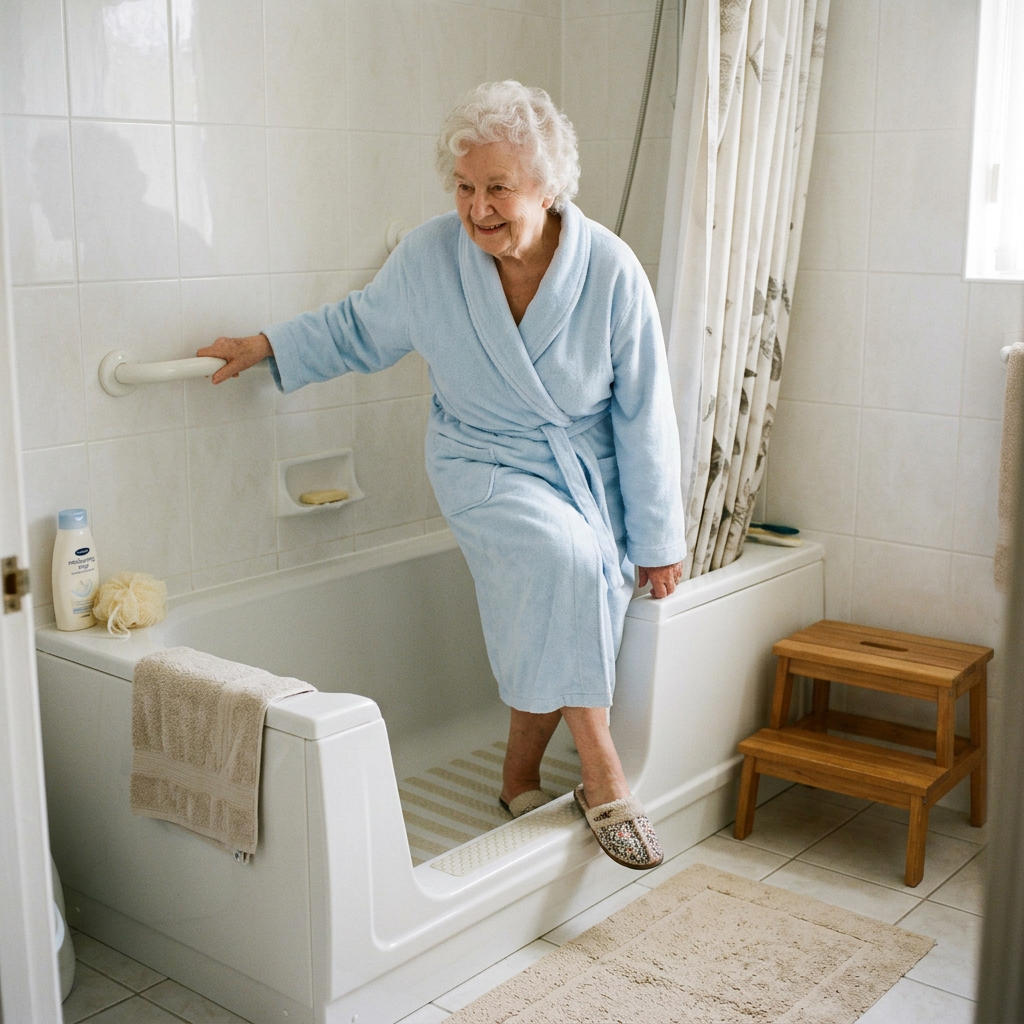
    This is the one thing that decides whether treads work at all, and it’s the thing every generic roundup skips. Adhesive treads bond only to smooth, non-porous surfaces — porcelain, fiberglass, sealed acrylic. Run your hand across the tub floor: if it’s glassy, you’re set. If it’s already gritty or has a molded non-slip pattern, treads will lift within days no matter the brand, because the adhesive can’t make full contact. On a textured tub, the honest fix is a suction-cup non-slip bath mat or a professional resurface, not stickers. Never place treads over grout lines or the seams between tiles — the void underneath breaks the seal.

    Place them where feet actually land

    Coverage isn’t about carpeting the tub — it’s about protecting the two highest-risk zones: the step-in/step-out spot at the tub wall, and wherever your parent stands to wash. Map those before you peel a backing; for a walk-in shower, prioritize the threshold and the area under the showerhead. Treads are a floor solution, not a whole-safety solution — pair them with a grab bar for the transfer and, for anyone who tires standing, a shower chair. See our complete aging-in-place home safety checklist for the priority order of bathroom upgrades.

    Install clean, then maintain the edges

    Two habits separate a set that lasts years from one that peels in a month. First, install on a bone-dry, alcohol-wiped surface, press each tread down hard, and wait a full 24 hours before running water — nearly every “wouldn’t stick” review traces back to a same-day shower. Second, scrub around the edges weekly with a brush; mildew loves the tiny lip where a tread meets the tub, and once it lifts a corner the tread is done. When it’s finally time to replace them, a plastic scraper plus a little WD-40 or a vinegar soak lifts old treads and residue cleanly.

    Frequently asked questions

    Do adhesive bath treads actually work?

    Yes, on the right surface. On smooth porcelain, fiberglass, or sealed acrylic, quality treads meaningfully increase traction under wet feet and stay put for years. Their entire effectiveness depends on the tub being smooth; on a textured or already-non-slip floor, no adhesive tread bonds well and none will help.

    Will treads stick to a textured or non-slip tub?

    No. Adhesive treads need full contact with a smooth, non-porous surface. A molded non-slip tub bottom or a gritty coating prevents the adhesive from sealing, so treads lift within days. If your tub is already textured, use a suction-cup bath mat or have the tub professionally resurfaced instead.

    Do bathtub treads leave residue when you remove them?

    They can, especially older treads. To remove cleanly, loosen one edge with a fingernail and peel slowly, then soften any leftover adhesive with WD-40, a vinegar-soaked rag, or Goo Gone and lift it with a plastic scraper. On smooth tubs this comes off without marks.

    Do bathtub stickers get moldy?

    Mildew can grow along the edges where a tread meets the tub, particularly if a corner lifts. A weekly scrub around each tread with a brush prevents it. Replacing aged, lifting treads promptly also stops mold from building up underneath them.

    Are treads better than a bath mat?

    They serve different tubs. Treads suit smooth surfaces and stay permanently in place with nothing to trip over. A suction bath mat is the better choice for textured tubs where treads won’t stick, and it’s removable for cleaning — but a poorly suctioned mat can shift, so match the solution to your tub’s surface.

    How long do adhesive bath treads last?

    Installed correctly on a smooth surface, quality treads commonly last three to five years. Lifespan drops sharply with a rushed install or if edge mildew is left to spread. Inspect them a few times a year and replace any that have started to lift.

    The shortlist

    Best Overall

    SlipX Clear Safety Treads

    ~$9

    Check on Amazon →

    Best Coverage

    Secopad 24-Pack

    ~$14

    Check on Amazon →

    Least Clinical

    SlipX Daisy Treads

    ~$8

    Check on Amazon →

    Best Long Strips

    Vive Bath Strips

    ~$15

    Check on Amazon →

    Best for Big Showers

    V-TOP 30-Piece Treads

    ~$13

    Check on Amazon →

    What we’d do tomorrow

    If you’re tackling this on your next visit, do three things in order. First, run your hand across the tub floor smooth means treads will work, textured means stop and buy a suction mat instead. Second, if it’s smooth, order the SlipX Clear Treads for a standard tub, or the Daisy version if your parent has waved off “safety stuff” before. Third, install on a dry, alcohol-wiped surface, press hard, and leave it 24 hours before the next shower. Ten dollars and ten minutes buys real traction at the most dangerous spot in the house there’s almost no better return in the entire aging-in-place kit.

    — Sarah

    BuyingForMom is a reader-supported site. As an Amazon Associate we earn from qualifying purchases. When you buy through links on this site, we may earn an affiliate commission at no additional cost to you. See our Affiliate Disclosure for details. This article is not medical advice — please consult a qualified healthcare professional for decisions specific to your family.
  • 5 Best Digital Photo Frames for Seniors

    5 Best Digital Photo Frames for Seniors

    Disclosure: BuyingForMom is reader-supported. As an Amazon Associate we earn from qualifying purchases. When you buy through links in this article, we may earn an affiliate commission at no additional cost to you. We never recommend products we haven’t researched against verified-buyer review data. This article is editorial reporting, not medical advice.

    5 Best Digital Photo Frames for Seniors

    By Sarah Mitchell · Editor, BuyingForMom · Updated August 2026

    10 min read · Smart Home · 5 picks compared

    The honest take: For a parent who doesn’t use a smartphone and never will, buy the Skylight Frame and set it up before you gift it the email-a-photo system means the whole family can feed it without teaching Mom anything. If you want the sharpest screen and refuse to pay a yearly fee, the Aura Carver is the better call. Skip the temptation to save $10 by ignoring the subscription fine print Skylight’s best features hide behind a $39/year “Plus” charge, and that surprise renewal is the single most common complaint on every frame that has one.

    How we sorted through 30-plus frames in two weeks

    We cross-referenced more than 30 WiFi digital frames against 40,000-plus verified Amazon reviews, the recurring complaints families post on Trustpilot and Reddit, and the buying advice AARP and geriatric occupational therapists give about screens for aging eyes. We weighted three things the generic “14 best” roundups skip: how a photo actually reaches the frame (email, app, or memory card), whether the frame quietly needs a subscription to be worth owning, and whether a tech-averse parent can enjoy it with zero setup on their end. The picks below aren’t ranked by star count — they’re routed to a specific family situation.

    Who this guide is for

    This guide is for the adult child who wants to send a parent or grandparent a steady stream of new photos without asking them to learn an app, manage storage, or press anything. If your parent is comfortable with a phone, most of these still apply — but the “set it up before you wrap it” advice matters most when the recipient won’t touch the settings at all. It’s also written with memory loss in mind: a frame that cycles familiar faces can be a small, real comfort for someone with early dementia.

    At a glance

    1. Skylight Frame 10″ — ~$160 · Best overall for a non-tech parent. Family emails photos to one address; nothing for Mom to do.

    2. Aura Carver 10.1″ — ~$150 · Best for gifting. Sharpest screen, unlimited free storage, no subscription, ever.

    3. Nixplay Smart 10.1″ — ~$150 · Best for managing from afar. Email and app both work; you build the playlists remotely.

    4. Pix-Star 15″ — ~$150 · Best big screen for low vision. A genuinely large display, no fees, manage up to 25 frames.

    5. Dragon Touch Classic 10 — ~$60 · Best budget. Solid Frameo-app frame with SD and USB support for a fraction of the price.

    Best OverallSkylight Frame 10″

    ~$160 · Check price on Amazon →

    The Skylight earns its reputation on one design decision: every frame gets its own email address, so anyone in the family can send a photo the way they’d send an email — no app account, no invite, no learning curve for the recipient. Across thousands of reviews the pattern is remarkably consistent: families describe an intimidated grandparent waking up to fresh photos of grandchildren with genuine delight, and reviewers repeatedly call it the frame that “combats loneliness” for long-distance relatives. The 10-inch touchscreen is bright and the setup is a plug-in-and-connect-WiFi affair you’ll do for them in about five minutes. The catch that keeps it from being a runaway pick is money, not usability — see below.

    The good

    • Email-to-frame means zero effort for a non-tech parent — the strongest ease-of-use story here.
    • Bright 10″ touchscreen with an interface reviewers consistently call idiot-proof.
    • Any relative can contribute photos without creating an account.

    The catch

    • Video playback, captions, and some features sit behind Skylight Plus (~$39/year) — the top complaint across reviews.
    • Buyers report a surprise full-year charge after the 30-day trial lapses; cancel the trial if you only want stills.

    This is right if… your parent won’t touch a phone and you want the family to feed the frame effortlessly.

    Look elsewhere if… a yearly subscription for video is a dealbreaker the Aura below has none.

    Check Price on Amazon →

    Best for GiftingAura Carver 10.1″

    ~$150 · Check price on Amazon →

    Wirecutter’s long-standing pick for gifting, the Carver is the frame to buy when you want the nicest-looking result and refuse to pay a recurring fee. Its 1920×1200 screen is the sharpest in this group, and reviewers single out one clever touch: instead of shrinking vertical phone photos to a strip in the middle, it pairs two portrait shots side by side to fill the whole display. Storage is unlimited and free, an unlimited number of family members can be invited to contribute, and there is no subscription — the entire cost is the purchase price. The honest limitation is that the Carver is app-and-WiFi only, so it needs a relative with a smartphone to manage it and a home with steady internet; it also doesn’t play video clips. For a still-photo gift to a connected family, though, it’s the most polished experience on the list.

    The good

    • Sharpest screen here (1920×1200) with rich, accurate color.
    • Truly no subscription — unlimited free storage and unlimited invited contributors.
    • Pairs two portrait photos side by side instead of leaving ugly black bars.

    The catch

    • App-only setup needs a smartphone-comfortable family member; no email-to-frame option.
    • No video playback, and it needs constant WiFi to work.

    This is right if… you want the best-looking still-photo frame and a one-time cost with no strings.

    Look elsewhere if… the family manages photos by email or the recipient’s home has spotty WiFi.

    Check Price on Amazon →

    Best for Managing From AfarNixplay Smart 10.1″

    ~$150 · Check price on Amazon →

    Nixplay is the pick for the family member who wants to curate, not just dump photos. It accepts pictures by both email and app, and it lets you build shared playlists so you can queue a grandchild’s birthday album, schedule when the frame sleeps, and pull images straight from Google Photos, Facebook, or Instagram. Reviewers who manage a parent’s frame from another state praise exactly this control: you decide what shows and when, and Mom simply watches it change. The screen is a capable HD touchscreen, and the frame has the deepest feature set here. The trade-off is that Nixplay nudges you toward a Plus tier for extra cloud storage and features, so read what’s included before you assume everything is free. If you’re the designated tech person in the family, this is your frame.

    The good

    • Both email and app work — flexible for mixed-tech families.
    • Shared playlists and sleep scheduling give remote managers real control.
    • Pulls photos from Google Photos, Facebook, and Instagram.

    The catch

    • A Nixplay Plus tier upsells extra storage and features — confirm what your model includes.
    • The richer feature set means a slightly busier interface than the Skylight or Aura.

    This is right if… you’ll manage the frame remotely and want to control exactly what plays.

    Look elsewhere if… you want the absolute simplest setup with nothing to configure.

    Check Price on Amazon →

    Best Big ScreenPix-Star 15″

    ~$150 · Check price on Amazon →

    When the goal is a screen a parent with low vision can actually enjoy from across the room, the Pix-Star’s 15-inch display is the standout and it carries a 4.8-star rating across 2,000-plus reviews with no subscription of any kind. It receives photos by email and app, includes a motion sensor that wakes the frame when someone walks by, and lets one person manage up to 25 frames from a single free account, which is why extended families gift a matching set. Be clear-eyed about the trade-off: the 15-inch panel uses a 1024×768 resolution, so it spreads the same pixels over more glass. Sharp photos still look good, but heavily compressed images or shots from old phones can look soft, and the interface feels a generation behind the Aura. For maximizing visible size on a budget, it’s the right buy.

    The good

    • Genuinely large 15″ screen the easiest here to see from a chair across the room.
    • No subscription, free cloud, and one account manages up to 25 frames.
    • Motion sensor wakes the display when your parent walks in.

    The catch

    • 1024×768 resolution stretched over 15″ low-quality photos can look soft.
    • Interface and styling feel dated next to the newer frames.

    This is right if… visible size matters most — for a parent with low vision or a large room.

    Look elsewhere if… you want the crispest image; the smaller Aura is noticeably sharper.

    Check Price on Amazon →

    Best BudgetDragon Touch Classic 10

    ~$60 · Check price on Amazon →

    If a $150 frame feels like a lot to test whether your parent will even use one, the Dragon Touch Classic 10 is the low-risk way in. It’s a 10-inch IPS touchscreen that receives photos through the free Frameo app and, crucially, also accepts an SD card or USB stick — so you can preload it with a hundred family photos before it ever touches WiFi. Reviewers consistently rate it as punching above its price for setup simplicity, and at roughly a third the cost of the premium frames, it’s the sensible choice for a first frame or a second one for a spare room. The honest trade-offs: the Frameo app is less polished than Aura’s or Nixplay’s, and because it routes through a third-party cloud, privacy-minded families should know photos pass through Frameo’s servers. For the money, it delivers the core experience.

    The good

    • Roughly a third the price of the premium frames.
    • Accepts SD card and USB preload photos with no WiFi needed.
    • Simple Frameo-app sharing that any relative can install for free.

    The catch

    • Frameo app is less refined than Aura’s or Nixplay’s.
    • Photos route through Frameo’s third-party cloud, a consideration for privacy-minded families.

    This is right if… you want to test the idea cheaply or need a second frame for another room.

    Look elsewhere if… you want the most polished app or the sharpest, largest screen.

    Check Price on Amazon →

    Quick comparison

    Frame ~Price How photos arrive Best for Subscription?
    Skylight 10″ $160 Email Non-tech parent Optional (video)
    Aura Carver $150 App Gifting / sharpest screen None
    Nixplay 10.1″ $150 Email + app Remote managing Optional (storage)
    Pix-Star 15″ $150 Email + app Low vision / big screen None
    Dragon Touch 10 $60 App + SD/USB Budget / preloading None

    The conversation you’ll have

    A digital frame is one of the rare aging-in-place gifts that meets zero resistance nobody feels diminished by a screen full of grandchildren. Still, the way you hand it over matters. Don’t set it on the counter in its box and say “here’s your new photo frame, you connect it to the WiFi.” Set the whole thing up first, connect it to their network, load thirty or forty photos they’ll recognize, and prop it where they already sit. Then the line is simply: “I set this up so you’ll see new pictures of the kids without doing anything — it just changes on its own.” Framing it as something the family does for them rather than a device they have to run is the difference between a frame that lights up daily and one that ends up in a drawer. If your parent has memory loss, keep the rotation to familiar faces and add captions with names where the frame supports it.

    Insurance and savings

    A digital photo frame is a consumer electronic, not durable medical equipment, so Medicare and Medicare Advantage will not cover it and it is not FSA/HSA-eligible — don’t expect a reimbursement angle here the way you would with a grab bar or a lift chair. Two practical savings notes instead: these frames go on real sale around the holidays and Prime Day, often 20–30% off, so if it’s a gift you can time it; and if you’re buying a matched pair for two households, Pix-Star’s single-account-manages-many model and Aura’s unlimited-contributors both avoid any per-frame fees, which keeps a multi-frame family gift from turning into a stack of subscriptions.

    What to actually look for

    Match the sending method to the family, not the star rating

    This is the decision that determines whether the frame gets used. If the people sending photos live on their phones, an app frame (Aura, Nixplay) is fine. If the family is mixed — some app users, some who’d rather email — pick a frame that accepts email too (Skylight, Nixplay, Pix-Star). And if WiFi at the parent’s home is unreliable, choose one that also reads an SD card or USB (Dragon Touch) so you can preload it. A frame is only as good as the photos that reach it. For the wider picture of setting up a parent’s home, our complete aging-in-place home safety checklist walks through what to prioritize first.

    Read the subscription fine print before you buy

    The most common frustration across every review pool isn’t screen quality — it’s a surprise yearly charge. Some frames give you the full experience for the purchase price; others (notably Skylight, for video and captions) gate premium features behind an annual fee and auto-renew after a trial. Decide up front whether the extra features matter, and if they don’t, either buy a no-fee frame or cancel the trial the day it arrives.

    Size and brightness for aging eyes

    For a parent with declining vision, a 10-inch frame is the practical minimum and a 15-inch is easier to enjoy from across a room but resolution matters as much as size, since a big, low-resolution panel can look soft. Auto-brightness (which the Aura and others include) keeps the screen readable from morning glare to evening dim without anyone adjusting it. A frame that pairs well with familiar routines can also help someone with early memory loss; if that’s your situation, our guide to the best automatic pill dispensers for dementia patients covers other low-effort supports, and our round-up of thoughtful gifts for aging parents has more ideas in this vein.

    Frequently asked questions

    How do you set up a digital photo frame for an elderly person?

    Do it for them before gifting. Plug the frame in, connect it to their WiFi through the on-screen menu, and preload 30–40 familiar photos. Then all the parent does is look at it — the frame updates itself whenever family sends new pictures, with nothing for them to press or manage.

    Do digital photo frames need WiFi?

    Most modern frames need WiFi to receive photos remotely, which is the whole appeal. If the home has unreliable internet, choose a frame that also accepts an SD card or USB stick like the Dragon Touch so you can load photos directly without a connection.

    Can you send photos to a grandparent’s frame from your phone?

    Yes, that’s the core feature. Depending on the frame, you send photos through a free app (Aura, Nixplay) or by emailing them to the frame’s unique address (Skylight, Nixplay, Pix-Star). They appear on the frame within moments, from anywhere in the world.

    Do digital photo frames have monthly fees?

    Some do, most don’t. Aura, Pix-Star, and Dragon Touch charge nothing beyond the purchase price. Skylight and Nixplay offer optional paid tiers for extras like video playback or added cloud storage. Read what’s included before buying so a “free” frame doesn’t surprise you at renewal.

    Are digital photo frames good for dementia patients?

    They can be a real comfort. A steady rotation of familiar faces supports reminiscence and eases the isolation of memory loss. Keep the photo set to well-known people, add name captions if the frame allows, and avoid a firehose of unfamiliar images, which can confuse rather than soothe.

    What size digital photo frame is best for seniors?

    Ten inches is the practical minimum; 15 inches is easier to see from a chair or across a room. Prioritize resolution alongside size a large, low-resolution screen can look soft — and pick auto-brightness so the display stays readable through the day without adjustment.

    The shortlist

    Best Overall

    Skylight Frame 10″

    ~$160

    Check on Amazon →

    Best for Gifting

    Aura Carver 10.1″

    ~$150

    Check on Amazon →

    Manage From Afar

    Nixplay Smart 10.1″

    ~$150

    Check on Amazon →

    Best Big Screen

    Pix-Star 15″

    ~$150

    Check on Amazon →

    Best Budget

    Dragon Touch Classic 10

    ~$60

    Check on Amazon →

    What we’d do tomorrow

    If you’re setting this up this weekend, do three things in this order. First, pick by how photos will reach the frame: email for a non-tech parent (the Skylight), app with no fees for a connected family (the Aura Carver), or SD/USB if home WiFi is shaky (the Dragon Touch). Second, before you gift it, connect it to their network and preload 30–40 photos they’ll recognize so it’s alive the moment they see it. Third, tell the family the sending address or app, and set the expectation to send a few photos a week a frame only earns its spot when the pictures keep coming. Do that, and you’ve given a gift that quietly pays off every single day.

    — Sarah

    BuyingForMom is a reader-supported site. As an Amazon Associate we earn from qualifying purchases. When you buy through links on this site, we may earn an affiliate commission at no additional cost to you. See our Affiliate Disclosure for details. This article is not medical advice please consult a qualified healthcare professional for decisions specific to your parent.
  • 5 Best Blood Pressure Monitors for Seniors

    5 Best Blood Pressure Monitors for Seniors

    Disclosure: BuyingForMom is reader-supported. As an Amazon Associate we earn from qualifying purchases. When you buy through links in this article, we may earn an affiliate commission at no additional cost to you. We never recommend products we haven’t researched against verified-buyer review data. This article is editorial reporting, not medical advice.

    5 Best Blood Pressure Monitors for Seniors

    By Sarah Mitchell · Editor, BuyingForMom · Updated August 2026

    10-min read · Smart Home & Health Monitoring · 5 picks compared

    The honest take: For most older adults, buy the Omron Platinum it flags the irregular heartbeats that get more common with age and averages three readings the way a clinic does. If your parent squints at small screens or refuses anything with an app, the A&D Medical UA-651 is the smarter call: one button, a huge display, and no phone required. Skip every wrist monitor you see marketed to seniors the American Heart Association is blunt that upper-arm cuffs are more accurate, and accuracy is the entire point.

    How we sorted through 30-plus home blood pressure monitors in three weeks

    We started with the roughly 30 upper-arm and wrist monitors that dominate Amazon’s senior-facing listings, then narrowed hard. Every finalist had to be clinically validated (we cross-checked models against the independent validatebp.org registry and each maker’s FDA-clearance claims), carry a cuff that actually fits a real range of arms, and hold up across thousands of verified-buyer reviews. We leaned on American Heart Association and Mayo Clinic guidance for the technique rules, mined caregiver threads on Reddit for the complaints that don’t show up in star ratings, and checked live Amazon stock on every pick before writing a word. What we did not do is rank by star count alone the difference that matters for an 80-year-old is rarely the brand.

    Who this guide is for

    This guide is for adult children setting up home monitoring for a parent after a hypertension diagnosis, a hospital discharge, or a doctor’s “keep an eye on it at home.” If you’re buying for yourself, the same picks apply; just skip the conversation section near the end. The through-line: the monitor is the easy part. Choosing one that fits the arm, that your parent can actually read and operate, and that gets confirmed against the doctor’s cuff matters more than any spec on the box.

    Home blood pressure monitoring, briefly and why the device is the easy part

    Roughly 80% of adults over 65 have high blood pressure, and a home blood pressure monitor for seniors is how you and the doctor spot patterns a single office reading misses the morning spikes, the medication that’s wearing off by evening, the “white coat” numbers that look scary at the clinic but settle at home. The catch is that a home reading is only as good as the setup behind it. The single most common mistake, cited by clinicians and echoed across buyer reviews, is the wrong cuff size: a cuff that’s too small reads falsely high, too large reads falsely low, and no amount of brand prestige fixes a cuff that doesn’t fit.

    So the real job isn’t finding “the most accurate monitor” in the abstract nearly every validated upper-arm model is accurate enough. The job is matching the monitor to your parent’s actual barrier: small print they can’t read, arthritis that makes a phone app a non-starter, an irregular heartbeat that needs flagging, or a caregiver two states away who needs to see the numbers. That’s how we’ve organized the five picks below.

    At a glance: the 5 picks

    Best Overall  Omron Platinum (BP5450) — ~$85 · AFib flag + 3-reading averaging, the do-it-right default

    Best Simple  A&D Medical UA-651 — ~$40 · One button, huge LCD, no app — for the tech-averse

    Best Big Display  Omron Silver (BP5250) — ~$50 · Oversized backlit numbers for low vision

    Best for Caregivers  Withings BPM Connect — ~$100 · Wi-Fi sync so family sees readings from anywhere

    Best Budget  iHealth Track (KN-550BT) — ~$30 · Wide-range cuff + backlit screen for the price

    Best Overall  Omron Platinum (BP5450)

    ~$85 · Check price on Amazon →

    Omron is the brand most cardiologists name first, and the Platinum is the model that earns it. It takes three consecutive readings and reports the average — the same approach a clinic uses to smooth out the one-off spike and it flags an irregular heartbeat during the measurement, which matters because atrial fibrillation becomes far more common with age and often shows up first as an off reading at home. Across thousands of verified reviews the recurring praise is consistency between the machine and the doctor’s cuff; the backlit dual-display shows systolic, diastolic, and pulse at once, and it stores 100 readings each for two users, so a couple can share one device. It’s the pick we’d hand almost any older adult who’s willing to press two buttons.

    The good

    • Triple-reading averaging + irregular-heartbeat (AFib) detection clinic-style rigor
    • Backlit two-line display and a pre-formed cuff that’s easy to wrap one-handed
    • Two-user memory (100 readings each) plus optional free Omron Connect app

    The catch

    • The standard cuff tops out around 17″; very large arms need Omron’s wide-range cuff, bought separately
    • A few buyers find the app pairing fussy — though the monitor works fully without ever opening it

    This is right if… your parent can manage a two-button routine and you want the most doctor-aligned numbers.

    Look elsewhere if… even two buttons and a menu feel like too much — go to the A&D below.

    Check Price on Amazon →

    Best Simple  A&D Medical UA-651

    ~$40 · Check price on Amazon →

    If the phrase “download the app” ends the conversation, this is the monitor. The A&D UA-651 does exactly one thing — press the single large button, and it reads and stores the result on a big, high-contrast LCD, no smartphone in the loop. A&D is a name clinicians know from the office-grade equipment they use, and this consumer model carries a wide-range cuff (roughly 8.6″–16.5″) plus the four AA batteries in the box, so it’s ready the minute it arrives. Verified buyers who bought it for a parent repeatedly describe the same relief: nothing to pair, nothing to charge, nothing to explain twice. Its “Snapshot” averaging quietly settles multiple readings into one baseline without the user having to think about it.

    The good

    • True one-button operation — the lowest-friction monitor here
    • Large, plain LCD numbers and a wide-range cuff that fits most arms out of the box
    • Batteries included; runs on AA (or an optional AC adapter) with no app or account

    The catch

    • No Bluetooth, so a remote caregiver can’t see readings automatically — someone logs them by hand
    • The display isn’t backlit; it needs decent room light to read at a glance

    This is right if… your parent wants to press one button and be done, with zero technology to manage.

    Look elsewhere if… you need the numbers to reach your phone from across the country — see the Withings.

    Check Price on Amazon →

    Best Big Display  Omron Silver (BP5250)

    ~$50 · Check price on Amazon →

    When the obstacle is eyesight, the Omron Silver is built around it: an oversized, backlit display whose digits are large enough to read from an arm’s length without glasses. It keeps the parts of the Platinum that matter most — clinically validated accuracy, irregular-heartbeat flagging, a pre-formed one-handed cuff — while trimming to a single user and a friendlier price. Reviewers with macular degeneration or cataracts single out the readability as the reason they returned two other monitors and kept this one. It pairs with the free Omron Connect app if you want history on a phone, but a parent can ignore the app entirely and still get a big, glowing, easy-to-read result.

    The good

    • Genuinely large backlit numbers — the standout pick for low vision
    • Irregular-heartbeat detection and validated accuracy carried over from pricier Omrons
    • Works fully offline; optional app for readings history

    The catch

    • Single-user memory only  not ideal if two people share one device
    • No triple-averaging like the Platinum; you take repeat readings yourself if you want an average

    This is right if… reading the screen is the main hurdle and one person will use it.

    Look elsewhere if… two users need separate histories — the Platinum stores both.

    Check Price on Amazon →

    Best for Caregivers  Withings BPM Connect

    ~$100 · Check price on Amazon →

    For the family managing a parent’s health from a distance, the Withings BPM Connect is the pick that closes the loop. It’s FDA-cleared and syncs over both Wi-Fi and Bluetooth to the free Health Mate app — meaning once it’s set up, your parent just presses the button and the reading appears on your phone, with no logging or texting numbers back and forth. It gives immediate color-coded feedback on the device itself (green through red) so the person taking the reading understands it in the moment, and it can share a trend history straight with a doctor. It’s the sleekest, most travel-friendly monitor here; the trade-off is that it asks for the most setup up front, which for a remote family usually means doing that setup before you hand it over.

    The good

    • Wi-Fi + Bluetooth auto-sync — readings reach a caregiver’s phone with zero manual logging
    • On-device color-coded result so the reading makes sense immediately
    • Rechargeable, compact all-in-one design that travels well

    The catch

    • The most app-dependent monitor here — best when an adult child does the initial setup
    • Small on-device screen; a low-vision parent will lean on the phone app, not the cuff itself

    This is right if… you’re monitoring a parent remotely and want the numbers to come to you automatically.

    Look elsewhere if… your parent won’t touch a smartphone and lives nearby — the A&D or Omron Silver fit better.

    Check Price on Amazon →

    Best Budget  iHealth Track (KN-550BT)

    ~$30 · Check price on Amazon →

    Budget monitors usually cut the cuff or the display; the iHealth Track keeps both. For around thirty dollars it pairs a wide-range cuff (fitting roughly 8.7″–16.5″ arms) with a large backlit screen and optional Bluetooth to the iHealth app — the features that seniors and caregivers actually ask for, at the price point where most families start. Verified buyers consistently note that readings track closely with the doctor’s office and that setup is genuinely simple. It’s also the most forgiving pick for larger arms out of the box, and an extra-large cuff is sold separately if you need to go past 16.5″. The trade-off for the price is a plasticky feel and a shorter track record than Omron, but on the numbers that matter it holds its own.

    The good

    • Wide-range cuff and a backlit display at a true budget price
    • Optional Bluetooth + app history without forcing a phone on anyone
    • Extra-large cuff available separately for bigger arms (up to ~18.9″)

    The catch

    • Lighter, more plastic build than the Omron or A&D units
    • Single-user memory on the device; multi-user tracking lives in the app

    This is right if… you want the core senior-friendly features at the lowest sensible price.

    Look elsewhere if… you want AFib flagging and triple-averaging — that’s the Platinum.

    Check Price on Amazon →

    How the 5 compare

    Monitor ~Price Standout feature Best for
    Omron Platinum $85 AFib flag + 3-reading average The do-it-right default
    A&D UA-651 $40 One button, no app Tech-averse parents
    Omron Silver $50 Oversized backlit numbers Low vision
    Withings BPM Connect $100 Wi-Fi auto-sync to family Remote caregivers
    iHealth Track $30 Wide cuff + backlight, cheap Budget buyers

    The conversation you’ll have

    Handing a parent a blood pressure monitor can land the wrong way — it can feel like being told they’re fragile, or being watched. The reframe that works is partnership, not surveillance. Instead of “You need to start checking your blood pressure,” try: “The doctor wants a few readings between visits so your medication is dialed in right — want me to set it up so it’s just one button?” You’ve moved the ask from their decline to the doctor’s plan, and you’ve taken the setup off their plate.

    Then make the first reading painless: do it together, at the kitchen table, and write the target range on a sticky note next to the monitor so a number in context doesn’t cause alarm. Agree on a simple rhythm — many doctors suggest a reading or two in the morning and evening for a week before an appointment, not obsessive all-day checking, which only feeds anxiety. If your parent lives alone and you’re remote, the Withings quietly removes the “did you check today?” nagging entirely.

    Insurance and savings

    Original Medicare (Part B) generally does not cover a home blood pressure monitor — the main exception is people on dialysis, where it can be covered as durable medical equipment with a doctor’s order. That’s the reality most families run into. The workarounds worth knowing: these monitors are almost always FSA- and HSA-eligible (all five here qualify), so pre-tax dollars cover them; some Medicare Advantage plans include an over-the-counter or home-health allowance that can reimburse one; and if a physician prescribes 24-hour ambulatory monitoring specifically, that clinical service may be covered even when the store-bought device isn’t. Keep the receipt, under IRS Publication 502, a monitor bought for a diagnosed condition can count toward the medical-expense deduction if you itemize above the 7.5%-of-income threshold.

    What to usually look for

    Cuff fit first: It outranks the brand

    Measure your parent’s upper-arm circumference with a cloth tape before you buy anything. A cuff that’s too small reads falsely high and too large reads falsely low, and this single factor causes more bad home readings than any other. Most picks here fit up to about 16.5″; larger arms need a wide-range or extra-large cuff (iHealth and Omron both sell them). Getting this right is the highest-leverage decision on the page — more than price, more than the logo. It’s the same “measure before you buy” discipline that runs through our complete aging-in-place home safety checklist.

    Match the display and controls to the person

    Be honest about eyesight and dexterity. Low vision points to the Omron Silver’s oversized backlit digits; arthritis or a flat refusal of technology points to the A&D’s single button; a remote family points to the Withings’ auto-sync. A monitor your parent can’t read or won’t operate simply won’t get used, no matter how accurate it is on paper. This is the same “fit the tool to the actual person” logic we apply room by room in our room-by-room aging-in-place modification guide.

    Insist on validation, and confirm it at the office

    Choose an upper-arm monitor that’s clinically validated — the American Heart Association favors upper-arm cuffs over wrist models, and you can check a device against the independent registry at validatebp.org. Then bring the new monitor to the next appointment so the doctor can watch the technique and confirm it against the office cuff. A validated device paired with home health awareness — the same mindset behind our guide to no-monthly-fee fall detection devices — is what turns a gadget into useful data.

    Frequently asked questions

    What is the most accurate blood pressure monitor for seniors?

    A clinically validated upper-arm monitor with a correctly sized cuff is the most accurate choice. The Omron Platinum leads our picks because it averages three readings and flags irregular heartbeats, but any validated upper-arm model reads accurately when the cuff fits and the technique is right.

    Which arm should you use to take blood pressure?

    Use the same arm every time for consistent trends, and support it at heart level while seated with feet flat and back supported. Doctors sometimes suggest the left arm, but the rule that matters most is consistency — pick one arm and stick with it for every reading.

    Are wrist blood pressure monitors accurate for the elderly?

    Wrist monitors are more sensitive to arm and wrist position, so they’re easier to use wrong and generally less reliable than upper-arm cuffs. The American Heart Association recommends upper-arm monitors for routine home use. Reserve wrist models for people who genuinely can’t fit an arm cuff.

    How often should an older adult check blood pressure at home?

    Follow the doctor’s guidance, but a common approach is a reading or two in the morning and evening for the week before an appointment, rather than checking all day. Take readings at the same times, and record them so patterns not single numbers — guide decisions.

    Does Medicare cover a home blood pressure monitor?

    Original Medicare usually doesn’t, with dialysis patients the main exception. Some Medicare Advantage plans offer an OTC or home-health allowance that can cover one, and all of these monitors are FSA/HSA-eligible, letting you buy with pre-tax dollars. Check your specific plan for details.

    How do I know my monitor is reading correctly?

    Bring it to the next doctor’s visit so your provider can compare it against the office cuff and watch your technique. You can also confirm the model is listed on validatebp.org. Manufacturers suggest re-checking accuracy against a reference device every one to two years.

    The shortlist

    Best Overall

    Omron Platinum

    ~$85

    Check on Amazon →

    Best Simple

    A&D UA-651

    ~$40

    Check on Amazon →

    Best Big Display

    Omron Silver

    ~$50

    Check on Amazon →

    Best for Caregivers

    Withings BPM Connect

    ~$100

    Check on Amazon →

    Best Budget

    iHealth Track

    ~$30

    Check on Amazon →

    Last verified in stock: August 28, 2026

    What we’d do tomorrow

    If you’re setting this up this weekend, do three things in order. First, wrap a cloth tape around your parent’s upper arm and note the circumference that decides the cuff, and the cuff decides everything. Second, pick by barrier, not brand: the Omron Platinum for the do-it-right default, the A&D UA-651 if technology is a non-starter, the Withings BPM Connect if you’re monitoring from afar. Third, put it in the next appointment bag so the doctor can confirm it against the office cuff on day one. Set up right, it stops being a gadget and starts being the thing that keeps small problems small.

    — Sarah

    BuyingForMom is a reader-supported site. As an Amazon Associate we earn from qualifying purchases. When you buy through links on this site, we may earn an affiliate commission at no additional cost to you. See our Affiliate Disclosure for details. This article is not medical advice please consult a qualified healthcare professional for decisions specific to your parent’s situation.
  • 5 Best Key Lock Boxes for Seniors

    5 Best Key Lock Boxes for Seniors

    Disclosure: BuyingForMom is reader-supported. As an Amazon Associate we earn from qualifying purchases. When you buy through links in this article, we may earn an affiliate commission at no additional cost to you. We never recommend products we haven’t researched against verified-buyer review data. This article is editorial reporting, not medical advice.

    5 Best Key Lock Boxes for Seniors

    By Sarah Mitchell · Editor, BuyingForMom · Updated August 2026

    10 min read · By Room → Outdoors & Entryways · 5 picks compared

    The honest take: If you want one box mounted permanently by the door and set-and-forget, buy the Master Lock 5401D and stop there. Its push-button code beats a dial for stiff fingers and cold mornings. The Master Lock 5422D over-the-knob box is the right call only if you rent and can’t drill. Skip the ultra-cheap dial boxes as your only box in a snowy climate the exposed dials freeze and jam exactly when a paramedic needs in.

    How we sorted through 40+ key lock boxes in two weeks

    We cross-referenced more than 8,000 verified Amazon reviews across 40-plus combination key boxes, then filtered for what matters when the buyer is an older adult and the reader is often an EMT: a code that opens on the first try in January, buttons a hand with arthritis can work, and a mount that won’t shear off. We weighted the failure pattern caregivers report again and again. Dials that freeze or jam outdoors and checked each pick against the emergency-access guidance providers like Lifeline and Medical Care Alert publish. Every product below was verified as a live, purchasable Amazon listing in August 2026.

    Who this guide is for

    This guide is for adult children setting up a home so a caregiver, neighbor, or paramedic can get in fast when a parent can’t reach the door after a fall, a stroke, or a locked deadbolt on a hard day. If you’re buying for yourself, the same picks apply; just skip the “conversation” section near the end.

    A key lock box is a small metal safe that holds a spare key behind a combination you choose. Mount it by the door, share the code with the people who need it, and an emergency responder can be inside in seconds instead of breaking a window. For a parent aging in place especially one who lives alone or uses a medical alert button — it’s one of the cheapest, highest-leverage safety upgrades on the checklist. The catch is that a box is only as good as its weakest moment: a dial seized shut by ice, or a code nobody wrote down. So the picks below are ranked by mount type, weatherproofing, and how easy the buttons are for older hands — not by which brand shouts loudest.

    At a glance

    Best overall — Master Lock 5401D (~$40): permanent wall mount, push-button, 5 keys.

    Best no-drill / renter — Master Lock 5422D (~$25): over-the-knob, push-button, weather cover.

    Best discreet — Kidde KeySafe Slimline (~$30): low-profile, the model alert companies ship.

    Best budget — AMRIU Key Lock Box (~$16): solid wall-mount box for the price.

    Best capacity — Vault Locks 3200 (~$18): roomy hanging box for several caregivers.

    Best OverallMaster Lock 5401D Wall-Mount Key Box

    ~$40 · Check price on Amazon →

    This is the box we’d mount by most front doors. The 5401D screws permanently to a wall or frame, holds up to five keys, and opens with a set-your-own four-digit push-button code rather than four spinning dials a meaningful difference for arthritic or cold hands. Across thousands of reviews the pattern owners praise most is weather reliability: Master Lock rates the body to sub-zero temperatures, and northern-state buyers note it still opens after ice storms that jammed their old dial boxes. Verified buyers do flag that the buttons take a firm push and that the four-digit code offers fewer combinations than pricier boxes fine for a home, less so for a busy rental. Where a handful of trusted people need in, it balances secure, weatherproof, and easy to operate.

    The good

    • Push-button code is far easier than a dial for stiff or shaky hands
    • Permanent mount can’t be lifted and carried off like a hanging box
    • Weather-rated body holds up to freezing, wet outdoor conditions

    The catch

    • Requires drilling, not an option for renters
    • Buttons need a deliberate press; very weak hands may need a helper to set the code

    This is right if… you own the home and want one durable, easy-press box mounted for good.

    Look elsewhere if… you rent or can’t drill into the frame — get the over-the-knob 5422D below.

    Best No-DrillMaster Lock 5422D Over-the-Knob Box

    ~$25 · Check price on Amazon →

    If drilling is off the table, a rental, an apartment, or a parent who won’t hear of holes in the trim. The 5422D hangs its shackle over a door handle or railing. Like its wall-mount sibling it uses a four-digit push-button code, and it ships with a rubber weather cover that snaps over the buttons against rain, snow, and grit. That cover earns its keep: the most common one-star complaint across cheap hanging boxes is a mechanism that froze outdoors, and verified buyers credit this cover with keeping the box working through winter. The trade-off is inherent to any hanging box — it can be lifted and carried off, so keep it out of full street view.

    The good

    • No tools or drilling hangs over a knob or railing in seconds
    • Push-button code plus a snap-on weather cover that prevents freeze-ups
    • Fully portable, so it moves with a parent who relocates

    The catch

    • A hanging box is less secure than a bolted one — keep it out of street view
    • Holds fewer keys than the larger boxes on this list

    This is right if… you rent or want a box that installs with zero tools.

    Look elsewhere if… the door is in plain view of the street and you want something bolted down.

    Best DiscreetKidde AccessPoint KeySafe Original Slimline

    ~$30 · Check price on Amazon →

    If you’ve ever seen a lock box installed by a medical-alert company, odds are it was a Kidde KeySafe the low-profile, permanently mounted model on countless senior front doors, sold directly on Amazon. The Slimline body sits close to the wall so it reads as unremarkable hardware rather than “there’s a key here,” and it opens with a push-button combination that’s forgiving for older fingers. Reviewers consistently describe it as sturdy and long-lived, many units still working years after install; aging-in-place resources name Kidde as a default because the brand has made these boxes for decades. The honest limits: it holds two keys rather than a fat keyring, and like any permanent box it needs a few screws. If you want the quietly professional look alert companies rely on without a monthly rental, this is it.

    The good

    • Slim, discreet profile that doesn’t advertise a hidden key
    • Push-button combo that’s easy to teach and easy to press
    • The proven model many medical-alert providers install

    The catch

    • Two-key capacity — tight for a big keyring or multiple keys
    • Permanent mount; not for renters who can’t drill

    This is right if… you want the discreet, alert-company-grade box without a monthly fee.

    Look elsewhere if… a parent carries several keys that all need to live in the box.

    Best BudgetAMRIU Combination Key Lock Box

    ~$16 · Check price on Amazon →

    Not every household needs to spend $40 here, and the AMRIU is the box we’d hand to a family testing whether a lock box even fits their routine before a permanent install. It’s a wall-mounted, set-your-own four-digit box explicitly marketed for an elderly parent’s spare keys, and its reviews come back to straightforward value — it holds a key behind a resettable code for well under twenty dollars. Because it uses rotating dials rather than push-buttons, it asks a bit more of arthritic hands and a bit more weather caution, so pair it with a small overhang in wet climates. As a first box or a budget-first choice, it punches above its price.

    The good

    • Lowest price on this list — easy to try the concept risk-free
    • Set-your-own four-digit code, wall-mountable
    • Marketed and sized for a parent’s spare house keys

    The catch

    • Dials are harder on arthritic hands than push-buttons
    • Best sheltered from direct weather — exposed dials can stiffen in cold

    This is right if… you want to spend the least and the door has some overhead cover.

    Look elsewhere if… hands are weak or the box will sit fully exposed to snow — go push-button.

    Best CapacityVault Locks 3200 Hanging Key Safe

    ~$18 · Check price on Amazon →

    When a parent’s care involves a rotating cast a home health aide, two adult children, a neighbor one small two-key box gets crowded. The Vault Locks 3200 answers with a roomy interior owners say swallows a dozen-plus keys, fobs, and cards, all behind a set-your-own four-digit code. It hangs by a coated shackle over a knob or railing — a no-drill option like the 5422D with far more room. Across its reviews the standout theme is capacity for the price, so everyone’s key lives in one place. As a hanging numeric box it carries the usual caveats: keep it out of direct street view, and give the dials a firm, weather-aware spin.

    The good

    • Large interior holds many keys, fobs, and cards for several caregivers
    • No-drill hanging design; set-your-own four-digit code
    • Inexpensive for the amount of storage

    The catch

    • Hanging box, less secure than bolted; keep it discreet
    • Numeric dials, not push-buttons — a bit more effort for stiff hands

    This is right if… several people share access and you need room for many keys.

    Look elsewhere if… only one or two keys ever go inside — a slim box is tidier.

    Quick comparison

    Box Mount Lock type Best for Price
    Master Lock 5401D Wall (permanent) Push-button Overall pick ~$40
    Master Lock 5422D Over-the-knob Push-button Renters / no-drill ~$25
    Kidde KeySafe Slimline Wall (permanent) Push-button Discreet / proven ~$30
    AMRIU Key Lock Box Wall Dial Budget ~$16
    Vault Locks 3200 Over-the-knob Numeric dial Many keys / caregivers ~$18

    The conversation you’ll have

    Plenty of older adults hear “let’s put a lock box on your door” as “we don’t trust you on your own” and dig in. The trick is to frame it as protecting the house, not policing them. Instead of “This is so we can check on you,” try: “If you ever fall and can’t reach the door, this is how the paramedics get in without smashing your good door.” Most parents soften when the box is presented as their control: they pick the code, they decide who gets it, and they can change it any time.

    One more move that lowers resistance: install it together and let them set the first code. Handing over that small decision turns the box into something they own. If a parent has a medical alert system, note that the alert company can hold the code and pass it to responders.

    Cost, coverage, and the free option

    Here’s the straight answer: Original Medicare does not pay for a key lock box — it isn’t durable medical equipment, so there’s no billing path, and a standalone box generally isn’t FSA/HSA-eligible on its own. The real savings are elsewhere. Many medical-alert providers (Lifeline, Medical Care Alert, and others) include a lock box free with a monitoring plan, or sell one for around $35  so if a parent already has or is weighing an alert button, ask before buying separately. And the free option most families miss: many local fire departments run a lock-box or key-registration program for residents with medical needs, sometimes at no cost — a quick call to the non-emergency line is worth it. For where a box fits among other upgrades, see our complete aging-in-place home safety checklist.

    What to actually look for

    Push-button vs. dial and why it matters for older hands

    The lock mechanism is the biggest usability decision. Push-button boxes let you press a code, far kinder to arthritic or cold hands than pinching and rotating four tiny dials. Dials cost less and are fine for a capable user, but if the person opening the box has hand pain or low grip strength, spend the extra few dollars on push-buttons. Whichever you choose, one habit matters more than the brand: pick a code and write it down where trusted people and the medical-alert company can find it — a lock box nobody can open is just a rock.

    Weatherproofing is the failure point

    The most common reason a lock box fails in an emergency isn’t a thief — it’s ice. Exposed dials and buttons freeze, corrode, or clog with grit, and the box that opened fine in July won’t budge in January. Look for a sealed mechanism, a shutter, or a snap-on weather cover, and mount it with a little overhead shelter when you can — which is exactly why our top two picks are push-button Master Lock boxes with weather protection built in.

    Mount type, placement, and security

    A bolted wall-mount box can’t be carried away; a hanging over-the-knob box can, which is why renters trade a little security for no-drill convenience. If you go hanging, put it on a side or back door out of street view. Wherever it goes, make sure responders can be told where it is — a box paired with a medical alert system, so the monitoring center can relay the location and code, beats a secret box only the family knows about. For how a lock box works alongside an alert button, read our guide to the best no-monthly-fee fall detection devices.

    Frequently asked questions

    Are key lock boxes safe, or can they be broken into?

    A quality metal lock box resists prying, sawing, and hammering, and a set-your-own code you keep private is secure for everyday use. No box is burglar-proof, so mount a bolted one where possible, keep a hanging box out of street view, and change the code if too many people learn it. For most homes the safety gained in an emergency far outweighs the small residual risk.

    How do paramedics or EMS get the code?

    If the home has a monitored medical alert system, you give the code to the provider, who relays it to responders when the alarm is triggered. Without a system, share it with trusted neighbors and family, and ask your local fire department whether it runs a key-registration or lock-box program for residents with medical needs.

    Can renters use a key lock box without drilling?

    Yes. Over-the-knob boxes like the Master Lock 5422D and Vault Locks 3200 hang from a handle or railing with no tools and no holes, so they’re ideal for apartments and rentals. The trade-off is that a hanging box is less secure than a bolted one, so place it discreetly and keep the code private.

    Do medical alert companies provide a lock box?

    Many do — providers such as Lifeline and Medical Care Alert either include a lock box with a monitoring plan or sell one for around $35. If a parent already uses or is considering an alert button, ask before buying separately, since the provider can hold the code for responders.

    Will a key lock box freeze or jam in winter?

    Cheaper boxes with exposed dials can freeze, corrode, or clog outdoors — the leading reason a box fails when it’s needed. Choose a model with a sealed mechanism or snap-on weather cover, such as the push-button Master Lock picks here, and mount it with some overhead shelter.

    The shortlist

    Best Overall

    Master Lock 5401D

    ~$40

    Check on Amazon →

    Best No-Drill

    Master Lock 5422D

    ~$25

    Check on Amazon →

    Best Discreet

    Kidde KeySafe Slimline

    ~$30

    Check on Amazon →

    Best Budget

    AMRIU Key Lock Box

    ~$16

    Check on Amazon →

    Best Capacity

    Vault Locks 3200

    ~$18

    Check on Amazon →

    What we’d do tomorrow

    If you’re setting this up this weekend, do three things in order. First, buy the box that matches the door: the Master Lock 5401D if you own and can drill, the Master Lock 5422D if you rent. Second, install it together, let your parent set the code, and write that code where trusted people can reach it. Third, the step most families skip make sure responders can learn the code: give it to the medical-alert provider if there is one, or call the fire department’s non-emergency line about their lock-box program. A box on the door is good; a box responders can actually open is what saves the door, the window, and the minutes.

    — Sarah

    BuyingForMom is a reader-supported site. As an Amazon Associate we earn from qualifying purchases. When you buy through links on this site, we may earn an affiliate commission at no additional cost to you. See our Affiliate Disclosure for details. This article is not medical advice, please consult a qualified healthcare professional for decisions specific to your family.
  • 5 Best Weekly Pill Organizers for Seniors

    5 Best Weekly Pill Organizers for Seniors

    Disclosure: BuyingForMom is reader-supported. As an Amazon Associate we earn from qualifying purchases. When you buy through links in this article, we may earn an affiliate commission at no additional cost to you. We never recommend products we haven’t researched against verified-buyer review data. This article is editorial reporting, not medical advice.

    5 Best Weekly Pill Organizers for Seniors

    By Sarah Mitchell · Editor, BuyingForMom · Updated August 2026

    8-minute read · Pill Dispensers · 5 picks compared

    The honest take: For most parents on a once- or twice-daily routine, buy the AUVON iMedassist AM/PM and stop there the removable daily cases make appointments and errands painless. If arthritis or a weak grip is the real problem, the Ezy Dose push-button is the only pick that matters. And skip any organizer entirely if your parent is genuinely forgetting or mixing up doses an open box won’t fix a memory problem, and you’ll want a locked automatic dispenser instead.

    How we sorted through 40+ pill organizers in three weeks

    We cross-referenced more than 8,000 verified Amazon reviews across 40-plus weekly and monthly organizers, then filtered against three sources most “best of” lists ignore: the Arthritis Foundation’s Ease-of-Use commendations, occupational-therapist guidance on grip, and caregiver complaints on Reddit’s r/AgingParents. Two failure patterns came up repeatedly — lids that “snap so tight one buyer had to file them down,” and cheap cases where “if a section is dropped, every compartment pops open and pills go everywhere.” Those did more to narrow the field than star ratings, so we routed our picks by hand strength and dose complexity rather than by which box holds the most.

    Who this guide is for

    This guide is for adult children setting up a medication routine for a parent who takes several pills a day and occasionally loses track of whether they’ve taken them. The same picks work if you’re organizing your own medications — just skip the conversation section below. One important line before you spend anything: if your parent is confusing doses because of dementia or real cognitive decline, a pill organizer is the wrong tool. Read that honestly in the buying guide.

    Finding the right weekly pill organizer for seniors is less about capacity and more about two questions: how many times a day does your parent take medication, and how strong are their hands? Answer those and the pick is almost automatic. The five below cover every common combination, from a once-a-day monthly box to a four-doses-a-day case.

    At a glance

    Best Overall  AUVON iMedassist AM/PM — ~$11 · removable daily cases, twice-a-day routines

    Best for Arthritis  Ezy Dose Push-Button 7-Day AM/PM — ~$10 · Arthritis Foundation commended lids

    Best for Complex Regimens  Ezy Dose 7-Day 4-Times-a-Day XL — ~$12 · morning/noon/evening/bed

    Best Spring-Open  AUVON Spring-Open AM/PM — ~$13 · one-press lids for neuropathy or one-handed use

    Best for Once-Daily  Once-a-Day 31-Day Monthly — ~$13 · fill once a month, single daily dose

    Best Overall AUVON iMedassist Moisture-Proof Weekly AM/PM

    ~$11 · Check price on Amazon →

    The AUVON iMedassist is the organizer we’d hand most families first, and the reason is the removable daily cases: each day pops out of the tray so your parent can slip Tuesday into a pocket for a doctor’s appointment instead of hauling the whole week around. Across more than 4,000 reviews the consistent praise is that the compartments are genuinely large — vitamins, fish-oil softgels, and full-size tablets fit without cramming, the failure mode that makes people give up on smaller boxes. The moisture-proof seals matter more than they sound: bathrooms are humid, and cheaper cases let tablets soften. It’s a twice-a-day (AM/PM) layout, ideal for the most common senior routine of a morning and evening dose.

    The good

    • Removable single-day cases for travel and appointments
    • Large compartments swallow bulky supplements without jamming
    • Moisture-proof seals keep tablets from softening in a humid bathroom

    The catch

    • Lids use a firm friction snap — fine for most, but not the easiest for severe arthritis
    • Two-a-day layout only; a four-dose regimen needs the XL model below

    This is right if… your parent takes medication once or twice a day and wants to carry a single day out of the house.

    Look elsewhere if… opening a firm snap-lid is painful — go with the push-button pick below.

    Check Price on Amazon →

    Best for Arthritis Ezy Dose Push-Button Weekly 7-Day AM/PM

    ~$10 · Check price on Amazon →

    If arthritis, carpal tunnel, or a weak grip is the actual reason your parent struggles with pills, this is the pick and it isn’t close. The Ezy Dose push-button design earned the Arthritis Foundation’s Ease-of-Use commendation because the lid pops open with a light press of one button rather than a fingernail-and-pinch pry, the exact motion that defeats swollen or stiff hands. Verified buyers with rheumatoid arthritis repeatedly say it’s the first organizer they can open without help. The contoured “scoop” bottom is a quiet win too: pills slide into a corner instead of hiding flat against the base, so tremoring or low-vision users aren’t chasing a pill around the compartment.

    The good

    • One-button lids open with almost no grip strength (Arthritis Foundation commended)
    • Scoop-bottom compartments corral pills for easy pickup
    • Clear lids make a missed dose obvious

    The catch

    • Days don’t detach individually — you carry the whole week
    • Buttons can pop open if the case is dropped, so it’s less travel-secure

    This is right if… hand strength or arthritis is the main barrier to a parent managing their own pills.

    Look elsewhere if… your parent travels a lot and needs to grab a single sealed day.

    Check Price on Amazon →

    Best for Complex Regimens Ezy Dose 7-Day 4-Times-a-Day XL

    ~$12 · Check price on Amazon →

    When a parent is on a genuinely complex schedule a heart or diabetes regimen with doses at breakfast, noon, dinner, and bedtime a two-slot AM/PM box forces guesswork, and guesswork is where double-doses happen. This XL Ezy Dose splits every day into four clearly labeled compartments (Morn, Noon, Eve, Bed) with the same arthritis-friendly push-button lids as the pick above. Reviewers managing eight-plus medications a day call it the difference between a working system and a pile of loose bottles. The 2XL compartments are the largest in Ezy Dose’s line — which matters when four time-slots means a lot of pills per day.

    The good

    • Four labeled doses a day removes AM/PM guesswork on complex regimens
    • Same push-button, arthritis-friendly lids as the twice-daily model
    • Largest compartments in the Ezy Dose range for high pill counts

    The catch

    • Bigger footprint — it takes up real counter space
    • Overkill (and confusing) for a parent on just one or two daily doses

    This is right if… your parent takes medication three or four times a day and needs each dose separated.

    Look elsewhere if… the regimen is once or twice daily — the extra slots just invite mistakes.

    Check Price on Amazon →

    Best Spring-Open AUVON Spring-Open Weekly AM/PM

    ~$13 · Check price on Amazon →

    The spring-open AUVON solves a narrower problem beautifully: opening a compartment with one hand, or with fingers that can’t do a coordinated pinch at all. A light press releases a spring-loaded lid that pops fully open on its own — useful for a parent recovering from a stroke who has one strong side, or for someone with neuropathy who can push but can’t grip. The silicone-edged lids also seal more firmly than a bare plastic snap, addressing the classic complaint that dropped organizers spring open and scatter pills. It’s a touch pricier and the spring is one more part that can wear, but for one-handed use it’s the standout.

    The good

    • Spring lids pop fully open from a single light press — true one-handed use
    • Silicone-edged seals hold shut better than bare plastic snaps
    • Color-coded AM/PM rows reduce dosing confusion

    The catch

    • Priciest pick here and the spring is an extra part that can wear over time
    • Days aren’t individually removable for travel

    This is right if… your parent has one-sided weakness (post-stroke) or neuropathy and needs a lid that opens itself.

    Look elsewhere if… a simple, cheaper snap or push-button lid already works fine.

    Check Price on Amazon →

    Best for Once-Daily Once-a-Day 31-Day Monthly Organizer

    ~$13 · Check price on Amazon →

    If your parent takes their pills once a day, a weekly box means refilling 52 times a year and every refill is a chance to make a mistake. This 31-day monthly organizer flips that: fill it once, and the month runs itself. Each day gets a large compartment with a removable lid for easy loading, plus an extra slot for an as-needed pill. It’s the pick most often chosen by a caregiver who visits once a month and sets the whole month up in one sitting. The trade-off is scope, it’s a single dose per day, so it won’t work for anyone splitting medication into morning and evening. For a simple once-daily routine, though, filling twelve times a year instead of fifty-two is a real reduction in error opportunities.

    The good

    • Fill once a month — twelve refills a year instead of fifty-two
    • Large per-day compartments plus an extra as-needed slot
    • Ideal for a caregiver who sets up a full month on one visit

    The catch

    • Once-daily only — no AM/PM split
    • A month of pills in one box is a lot to lose if it’s misplaced

    This is right if… your parent takes a single daily dose and you’d rather refill monthly than weekly.

    Look elsewhere if… any medication is taken more than once a day — you need an AM/PM box.

    Check Price on Amazon →

    Comparison at a glance

    Organizer Layout Best for Price
    AUVON iMedassist 7-day AM/PM, removable Most people, travel ~$11
    Ezy Dose Push-Button 7-day AM/PM Arthritis, weak grip ~$10
    Ezy Dose 4x/Day XL 7-day, 4 doses Complex regimens ~$12
    AUVON Spring-Open 7-day AM/PM, spring lids One-handed, neuropathy ~$13
    Once-a-Day 31-Day Monthly, once daily Single daily dose ~$13

    The conversation you’ll have

    Handing a parent a pill organizer can land as an accusation — “you can’t be trusted to take your medicine” — even when you mean it as help. The resistance is usually about dignity, not the box. The move that works is to frame it as a system rather than a supervision tool, and to make it theirs.

    Instead of “I got you this so you stop forgetting your pills,” try: “Filling this on Sundays means you never have to stand at the counter with a row of bottles trying to remember what you already took.” One frames a deficiency; the other frames a convenience. Let your parent choose the color, keep the box where they already keep their coffee or glasses rather than somewhere “medical,” and let them do the Sunday fill themselves for as long as they can. It works best when it feels like their routine, not your intervention.

    Insurance and savings

    Set expectations here: Original Medicare does not cover pill organizers. They aren’t classed as durable medical equipment, so Part B won’t reimburse a plain plastic box the way it might a walker. FSA and HSA eligibility is a gray area — unlike a pill splitter, which is generally reimbursable, a basic organizer is often treated as a dual-purpose item and may require a letter of medical necessity from your parent’s doctor before an FSA administrator will approve it. It’s worth a quick call to the plan before assuming.

    The real savings argument isn’t the tax angle — it’s what a $12 box prevents. Medication non-adherence and dosing errors drive a large share of avoidable ER visits among older adults, and a single missed blood-thinner or doubled blood-pressure dose can mean a hospital stay that costs thousands. Against that, the organizer is the cheapest safety device in the house. For where medication management fits alongside fall prevention, see our complete aging-in-place home safety checklist.

    What to actually look for

    Match the lid to the hands, not the price

    The single biggest reason a pill organizer gets abandoned is a lid the owner can’t open. Friction snap-lids are cheapest and fine for strong hands; push-button and spring-open designs cost a dollar or two more and are worth every cent for arthritis, neuropathy, or one-handed use. If your parent already struggles with jar lids or bottle caps, the same weak grip shows up here — don’t save two dollars on the box. Our guide to pill splitters and crushers uses the same grip-first logic for tablets that need cutting.

    Size the doses to the routine

    More compartments is not better — it’s just more chances to fill a slot wrong. Buy the layout that matches the actual schedule: once-daily gets a monthly box, morning-and-night gets AM/PM, and only genuinely complex regimens need a four-times-a-day case. An organizer with more slots than the routine requires quietly increases errors, because empty compartments look like missed doses.

    Know the ceiling of an open box

    This is the honest limit every “best of” list skips. A pill organizer is a memory and dexterity aid — it helps someone who occasionally loses track. It cannot stop a parent with real cognitive decline from re-opening a compartment, taking a second dose, or ignoring it entirely. If forgetting has tipped into confusion, an open box is not enough; you want a locked, alarmed device that dispenses only the right dose at the right time. Our roundup of automatic pill dispensers for dementia covers exactly when to make that jump.

    Frequently asked questions

    What is the best pill organizer for seniors?

    For most seniors on a once- or twice-daily routine, the AUVON iMedassist AM/PM is the best all-around choice — large compartments, removable daily cases for travel, and moisture-proof seals. If arthritis or weak grip is the main issue, the Ezy Dose push-button model is a better fit because its one-press lids need almost no hand strength.

    What is the best pill organizer for arthritis or weak hands?

    The Ezy Dose push-button weekly organizer earned the Arthritis Foundation’s Ease-of-Use commendation because its lids open with a light press of one button instead of a fingernail pinch. For one-handed or post-stroke use, the AUVON spring-open model goes further, popping each lid fully open on its own from a single touch.

    Is a weekly or monthly pill organizer better for seniors?

    It depends on the schedule. A weekly AM/PM box is best for anyone taking pills more than once a day, since it separates morning and evening doses. A monthly organizer is better only for a simple once-daily routine, where filling twelve times a year instead of fifty-two cuts down on refill errors.

    How do you keep an elderly person from forgetting to take medication?

    An organizer paired with a fixed daily anchor — pills next to the morning coffee — solves ordinary forgetfulness. But if a parent is genuinely confused about whether they’ve taken a dose, an open organizer won’t help. That situation calls for a locked automatic dispenser with an alarm that releases only the correct dose at the scheduled time.

    Are AM/PM pill organizers worth it?

    Yes, for anyone on a twice-daily schedule. Splitting each day into a clearly labeled morning and evening compartment is the simplest way to prevent the two most common errors — skipping the evening dose or accidentally doubling up. For a single daily pill, a one-slot layout is simpler and less confusing.

    How do you clean a pill organizer?

    Empty it completely, wash with warm soapy water, and let it air-dry fully before refilling — residual moisture can soften tablets. Avoid the dishwasher unless the box says it’s safe, since heat can warp the lids and ruin the seals. A quick monthly cleaning keeps powder residue from building up.

    The shortlist

    Best Overall

    AUVON iMedassist AM/PM

    ~$11

    Check on Amazon →

    Best for Arthritis

    Ezy Dose Push-Button

    ~$10

    Check on Amazon →

    Complex Regimens

    Ezy Dose 4x/Day XL

    ~$12

    Check on Amazon →

    Best Spring-Open

    AUVON Spring-Open

    ~$13

    Check on Amazon →

    Best Once-Daily

    Once-a-Day 31-Day

    ~$13

    Check on Amazon →

    What we’d do tomorrow

    If you’re setting this up this weekend, do three things in order. First, count how many times a day your parent actually takes medication that one number picks the layout (monthly for once-daily, AM/PM for twice, four-a-day XL for complex). Second, watch them open a jar; if it’s a struggle, buy the push-button model and skip the friction-lid ones. Third, be honest about memory if the problem is confusion rather than convenience, step up to a locked automatic dispenser instead. Match the box to the routine and the hands, and a $12 purchase becomes one of the most useful safety devices in the house.

    — Sarah

    BuyingForMom is a reader-supported site. As an Amazon Associate we earn from qualifying purchases. When you buy through links on this site, we may earn an affiliate commission at no additional cost to you. See our Affiliate Disclosure for details. This article is not medical advice, please consult a qualified healthcare professional or pharmacist for decisions specific to your family.
  • 5 Best Toilet Aids for Wiping for Limited Mobility

    5 Best Toilet Aids for Wiping for Limited Mobility

    Disclosure: BuyingForMom is reader-supported. As an Amazon Associate we earn from qualifying purchases. When you buy through links in this article, we may earn an affiliate commission at no additional cost to you. We never recommend products we haven’t researched against verified-buyer review data. This article is editorial reporting, not medical advice.

    5 Best Toilet Aids for Wiping for Limited Mobility

    By Sarah Mitchell · Editor, BuyingForMom · Updated August 2026

    9-minute read · Bathroom · 5 products compared

    The honest take: For most people who can’t reach comfortably after a hip or shoulder surgery, buy the Bottom Buddy the petal-grip head holds paper better than any slot design and the no-touch release is the whole point. Reach for the longer Juvo 18-inch only if the person is larger-framed or has almost no trunk rotation. Skip the cheapest slot-style wands as a first pick — they drop the paper mid-reach, which is exactly the failure that makes someone give up on the tool.

    How we sorted through 40 toilet aids in three weeks

    We started with every toilet-tissue wiping aid ranked in Amazon’s Daily Living Toilet Tissue Aids category and narrowed roughly 40 wands to the five below. The screen weighed the three things buyers actually complain about: whether the head keeps hold of paper through a full reach, whether the release is genuinely no-touch, and whether the length matches the body it’s built for. We cross-referenced more than 8,000 verified Amazon reviews, occupational-therapist guidance on post-surgical reach precautions, and recurring patterns in caregiver forums. Where a product had a real weakness — a release button that sticks, a hinge that flexes — we kept it in and told you.

    Who this guide is for

    This guide is for adult children helping a parent stay independent in the bathroom after a hip or knee replacement, a shoulder injury, a stroke, or as arthritis and weight make bending and twisting harder. The same aids are a common, dignified fix during pregnancy and for anyone larger-framed. If you’re shopping for yourself, the same five picks apply just skip the “conversation” section below, written for the person buying on someone else’s behalf.

    A toilet aid, sometimes called a bottom wiper, comfort wipe, or toilet tissue aid is a long-handled wand that holds toilet paper or a flushable wipe at one end so the user can clean without deep bending or rotation. It restores one of the most private pieces of independence there is. The best toilet aids for wiping for limited mobility do two things well: they grip the paper securely through the reach, and they release the soiled tissue without the user ever touching it. Everything else is secondary. What follows routes you by the decision that actually matters. How far the person needs to reach, how strong their grip is, and how their body size changes the geometry.

    At a glance

    Best Overall  Bottom Buddy Toilet Tissue Wiping Aid — ~$25 · petal-grip head, no-touch button, best paper hold

    Best Long Reach  Juvo Toilet Aid (18″) — ~$15 · longest wand, snap-on hygienic cover

    Best Budget  RMS Long Reach Comfort Wipe (15″) — ~$10 · contoured soft-rubber handle

    Best for Larger Bodies  Long Reach Soft-Silicone Toilet Aid (15.7″) — ~$13 · gentle silicone head

    Best for Travel  Foldable Long Reach Comfort Wiper — ~$12 · folds to ~8″, zip storage bag

    Best Overall Bottom Buddy Toilet Tissue Wiping Aid

    ~$25 · Check price on Amazon →

    The Bottom Buddy is the aid most occupational-therapy handouts point to first, and the design is why. Instead of a slot that pinches paper, its rounded head opens into three soft “tulip petals” you pull back to seat the tissue, then a button on the handle pushes the soiled paper off so nothing touches your hand. Across thousands of verified reviews the recurring praise is that the paper actually stays put through the reach. The most common failure point on cheaper wands. The 11-inch curved handle is deliberately shorter than the straight wands here: it’s built for control and leverage, not maximum extension, and ships with a discreet carry bag. Taller or larger-framed buyers occasionally wish it reached farther, exactly who should look at the Juvo instead.

    The good

    • Petal-grip head holds paper better than any slot design in this roundup
    • True no-touch release button — the cleanest mechanism of the five
    • Curved handle gives real leverage for weak wrists; includes a carry bag

    The catch

    • At 11 inches it’s the shortest wand here tight for larger bodies
    • Priciest of the five, roughly double the budget picks

    This is right if… the priority is a secure grip and a genuinely no-touch release, and the user isn’t unusually tall or large-framed.

    Look elsewhere if… you need maximum reach jump to the 18-inch Juvo below.

    Check Price on Amazon →

    Best Long Reach Juvo Toilet Aid (18″)

    ~$15 · Check price on Amazon →

    When trunk rotation is nearly gone advanced arthritis, a fresh hip replacement under movement restrictions, or a larger frame length wins, and the Juvo’s 18-inch wand is the longest here. It holds a 3.9-star average across more than 7,400 reviews, a lot of real-world use for a category this private. Two features earn it the long-reach slot: a hygienic cover that snaps over the tip so the business end stays clean between uses, and a push-button release so the user never handles soiled tissue. The trade-off, in the same reviews: the plastic is light, and a minority report the button sticking until rinsed. For the price, it’s the most reach and the best hygiene management of the group.

    The good

    • Longest wand here (18″) best for larger frames or near-zero rotation
    • Snap-on hygienic cover keeps the tip clean in a shared bathroom
    • Huge review base (7,400+) for a very private product category

    The catch

    • Lightweight plastic feels less substantial than the Bottom Buddy
    • Some reviewers say the release button can stick until rinsed clean

    This is right if… the person is tall or larger-framed, or has severe reach restriction and needs every inch.

    Look elsewhere if… you want the most premium grip mechanism the Bottom Buddy edges it there.

    Check Price on Amazon →

    Best Budget RMS Long Reach Comfort Wipe (15″)

    ~$10 · Check price on Amazon →

    Royal Medical Solutions makes the sensible first-try aid: a 15-inch wand with a contoured, soft-rubber handle at a price low enough to keep a spare in a second bathroom. It uses a slot-and-groove head rather than a button release you wrap the paper, reach, and shake the tissue loose into the bowl. Verified buyers rate it around 3.5 stars, and the criticism is instructive: wrap the paper snugly and it holds; wrap it loosely and it can slip mid-reach — true of every slot-style wand. As the lowest-commitment way to learn whether a toilet aid helps at all, it’s hard to argue with the price.

    The good

    • Lowest price here the natural low-risk first try
    • Contoured soft-rubber handle is easy on arthritic hands
    • Established medical brand with a long review history

    The catch

    • Slot grip, not a button release, paper can slip if wrapped loosely
    • No hygienic tip cover

    This is right if… you want the cheapest way to test whether a toilet aid helps before spending more.

    Look elsewhere if… grip security is the top concern — a button-release head like the Bottom Buddy is safer.

    Check Price on Amazon →

    Best for Larger Bodies Long Reach Soft-Silicone Toilet Aid (15.7″)

    ~$13 · Check price on Amazon →

    For a larger-bodied user, the deciding factors are reach and how the head feels against skin — a hard plastic edge is uncomfortable exactly where comfort matters most. This 15.7-inch aid pairs a longer handle with a soft silicone head and a button release, a combination the shorter Bottom Buddy and the budget slot wands don’t offer together. Reviews sit around 3.4 stars; buyers praise the gentler silicone tip and the extra length, while a minority report the release loosening over months of daily use. It’s a purpose-built answer to a need most “one-size” roundups skip.

    The good

    • Soft silicone head is gentler on skin than hard plastic
    • 15.7″ length plus button release suits larger frames
    • Silicone wipes clean easily and resists odor

    The catch

    • Mid-pack durability — a few reports of the release loosening over time
    • Less established brand than Bottom Buddy or RMS

    This is right if… the user is larger-framed and a soft, skin-friendly head matters.

    Look elsewhere if… you want the longest-tenured brand track record — that’s the Bottom Buddy or RMS.

    Check Price on Amazon →

    Best for Travel Foldable Long Reach Comfort Wiper

    ~$12 · Check price on Amazon →

    A rigid 15-inch wand doesn’t fit discreetly in a bag, which is the problem this one solves: it folds at a center hinge to roughly eight inches with a zip pouch, extending back to about 15.75 inches for use. For occasional use — keeping a routine intact while visiting family or traveling — it does the job. The honest caveat, and the recurring theme across foldable wands, is the hinge: it takes a firm push to lock and unlock, and heavy daily users worry about long-term wear. Buy it as the packable second aid, not the everyday one.

    The good

    • Folds to ~8″ with a zip pouch — the only travel-friendly pick here
    • Extends to ~15.75″ for genuine reach when open
    • Lightest and among the cheapest options

    The catch

    • Center hinge is the weak point — stiff to work, a durability question for daily use
    • Best as a travel spare, not the primary everyday aid

    This is right if… you need a packable second aid for trips and visits.

    Look elsewhere if… it will be the only aid used every day — pick a rigid wand instead.

    Check Price on Amazon →

    How the five compare

    Toilet aid Length Release Best for ~Price
    Bottom Buddy 11″ No-touch button Best overall grip ~$25
    Juvo 18″ 18″ Push-button + tip cover Longest reach ~$15
    RMS Comfort Wipe 15″ Slot-and-shake Budget first try ~$10
    Soft-Silicone Aid 15.7″ Button release Larger bodies ~$13
    Foldable Wiper ~15.75″ (folds to 8″) Slot-and-shake Travel spare ~$12

    The conversation you’ll have

    This is the hardest item on any aging-in-place list to bring up, because it touches the most private routine there is. A parent who bristles at a grab bar may shut down entirely at the mention of a wiping aid — not because they don’t need it, but because needing it feels like a line they didn’t want to cross. The instinct to frame it as help (“I’m worried you can’t manage”) is exactly what triggers the resistance.

    Lead with independence, not decline. Try saying “This is the thing that lets you skip asking anyone for help — it’s yours, it lives in your bathroom, nobody else needs to know it exists,” instead of “I got you something to help you clean up.” The first frames the tool as privacy restored; the second frames it as a loss. It helps to normalize it, too: these aids are standard issue after hip and knee replacements and common in pregnancy, so it’s equipment, not a verdict. If resistance holds, leave the cheapest option in the bathroom without ceremony and let them try it alone — dignity is easier to accept in private than to agree to out loud.

    Insurance and savings

    Original Medicare generally does not cover toilet aids they aren’t classified as durable medical equipment, so expect to pay out of pocket. The better news: because a toilet aid serves a clear medical purpose for someone with limited mobility, it’s frequently eligible for reimbursement through an FSA or HSA. Save the receipt, and if your plan administrator asks, a brief letter of medical necessity from the surgeon or physician (common after a hip or knee replacement) usually settles it. Every pick here is under about $25, so it’s a small expense but running several toileting and bathing products through an FSA or HSA at once adds up. For the full picture on what does and doesn’t get covered, our complete aging-in-place home safety checklist lays out the priority order and the paperwork.

    What to actually look for

    Match the length to the body, not the biggest number

    Longer is not automatically better. An 11-inch wand like the Bottom Buddy gives more leverage and control for a smaller-framed person, while an 18-inch wand only earns its length when reach is severely limited or the user is larger. Too long for a small frame is awkward and hard to aim; too short for a large frame defeats the purpose. Start from how far the person genuinely can’t reach, then buy the shortest wand that closes that gap. If the aid is part of a broader bathroom setup, our guide to raised toilet seats with arms covers the companion piece that makes sitting and standing safer.

    Grip type is the difference between using it and giving up

    The number-one reason people abandon a toilet aid is the paper slipping mid-reach. Button-release heads that clamp the tissue (Bottom Buddy, Juvo, the soft-silicone aid) hold far more reliably than slot-and-groove wands, where the paper must be wrapped snugly every time. If the user has weak grip or shaky hands, spend the extra few dollars on a clamping head — it decides whether the tool still gets used a month from now.

    No-touch release and easy cleaning are non-negotiable

    The whole point is that the user never handles soiled tissue, so a true button release beats “shake it loose” for both hygiene and confidence. Cleaning matters too: look for a smooth head that rinses with warm water and mild soap, plus a hygienic tip cover if the aid shares a bathroom. All five clean easily, but the Juvo’s snap-on cover is the only one that keeps the business end covered between uses.

    Frequently asked questions

    How does a toilet aid for wiping work?

    A toilet aid is a long-handled wand that grips toilet paper or a flushable wipe at one end. You wrap or clamp the tissue on the head, reach without deep bending or twisting, clean, then use a button or a shake to drop the soiled paper into the bowl — ideally without ever touching it.

    Are toilet aids sanitary, and how do you clean them?

    Yes, when the user doesn’t touch the soiled tissue and the wand is cleaned regularly. Rinse the head with warm water and mild soap or dish detergent after use, then let it air-dry in a ventilated spot. Button-release designs and models with a snap-on tip cover keep things more hygienic in a shared bathroom.

    What length toilet aid do I need?

    Match it to reach limitation and body size. An 11-inch wand suits smaller-framed users who want control and leverage; 15 to 18 inches fits larger frames or severe reach restriction after surgery. Buy the shortest wand that closes the gap an over-long wand is harder to aim and control.

    Can you use flushable wipes with a toilet aid?

    Most aids grip pre-moistened or flushable wipes as well as dry toilet paper, and many users prefer wipes for a cleaner result. Check that the wipes are labeled flushable if you’ll drop them in the bowl, or bin them, and confirm your plumbing and septic system tolerate them before making it routine.

    Who should use a bottom wiping aid?

    Anyone for whom bending, turning, or reaching is hard — after a hip or knee replacement, a shoulder injury, or a stroke, with advanced arthritis, during pregnancy, or with a larger frame. It’s a common, dignified way to keep toileting independent without needing a caregiver’s help each time.

    Does Medicare or FSA/HSA cover toilet aids?

    Original Medicare generally does not cover them, since they aren’t durable medical equipment. However, they’re frequently FSA- and HSA-eligible because they serve a medical purpose for limited mobility. Keep the receipt, and a short letter of medical necessity from the physician usually satisfies a plan administrator who asks.

    The shortlist

    Best Overall

    Bottom Buddy

    ~$25

    Check on Amazon →

    Best Long Reach

    Juvo 18″

    ~$15

    Check on Amazon →

    Best Budget

    RMS Comfort Wipe

    ~$10

    Check on Amazon →

    Best for Larger Bodies

    Soft-Silicone Aid

    ~$13

    Check on Amazon →

    Best for Travel

    Foldable Wiper

    ~$12

    Check on Amazon →

    Last verified in stock: August 20, 2026

    What we’d do tomorrow

    If you’re setting this up this week, do three things in order. First, buy the Bottom Buddy for a smaller-framed parent, or the 18-inch Juvo for a larger frame or severe reach restriction the button-release grip is what makes the tool actually stick. Second, put it in the bathroom without a speech; frame it as privacy restored, not help offered. Third, save the receipt and run it through an FSA or HSA if there’s one available. It’s a small purchase that returns something outsized: the ability to close the bathroom door and manage alone.

    — Sarah

    BuyingForMom is a reader-supported site. As an Amazon Associate we earn from qualifying purchases. When you buy through links on this site, we may earn an affiliate commission at no additional cost to you. See our Affiliate Disclosure for details. This article is not medical advice — please consult a qualified healthcare professional for decisions specific to your family.
  • The Best OTC Hearing Aids for Seniors

    The Best OTC Hearing Aids for Seniors

    Disclosure: BuyingForMom is reader-supported. As an Amazon Associate we earn from qualifying purchases. When you buy through links in this article, we may earn an affiliate commission at no additional cost to you. We never recommend products we haven’t researched against verified-buyer review data. This article is editorial reporting, not medical advice.

    5 Best OTC Hearing Aids for Seniors

    By Sarah Mitchell · Editor, BuyingForMom · Updated August 2026
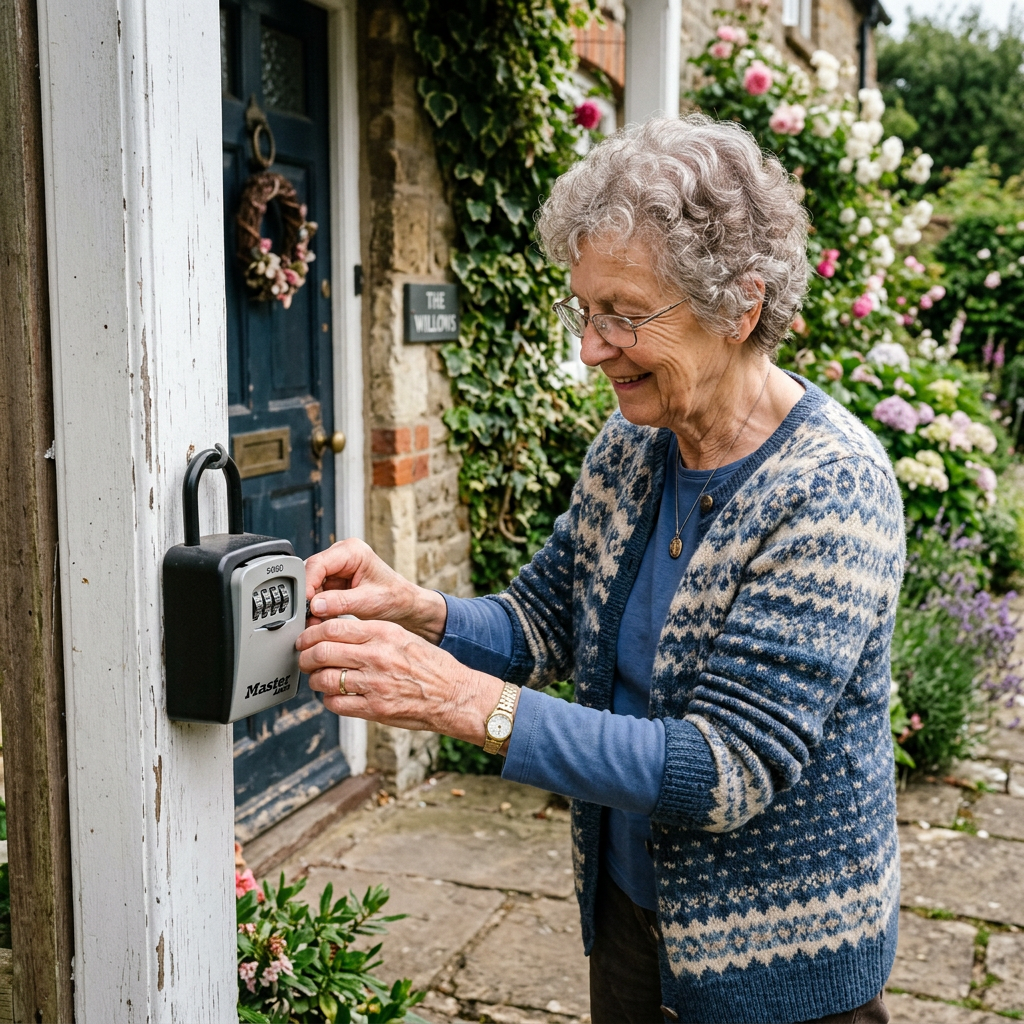
    10-minute read · Vision & Hearing · 5 picks compared

    The honest take: For most seniors with mild-to-moderate loss, buy the Lexie B2 Plus Powered by Bose and stop there, it’s a true self-fitting hearing aid, not an amplifier, and the in-app hearing test does most of the work. Choose the Elehear Beyond Pro instead only if the real problem is understanding speech in a noisy room or ringing (tinnitus). And skip anything on Amazon selling a “hearing aid” for under $80 those are sound amplifiers that make everything louder, including the noise, and they can’t be tuned to the frequencies you’ve actually lost.

    How we sorted through 30-plus OTC hearing aids in three weeks. Since the FDA’s 2022 over-the-counter rule opened the category, dozens of devices have flooded Amazon  and the quality gap between them is enormous. We cross-referenced independent lab measurements from HearingTracker and HearAdvisor, thousands of verified-buyer reviews, NCOA and Consumer Reports guidance, and each maker’s FDA clearance status. We deliberately excluded the two devices most competitor lists lead with Jabra Enhance Select and Eargo because they’re sold direct-to-consumer, not reliably on Amazon. Every pick below is FDA-registered as a hearing aid (not a “personal sound amplifier”), verified in stock, and covers mild-to-moderate loss.

    Who this guide is for

    This guide is for adult children and seniors shopping for a first pair of hearing aids without a $3,000 audiologist bill specifically for mild-to-moderate hearing loss (you miss words in restaurants or ask people to repeat themselves, but you’re not shut out of conversation entirely). If a parent’s loss is severe, or only in one ear, or came on suddenly, OTC is the wrong path see a licensed audiologist first.

    Roughly one in three adults between 65 and 74 has hearing loss, and untreated loss is linked in Johns Hopkins research to higher rates of falls, isolation, and cognitive decline. Yet the average person waits seven years to act, largely because prescription aids cost thousands. That’s the gap OTC hearing aids for seniors were created to close, and in 2026 the best of them are genuinely good. The trap: the category is now half real hearing aids and half rebranded amplifiers, and the listings look nearly identical.

    At a glance

    BEST OVERALL  Lexie B2 Plus Powered by Bose — ~$219 · self-fitting with Bose-tuned sound, best all-around choice

    BEST FOR NOISE  Elehear Beyond Pro — ~$599 · AI speech-in-noise processing and tinnitus masking

    BEST VALUE  Elehear Alpha Pro — ~$399 · Bluetooth, app control, and AI at a mid-tier price

    BEST BUDGET  MDHearing NEO — ~$297 · doctor-designed, simple one-button, no app needed

    MOST DISCREET  Go Hearing Go Prime — ~$299 · nearly invisible in-ear fit, FSA/HSA eligible

    BEST OVERALL  Lexie B2 Plus Powered by Bose

    Lexie B2 Plus Powered by Bose

    ~$219 · Check price on Amazon →

    If you buy one device off this page, make it this one. The Lexie B2 Plus is a genuine self-fitting OTC hearing aid: you take a guided hearing test inside the Lexie app, and the aids calibrate to your specific loss rather than just cranking up the volume across the board. The sound processing is licensed from Bose, and in independent noisy-environment testing it consistently ranked among the best OTC performers for speech clarity. Verified buyers most often praise the wireless charging case and the do-it-at-home setup; the most common complaint is that Bluetooth call streaming has historically favored iPhone over Android, so confirm compatibility first.

    The good

    • True self-fitting: the in-app hearing test tunes each aid to your loss
    • Bose-tuned sound rated among the best OTC devices for speech clarity
    • Rechargeable with a wireless charging case, plus free remote support from Lexie

    The catch

    • Around $219 the priciest pick here, though far below prescription aids
    • Call streaming works best on iPhone; Android buyers should verify features first

    This is right if… you want the closest thing to a prescription-grade experience without the price, and you’re comfortable using a phone app.

    Look elsewhere if… a parent won’t use a smartphone at all — a preset device like the MDHearing NEO will frustrate them less.

    Check Price on Amazon →

    BEST FOR NOISE & TINNITUS  Elehear Beyond Pro

    Elehear Beyond Pro

    ~$599 · Check price on Amazon →

    The single hardest thing for hearing aids to do is pull one voice out of a crowded restaurant, and the Beyond Pro is built for exactly that. Its VocClear 2.0 AI targets speech over background noise, and Elehear advertises a 30% improvement in speech understanding broadly consistent with the strong lab scores independent testers have given it. It also includes dedicated tinnitus-masking programs, which matters because many seniors with hearing loss also live with ringing. Buyers consistently note the clarity in noisy settings and the all-day battery (about 100 hours total with the case); the recurring gripe is that the behind-the-ear housing shows more than in-canal styles, and the app takes a session or two to learn.

    The good

    • AI speech-in-noise processing is the standout at this price
    • Built-in tinnitus masking programs, rare in OTC devices
    • Bluetooth 5.3 streaming and roughly 100 hours of total battery with the case

    The catch

    • Behind-the-ear design is more visible than in-canal picks
    • Getting the most from it means spending time in the companion app

    This is right if… the biggest complaint is “I can’t follow conversations at dinner” or there’s tinnitus in the mix.

    Look elsewhere if… discretion is the top priority — the in-ear MDHearing NEO or Go Prime hide better.

    Check Price on Amazon →

    BEST VALUE  Elehear Alpha Pro

    Elehear Alpha Pro

    ~$399 · Check price on Amazon →

    The Alpha Pro is the Beyond Pro’s more affordable sibling, and it’s the pick for families who want app control, Bluetooth, and AI noise reduction without crossing $400. You still get four listening modes, hands-free calling, tinnitus programs, and a rechargeable case delivering roughly 160 hours of total use features that were prescription-only a few years ago. Verified buyers frequently call it their “first real hearing aid”; the honest trade-off is that its noise handling isn’t as sophisticated as the Beyond Pro’s newer VocClear 2.0. For a hesitant parent testing the waters, this is the sweet spot.

    The good

    • Bluetooth, app control, and AI noise cancellation under $400
    • Four modes plus tinnitus programs for different environments
    • Rechargeable with about 160 hours of total battery across the case

    The catch

    • Older AI than the Beyond Pro; noise handling is good, not class-leading
    • Behind-the-ear fit is visible, and streaming favors iPhone

    This is right if… you want modern app-tuned features at the lowest price that still buys a real hearing aid.

    Look elsewhere if… speech-in-noise is severe, spend up for the Beyond Pro’s newer processing.

    Check Price on Amazon →

    BEST BUDGET  MDHearing NEO

    MDHearing NEO

    ~$297 per pair · Check price on Amazon →

    Not every senior wants a phone app, and the MDHearing NEO is the answer for them, a doctor-designed, in-the-ear device that works straight out of the box with a single button for volume and preset programs. At around $297 for the pair, it’s the most affordable true hearing aid here (MDHearing is FDA-registered, not an amplifier maker), and it’s the only water-resistant pick. Reviewers consistently call it comfortable, discreet, and refreshingly simple; the fair criticism from independent labs is that its raw audio trails the pricier app-tuned devices, since there’s no self-fitting. It’s the reliable starter pair for a parent who says “I don’t want a computer in my ear.”

    The good

    • Cheapest true hearing aid here at about $297 a pair
    • No app required, one-button operation, works out of the box
    • Water-resistant and rechargeable, with a discreet in-ear fit

    The catch

    • Preset only — no self-fitting hearing test to personalize the sound
    • Lab audio quality trails the app-tuned Lexie and Elehear picks

    This is right if… simplicity beats features and you want the lowest-risk way to try hearing aids.

    Look elsewhere if… you want the sound tuned to your exact loss — the Lexie B2 Plus does that.

    Check Price on Amazon →

    MOST DISCREET  Go Hearing Go Prime

    Go Hearing Go Prime

    ~$299 · Check price on Amazon →

    For the senior whose first question is “will people be able to see it,” the Go Prime is the answer. It’s an in-the-ear rechargeable device with a genuinely discreet fit, digital noise reduction, and a compact charging case and it’s explicitly FSA/HSA eligible, which quietly knocks 20–30% off the real cost for anyone with a spending account. At about $299 it competes head-on with the MDHearing NEO; verified buyers praise how little it shows and the charge-and-go routine. Like the NEO, it uses preset amplification rather than a self-fitting test, so it’s best matched to mild loss where getting a real device on the ear matters more than fine-tuning.

    The good

    • Among the most discreet in-ear fits at this price
    • Rechargeable with a pocketable case; simple charge-and-go use
    • FSA/HSA eligible, lowering the effective cost for many buyers

    The catch

    • Preset amplification no app or self-fitting hearing test
    • Best for mild loss; heavier losses need an app-tuned device

    This is right if… invisibility is the deal-breaker and you have an FSA/HSA to spend.

    Look elsewhere if… the loss is closer to moderate, step up to the Lexie or Elehear picks.

    Check Price on Amazon →

    Side-by-side comparison

    Model Price Self-fitting? Best for
    Lexie B2 Plus (Bose) ~$899 Yes (app test) Best overall
    Elehear Beyond Pro ~$599 Yes (app) Speech in noise, tinnitus
    Elehear Alpha Pro ~$399 Yes (app) Best value features
    MDHearing NEO ~$297 No (preset) Simplest, budget
    Go Hearing Go Prime ~$299 No (preset) Most discreet, FSA/HSA

    The conversation you’ll have

    Hearing aids carry a stigma that grab bars and pill organizers don’t for a lot of older adults they signal “old” in a way a walker somehow doesn’t, and denial is common. Pushing a parent toward one because “you never hear me” tends to land as criticism and shut the door. It usually works better to attach the device to something they want rather than something they’re losing.

    Try saying “I found these they connect to your phone and stream calls right into your ears, want to try them for the trial period and just see?” instead of “you really need hearing aids.” Framing it as a modern gadget with a no-risk return window lowers the stakes, and the fact that today’s devices are rechargeable and app-controlled surprises people who still picture the whistling beige aids of decades past. Lean on the return policy — every pick here can go back if it doesn’t help.

    Insurance and savings

    Here’s the money reality: Original Medicare (Parts A and B) does not cover hearing aids — OTC or prescription — a longstanding statutory exclusion. Some Medicare Advantage plans include a supplemental hearing benefit, so it’s worth checking a parent’s specific plan documents. The bigger everyday win: OTC hearing aids are a qualified medical expense, so they’re FSA and HSA eligible under IRS Publication 502 — effectively 20–30% off for anyone with a spending account (the Go Prime lists this explicitly). They can also count toward the itemized medical-expense deduction. For the bigger picture, our complete aging-in-place home safety checklist walks through budgeting for modifications like this.

    What to actually look for

    Hearing aid vs. “amplifier” — the difference that costs you

    This is the one thing to get right. A true OTC hearing aid is FDA-regulated and shaped to amplify the specific frequencies you’ve lost — usually the high pitches (s, f, th, sh) that make speech intelligible. A personal sound amplifier (PSAP) just makes everything louder, including restaurant clatter, and can’t be tuned. Many sub-$100 Amazon listings call themselves “hearing aids” but are amplifiers; the tell is a rock-bottom price, no FDA registration, and no hearing test. Pay for a real device or you’ll waste the money twice.

    Self-fitting beats preset — if the person will use an app

    Self-fitting devices (Lexie, both Elehear models) run a hearing test through an app and personalize the sound, which independent labs show produces better real-world results. Preset devices (MDHearing NEO, Go Prime) skip that step for simplicity. The right answer depends on the person: a tech-comfortable parent gets more from self-fitting, while someone who resents smartphones will actually wear a preset aid more often — and the aid that gets worn beats the one in a drawer.

    Treat the trial period as part of the product

    Hearing takes weeks to re-adjust, and the return window is your safety net — read it before you buy and mark the deadline on a calendar. Hearing loss also compounds other risks: it’s linked to higher fall rates and social withdrawal, which is why we pair hearing help with a broader safety plan and, where budget allows, a fall detection device with no monthly fee. And if a parent also struggles on the phone specifically, our guide to amplified phones for severe hearing loss covers a complementary fix.

    Frequently asked questions

    Are OTC hearing aids as good as prescription hearing aids?

    For mild-to-moderate loss, the best self-fitting OTC devices now come close, and independent labs rate top models like the Lexie B2 Plus favorably. Prescription aids still win for severe loss, complex prescriptions, and hands-on professional fitting. If loss is mild-to-moderate and budget matters, OTC is a legitimate first step.

    How much do OTC hearing aids cost?

    Most OTC hearing aids run between about $200 and $1,400 a pair, versus roughly $3,000–$5,000 for prescription pairs. The picks here span $297 to $899. Preset budget models sit near $300; self-fitting, app-tuned devices with Bluetooth generally cost $400 and up.

    Does Medicare cover OTC hearing aids?

    No. Original Medicare (Parts A and B) excludes hearing aids of any kind by statute. Some Medicare Advantage plans add a limited hearing benefit, so check the specific plan. OTC hearing aids are, however, FSA and HSA eligible under IRS rules, which lowers the real cost for many buyers.

    Can you buy hearing aids without a hearing test?

    Yes — that’s the point of the OTC category created by the FDA in 2022. No prescription, audiologist visit, or medical exam is required for adults with perceived mild-to-moderate loss. Self-fitting models include an in-app hearing check, but it’s optional and done at home, not a clinical test.

    What’s the difference between an OTC hearing aid and an amplifier?

    An OTC hearing aid is FDA-regulated and amplifies the specific frequencies you’ve lost. A personal sound amplifier (PSAP) makes all sound louder without targeting speech and isn’t a medical device. Many cheap “hearing aids” online are actually amplifiers — the giveaway is a very low price and no FDA registration.

    Who should not use OTC hearing aids?

    Anyone with severe or profound loss, hearing loss in only one ear, sudden hearing changes, ear pain, drainage, or dizziness should see a licensed audiologist or physician instead. OTC devices are designed only for adults 18-plus with self-perceived mild-to-moderate loss; children should always be seen professionally.

    The shortlist

    Lexie B2 Plus

    Best Overall

    Lexie B2 Plus (Bose)

    ~$899

    Check on Amazon →

    Elehear Beyond Pro

    Best for Noise

    Elehear Beyond Pro

    ~$599

    Check on Amazon →

    Elehear Alpha Pro

    Best Value

    Elehear Alpha Pro

    ~$399

    Check on Amazon →

    MDHearing NEO

    Best Budget

    MDHearing NEO

    ~$297

    Check on Amazon →

    Go Prime

    Most Discreet

    Go Hearing Go Prime

    ~$299

    Check on Amazon →

    Last verified in stock: August 8, 2026

    What we’d do tomorrow

    If you’re starting this weekend, do three things in order. First, decide whether your parent will use a phone app — that single answer splits the field into self-fitting (Lexie B2 Plus, Elehear) versus preset (MDHearing NEO, Go Prime). Second, buy one pair, note the return deadline on a calendar, and use an FSA or HSA if you have one. Third, frame it as a no-risk trial of a modern gadget, not a concession to age — then give it a few weeks, because the brain needs time to relearn sound. For most families, the Lexie B2 Plus is the confident first move; if speech-in-noise or tinnitus is the real complaint, start with the Elehear Beyond Pro.

    — Sarah

    BuyingForMom is a reader-supported site. As an Amazon Associate we earn from qualifying purchases. When you buy through links on this site, we may earn an affiliate commission at no additional cost to you. See our Affiliate Disclosure for details. This article is not medical advice — please consult a qualified healthcare professional for decisions specific to your loved one.
  • 5 Best Pill Splitters & Crushers for Seniors

    5 Best Pill Splitters & Crushers for Seniors

    Disclosure: BuyingForMom is reader-supported. As an Amazon Associate we earn from qualifying purchases. When you buy through links in this article, we may earn an affiliate commission at no additional cost to you. We never recommend products we haven’t researched against verified-buyer review data. This article is editorial reporting, not medical advice.

    5 Best Pill Splitters & Crushers for Seniors

    By Sarah Mitchell · Editor, BuyingForMom · Updated August 2026

    8-minute read · Pill Dispensers & Medication Management · 5 picks compared

    The honest take: For most households the Ezy Dose Original splitter is all you need  it’s a few dollars, cuts a clean half, and the V-groove holds the pill so arthritic fingers don’t have to. Reach for the Equadose only if your parent is splitting tiny, unscored, or high-value tablets where a ragged cut wastes money. And before you buy anything, settle the one question that actually matters: ask the pharmacist which of your parent’s pills can be split or crushed at all because roughly a third of common tablets should never be touched.

    How we sorted through 40+ pill splitters and crushers in three weeks

    We cross-referenced more than 8,000 verified Amazon reviews across the four brands that dominate this category Ezy Dose, Apex, Equadose, and Providence alongside pill-splitting safety guidance from Drugs.com, AARP medication-management resources, and pharmacist commentary on how tablet coatings behave under a blade. We paid special attention to the recurring failure patterns caregivers report: cracked plastic hinges, blades that dull after a few months, and cutters that crush small pills instead of halving them. The five below are the ones that survived that filter, each mapped to a specific limitation an older adult is likely to have rather than ranked by star count alone.

    Who this guide is for

    This guide is for adult children and caregivers helping a parent who either can’t swallow whole pills comfortably or has been told to take a half-dose. If your parent has arthritis, tremor, or low vision, the “which tool” section below matters more than the price the wrong device turns a 10-second task into a daily frustration and, worse, into inconsistent dosing.

    Split or crush? Answer this before you buy

    Splitting and crushing solve two different problems. You split when a doctor prescribes a half-dose or when a large tablet is hard to swallow whole. You crush when a pill needs to go into applesauce, pudding, or a feeding tube because swallowing is genuinely unsafe. What they share is a hard rule: extended-release, enteric-coated, and many capsule medications must never be split or crushed doing so can dump a full day’s dose at once or destroy the coating that protects the stomach. Verified buyers and pharmacists say the same thing again and again: the tool is the easy part; confirming the pill is safe to cut is the part people skip. Get that list from your pharmacist first, then pick the device that fits your parent’s hands and eyes.

    At a glance: the 5 picks

    BEST OVERALL  Ezy Dose Original Pill Cutter & Splitter — ~$7 — the default clean-half cutter for most pills.

    BEST PRECISION  Equadose Pill Cutter V2 — ~$18 — twin blades + centering guide for tiny or unscored tablets.

    BEST FOR WEAK GRIP  Apex Ultra Pill Splitter — ~$8 — flexible V-holder grips any shape, retracting blade guard.

    BEST FOR LOW VISION  Ezy Dose Pill Cutter with Magnifier — ~$8 — built-in magnifier and safety shield.

    BEST FOR SWALLOWING TROUBLE  Ezy Dose Pill Crusher & Grinder — ~$7 — crushes to fine powder with a built-in drinking cup.

    Best Overall  Ezy Dose Original Pill Cutter & Splitter

    ~$7 · Check price on Amazon →

    This is the cutter most pharmacies hand out, and across roughly 20,000 reviews it earns its 4.6-star reputation for one reason: it does the boring job reliably. A spring-loaded lid presses a stainless-steel blade straight down through the tablet, while a small V-shaped channel holds the pill centered so an unsteady hand doesn’t have to. Verified buyers consistently note that the blade stays sharp for a year or more of daily use, and the closed lid keeps stray halves from bouncing off the counter — a small thing that matters when picking a pill up off the floor is the hard part. It’s not fancy, and that’s the point: for standard round or oval tablets, spending more buys you very little.

    The good

    • V-groove centers the pill so weak or shaky hands still get a clean cut
    • Stainless blade holds an edge through daily use for a year-plus
    • A few dollars, the lowest-risk first purchase in the category

    The catch

    • Very small or unscored pills can shift and cut unevenly
    • The plastic hinge is the part that eventually wears out, not the blade

    This is right if… your parent takes standard scored tablets and just needs a dependable, low-cost cutter.

    Look elsewhere if… the pills are tiny, unscored, or expensive enough that a ragged cut is a real waste.

    Check Price on Amazon →

    Best Precision  Equadose Pill Cutter V2

    ~$18 · Check price on Amazon →

    Where the budget cutters struggle small, round, unscored tablets that skid out from under a single blade the Equadose is built to win. It uses two stainless blades that meet at a fixed point plus a sliding centering device that grips the pill before the cut, so the two halves come out genuinely even rather than one fat and one thin. Across its reviews the pattern is clear: people who split high-value medications, thyroid tablets, or pet meds buy this one specifically because an uneven cut means an unreliable dose. It costs several times what the Ezy Dose does, and for a scored acetaminophen that’s overkill but for a tiny, pricey, unscored pill it’s the difference between splitting confidently and guessing.

    The good

    • Twin-blade + centering guide produces the most even halves in the category
    • Handles tiny and unscored pills that defeat single-blade cutters
    • Solid all-steel-and-heavy-plastic build; frequently HSA/FSA-eligible

    The catch

    • Two to three times the price of a basic cutter
    • More moving parts to line up — a slightly longer learning curve

    This is right if… your parent splits small, unscored, or expensive tablets where an even cut actually matters.

    Look elsewhere if… every pill they split is already scored and cheap — you’re paying for precision you won’t use.

    Check Price on Amazon →

    Best for Weak Grip  Apex Ultra Pill Splitter

    ~$8 · Check price on Amazon →

    The Apex Ultra is the one occupational therapists tend to point arthritic hands toward. Its flexible V-shaped holder squeezes in to grip pills of nearly any shape, so a knobbly or oblong tablet stays put, and the lid needs less downward force than most cutters to drive the blade through. A retracting blade guard covers the edge automatically when the lid opens — the detail caregivers praise most, because it removes the risk of a fingertip meeting a blade during a fumbled one-handed cut. Reviewers with rheumatoid arthritis repeatedly describe it as the first cutter they could operate without pain. The trade-off is that the softer holder isn’t quite as surgically precise as the Equadose on tiny pills.

    The good

    • Flexible V-holder grips odd shapes; needs less hand force to close
    • Auto-retracting blade guard protects fingers between cuts
    • Widely recommended by OTs for arthritis and limited dexterity

    The catch

    • Less precise than a twin-blade cutter on very small tablets
    • The gripper can hold onto pill dust; needs an occasional rinse

    This is right if… arthritis, tremor, or weak grip makes a standard cutter painful or unsafe to press.

    Look elsewhere if… your parent’s hands are strong and the priority is millimeter-precise halves.

    Check Price on Amazon →

    Best for Low Vision  Ezy Dose Pill Cutter with Magnifier

    ~$8 · Check price on Amazon →

    For a parent whose eyesight makes lining up a small tablet a squinting ordeal, this version of the Ezy Dose adds a built-in magnifier over the cutting area and a hinged safety shield around the blade. The magnification isn’t dramatic, but reviewers with macular degeneration and diabetic retinopathy say it’s enough to see the score line and place the pill correctly the first time instead of the third. It splits the same way the Original does — the same dependable spring-loaded blade — so you’re paying a dollar or two for the lens, not for a different mechanism. Verified buyers do note the magnifier can scratch over time, so it earns its keep as a low-vision aid rather than a lifetime optic.

    The good

    • Integrated magnifier helps low-vision users place and cut accurately
    • Hinged safety shield reduces the chance of a blade slip
    • Same proven Ezy Dose cutting action at a near-identical price

    The catch

    • Magnification is modest — a help, not a substitute for good lighting
    • The plastic lens can scuff with heavy daily use

    This is right if… failing eyesight is the main obstacle to splitting pills accurately.

    Look elsewhere if… vision is fine and grip or precision is the real issue.

    Check Price on Amazon →

    Best for Swallowing Trouble  Ezy Dose Pill Crusher & Grinder

    ~$7 · Check price on Amazon →

    When swallowing a whole pill is genuinely unsafe after a stroke, or in mid-stage dementia — crushing into food is often the only route, and this is the crusher caregivers reach for. You drop the tablet in, twist the top down, and its threaded mechanism grinds to a fine powder with far less hand strength than a mortar and pestle demands. The powder collects in a compartment that doubles as a small drinking cup, so it mixes straight into applesauce, pudding, or a few sips of water. Across its reviews the recurring praise is that it turns a two-handed, high-effort chore into a one-handed twist. The one caution worth repeating: it will happily crush anything, so it’s on you to confirm the medication is safe to crush — extended-release and enteric-coated pills are not.

    The good

    • Twist mechanism grinds to fine powder with minimal hand force
    • Built-in cup lets you mix and serve in the same device
    • Storage compartment keeps a pre-crushed dose portable and covered

    The catch

    • No built-in safeguard against crushing pills that shouldn’t be crushed
    • Very hard or oversized tablets can take extra twists

    This is right if… your parent can’t swallow pills whole and a pharmacist has confirmed the medication is safe to crush.

    Look elsewhere if… the goal is a precise half-dose — that’s a splitter’s job, not a crusher’s.

    Check Price on Amazon →

    Quick comparison

    Product ~Price Type Best for
    Ezy Dose Original $7 Splitter Everyday scored tablets
    Equadose V2 $18 Splitter Tiny / unscored / pricey pills
    Apex Ultra $8 Splitter Arthritis / weak grip
    Ezy Dose Magnifier $8 Splitter Low vision
    Ezy Dose Crusher $7 Crusher Swallowing trouble

    The conversation you’ll have

    Medication is a touchy subject,  a parent can hear “let me split your pills” as “I don’t think you can manage your own care.” The way in is to frame it as convenience and cost, not decline. Instead of “You’re not cutting these right,” try “The pharmacy prices the double-strength tablet almost the same as the half, so if we split them you basically get two months for one — want me to set up the little cutter so it’s quick?” If swallowing is the issue, skip the word “crush” entirely and say “This grinds it so fine you can stir it into your morning yogurt and not taste it.” Keep the tool on the counter next to the coffee, not tucked in a medical drawer when it looks like an ordinary kitchen gadget, it stops feeling like a loss of independence.

    Insurance and savings

    Original Medicare won’t cover a pill splitter or crusher at a few dollars, these aren’t durable medical equipment. But two money angles are real. First, most of these tools are FSA- and HSA-eligible (the Equadose is explicitly listed as such), so you can buy them with pre-tax dollars. Second, and bigger: pill-splitting itself is one of the most reliable ways to cut a drug bill. Because many prescriptions cost nearly the same at double strength, splitting a 40 mg tablet into two 20 mg doses can roughly halve the monthly cost of that medication — ask the prescriber to write it that way and confirm the tablet is safe to split. If out-of-pocket medical spending is high, IRS Publication 502 also lets you count qualifying costs above 7.5% of income as an itemized deduction. For where medication management fits among your other priorities, see our complete aging-in-place home safety checklist.

    What to actually look for

    Match the tool to the failing ability

    Don’t buy on star rating, buy on the specific limitation. Weak or arthritic hands want a gripping V-holder and a low-force lid; low vision wants a magnifier and high contrast; tiny or unscored pills want a twin-blade centering cutter; true swallowing difficulty wants a crusher, not a splitter. A parent who checks two of those boxes may need two tools, and at these prices that’s still under $20. Our guide to automatic pill dispensers for dementia patients covers the next layer — making sure the split or crushed dose is actually taken on schedule.

    Blade quality and a safety guard

    Stainless steel holds an edge; the cheap coated blades in dollar-store cutters dull fast and start crushing instead of cutting. A retracting or shielded blade is not a luxury for an older adult — a fumbled one-handed cut is exactly when a fingertip finds an exposed edge. Every pick here uses stainless steel, and three of the five guard the blade automatically.

    Easy to clean, easy to see

    Pill residue builds up and can cross-contaminate the next tablet, so look for a design that rinses out or wipes clean in seconds. Light-colored interiors also help a dropped white pill show up instead of vanishing. For the wider setup — where to keep medications, lighting the counter, reducing clutter our room-by-room aging-in-place modification guide maps it out.

    Frequently asked questions

    Is it safe to split pills?
    Only when your doctor or pharmacist confirms that specific tablet can be split. Many can, but extended-release, enteric-coated, and some capsule medications cannot — cutting them can release a full dose at once or destroy a protective coating. Always ask before you split, and split one pill at a time.

    What pills should never be crushed?
    Extended-release, controlled-release, and enteric-coated tablets, plus most capsules, should never be crushed. Crushing them can flood the body with a full day’s dose or expose the stomach to a drug the coating was meant to protect it from. Your pharmacist can give you a “do-not-crush” list for your parent’s exact medications.

    How do you cut a pill evenly?
    Center the tablet in the cutter’s holder along its score line, close the lid in one firm motion rather than sawing, and let the blade do the work. A twin-blade cutter with a centering guide gives the most even halves on small or unscored pills. Split just before the dose halved pills degrade faster.

    Are pill splitters better than using a knife?
    Yes, clearly. A knife or razor tends to splinter or crush tablets, produces uneven doses, and puts a bare blade near your fingers. A dedicated splitter holds the pill, guides a clean cut, and shields the blade safer and more accurate, which matters most for arthritic or unsteady hands.

    Do pill splitters work on small or unscored pills?
    Basic single-blade cutters struggle with tiny or unscored tablets that skid under the blade. A twin-blade model with a sliding centering device, like the Equadose, is built for exactly those pills. Even then, confirm with your pharmacist that an unscored tablet is approved for splitting before relying on halved doses.

    Can you crush pills and mix them with food?
    If the pharmacist confirms the medication is crush-safe, yes — a fine powder stirs well into applesauce, pudding, yogurt, or oatmeal, which also helps with a bitter taste. Use a soft food the person will finish so the full dose is taken, and mix it fresh at each dose rather than in advance.

    The shortlist

    Best Overall

    Ezy Dose Original Splitter

    ~$7

    Check on Amazon →

    Best Precision

    Equadose Cutter V2

    ~$18

    Check on Amazon →

    Best for Weak Grip

    Apex Ultra Splitter

    ~$8

    Check on Amazon →

    Best for Low Vision

    Ezy Dose Magnifier Cutter

    ~$8

    Check on Amazon →

    Best for Swallowing

    Ezy Dose Crusher & Grinder

    ~$7

    Check on Amazon →

    Last verified in stock: August 6, 2026

    What we’d do tomorrow

    If you’re sorting this out this week, do three things in order. First, call the pharmacy and ask which of your parent’s medications are safe to split and which are safe to crush — write it down, because that list decides everything else. Second, match the tool to the hurdle: for ordinary scored tablets, the Ezy Dose Original is the safe default; add the Apex Ultra if arthritis is in the picture, or the Ezy Dose Crusher if swallowing is the real problem. Third, while you’re talking to the prescriber, ask whether a double-strength-and-split prescription could cut the monthly cost. The whole fix runs under $20 and takes one phone call.

    — Sarah

    BuyingForMom is a reader-supported site. As an Amazon Associate we earn from qualifying purchases. When you buy through links on this site, we may earn an affiliate commission at no additional cost to you. See our Affiliate Disclosure for details. This article is not medical advice — please consult a qualified healthcare professional and your pharmacist before splitting or crushing any medication.
  • 5 Best Lift-Assist Seat Cushions for Standing Up

    5 Best Lift-Assist Seat Cushions for Standing Up

    Disclosure: BuyingForMom is reader-supported. As an Amazon Associate we earn from qualifying purchases. When you buy through links in this article, we may earn an affiliate commission at no additional cost to you. We never recommend products we haven’t researched against verified-buyer review data. This article is editorial reporting, not medical advice.

    5 Best Lift-Assist Seat Cushions for Standing Up

    By Sarah Mitchell · Editor, BuyingForMom · Updated August 2026

    9-minute read · Living Room / Balance & Mobility · 5 picks compared

    The honest take: For most parents who still have some leg strength but need a boost, buy the self-powered Carex Upeasy Seat Assist Plus and stop there — it lifts up to 70% of their weight with no cords, no charging, and a 340 lb capacity. Go electric with the Carex Uplift Premium Power Seat only if standing has become nearly impossible, because it does 100% of the work at the push of a button. Skip the bare foam wedges as a long-term answer if a real sit-to-stand problem exists they help posture, not lift.

    How we sorted through 30+ lift cushions over three weeks

    We started with more than thirty lift-assist cushions on Amazon and pared the field to five by cross-referencing manufacturer-stated capacities and lift percentages, roughly 9,000 verified-buyer reviews, the recurring complaints caregivers post in Reddit’s r/AgingParents and r/CaregiverSupport, and how occupational therapists match a lift device to a person’s remaining leg strength. We kept only cushions in stock as of August 2026 and a deliberate spread of mechanisms, foam, spring, air, and electric because the right pick depends far more on why standing is hard than on the star rating.

    Who this guide is for: This is for adult children and caregivers buying for a parent who has started struggling to rise from a favorite chair the pause, the rock-back-and-forth, the hand on a wobbly side table. If you’re shopping for yourself, the same picks apply; just skip the “conversation” section below.

    A lift-assist seat cushion is the in-between step most families reach for before a full lift chair. You set it on an existing armchair or firm sofa, and when your parent leans forward to stand, it gives back a portion of the effort — tilting them up and forward instead of leaving them to muscle out of a low, soft seat. The best lift assist seat cushion for elderly use is the one matched to how much help is actually needed: a little nudge, most of the work, or all of it.

    The category splits into four mechanisms. Foam cushions give a passive angled boost; spring (self-powered) cushions store energy as the person sits and release it to help them up; air cushions inflate on a remote; electric power seats do 100% of the lifting with a motor. One quirk: spring cushions must be set to the user’s weight, and an under- or over-loaded spring either won’t lift or lifts too aggressively.

    At a glance

    Best overall (self-powered) — Carex Upeasy Seat Assist Plus · ~$218 · 70% lift, 340 lb, no cords

    Best electric — Carex Uplift Premium Power Seat (20″) · ~$330 · 100% push-button lift

    Best budget — Seat Boost Lift Assist Cushion · ~$45 · firm foam boost, 340 lb

    Best adjustable — Vive Inflatable Seat Assist · ~$120 · remote-controlled air lift

    Best for heavier users — Carex Uplift Premium Seat Assist Plus w/ Memory Foam · ~$110 · 350 lb, cushioned

    Best OverallCarex Upeasy Seat Assist Plus

    ~$218 · Check price on Amazon →

    This is the cushion most families should look at first. It’s self-powered — a hydro-pneumatic gas spring compresses when your parent sits and gives back roughly 70% of their weight as a smooth boost when they stand, with no motor, cord, or battery. At about 9 lb with a carry handle, it travels from the living-room chair to a friend’s sofa or the car. Across several thousand verified reviews, buyers return to the same line it “does most of the work but still makes you feel like you stood up yourself” the dignity balance OTs say keeps a device in use rather than in a closet. The one learning curve: the spring is calibrated to a weight range, so it has to be set correctly to feel right.

    The good

    • No cords or charging — works anywhere, including outdoors
    • High 340 lb capacity covers most users the electric models can’t
    • Lightweight with a handle; genuinely portable chair-to-chair

    The catch

    • Must be set to the user’s weight; a wrong setting lifts poorly or too hard
    • Not for recliners, wheelchairs, or deep soft sofas — needs a firm base

    This is right if… your parent has some leg strength left and needs a reliable, no-fuss boost they can take anywhere.

    Look elsewhere if… standing is nearly impossible for them — they’ll need the electric model’s 100% lift.

    Best ElectricCarex Uplift Premium Power Seat (20″)

    ~$330 · Check price on Amazon →

    When leg strength has faded past what a spring cushion can cover, the electric Uplift Premium Power Seat does 100% of the lifting with a push button. Its patented LeveLift design raises the person gently and straight up rather than tipping them forward that pitch-forward sensation is the most common fear caregivers report with lift devices. The 20″-wide model is the version currently stocked on Amazon (the 17″ variant is frequently unavailable). Verified buyers single out the same benefit: a parent who had started needing two-person help can stand alone again. The trade-offs are inherent to electric it needs an outlet, it’s heavier and less portable, and the capacity is lower than the self-powered cushions.

    The good

    • 100% push-button lift no leg strength required from the user
    • LeveLift raises straight up, reducing the pitch-forward feeling
    • Restores solo standing for people who needed hands-on help

    The catch

    • Needs an outlet; the cord tethers it to one chair
    • Lower weight capacity and heavier than the self-powered picks

    This is right if… your parent can no longer reliably stand on their own, even with a boost.

    Look elsewhere if… they still have decent leg strength you’re paying for lift they don’t need, and losing portability.

    Best BudgetSeat Boost Lift Assist Cushion

    ~$45 · Check price on Amazon →

    At roughly a fifth of the spring cushions’ price, the Seat Boost is the honest entry point and it’s worth being clear what it is. This is a firm, angled high-density memory-foam wedge rated to 340 lb; it raises the front of the seat so a person starts higher and forward-tilted, with less distance to standing. It’s not a mechanical lift the assist is passive. Buyers who understand that going in tend to be happy, describing it as “the difference between sinking into the couch and perching on the edge, ready to go.” The recurring one-star complaint comes from shoppers who expected a spring or motor and felt the foam “didn’t lift.” For a parent whose problem is a too-soft, too-low chair rather than real weakness, it’s often all that’s needed.

    The good

    • Inexpensive, with nothing to set, charge, or break
    • 340 lb capacity and a washable cover
    • Great for firming up a soft sofa or deep chair

    The catch

    • Passive foam only no mechanical lift for real weakness
    • The raised angle can feel too firm for long sitting

    This is right if… the real issue is a low, soft seat and your parent needs a head start, not a lift.

    Look elsewhere if… they truly can’t push up on their own foam won’t close that gap.

    Best AdjustableVive Inflatable Seat Assist

    ~$120 · Check price on Amazon →

    Vive’s air-powered cushion splits the difference between passive foam and a fixed-strength spring. A remote inflates and deflates a 17″×17″ bladder, so the lift is adjustable in the moment gentler on a good day, more assist on a stiff morning and the deflate-to-sit motion is smooth rather than a hard drop. Rated to 220 lb, it’s aimed at lighter users, and caregivers tell us the remote is the selling point for arthritic hands that struggle with a spring’s setup. The common critique is what you’d expect from an inflatable: the motor hums during inflation, and a few buyers wished it lifted a touch higher. For a parent whose needs vary day to day, that adjustability is the reason to choose it over a fixed spring.

    The good

    • Remote-controlled lift you can dial up or down per day
    • Smooth, controlled descent when sitting back down
    • No weight-spring to set friendlier for arthritic hands

    The catch

    • Lower 220 lb capacity than the spring cushions
    • Audible hum while inflating; a short wait for the lift

    This is right if… your parent’s strength varies day to day and they want to control the amount of help.

    Look elsewhere if… they’re over ~220 lb or want an instant, set-and-forget boost.

    Best for Heavier UsersCarex Uplift Premium Seat Assist Plus (Memory Foam)

    ~$110 · Check price on Amazon →

    This is the self-powered spring with a comfort upgrade and the highest capacity here: rated to 350 lb, it pairs the same 70% hydro-pneumatic lift as the Upeasy with a memory-foam top that buyers say makes it tolerable for a full evening a common gripe with firmer spring cushions. For a larger-framed parent who found the standard spring uncomfortable or over the 340 lb line, it’s the natural pick, and it typically costs less than the flagship Upeasy Plus. Like any spring cushion, it must be matched to the user’s weight and wants a firm base, not a plush recliner. Caregivers who bought it for a heavier spouse most often note it finally let them stop bracing for the lift themselves.

    The good

    • 350 lb capacity the highest here
    • Memory-foam top is comfortable for longer sitting
    • Same 70% self-powered lift, usually at a lower price than the Upeasy

    The catch

    • Weight-set spring, same as the other self-powered models
    • Needs a firm base; not for soft recliners

    This is right if… your parent is larger-framed or wants more cushioning than a firm spring seat.

    Look elsewhere if… they need zero-effort standing — that’s still the electric model’s job.

    How the five compare

    Cushion Type Capacity ~Price Best for
    Carex Upeasy Seat Assist Plus Self-powered spring 340 lb $218 Reliable no-cord boost
    Carex Uplift Premium Power Seat Electric ~300 lb $330 100% lift, near-zero strength
    Seat Boost Lift Assist Cushion Foam wedge 340 lb $45 Budget / firming a soft seat
    Vive Inflatable Seat Assist Air / remote 220 lb $120 Adjustable day-to-day help
    Carex Uplift Premium (Memory Foam) Self-powered spring 350 lb $110 Heavier users / comfort

    The conversation you’ll have

    Almost no one wants a “device” in their chair. A lift cushion can read as a small surrender, and plenty of parents will wave it off “I’m fine, I just need a second.” The move that works is to frame it as protecting the chair they love, not admitting weakness. Instead of “You’re having trouble standing, so I got you a lift cushion,” try: “I hate watching you push off that flimsy side table — this just gives the chair a little spring so you’re not gripping the furniture.” You’ve named a real hazard grabbing unstable objects to stand is a leading fall trigger and made the cushion about the room, not their body.

    It also helps to let them keep control. Set it up and say “try it for a week; if you hate it, it goes in the closet.” The self-powered and air models lift out easily, so the offer is genuine — and the parents who agree to a trial almost always keep it once standing stops being a daily negotiation.

    Insurance and savings

    Here’s the nuance most listings skip. Medicare Part B covers the “seat-lift mechanism” as durable medical equipment when a doctor prescribes it for a qualifying condition (typically severe hip or knee arthritis, or a neuromuscular disease) and the person can’t stand from a regular chair but can walk once up. The catch: Medicare reimburses the lifting mechanism, not the furniture or padding, and the classic covered device is a motorized seat-lift — so the electric power seat is the one most likely to qualify, and only with a prescription and a Medicare-enrolled supplier. The self-powered and foam cushions are generally out-of-pocket; for those, an FSA or HSA is the better route, since lift-assist cushions are commonly eligible medical expenses (sometimes with a letter of medical necessity), effectively discounting them by your tax rate. Confirm with your plan administrator and your parent’s doctor if reimbursement matters.

    What to actually look for

    Match the mechanism to their leg strength

    This is the whole decision. If your parent can stand with a little help but tires or wobbles, a self-powered spring is the sweet spot. If they can barely rise even with a boost, only an electric 100% lift will reliably work. If the real problem is a too-soft, too-low chair, foam may be all they need. Getting this wrong is the top source of disappointed reviews. For the bigger picture of where a lift device fits, our complete aging-in-place home safety checklist lays out the priority order for the whole home.

    Confirm the weight range both directions

    Spring cushions have a floor and a ceiling. Too light for the spring and it launches the user forward; too heavy and it won’t lift at all. Read the rated range, not just the maximum, and if your parent is near either edge, choose the electric or air model, which don’t rely on body weight to store energy.

    Check the chair it’s going on

    Every cushion here needs a firm, stable base a solid armchair or firm sofa with arms to push against. None belong on a recliner, a wheelchair, or a deep plush couch. If the chair itself is the problem and no cushion fixes it, that’s the signal to step up to a full lift chair; see our guide to the best lift chairs under $1,000. And if you’re mapping safety across the whole house, the room-by-room aging-in-place modification guide covers what pairs well with seating changes.

    Frequently asked questions

    Does Medicare cover a seat lift cushion?
    Medicare Part B may cover the motorized seat-lift mechanism as durable medical equipment with a doctor’s prescription and a qualifying condition, but it reimburses the lifting mechanism only — not padding or furniture. Self-powered and foam cushions are generally out-of-pocket, though FSA/HSA funds often apply.

    What’s the difference between an electric and a self-powered lift cushion?
    An electric cushion uses a motor to do 100% of the lifting at the push of a button but needs an outlet. A self-powered cushion stores energy from the person sitting down and returns about 70% of their weight as a boost no cords, but they still need some leg strength.

    How much weight can a lift assist cushion hold?
    It varies widely. The foam and self-powered spring models here are rated up to 340–350 lb, while the electric and inflatable options top out lower around 220–300 lb. Always check the rated range, since spring cushions have a minimum weight as well as a maximum.

    Are lift cushions safe for someone with balance problems?
    They help with the sit-to-stand transition, but they don’t provide standing balance. For someone unsteady on their feet, pair a cushion with a nearby grab rail or walker, and choose a model like the electric LeveLift that lifts straight up rather than tipping the person forward.

    Can you use a lift cushion on a recliner or soft sofa?
    No, Every model here needs a firm, stable base to work safely a solid armchair or firm sofa with arms. On a recliner, wheelchair, or deep plush couch the cushion can shift or fail to lift. If the chair is the problem, a dedicated lift chair is the better answer.

    Is a lift cushion better than a lift chair?
    A cushion is cheaper, portable, and works with a chair they already love, making it the right first step for partial weakness. A lift chair replaces the furniture and suits people who need full support all day. Many families start with a cushion and move up only if it’s not enough.

    The shortlist

    Best Overall

    Carex Upeasy Seat Assist Plus

    ~$218

    Check on Amazon →

    Best Electric

    Carex Uplift Premium Power Seat

    ~$330

    Check on Amazon →

    Best Budget

    Seat Boost Lift Assist Cushion

    ~$45

    Check on Amazon →

    Best Adjustable

    Vive Inflatable Seat Assist

    ~$120

    Check on Amazon →

    Best for Heavier Users

    Carex Uplift Premium (Memory Foam)

    ~$110

    Check on Amazon →

    What we’d do tomorrow

    If you’re starting this weekend, do these three things in order. First, watch your parent stand up once and be honest about which bucket they’re in: a boost, most of the work, or all of it. Second, check the chair if it’s a firm armchair with arms, any of these will work; if it’s a plush recliner, skip the cushion and look at a lift chair instead. Third, match the mechanism: get the Carex Upeasy Seat Assist Plus for partial weakness, the electric Uplift Premium Power Seat if standing is nearly impossible, or the $45 Seat Boost if the chair is just too soft. Order tonight, set it up together, and offer the one-week trial that framing is what turns a rejected “device” into a kept one.

    — Sarah

    BuyingForMom is a reader-supported site. As an Amazon Associate we earn from qualifying purchases. When you buy through links on this site, we may earn an affiliate commission at no additional cost to you. See our Affiliate Disclosure for details. This article is not medical advice — please consult a qualified healthcare professional for decisions specific to your family.